
Financial Settings
Stripe Real-Time Payments
Real-time payments let customers send money directly from their bank account or other funding source, using an intermediary to authenticate — such as a phone number or other account. They’re a common payment type in Asia and Latin America, and EasyCart makes Pix, PayNow, and PromptPay simple to switch on.
Why Real-Time Payments?
Real-time payments allow customers to pay more quickly, which can help improve conversion rates for the merchant. These payment methods have high customer uptake in the markets they operate in — allowing more customers to make payments to your business.
Country, Currency & Customer Rules Apply
These special payment options are heavily dependent on the country your Stripe account is established in, as well as the customer and currencies involved. They only show as options if the shopping cart also meets certain specifications — a good example is Affirm only working on $50 to $30,000 orders. The Payment methods tab lists the methods shoppers in your store’s country use most first, such as Pix for a store in Brazil, PayNow in Singapore or PromptPay in Thailand.
Helpful Quick Links
Everything Stripe in one place — from first connection to every special gateway EasyCart supports.
- Get Connected: Connecting Stripe in Free Edition or Connecting Stripe in Pro & Premium Edition — including One-Click Connect, Adding Your Webhook, Enabling 3D Secure & SCA, and Testing Payments
- Wallets & Quick Payments: Enabling Stripe Wallet & Quick Payments — Apple Pay/Google Pay/Microsoft Pay, AliPay, GrabPay, WeChat Pay, Link Payments
- Buy Now, Pay Later: Enabling Buy Now, Pay Later Gateways — Affirm, Afterpay / Clearpay, Klarna
- Bank Redirects: Enabling Bank Redirects — Bancontact, BLIK, EPS, iDeal, Przelewy24
- Real-Time Payments (this page): Enabling Real-Time Payments — Pix, PayNow, PromptPay
- Bank Debits: Enabling Bank Debits — BECS Direct Debit in Australia
Enabling Pix Brazilian Instant Payment
With the latest Stripe API + EasyCart, you can offer Pix Brazilian instant payment easily and effectively. First, the special considerations — be sure you meet these country and currency restrictions and any other special cases for this gateway.
- Available Countries: Brazil
- Available Currencies: BRL
- Customer’s Required Location: Brazil
Enable Pix in EasyCart
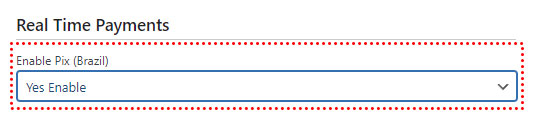
In WordPress, go to WP EasyCart › Settings › Payments & Taxes › Payment, press Manage on the Stripe line, open the Payment methods tab, turn on Pix: each switch there saves as you change it. That’s all that’s required to enable Pix in the EasyCart checkout process.
WP EasyCart — Pix Setting
Enable Pix in Stripe
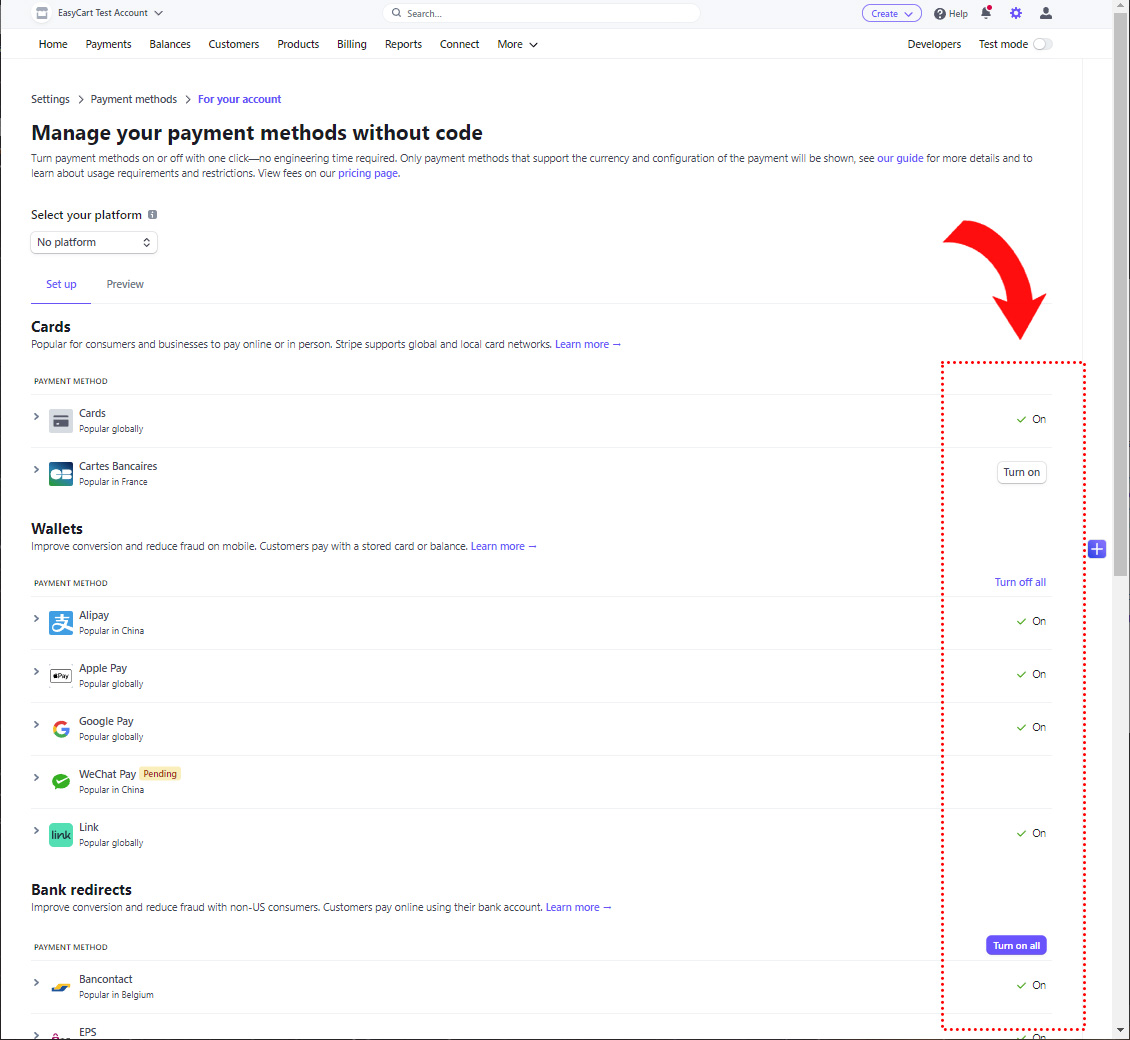
Next, visit Stripe › Settings › Payment Methods › Pix. Here you can enable the payment system within your Stripe account.
Stripe — Payment Methods Panel
Watch It Appear at Checkout
Now when customers go to checkout, they get the choice of Stripe credit card processing — and the Pix option appears whenever the order and parameters meet the requirements.
Enabling PayNow
With the latest Stripe API + EasyCart, you can offer PayNow payments easily and effectively. First, the special considerations — be sure you meet these country and currency restrictions and any other special cases for this gateway.
- Available Countries: Singapore
- Available Currencies: SGD
- Customer’s Required Location: Singapore
Enable PayNow in EasyCart
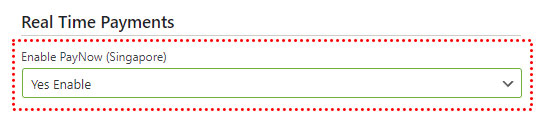
In WordPress, go to WP EasyCart › Settings › Payments & Taxes › Payment, press Manage on the Stripe line, open the Payment methods tab, turn on PayNow: each switch there saves as you change it. That’s all that’s required to enable PayNow in the EasyCart checkout process.
WP EasyCart — PayNow Setting
Enable PayNow in Stripe
Next, visit Stripe › Settings › Payment Methods › PayNow. Here you can enable the payment system within your Stripe account.
Stripe — Payment Methods Panel
Watch It Appear at Checkout
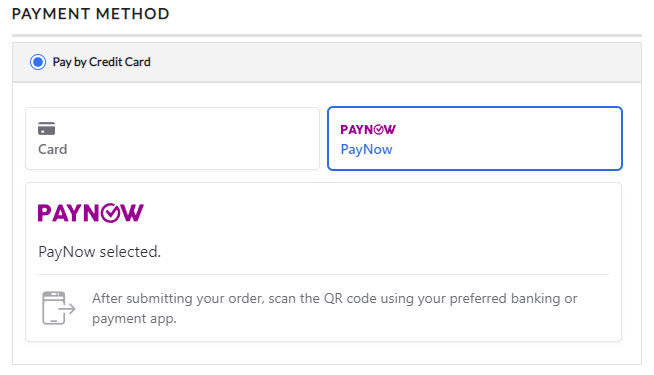
Now when customers go to checkout, they get the choice of Stripe credit card processing — and the PayNow option appears whenever the order and parameters meet the requirements.
EasyCart Checkout — PayNow Option
Enabling PromptPay
With the latest Stripe API + EasyCart, you can offer PromptPay payments easily and effectively. First, the special considerations — be sure you meet these country and currency restrictions and any other special cases for this gateway.
- Available Countries: Thailand
- Available Currencies: THB
- Customer’s Required Location: Thailand
Enable PromptPay in EasyCart
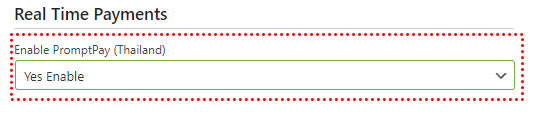
In WordPress, go to WP EasyCart › Settings › Payments & Taxes › Payment, press Manage on the Stripe line, open the Payment methods tab, turn on PromptPay: each switch there saves as you change it. That’s all that’s required to enable PromptPay in the EasyCart checkout process.
WP EasyCart — PromptPay Setting
Enable PromptPay in Stripe
Next, visit Stripe › Settings › Payment Methods › PromptPay. Here you can enable the payment system within your Stripe account.
Stripe — Payment Methods Panel
Watch It Appear at Checkout
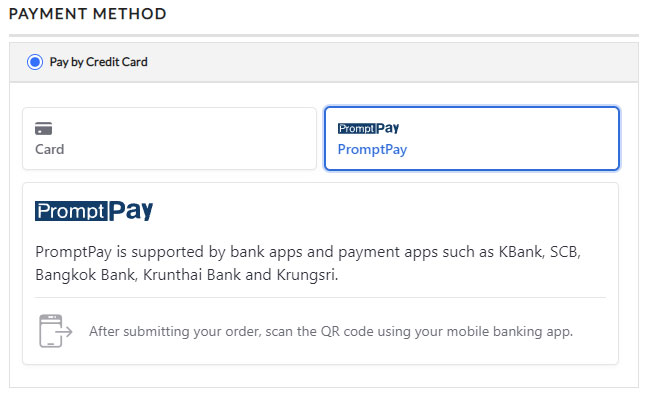
Now when customers go to checkout, they get the choice of Stripe credit card processing — and the PromptPay option appears whenever the order and parameters meet the requirements.
EasyCart Checkout — PromptPay Option
Try the PRO features free for 14 days
Anything marked PRO comes with WP EasyCart PRO or Premium. Take the whole thing for a run on your own store before you decide.