
Option sets
The choices that create variations
no stored settingsOption sets are the choices a shopper picks, such as Size or Color, and every combination of their choices becomes a variation you can sell. In the Option Sets card, pick a set from Select an option set to add… and press + Add option set. Drag sets by their handle to change the order, and use a set’s three-dot menu to Edit it, Manage Items or Remove it.
Attaching or removing a set changes the product’s variations, so it saves straight away instead of waiting for Save. Once the product already has a set, the editor first says what the change means for this product and asks you to confirm.
PRO attaches up to five sets; the free edition has two, in an Option sets card whose two slots save with the product’s Save. Each set multiplies the combinations: two sets of three choices make nine variations, three sets of four make sixty-four. The first set attached is the one per-option galleries follow, so if you sell by colour, attach colour first.
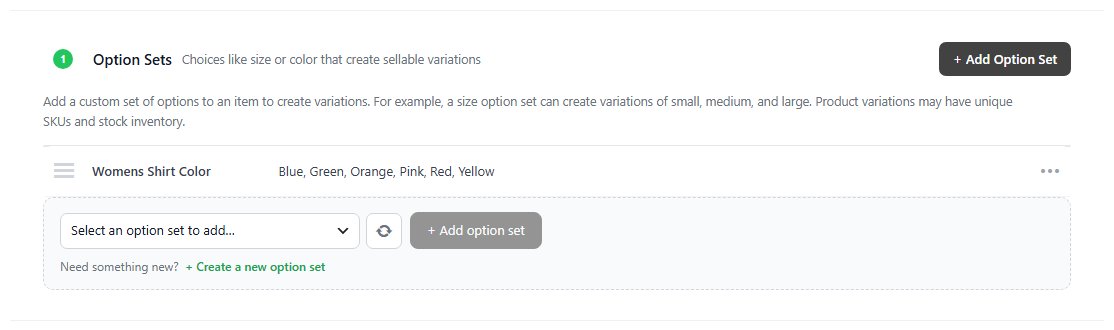
Option sets made on the product
“Size: S, M, L” without leaving the editor
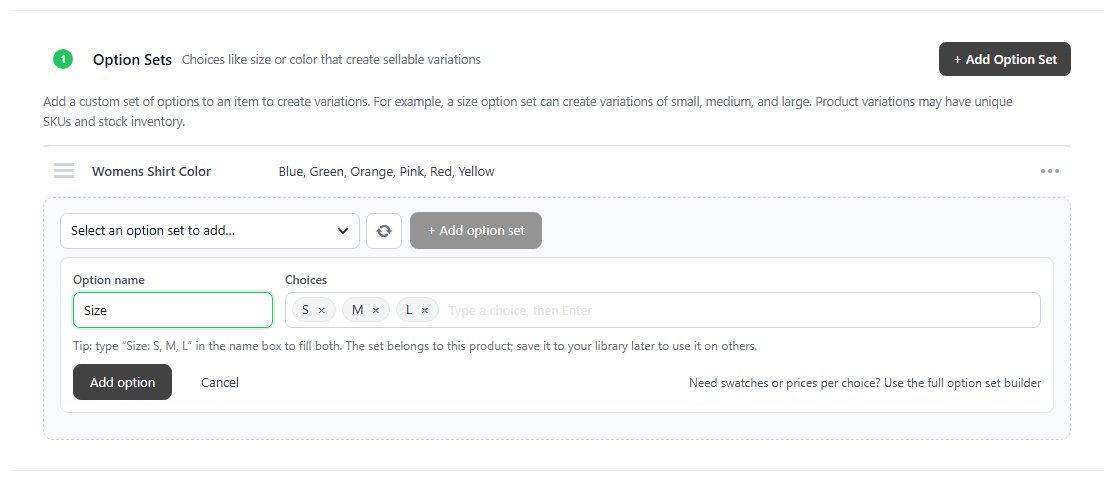
no stored settings+ Add Option Set ( PRO ), and + Create a new option set under the picker, open a small form in the card. Type the Option name, then each of the Choices followed by Enter or a comma, or type Size: S, M, L in the name box to fill both at once. Add option makes the set and attaches it, and its variations are made and saved with the product.
A set made this way belongs to the product: it shows This product beside its choices, and other products don’t list it. When you want it elsewhere, choose Save to library in its three-dot menu and every product can use it. For swatches or a price per choice, the form’s link opens the full option set builder instead.
Variations
One row per combination, with its own SKU, price, stock, weight and cost
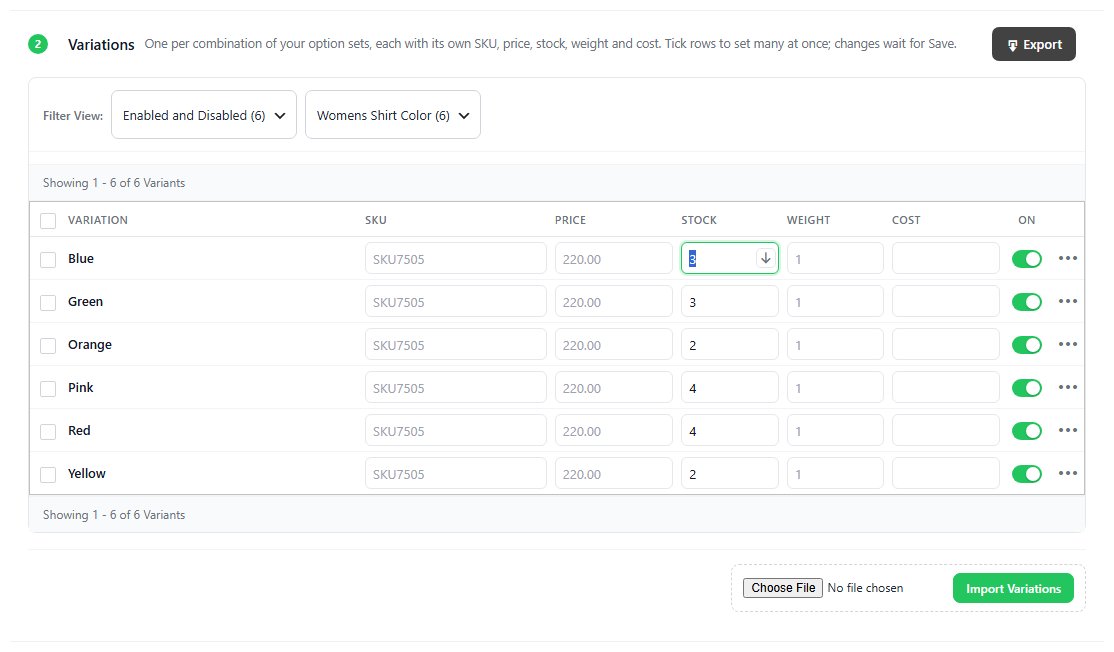
no stored settingsThe Variations card ( PRO ) is one table, one row per combination: Variation, SKU, Price, Stock, Weight, Cost and On. A grey value is what applies while the cell is empty: the product’s SKU, the price the shopper pays ( the product’s price plus any price the options add ) and the parcel weight ( the product’s weight plus the options’ ). Type a value to give the variant its own. Its weight then replaces the product’s in shipping, and its cost is what the order records for profit reports. On decides whether the variant is sold at all.
The Stock column follows Track stock in Inventory. With Per variant each row has its own count, and the row’s three-dot menu can stop counting one variant ( it never runs out ) or count it again. With Total or Not tracked the column reads Whole product or Not tracked, and clicking it offers to count stock per variant. The same menu holds the variant’s Google Merchant details.
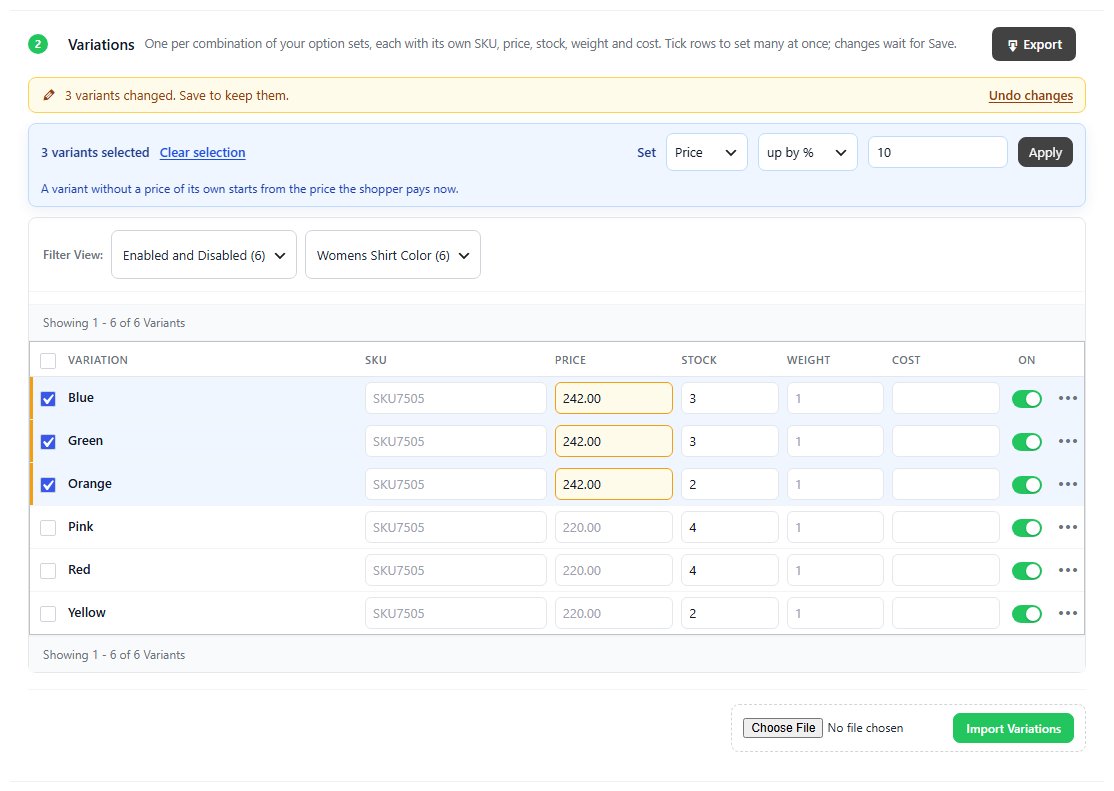
Every edit in the table waits for the product’s Save ( or Ctrl+S ), across pages and filters: changed cells are marked, a line counts the variants changed, and Undo changes drops them. Filter View narrows the table to enabled or disabled variants or to one choice, 20 rows to a page. Export downloads the table as a spreadsheet and Import Variations reads one back, writing stock, SKU and price.
Changing many variants at once
Tick rows, set a value, copy it down
no stored settingsTick the rows to change, or the box in the header for the whole page; with a page ticked, Select all … matching variants picks every row the filters match. A bar then sets one thing for all of them: Price ( to a value, up by or down by an amount, up by % or down by % ), Stock ( with Per variant tracking ), Weight, Cost, SKU or On / off. A price change starts from each variant’s own price, or from what the shopper pays now when it has none. Apply fills the rows in; nothing is kept until you save.
For SKU the value is a pattern: {sku} is the product SKU, {options} the variant’s choices joined with hyphens, such as S-White, and {1} to {5} one choice each, so {sku}-{options} turns SKU7505 into SKU7505-Blue. Left empty, the variants use the product SKU. An empty Weight or Cost clears the variant’s own value.
To copy one value down the list, click into a cell and press the ↓ button beside it, or Ctrl+D: the value fills every row below it on the page. Enter moves to the next row ( Shift+Enter back ), the arrow keys move up and down, and Escape puts the cell back as it was.

Modifiers and conditional logic
Add-ons, and showing a field only when it is relevant
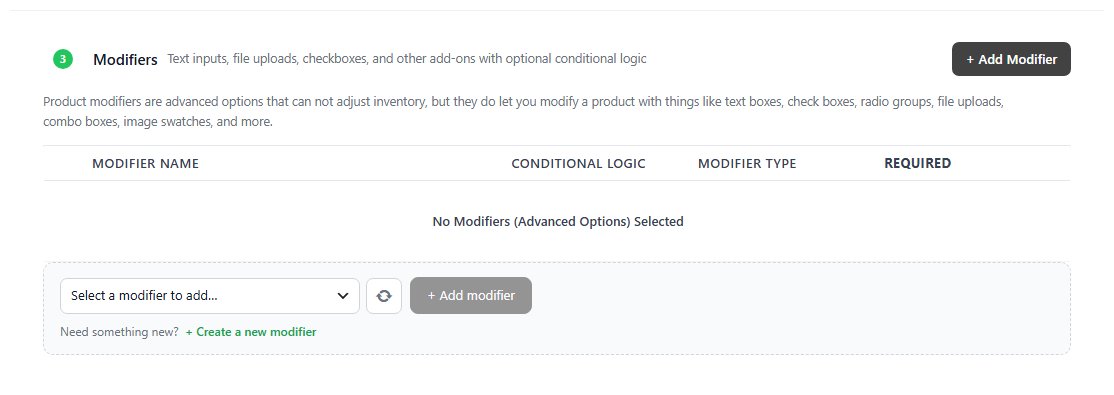
no stored settingsModifiers ( PRO ) are add-ons and personalization rather than variations: text boxes, check boxes, radio groups, file uploads, combo boxes and image swatches. They can change the price but never affect stock, and there is no limit on how many a product has. Add one with + Add Modifier, or pick one from Select a modifier to add….
Conditional Logic shows or hides a modifier based on what the shopper picks in other fields, when ANY or ALL of its rules match. The typical case is an artwork upload that should only appear once the shopper has ticked the personalization box. A modifier with no rules always shows.
Ready to run your store on WP EasyCart?
Everything in this guide works with the free plugin. PRO and Premium add subscriptions, memberships, wholesale pricing and more. Try every PRO feature free for 14 days.
