
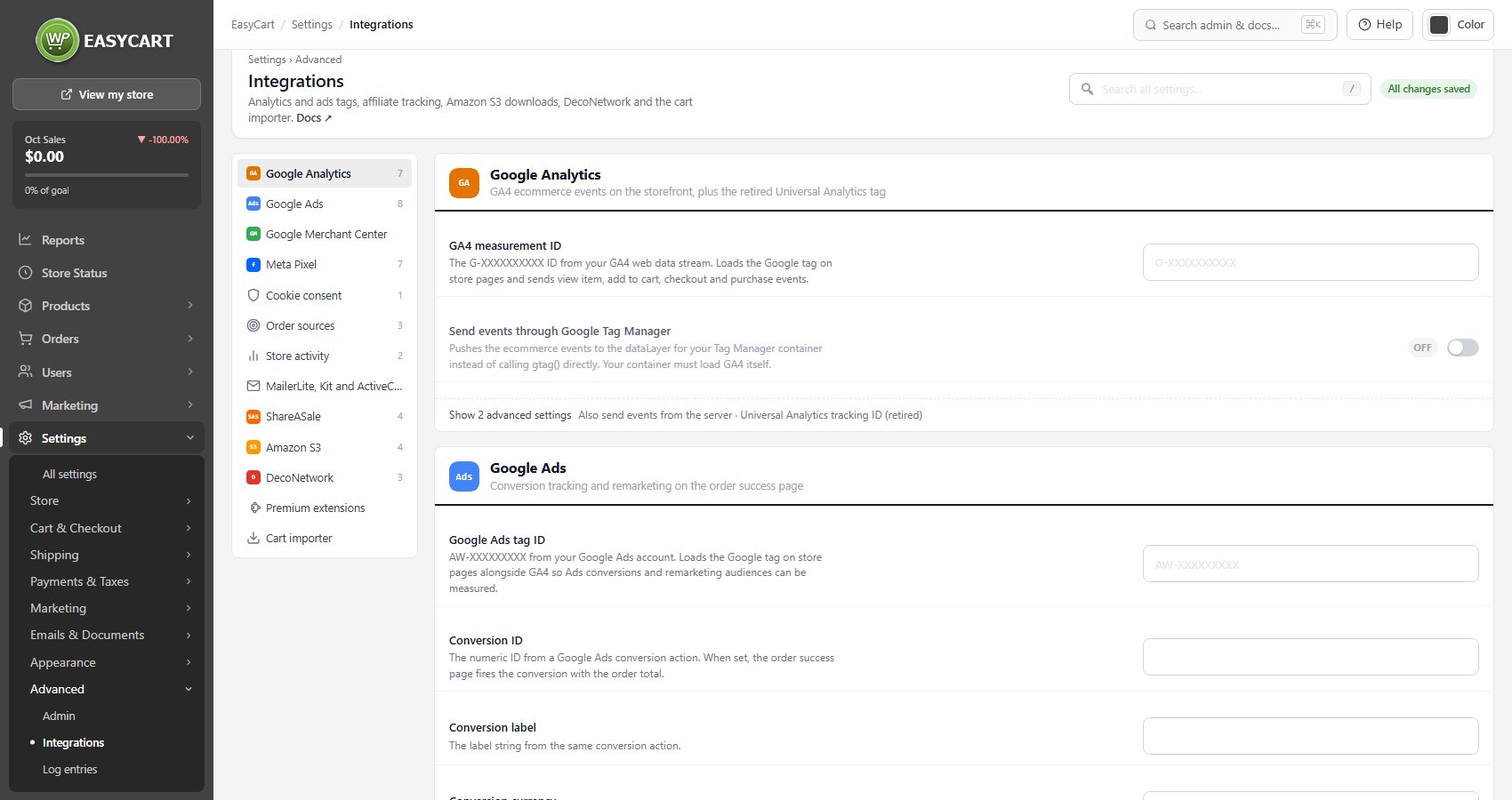
Google Analytics
GA4 ecommerce events on the storefront, plus the retired Universal Analytics tag
7 settingsGA4 measurement ID
The G-XXXXXXXXXX ID from your GA4 web data stream. With it set, the store loads the Google tag on its pages and sends view item, add to cart, checkout and purchase events, so GA4 shows revenue by product and by traffic source.
Send events through Google Tag Manager
Pushes the same ecommerce events to the dataLayer for your Google Tag Manager container instead of calling the Google tag directly. Use it only if your container already loads GA4, or nothing reaches Analytics.
Also send events from the server
Also posts view, add to cart, checkout and purchase events from your server to a server-side Tag Manager container, so they are recorded when a browser blocks tracking. It needs all three values below.
Measurement ID for server events
The measurement ID of the GA4 data stream your server container sends the events to. Required for server events.
Measurement Protocol API secret
Create one under the data stream’s Measurement Protocol API secrets. It is only ever sent from your server.
Server container URL
The address of your server-side Tag Manager container, for example https://gtm.example.com. Server events go only there, and the container passes them on to Google.
Universal Analytics tracking ID (retired)
The old UA- property. Google stopped processing Universal Analytics data in 2024, so leave this empty and use a GA4 measurement ID. Clearing it stops the old analytics.js tag loading.
Google Merchant Center
Your product feed, Connect Google and bulk attributes are on Search & AI
no stored settingsEverything for Google Shopping now lives on Settings › Marketing › Search & AI: the self-updating Google product feed, Connect Google for Merchant Center, the feed options and the Google attributes spreadsheet. This section is a signpost with two buttons, Google product feed and Google attributes in bulk, and with PRO a line saying whether Google Merchant Center is connected. See Google Merchant.

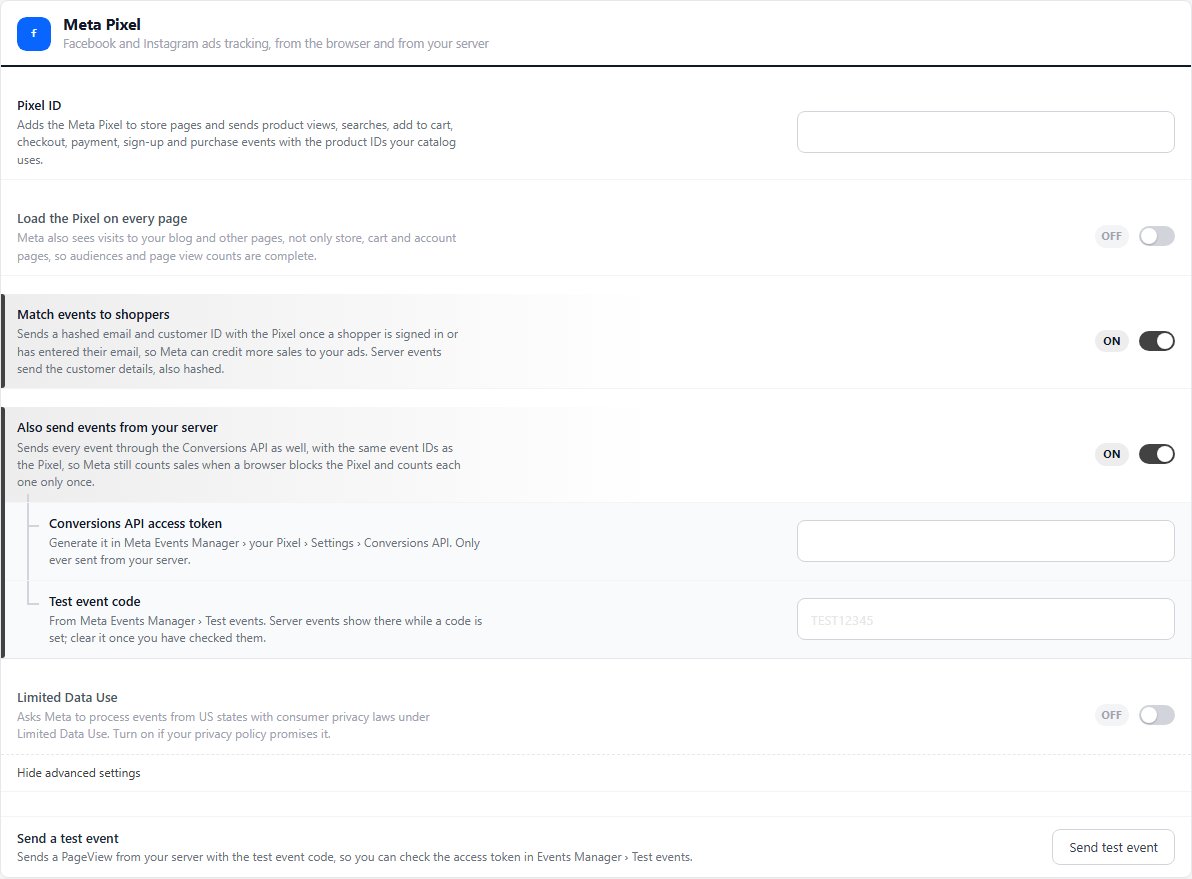
Meta Pixel
Facebook and Instagram ads tracking, from the browser and from your server
7 settingsPixel ID
Adds the Meta Pixel to store pages and sends product views, searches, add to cart, checkout, payment, sign-up and purchase events, using the product IDs your catalog uses.
Load the Pixel on every page
Loads the Pixel on every page of the site, not only store, cart and account pages, so Meta also sees visits to your blog and other pages. Turn it on for complete audiences and page view counts.
Match events to shoppers
Sends a hashed email and customer ID with the Pixel once a shopper is signed in or has entered their email, so Meta can credit more sales to your ads. Server events send the customer details hashed too.
Also send events from your server
Sends every event through the Conversions API from your server as well, with the same event IDs as the Pixel. Meta still counts a sale when a browser blocks the Pixel, and counts each one only once.
Conversions API access token
Generate it in Meta Events Manager › your Pixel › Settings › Conversions API. It is only ever sent from your server. When the Facebook & Instagram extension is connected, this row says server events use that connection’s token instead, with a Manage the connection button.
Test event code
From Meta Events Manager › Test events. While a code is set, server events show there so you can check them. Clear it once you have.
Limited Data Use
Asks Meta to process events from US states with consumer privacy laws under Limited Data Use. Turn it on if your privacy policy promises it.
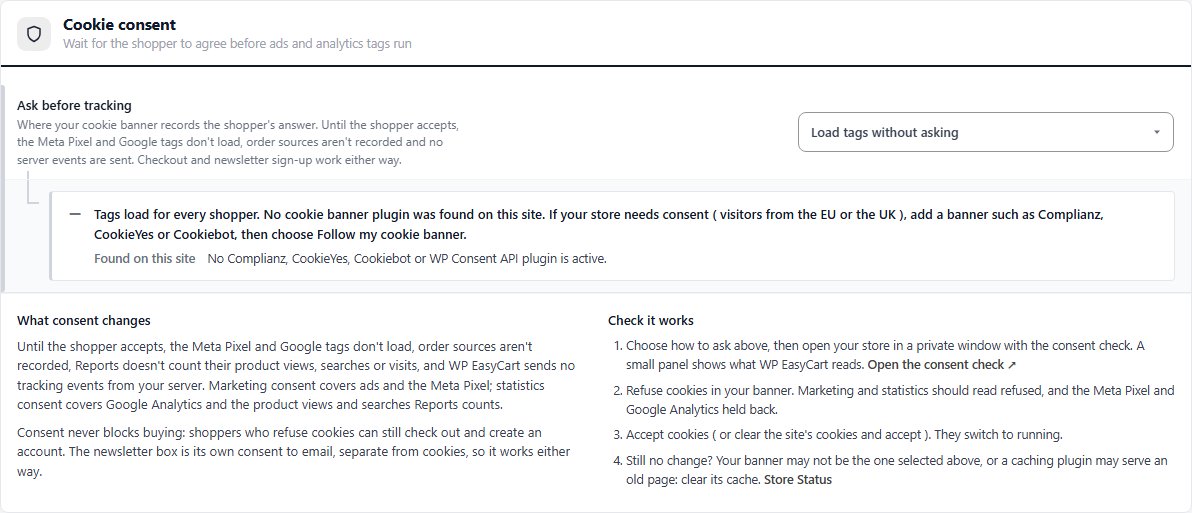
Cookie consent
Wait for the shopper to agree before ads and analytics tags run
1 settingAsk before tracking
Where your cookie banner records the shopper’s answer. Choose Follow my cookie banner to let WP EasyCart find it, or name it: WP Consent API, Google Consent Mode v2, Cookiebot, CookieYes or Complianz. Until the shopper accepts, the Meta Pixel and Google tags do not load, order sources are not recorded and no server events are sent. Load tags without asking skips all of that. Under the choice a status note says which banner was found on your site and what WP EasyCart reads, with a button to switch to the choice that matches.
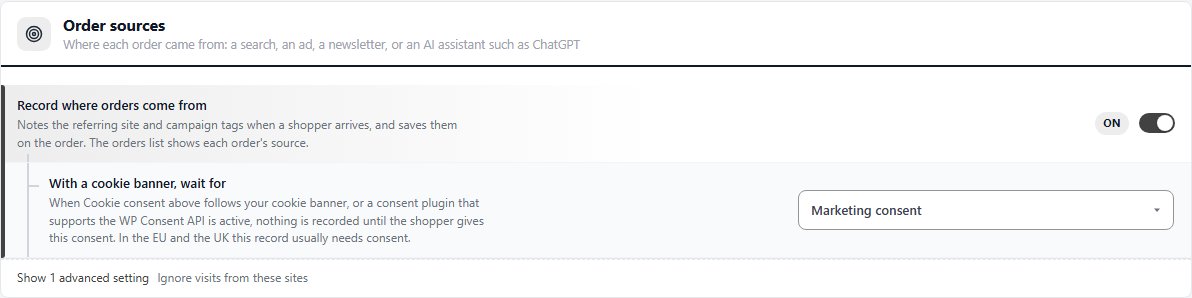
Order sources
Where each order came from: a search, an ad, a newsletter, or an AI assistant such as ChatGPT
3 settingsRecord where orders come from
Notes the referring site and campaign tags when a shopper arrives and saves them on the order: a search, an ad, a newsletter, or an AI assistant such as ChatGPT. The orders list shows each order’s source.
With a cookie banner, wait for
When Cookie consent follows your cookie banner, or a plugin that supports the WP Consent API is active, nothing is recorded until the shopper gives this consent. In the EU and the UK this record usually needs consent.
Ignore visits from these sites
One site per line. A shopper coming back from one of these is never counted as a new source. Your own site and the payment pages ( PayPal, Stripe, Square, Klarna, Afterpay, Affirm, Amazon Pay and card checks ) are already ignored, so add only others, such as your bank’s card check page.
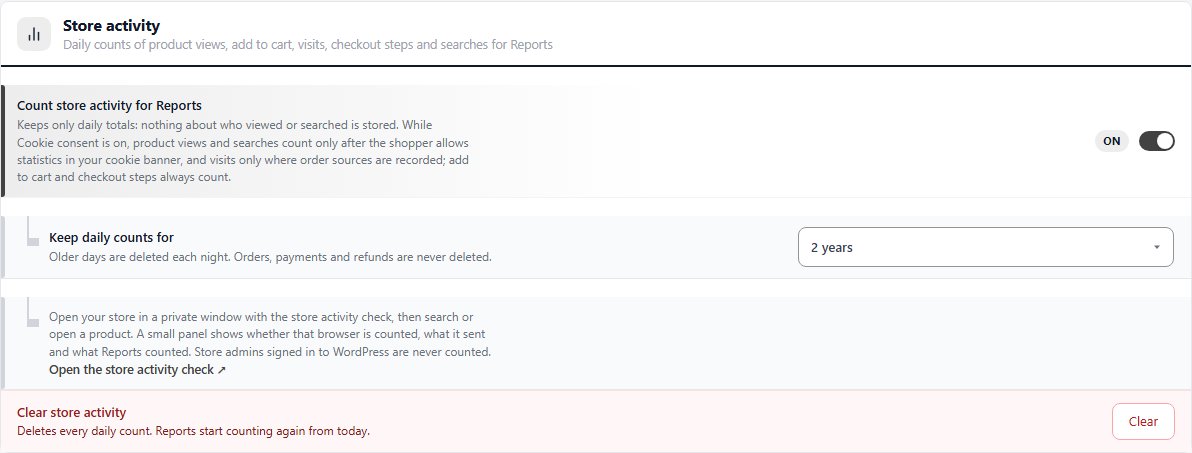
Store activity
Daily counts of product views, add to cart, visits, checkout steps and searches for Reports
2 settingsCount store activity for Reports
Counts product views, add to cart, visits, checkout steps and searches each day for Reports. Only daily totals are kept, nothing about who viewed or searched. While Cookie consent is on, views and searches count only after the shopper allows statistics, and visits only where order sources are recorded. Add to cart and checkout steps always count.
Keep daily counts for
Older days are deleted each night. Orders, payments and refunds are never deleted.
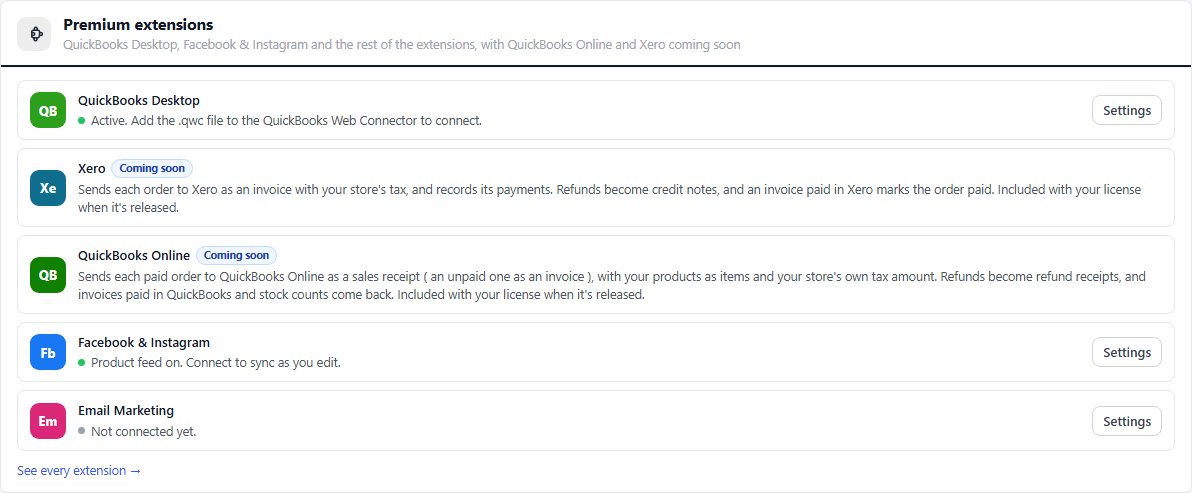
Premium extensions
QuickBooks Desktop, Facebook & Instagram and the rest of the extensions, with QuickBooks Online and Xero coming soon
no stored settingsThe accounting and sales channel extensions, one row each: QuickBooks Desktop, Facebook & Instagram and Email Marketing, with Xero and QuickBooks Online marked Coming soon. Each row says whether the extension is active, with a Settings button once it is, or what Premium adds. See every extension opens EasyCart › Extensions, where Premium installs them.
Cart importer
Now under Products › Import: WooCommerce, Square and CSV files
no stored settingsA signpost now. Importing moved to EasyCart › Products › Import, which brings products in from WooCommerce on this site, from Square or from a CSV file, tries ten first, and shows a report of everything that came across. This section only links there with Open the importer. See Product Importer.

Ready to run your store on WP EasyCart?
Everything in this guide works with the free plugin. PRO and Premium add subscriptions, memberships, wholesale pricing and more. Try every PRO feature free for 14 days.
