
Search engines
The text and picture search results show, or the Yoast fields
no stored settingsSearch & marketing is one card with tabs: Search engines, Search & AI, Google Shopping, Cart links and Marketing. A tab only shows when it has something in it. The section starts folded; open it from the left list.
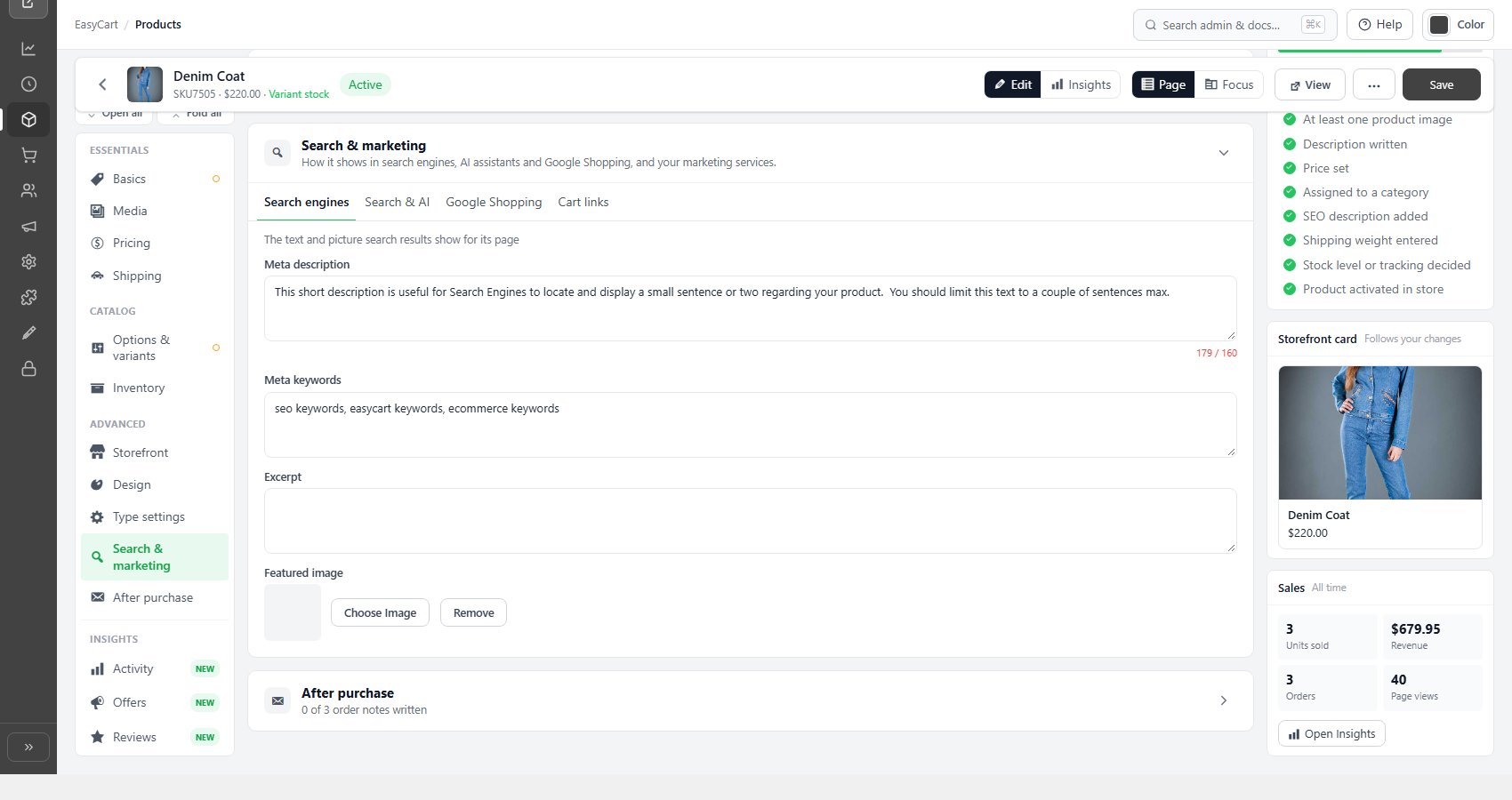
Without Yoast SEO, the Search engines tab holds the Meta description ( with a 160 character counter ), Meta keywords, an Excerpt and a Featured image, the last two commonly used in search results and social shares. The tab says Empty while there is no meta description.
With Yoast SEO set up on the product, the tab holds a Yoast SEO card instead, which saves to Yoast on the product’s page: a search result preview, SEO title, Meta description, Focus keyphrase, Show in search results and Canonical URL. Readability, schema and social previews stay in the WordPress editor.
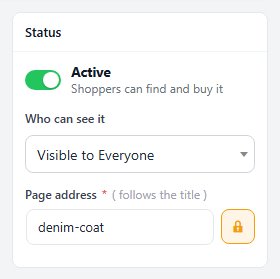
The product’s address is the Page address in the Summary column’s Status card. It follows the title until you lock it with the lock button beside it.
Search & AI
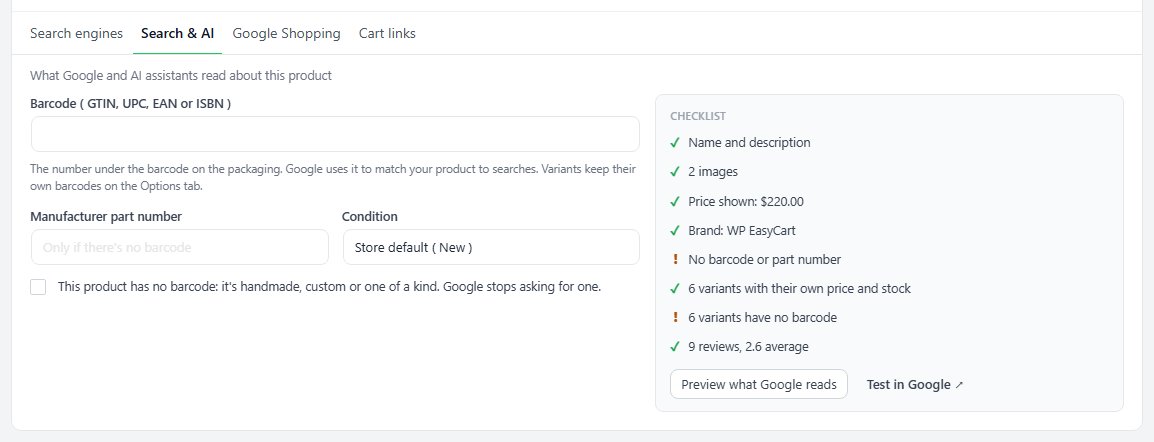
What Google and AI assistants read about this product
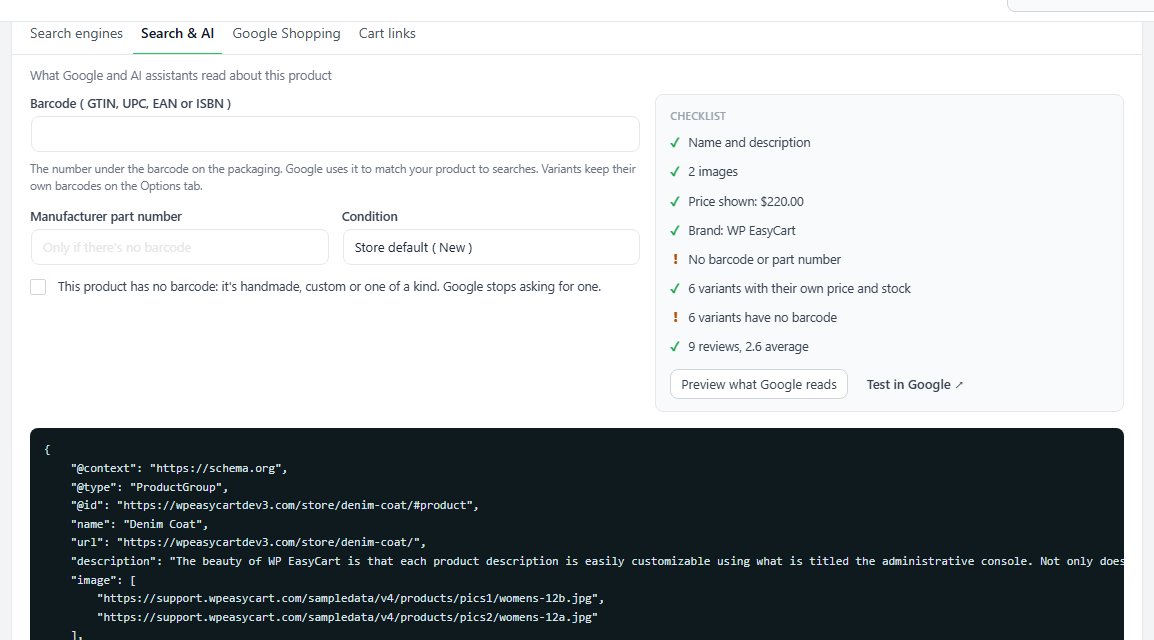
no stored settingsThe Search & AI tab holds what search engines need to match the product: the Barcode ( GTIN, UPC, EAN or ISBN ), a Manufacturer part number when there is no barcode, and the Condition. A barcode is checked as you type, for its length and its check digit. Tick the box for a handmade, custom or one-of-a-kind product and Google stops asking for one. Variations keep their own barcodes in Options & variants.
Beside the fields a Checklist reads the saved product: name and description, images, price, brand, barcode or part number, variations with their own price and stock, and reviews. Preview what Google reads shows the product data your page gives search engines and AI assistants, and Test in Google opens Google’s rich results test for the page.
Google Shopping
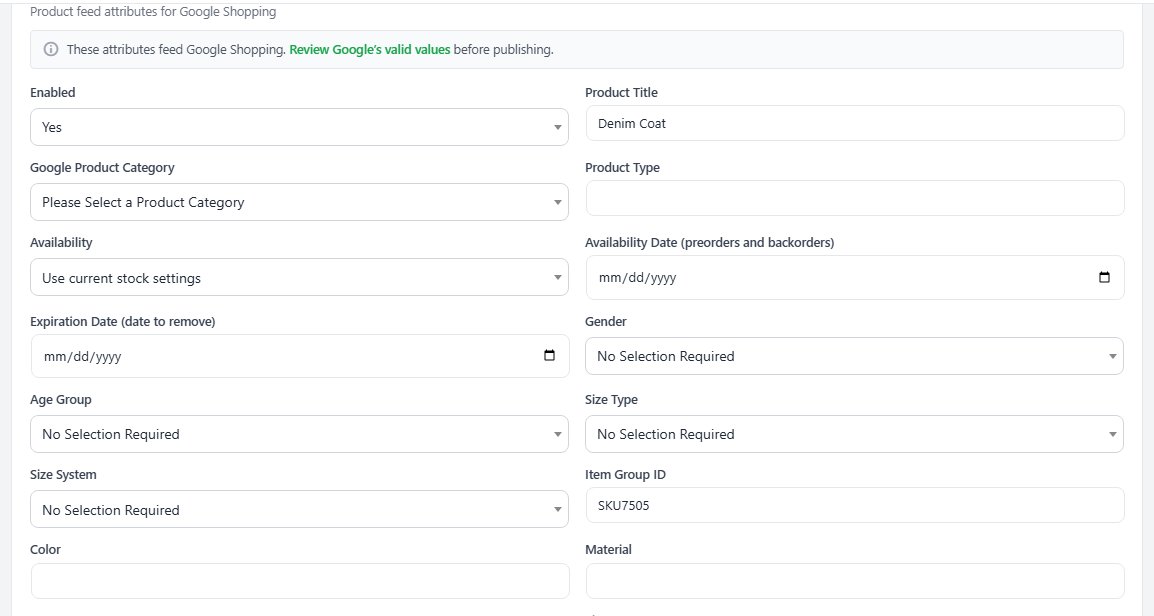
Product feed attributes for Google Shopping
no stored settingsThe Google Shopping tab ( PRO ) maps the product into your Google Shopping feed: whether it is in the feed, its feed title, Google product category and product type, availability and dates, gender, age group and size details, color, material and pattern, shipping size and handling time, and the certification and energy classes some categories need. A link at the top opens Google’s list of valid values. Without an active PRO license the tab shows a preview of what it adds.
Feeds are strict about required attributes, and a product missing one is rejected rather than shown, so complete this properly for anything you send to Shopping.
Cart links
A shareable link that adds this product to the cart
no stored settingsThe Cart links tab makes a link that puts this product in the shopper’s cart, with the quantity and options you choose, for an email, a social post or a QR code. Create a cart link opens a short form: a Name for you, the Quantity and, where the product has options, the choice already picked. Links already made for the product are listed with their uses and a Copy button.
Links with several products, coupon codes or limits are built in Marketing, and Manage in Marketing goes there. The tab is not shown for subscription, donation and Deconetwork products, or to staff without access to Marketing.

Ready to run your store on WP EasyCart?
Everything in this guide works with the free plugin. PRO and Premium add subscriptions, memberships, wholesale pricing and more. Try every PRO feature free for 14 days.
