
Price and compare-at price
What the product sells for, and the price shown crossed out beside it
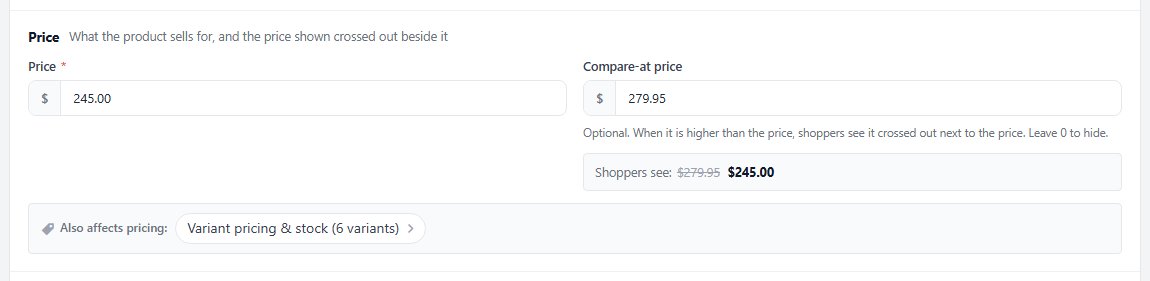
no stored settingsPricing opens with the Price card. Price is what the product sells for. Compare-at price is optional: when it is higher than the price, shoppers see it crossed out next to the price, and 0 hides it. Under the field, Shoppers see previews the pair the way the store shows it, and the Storefront card in the Summary column follows as you type. A compare-at price at or below the price is never shown, and the preview says so.
When something else also decides what a shopper pays, Also affects pricing lists it under the prices: variant prices, volume tiers, B2B role prices, a custom price label, a price range or sign in to see the price. Each chip takes you to the place it is set.
The price also shows in Basics, under the title, as a link back to this card. Like every change in the editor, a new price waits for Save, and Discard puts everything back the way it was saved.
Cost and price display
What one item costs you, and how the price shows to shoppers
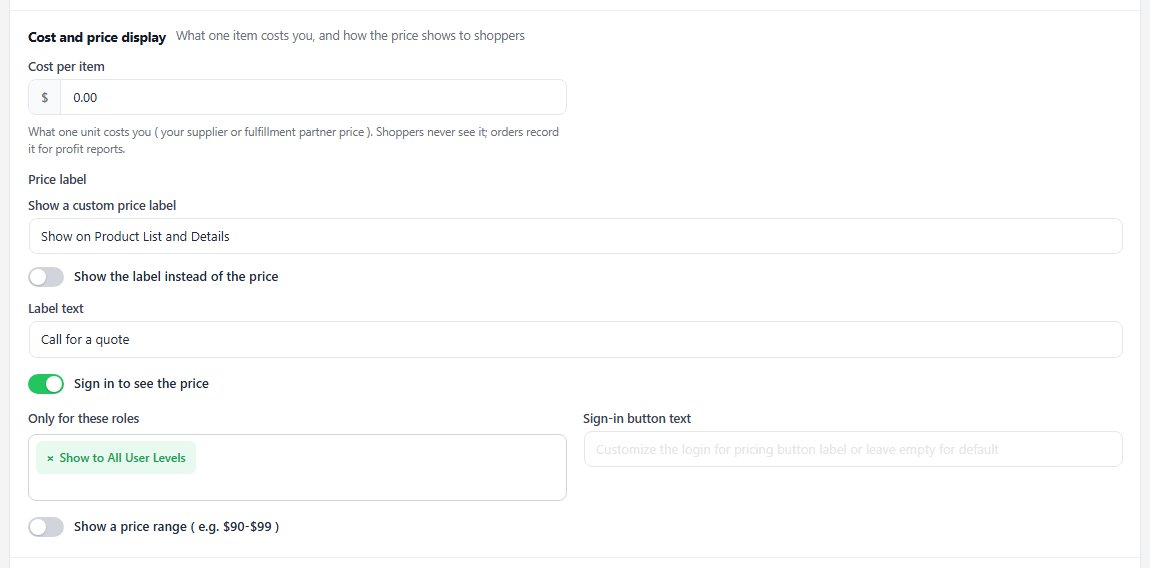
no stored settingsCost per item is what one unit costs you, from your supplier or a fulfillment partner. Shoppers never see it; orders record it for profit reports. A variant can carry its own cost in the Variations table.
The Price label group ( PRO ) adds your own words to the price. Show a custom price label picks where they appear: the product list, the product page, the cart or a mix of them. The Label text shows beside the price, or in its place with Show the label instead of the price, which suits products priced on application.
Sign in to see the price hides the price until the shopper signs in. Only for these roles narrows it to the user roles you pick, so only shoppers signed in with one of them can see the price and buy, and Sign-in button text changes the wording of the button. Show a price range ( e.g. $90-$99 ) shows the range you set in Price range from and Price range to instead of a single price.
A hidden price is a trade store pattern. On a retail store it mostly costs you traffic, because a price nobody can see is a page nobody links to.
Unit price
The price per kg, litre, metre or item, beside the price
no stored settingsFor products sold by weight, volume, length or in packs, the Unit price group, last on the Cost and price display card, shows shoppers what the product costs per unit, such as €13.27 / kg, as the EU and UK require. Contents is how much one item holds, such as 750, and Unit what it is measured in: grams, kilograms, millilitres, litres, metres, square metres, ounces, pounds, US fluid ounces and gallons, feet, square feet, items in a pack and more. Leave Contents empty for no unit price.
Show the price per sets the base. On Automatic, metric amounts show per kg, litre, metre, m² or m³, US and imperial amounts per their own unit ( per oz, lb, fl oz, sq ft; inches and yards per foot ) and packs per item. Pick Per 100 g or Per 100 ml where that is the custom. Under the fields, Shoppers see previews the result from the price you entered.
The unit price shows next to the price on the product page, on product cards in your store and on the Elementor shop cards. It follows the price the shopper sees: the price with VAT where your store shows both, an offer’s price, and on the product page the price the chosen options make. It never shows where the price does not: donations, subscriptions, price ranges, a label shown instead of the price, or a price hidden until the shopper signs in. With PRO, the Google product feed sends it too. To change its wording, edit Product Details, Unit Price in the language editor.

Volume and B2B prices
Lower prices in quantity, or for a customer role
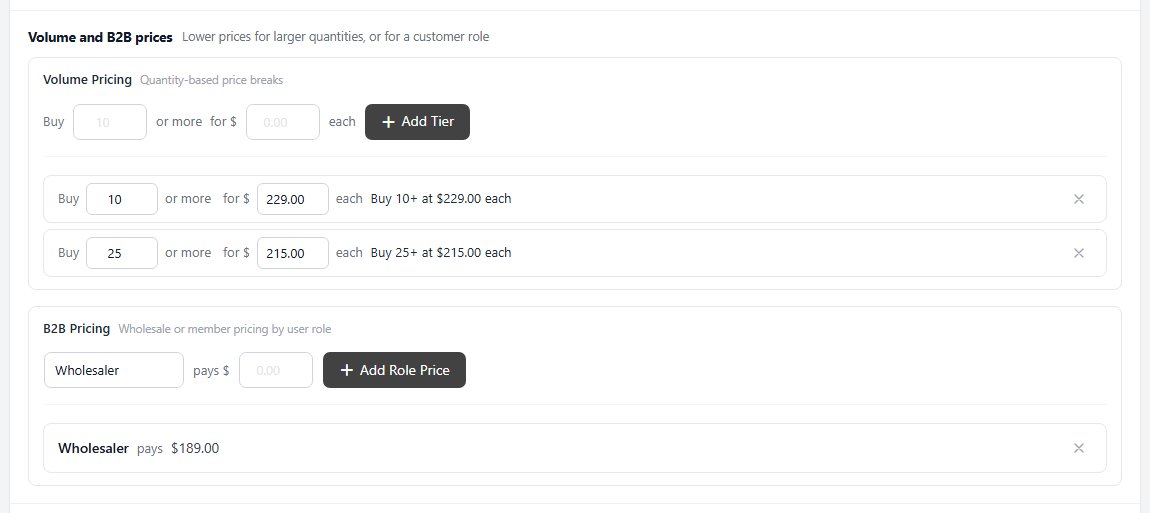
no stored settingsThe Volume and B2B prices card holds two PRO features, each written as a sentence you fill in. Volume Pricing sets quantity price breaks: buy 10 or more for $229.00 each, 25 or more for $215.00. Type the quantity and the price, then press Add Tier. Each tier reads back as a sentence, its numbers can be changed in place, and the × removes it. Two tiers cannot share a quantity.
B2B Pricing gives a user role its own price: choose a role, enter what it pays and press Add Role Price. This is how wholesale, trade and member pricing works: a customer signed in with that role simply sees their price. Each role takes one price per product.
Tiers and role prices wait for Save like the rest of the editor, so you can set them up, check them and save once. Without PRO, both show locked.
The Tax section
Which taxes checkout charges on it, in your store’s own words
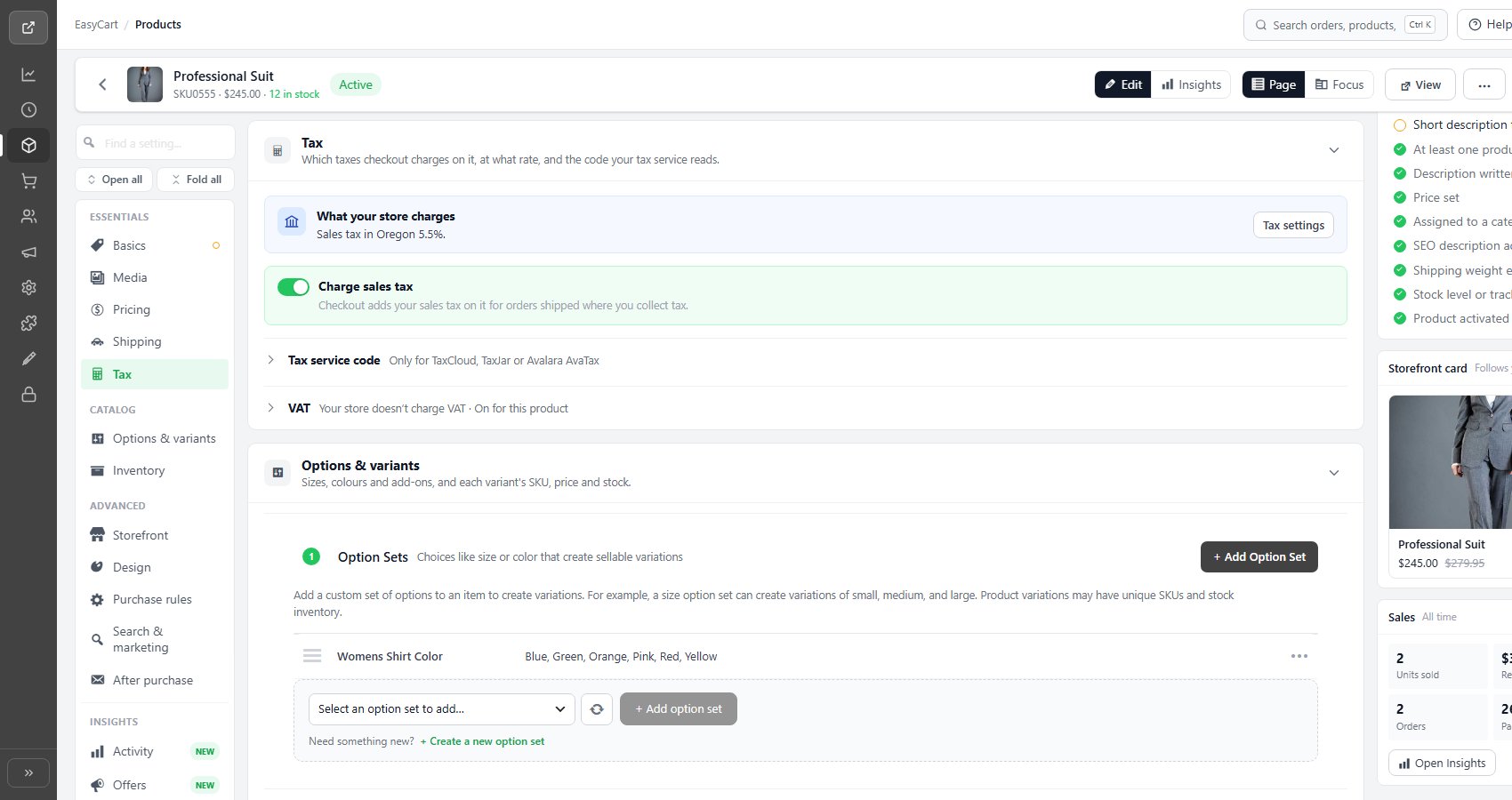
no stored settingsTax has its own section in the editor, after Shipping. It opens with What your store charges, read from Settings › Taxes, such as Sales tax in Oregon 5.5%, or VAT 20%, included in your prices. Tax settings opens that page in a new tab. A store that charges no tax yet sees the line in amber with Set up tax.
Under it is the switch for the tax your store charges, named the way your country says it: Charge sales tax in the US, Charge GST / HST and PST in Canada, Charge tax by state or country for other rates by place, and Charge VAT or Charge GST where VAT or GST applies. The line under each switch says what it does in your store, such as Checkout adds your sales tax on it for orders shipped where you collect tax. A tax your store does not charge folds away at the foot of the section, with whether it is on for this product.
Turn every switch off and the section says the product is tax-free. Leave tax off only for items the law exempts. A zero-rated item is different: keep VAT or GST on and choose the zero rate, below.
Tax service code is the code a tax service reads to know what kind of product this is: TaxCloud TIC ( PRO ), a TaxJar Category list with TaxJar, or the Avalara tax code with the AvaTax extension ( Premium ). It is folded away, marked Only for TaxCloud, TaxJar or Avalara AvaTax, until a service works out your tax; then it opens as Tax code. Without a code the product is taxed as general goods.
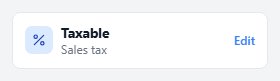
The tax card in the Summary column keeps the result in view: Taxable with what is charged, such as Sales tax or VAT 5% · Reduced rate, or Not taxable. Its Edit link opens the Tax section.
Reduced and zero VAT or GST rates
A lower rate for food, books or children’s clothes
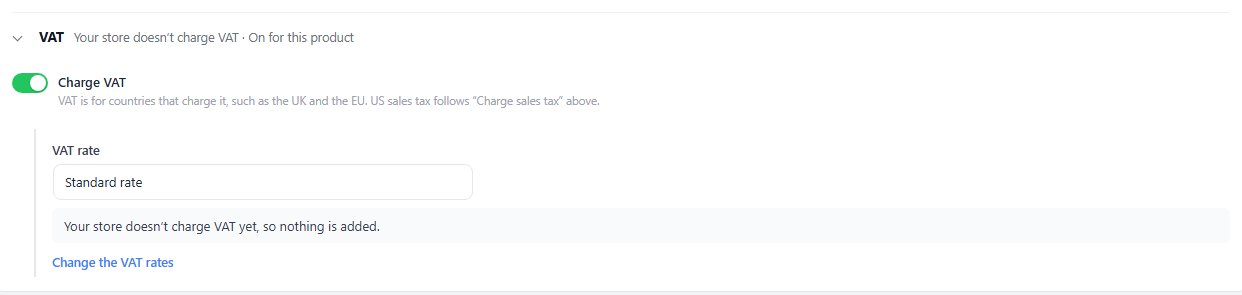
no stored settingsWith VAT or GST on, the VAT rate list ( GST rate in GST countries ) picks the rate this product is charged at: Standard rate, Reduced rate, Second reduced rate or Zero rate. Each choice shows its rate in your store’s country, or ( not set ). Under the list, a line works out what a shopper pays on the price, such as At 20%, checkout adds £4.00 VAT to the £20.00 price.
The rates themselves are set once, in Settings › Taxes, with VAT turned on: Reduced rate and Second reduced rate, and under the advanced settings Reduced rate by country and Second reduced rate by country, where each country that differs gets its own rate, such as DE 7 and FR 5.5. A shopper in a listed country pays that country’s rate; everyone else pays the rate above it. The zero rate is always 0%. A rate left empty charges the standard rate, and the editor says so with Set its rate, a link to the field. Change the VAT rates opens the same settings.
When an order holds items at more than one rate, receipts, invoices, the order confirmation and My Account show one VAT line for each rate. A business customer abroad with a checked VAT number still pays the business rate on every item.
Ready to run your store on WP EasyCart?
Everything in this guide works with the free plugin. PRO and Premium add subscriptions, memberships, wholesale pricing and more. Try every PRO feature free for 14 days.
