What’s newFind any order, customer, product or setting with one admin search. See all features

Search

Financial Settings

First Data Payment Settings

Connect your First Data account to WP EasyCart and start sending payment requests through your gateway. It all comes down to four values — two from your Terminal, two from API Access. Find them. Enter them. Done.

Terminal Values — Gateway ID & Password

The first two values are related to the Terminal in your First Data account.

  • Gateway ID: Clearly printed along with the terminal in your account.
  • Gateway Password: Must be set in the details for the gateway.

First Data — Terminal & Gateway ID
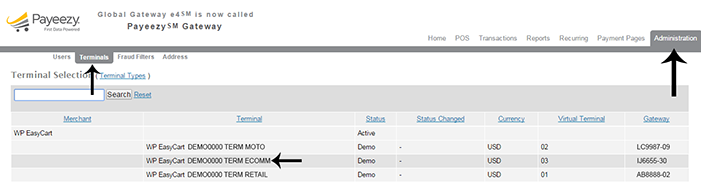
First Data terminal listing showing the gateway ID

First Data — Gateway Password in Terminal Details
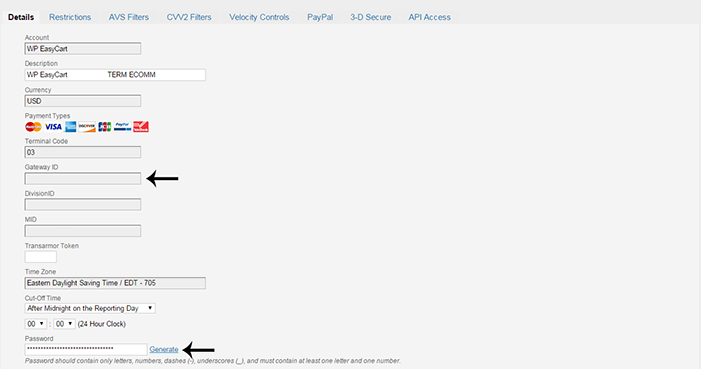
First Data gateway details where the gateway password is set

API Access Values — Key ID & HMAC Key

The other two values live in the API Access area for the gateway.

  • Key ID: Clearly stated in the API Access section.
  • HMAC Key: Generated on the API Access page.

First Data — API Access with Key ID & HMAC Key
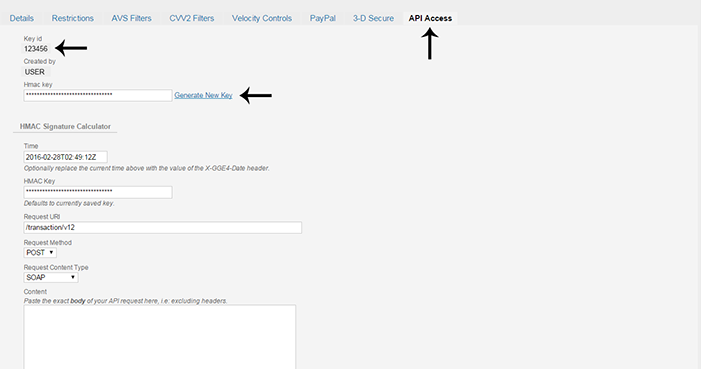
First Data API Access page showing the key ID and generated HMAC key

Complete the Setup

In WP EasyCart go to Settings › Payments. On the Another gateway card press Use another gateway ( with a card processor already in use, press Change payment gateway first ), choose First Data Payeezy (e4) under Which gateway? and press Set it up. It comes with WP EasyCart PRO and Premium. Enter the values under Credentials: Gateway ID and Gateway password are required, then Key ID and HMAC key. The password and HMAC key show as dots until you press Show. Pick the Currency and Language, leave Test mode off for live payments, and press Save and turn on.

The Four Values You Need

Gateway IDGateway passwordKey IDHMAC key

WP EasyCart — First Data Payeezy (e4) Settings
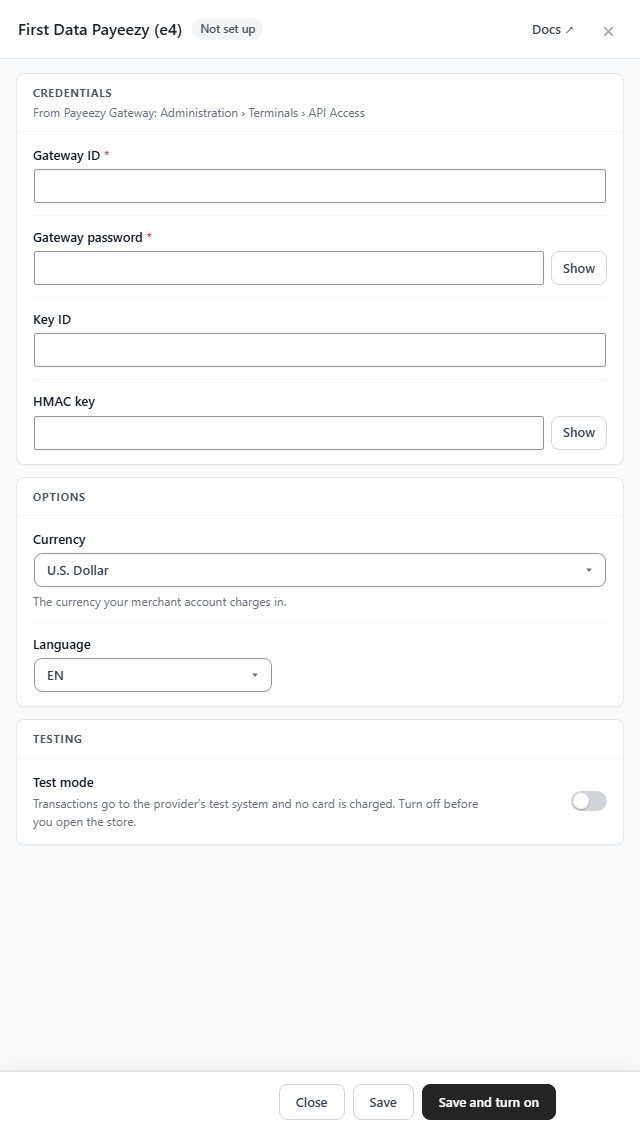
First Data Payeezy (e4) settings in WP EasyCart, not set up yet: Gateway ID, Gateway password, Key ID, HMAC key, Currency, Language and Test mode

Try the PRO features free for 14 days

Anything marked PRO comes with WP EasyCart PRO or Premium. Take the whole thing for a run on your own store before you decide.

Updated on November 6, 2026