
Track stock
Whether stock is counted, and how
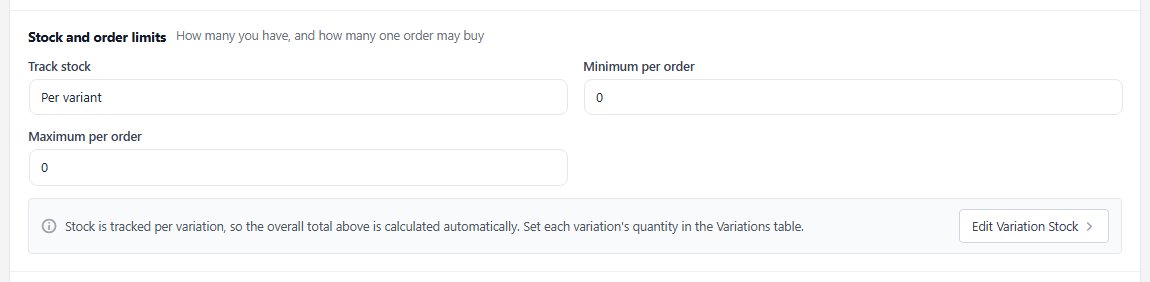
no stored settingsTrack stock has three answers. Not tracked never runs out: right for made-to-order goods, services and downloads, as long as you choose it on purpose. Total counts the product as a whole in Units in stock. Per variant ( PRO ) gives every option combination its own count in the Variations table; the product’s total is worked out from them, and Edit Variation Stock takes you there.
The header under the product’s name follows the stock as you go, such as 12 in stock, Out of stock or Variant stock, and a folded Inventory section sums it up the same way.
Order limits
How many one order may buy
no stored settingsMinimum per order and Maximum per order limit how many of the product one order may take; 0 leaves either one open. Reach for them on limited releases, wholesale minimums and anything bought for resale.
Both sit in the Stock and order limits card with Track stock. A reorder point for the product is set on the Inventory screen ( PRO ).

What shoppers see in the cart
Why a quantity stops going up or down
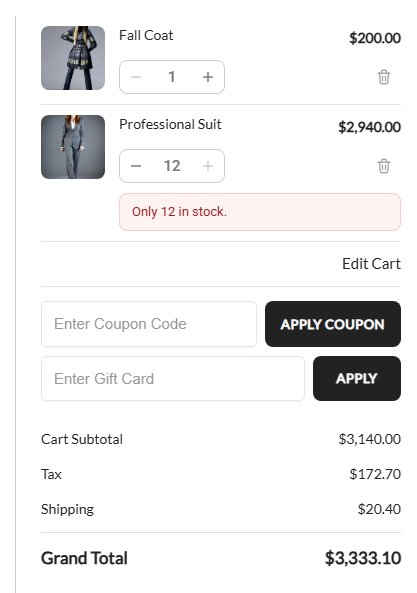
no stored settingsWhen a shopper asks for more than the store can sell, or less than the minimum, the cart keeps the quantity it can sell and says why, right at the item: on the cart page, in the one-page checkout’s cart and in its order summary.
At the stock it says Only 3 in stock. With Per variant, that is the variant’s own stock. With Total, every line of the same product shares the stock, so the same coat in another colour already in the cart counts too: Only 3 in stock, including 1 elsewhere in your cart. When the store hides stock levels ( Show remaining stock on products is off ), it says That’s all we have in stock. instead.
Maximum per order shows as You can buy up to 5 of this item., and a Minimum per order above 1 as The minimum for this item is 2. A product that sells when out of stock never stops at its stock, only at its limits.
Backorders
Keep selling when it is out of stock
no stored settingsSell when out of stock lets shoppers buy the product when its stock runs out, as a backorder. Expected back in stock is free text, such as Early December: the product page then reads OUT OF STOCK until Early December, and the cart line Backordered until Early December, so shoppers know what they are waiting for.

Stock history
Every sale, restock and adjustment for this product
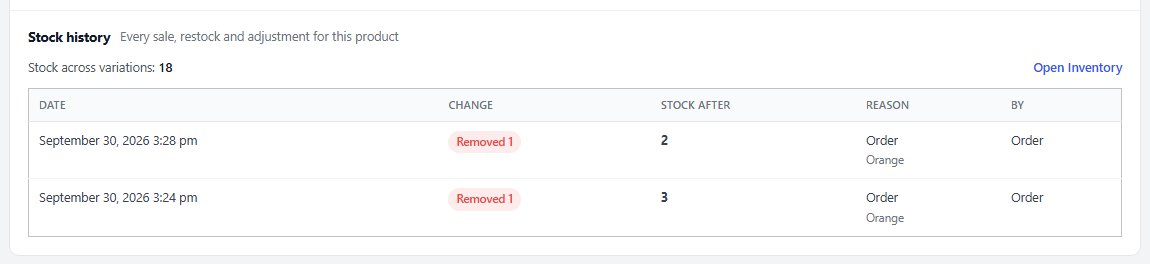
no stored settingsThe Stock history card ( PRO ) lists every stock change on this product, newest first: the date, the change ( Added, Removed or Set to ), the stock after it, the reason and who or what made it. Sales link to their order, and for a product tracked per variant each line names the variant, so you see which colour went rather than only that something did. Changes saved from the Variations table are noted Product editor.
Show older changes loads more, and Open Inventory opens the Inventory screen. Without PRO the card shows a preview with sample history.
Having it on the product is what makes it useful in a conversation. When somebody asks why the product shows three when the shelf has one, the answer is on the screen you already have open.
Ready to run your store on WP EasyCart?
Everything in this guide works with the free plugin. PRO and Premium add subscriptions, memberships, wholesale pricing and more. Try every PRO feature free for 14 days.
