
What a cart link does
One click from a message to a filled cart
no stored settingsA cart link is a web address that fills the shopper’s cart for them. They click it and arrive with the products, quantities and options already in place, rather than being dropped on a store page and left to find things.
That makes it the natural companion to anything you send out. An email promoting a seasonal bundle, a social post about a single product, a QR code on a printed flyer, a message to a customer who asked you to put an order together: in each case the link removes every step between interest and checkout.
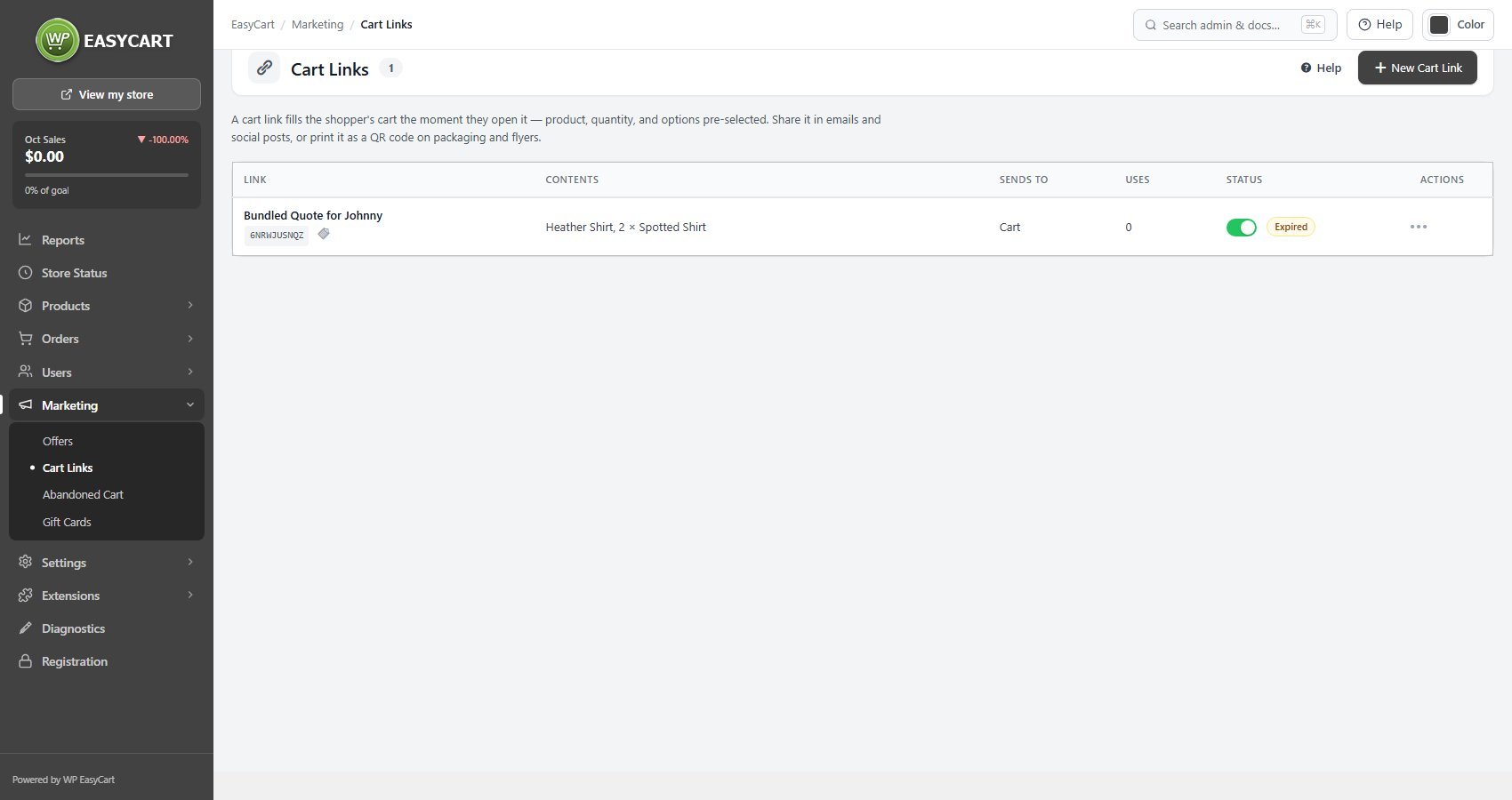
The list shows each link’s contents, where it sends the shopper, how many times it has been used, and its status, with a switch to turn a link off without deleting it. Each link has an internal name, which customers never see, so the list stays readable months later when you have forgotten which campaign was which.
For a step by step walkthrough, see How to Create Cart Links and Buy Buttons.
Building one
Contents, codes, limits, destination, and what happens to an existing cart
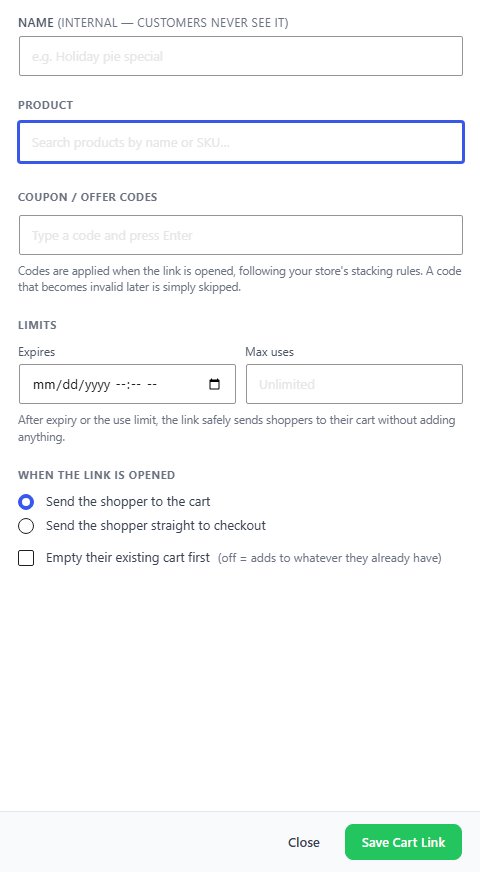
no stored settingsPress New Cart Link, name it, and add the products the link should place in the cart, each with a quantity and its options chosen. Then decide two things about what happens when somebody opens it.
Where they land. Send the shopper to the cart lets them review and keep shopping; Send the shopper straight to checkout suits a single known purchase.
What happens to whatever is already there. Leave Empty their existing cart first off and the link adds to the cart, the friendlier default, since it will not throw away something a shopper was already buying. Turn it on when the link is a complete, specific order and anything else in the cart would be a mistake.
With PRO, Coupon / offer codes applies codes when the link is opened, following your stacking rules, and Limits sets an Expires date and Max uses. After either, the link sends shoppers to their cart without adding anything. PRO can also download a link as a QR code for print and list the orders placed from it.
Once saved, Copy link and use it anywhere. Add campaign tags such as utm_source to the link and they travel with the shopper, so the order records where it came from instead of showing as direct.
Ready to run your store on WP EasyCart?
Everything in this guide works with the free plugin. PRO and Premium add subscriptions, memberships, wholesale pricing and more. Try every PRO feature free for 14 days.
