
The abandoned carts
Carts that were filled and left, and what happened to them
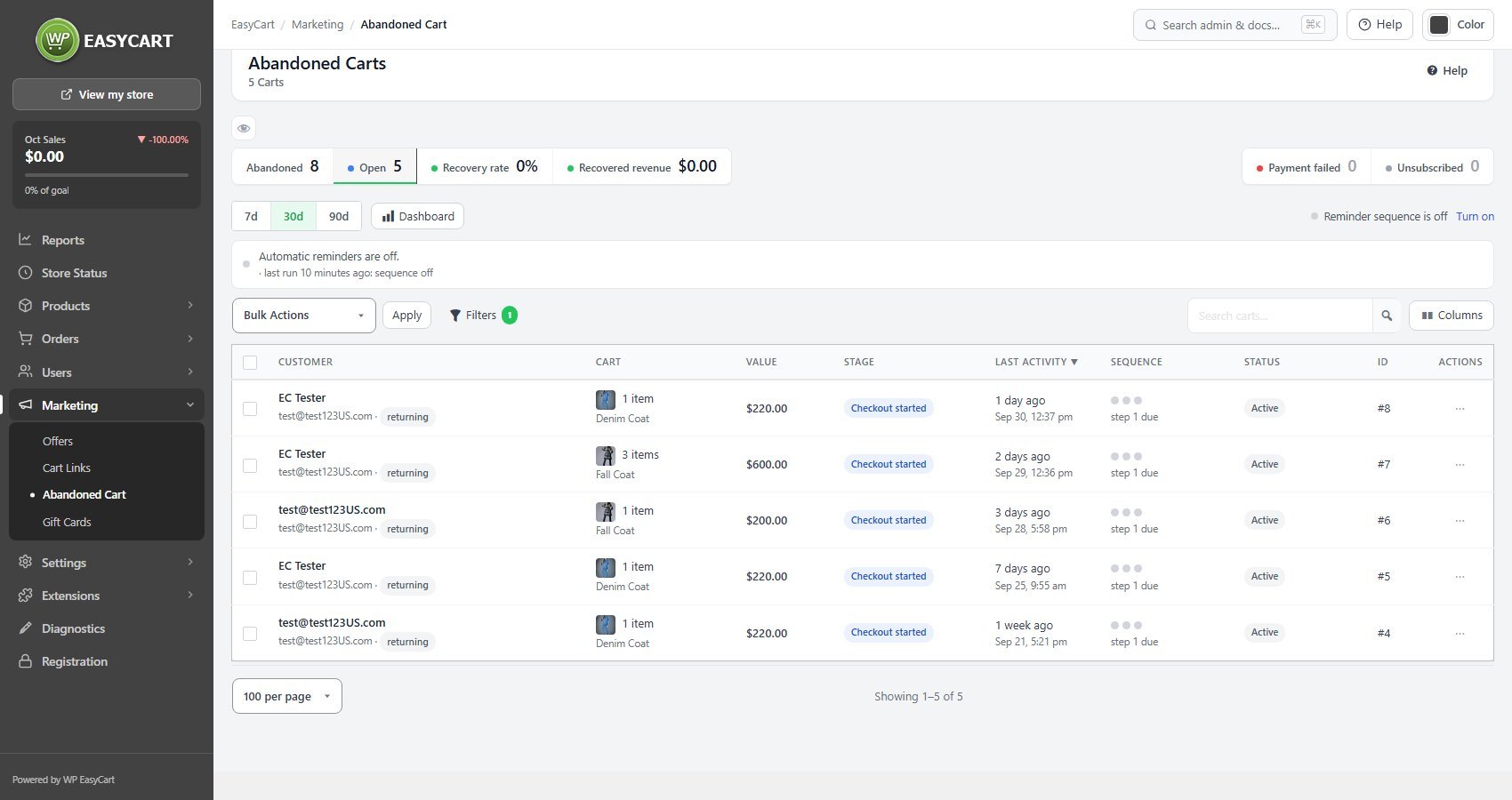
no stored settingsA cart becomes abandoned once it has sat untouched for a period you set, and it stays in the list until it is either recovered or forgotten. The tiles give the picture for the last 7, 30 or 90 days: Abandoned, Open, Recovery rate and Recovered revenue. Each row shows the customer, the cart, its value, how far they got, and where it is in the sequence. Columns chooses what the list shows.
Only carts that were really left count. A checkout paid before it sat idle long enough to be abandoned, with no reminder sent, was never left: it stays out of the list and out of the figures, and is never counted as recovered.
Subscriptions count too. A shopper who types their email on a subscription’s sign-up page and leaves is saved as a cart holding that subscription, at the checkout started stage, and the reminder’s link opens the sign-up page again.
The list is worth reading for its own sake before you send anything: patterns in what gets abandoned often point at a problem in the checkout rather than a failure of intent.
Carts abandoned after a payment failure are counted separately, because they are a different problem with a different answer. Somebody whose card was declined wanted to buy and could not; that is a more valuable message to send, and a more urgent one.
Carts are eventually forgotten, after a period you also set. Forgotten carts are kept for reporting and marked expired, so your historical numbers stay intact while the customer stops being chased.
The recovery sequence
Three steps, each with its own delay and wording
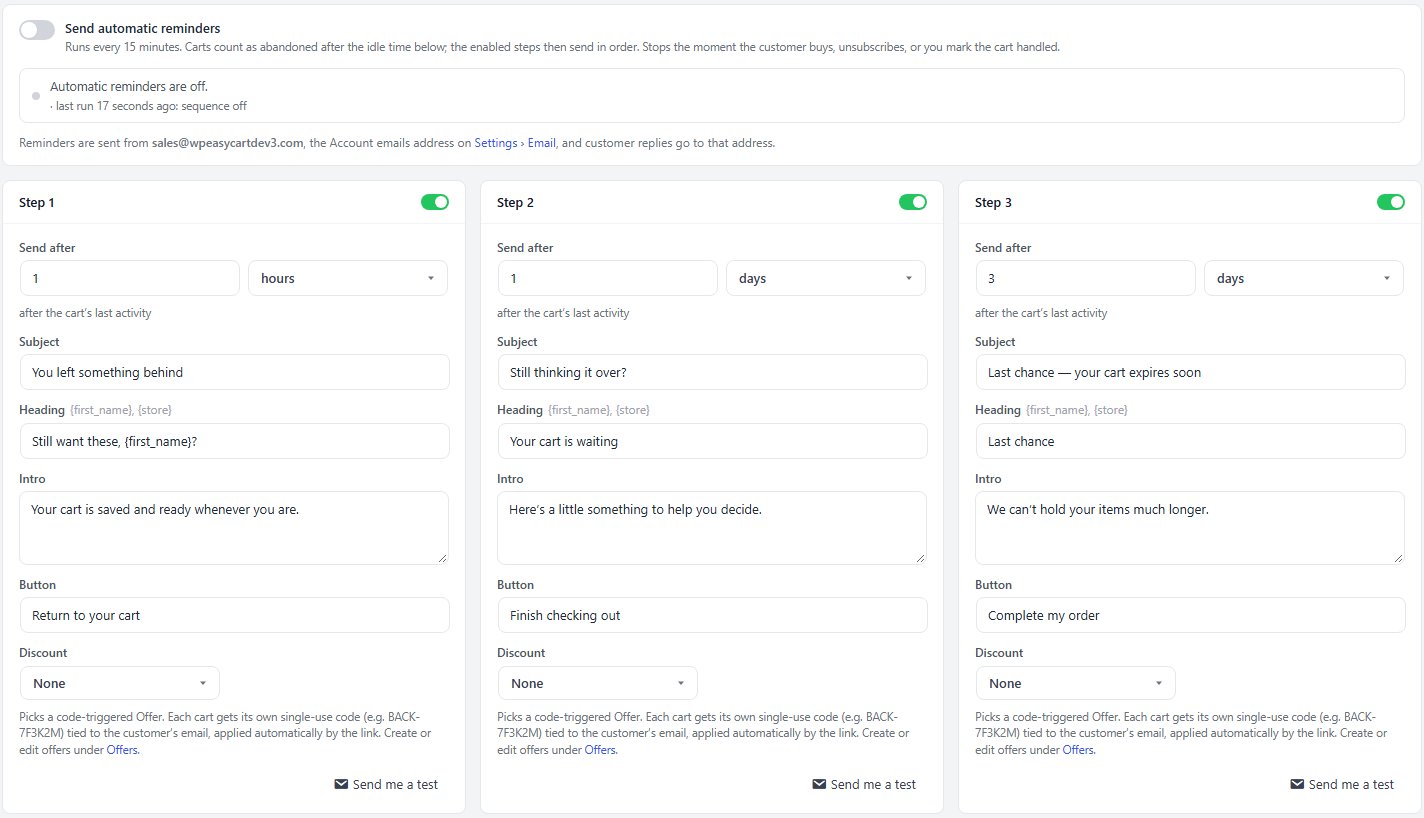
no stored settingsRecovery is a sequence of steps rather than a single email. Switch on Send automatic reminders and the enabled steps send in order; it stops the moment the customer buys, unsubscribes, or you mark the cart handled. Each step has its own Send after delay, Subject, Heading, Intro and Button wording, so the tone can change as the sequence goes on: a helpful reminder first, something more persuasive later.
A step can carry a Discount: pick a code-triggered offer and each cart gets its own single-use code tied to the customer’s email, applied automatically by the link. Discounting on the first message is usually a mistake, because you pay a margin to people who were going to return anyway. Holding the discount for a later step targets the ones who genuinely needed a push.
Send me a test on each step is the only sensible way to check wording and rendering before it reaches customers.
Every reminder is sent from the Account emails address on Settings › Email, and customer replies go to it; the screen names the address. Each send is recorded in the email log there, so you can see what went out and retry anything that failed.
This is distinct from the single daily reminder on the Checkout settings. That one is the simple version; turning on this sequence replaces it, so nothing sends twice.
For a step by step walkthrough, see How to Recover Abandoned Carts.
Timing and rules
The guards that stop recovery becoming spam
no stored settingsSeveral limits work together, and they exist because recovery email is the easiest thing in a store to over-send.
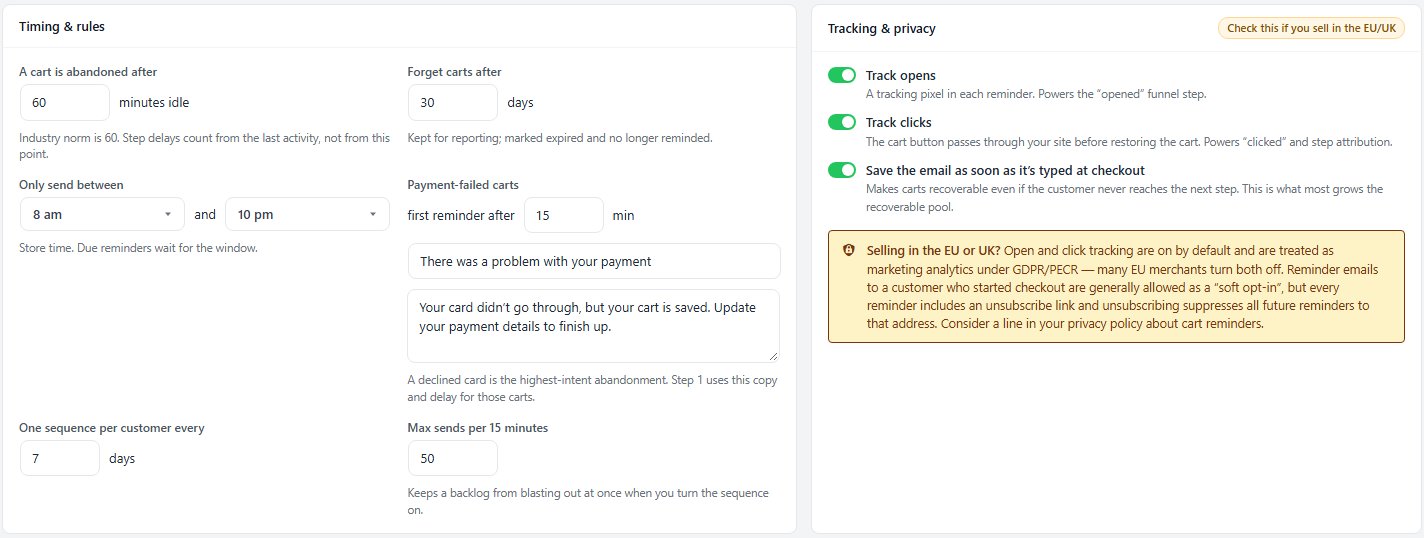
A cart is abandoned after, in minutes idle, and Forget carts after, in days, bound the whole exercise. One sequence per customer every N days stops a regular shopper being chased constantly. Only send between keeps mail out of the middle of the night, using store time, with anything due waiting for the window to open. And Max sends per 15 minutes protects your sending reputation if a large batch comes due at once, such as the backlog when you first switch the sequence on.
Payment-failed carts get their own timing and wording: the first reminder goes after the minutes you set, with a subject and intro written for a declined card.
Taken together these turn a feature that can easily annoy people into one that mostly recovers sales.
Ready to run your store on WP EasyCart?
Everything in this guide works with the free plugin. PRO and Premium add subscriptions, memberships, wholesale pricing and more. Try every PRO feature free for 14 days.
