
Navigation

Admin panels › Product details

Reviews

What customers said about this product, with approval in place, and whether reviews are allowed on it at all. 2 parts.

Approve without leaving the productRead them togetherPer-product on and off switch

Before you start

Where it lives, and how the panel works

From your WordPress dashboard open EasyCart › Products, open a product, then choose Reviews.

WP Admin EasyCart Products open a product Reviews

Search instead of hunting

The search box at the top of the page filters it as you type, and it matches hidden keywords as well as names. The same box on the Settings home searches every panel at once.

Jump between sections

A section list sits beside the page and follows you down it, so you can move straight to the part you came for without scrolling through everything between.

Advanced settings are folded away

Each section hides its rarely-changed settings behind a Show N advanced settings link, naming the first few so you know whether it is worth opening. 0 of the 0 settings on this page start folded.

Dependent settings appear as needed

Settings shown indented here only exist once the setting above them is switched on. Sections of the editor reveal their fields as you switch a feature on, and hide them again when you switch it off.

Saving

Switches and dropdowns save the moment you change them. Anything you type collects in a save bar at the foot of the page that counts your unsaved changes and warns you before you navigate away.

Locked settings

Rows marked with a padlock need WP EasyCart PRO or Premium. They stay visible so you can see what the upgrade adds. Nothing on this page is locked.

On default is enabledOff default is disabledValue factory defaultPRO needs PRO or PremiumAdvanced behind the fold

On this page

Jump to a section

Customer feedback

Reading and allowing reviews

What was said about this product, and whether it accepts more.

Reviews on this product

What customers said, and acting on it without leaving the product

no stored settings

Every review for the product is listed here with its rating and status, and reviews can be approved or denied without going to the moderation queue. When you are already looking at a product, that saves a trip.

Reviews appear once the product has been saved, and a product with none says so rather than showing an empty panel.

Reading a product’s reviews together is the right way to judge a complaint. A single two-star review among thirty good ones is noise; three saying the same thing is a fault, a sizing problem or a misleading photograph, and all three are fixable.
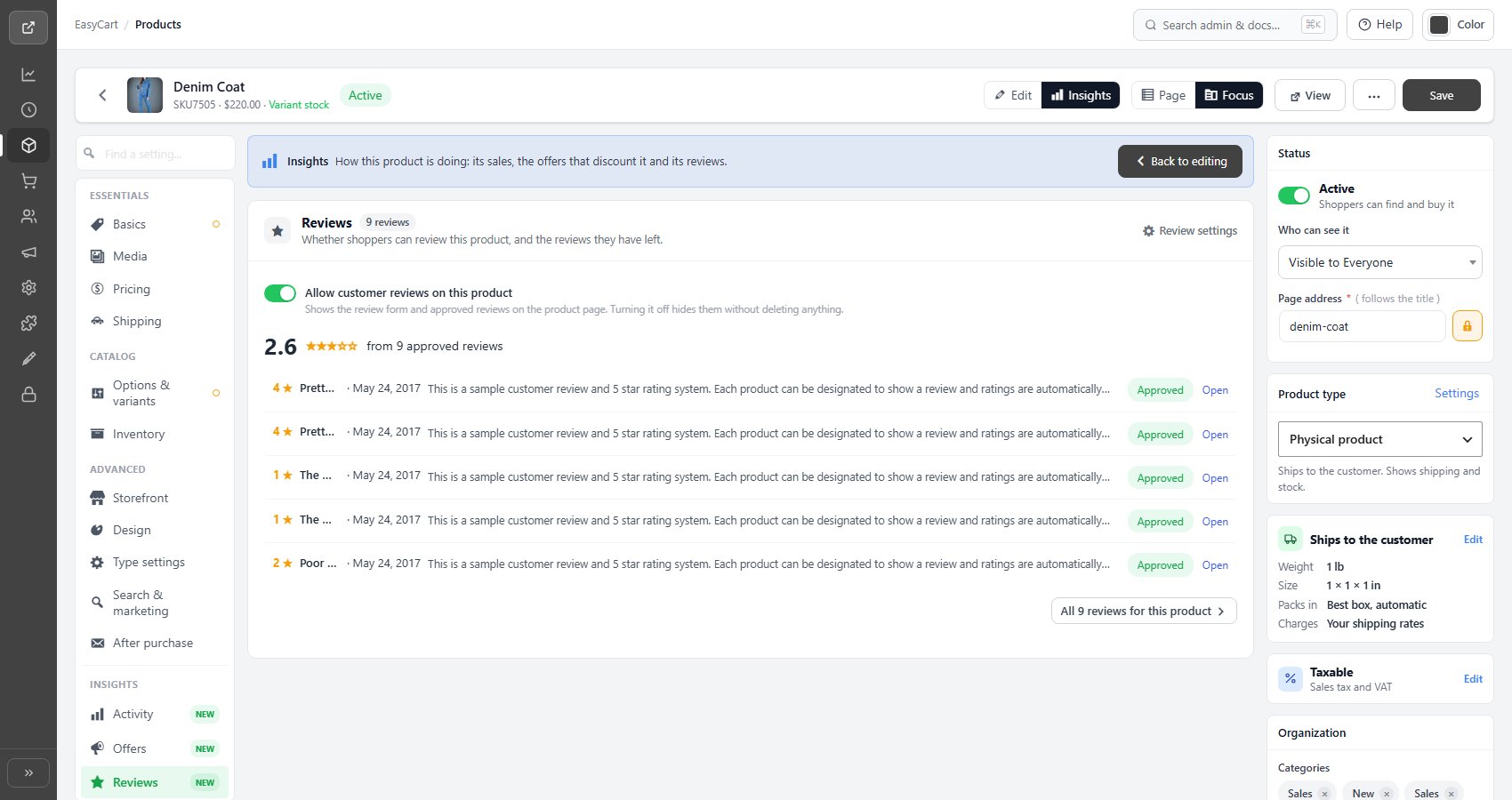
There is a link through to the full reviews list when you want the store-wide view.

The product editor, Reviews tab, showing reviews for this product with approval controls.

💡 Note: Automatic review requests after an order ships are configured in Product Reviews, which is also where the whole moderation queue lives.

Allowing reviews

Per-product, on top of the store-wide rules

no stored settings

Reviews can be allowed or disallowed on this product specifically. Most stores leave them on everywhere, but there are reasonable exceptions: a service, a gift card, a made-to-order item where the review would be about the process rather than the product.

The rules that apply to reviewing in general sit elsewhere. Whether a reviewer has to be signed in, whether their name is shown, and whether you are emailed when a review arrives are store-wide settings, not per product.
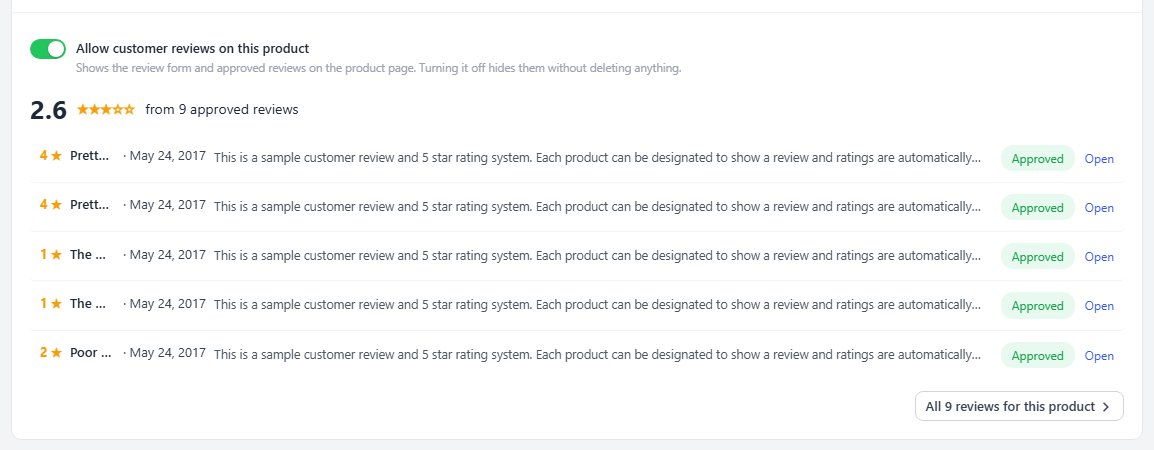
Turning reviews off on a product does not delete reviews it already has; it stops new ones.

💡 Note: Requiring a login to review, showing reviewer names, and being emailed when a review arrives are set store-wide under Settings › Products.

Keep going

Related panels

Product Reviews

The full moderation queue and review requests.

Products

Login requirements, names and notifications.

Activity

Sales and customers for this product.

Products

Sorting the store by rating.

User Accounts

The customers behind signed-in reviews.

General Details

The product description a review responds to.

Try the PRO features free for 14 days

Anything marked PRO comes with WP EasyCart PRO or Premium. Take the whole thing for a run on your own store before you decide.

Updated on September 18, 2026
