
Your licence
Which edition you are on, and how long it runs
no stored settingsThe panel at the top states one thing plainly: what your store is entitled to today. It reads differently depending on where you stand, and each version tells you what happens next rather than only what is true now.
On the free edition it says everything needed to sell is running, and that card payments through Stripe, Square and PayPal carry a two per cent fee which a licence removes. Once the store has a few orders a month it also works out roughly what that fee costs you each month. During a trial it counts down the days and notes that upgrading before the end changes nothing, while letting it lapse locks the Pro panels with your data untouched.
On an active licence it shows the days of support and updates remaining, and switches to a warning inside the last thirty days. Turning on AutoPay in your account keeps the days already paid for, so nothing is lost by doing it sooner. A licence that renews automatically says when it renews instead, with Manage subscription, and if that payment does not go through, it says support and updates are paused until the card is updated. On an expired one it says the paid panels are locked and no data is lost while you decide.
The buttons go where the state implies: start a trial or enter a key when there is no licence, renew, or upgrade from Pro to Premium, when there is.
The four readiness checks
Whether this store can actually take an order
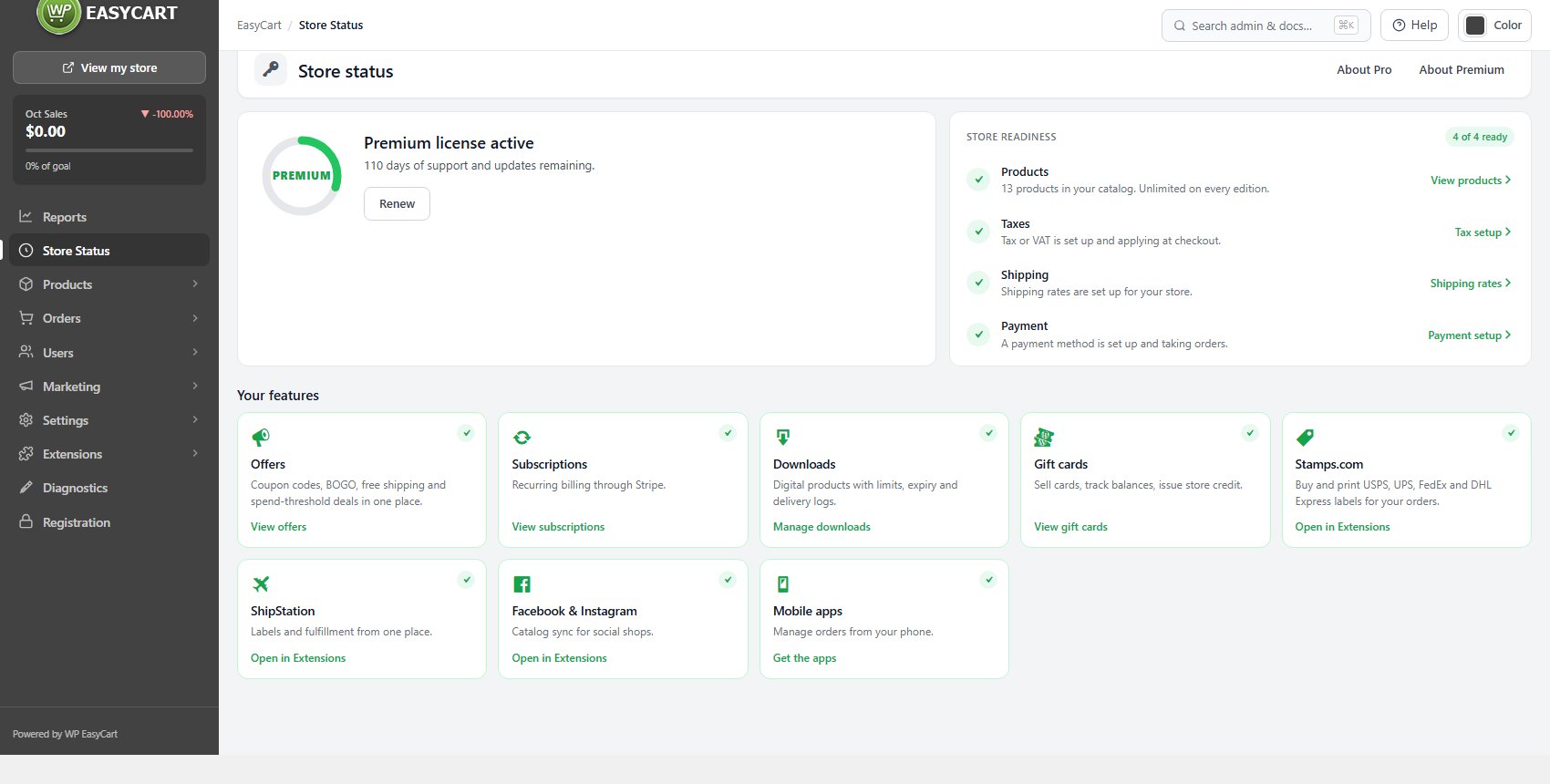
no stored settingsFour checks answer a single question: can a shopper complete a purchase? The card counts how many are ready, and each check links straight to the screen that fixes it.
Products counts your catalogue and is always satisfied, because products are unlimited on every edition. Taxes fails when no tax or VAT is set up, which means orders are being charged tax-free. Shipping fails when no shipping method of any kind is configured, so shoppers cannot be charged for delivery. Payment fails when no payment method is set up, which means nobody can check out at all.
Payment is the one that stops sales outright. Taxes and Shipping are the ones that quietly cost you money: the store keeps taking orders, it just stops charging for something.
Some stores genuinely ship nothing, or charge no tax. For them the Taxes check offers We charge no tax and the Shipping check We ship nothing. Either one settles the check without switching anything on, and Diagnostics stops reporting it too. Undo takes the answer back, and adding rates later changes it anyway.
For a step by step walkthrough, see How to Build Your First Store with WP EasyCart.
Ready to run your store on WP EasyCart?
Everything in this guide works with the free plugin. PRO and Premium add subscriptions, memberships, wholesale pricing and more. Try every PRO feature free for 14 days.
