
Moderating reviews
Approve, deny or open, with tiles to work through the queue
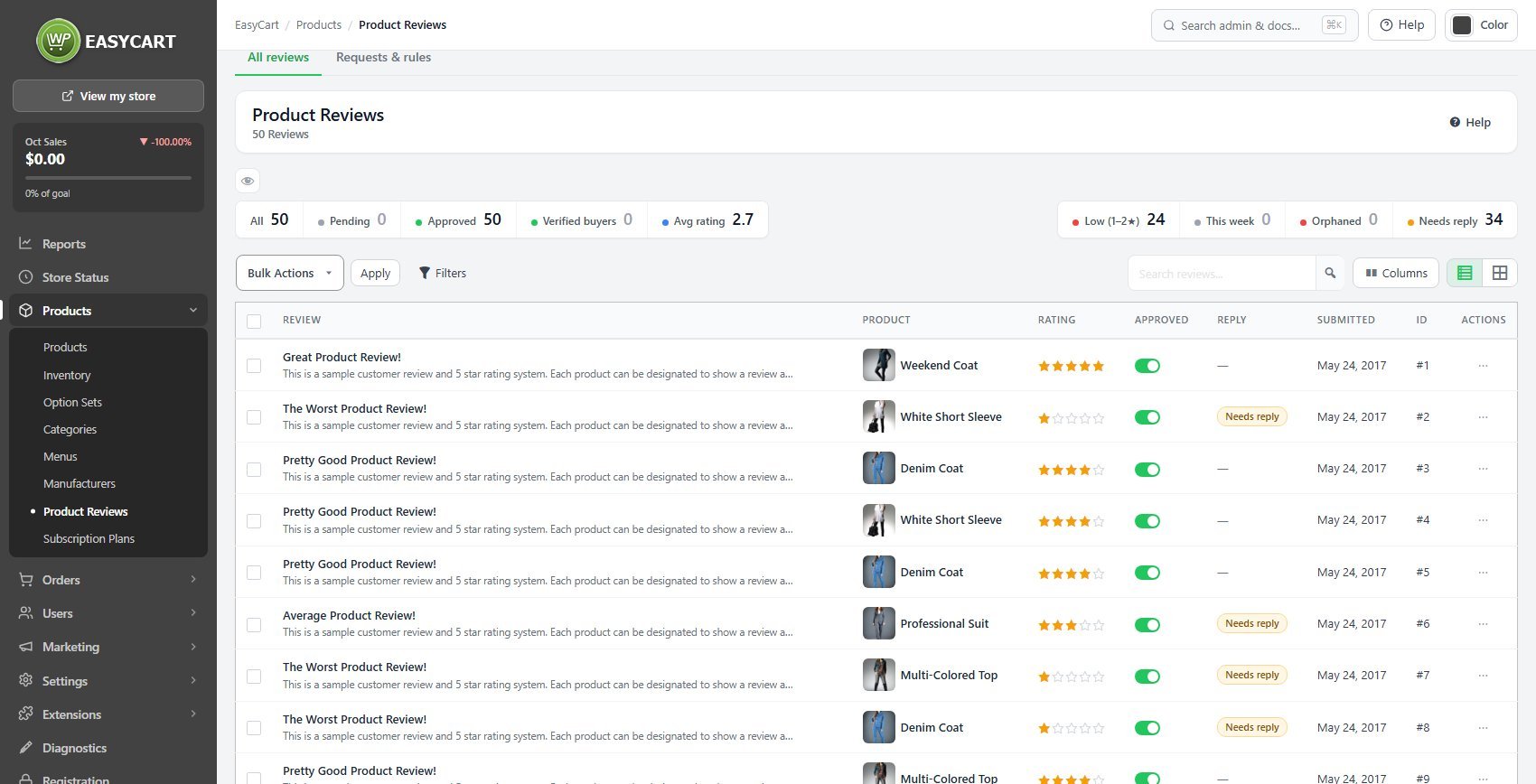
no stored settingsThe All reviews tab lists every review with its product, rating, approval, reply status and date. Tiles count and filter them: Pending, Approved, Verified buyers, the Avg rating, Low (1–2★), This week, Orphaned ( the product is gone ) and Needs reply. Filters adds status, rating, product, when it was submitted, and verified or unverified, replied or not. Bulk Actions approve, deny ( hide ) or delete several at once.
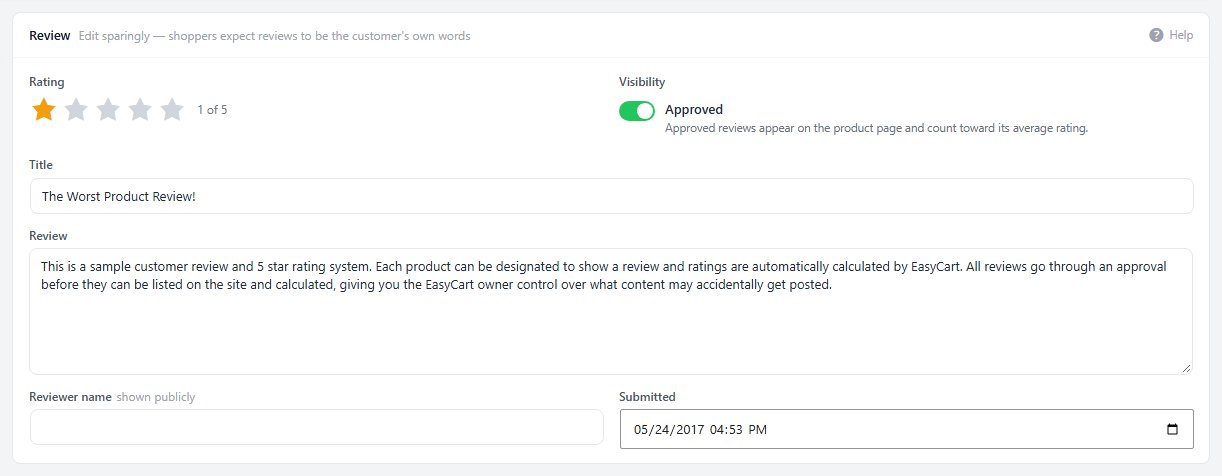
Open a review to edit its rating, title and text, approve or hide it, and see the product’s rating breakdown and the reviewer behind it. A Review status list flags what matters, such as a review not matched to a purchase or a low rating with no reply yet. A deleted review can be put back for 15 minutes; to hide one from shoppers, deny it instead.
Replying in public
Your response, how it is signed, and whether the reviewer hears about it
no stored settingsYour reply ( PRO ) posts a public response under the review, signed as the store, and Also email this reply to the reviewer sends it to them as well. On the Requests & rules tab, Replies sets how replies are signed and whether that email box is ticked by default.
A reply is worth writing on a negative review. A customer who feels heard often revises their view, and other shoppers read the exchange as proof that somebody is paying attention. Write it for the people who will read it later, not for the reviewer; that keeps the tone right.

Asking for reviews, and moderation rules
Automatic requests after an order ships, and rules for what arrives
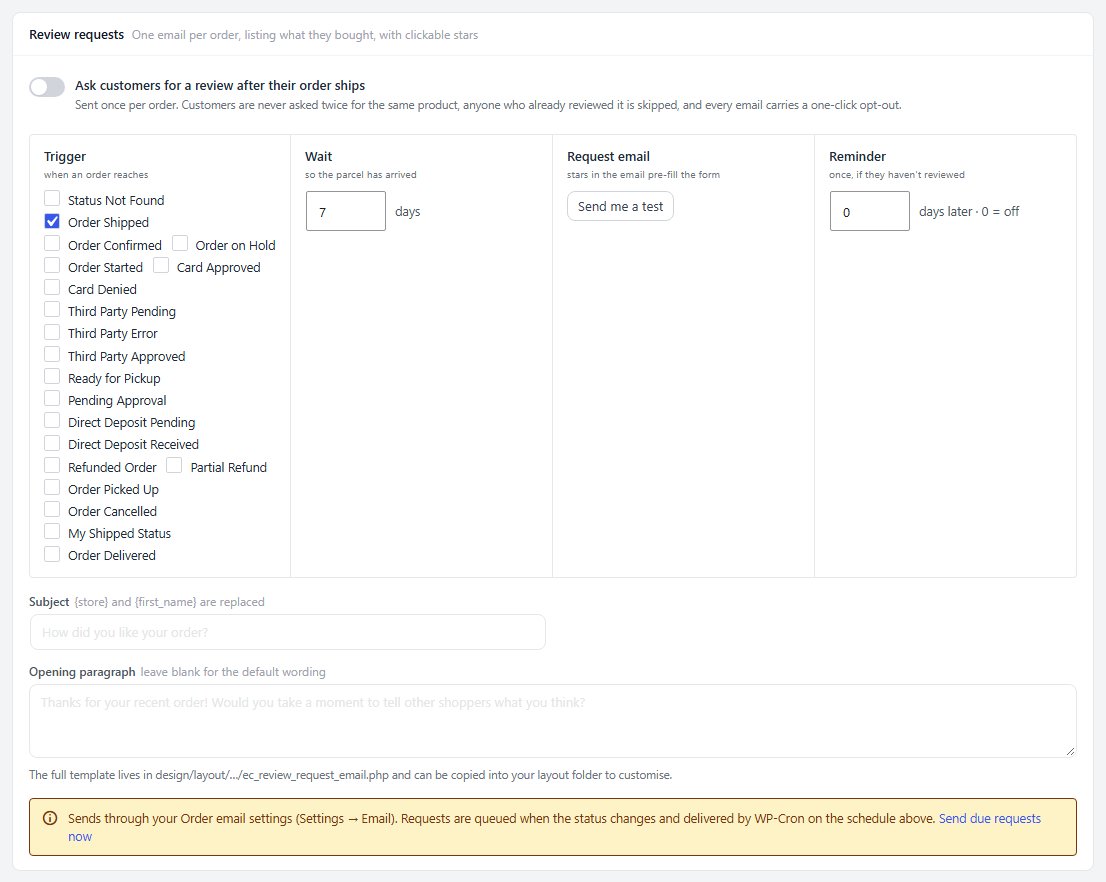
no stored settingsOn the Requests & rules tab, Ask customers for a review after their order ships sends one email per order, listing what they bought with clickable stars that pre-fill the form. Choose the order status that triggers it and how many days to wait so the parcel has arrived, then set the subject and opening paragraph. Customers are never asked twice for the same product, anyone who already reviewed it is skipped, and every email has a one-click opt-out. A Reminder ( PRO ) can follow once. Send me a test shows you the email.
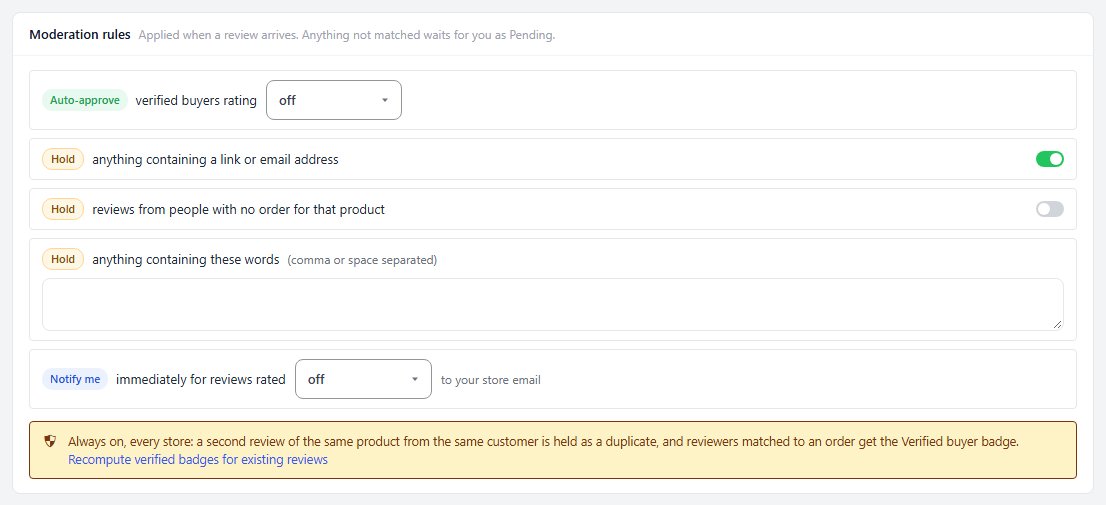
Moderation rules ( PRO ) apply when a review arrives: auto-approve verified buyers at a chosen rating or above, hold anything with a link or email address, from someone with no order for that product, or containing words you list, and email you at once for low ratings. Anything not matched waits as Pending. On every store, a second review of the same product from the same customer is held as a duplicate, and reviewers matched to an order get the Verified buyer badge.
Last 30 days counts requests queued, sent and opened, and the reviews they produced.
Ready to run your store on WP EasyCart?
Everything in this guide works with the free plugin. PRO and Premium add subscriptions, memberships, wholesale pricing and more. Try every PRO feature free for 14 days.
