
The gift card list
Every card, its balance, and whether it is behaving
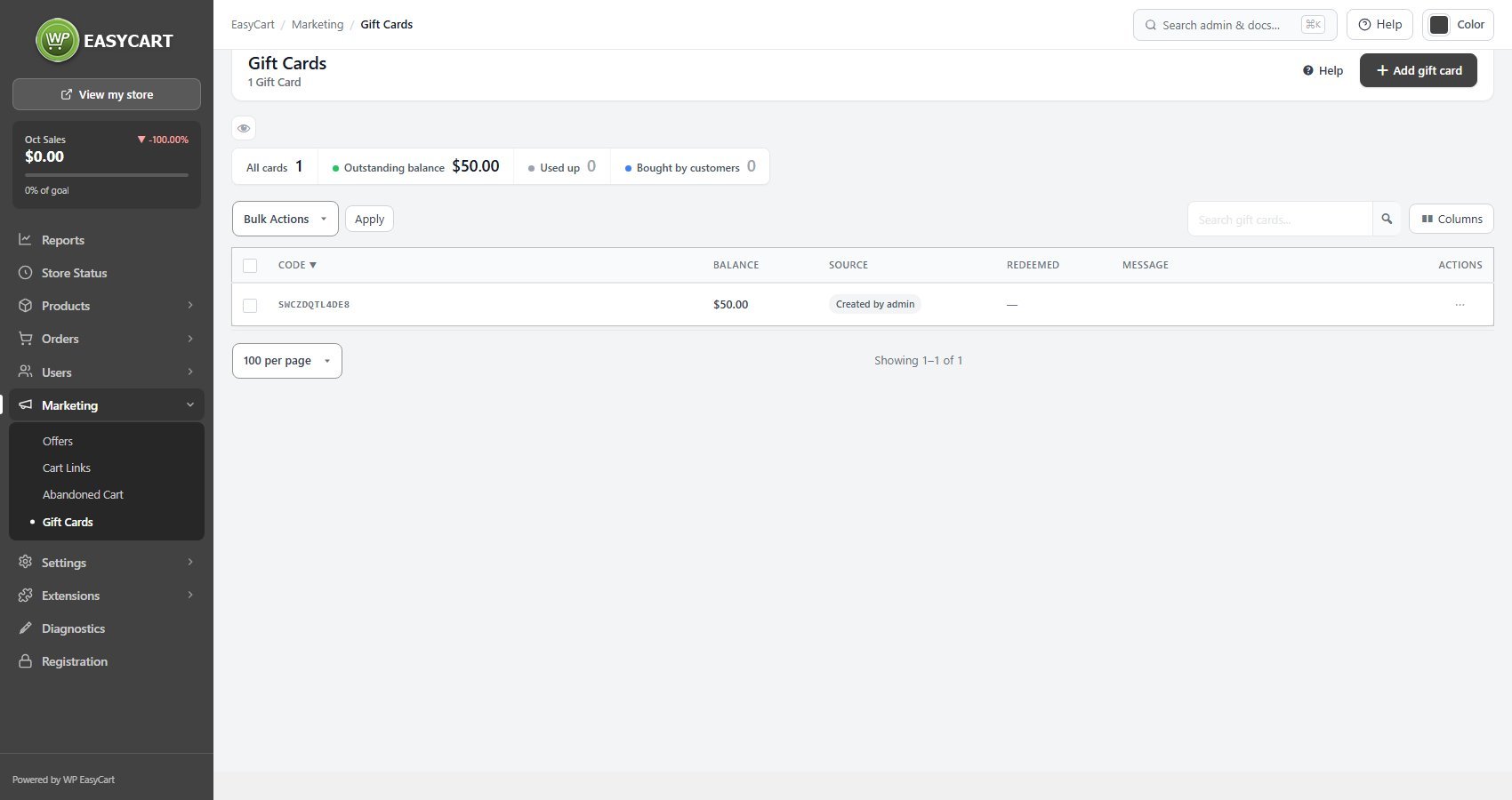
no stored settingsOne row per card, showing the code, the current balance, where it came from, when it was redeemed and its message. A gift card is stored value rather than a discount: the balance is money the customer already paid you, and spending it is not a reduction in revenue but the delivery of something already sold.
The tiles count All cards, the Outstanding balance across them, cards Used up, and cards Bought by customers. Cards arrive two ways. Most are bought by a customer through the store, and carry the order they came from. Others are made with Add gift card, typically as a goodwill gesture or a prize, and those show Created by admin so you can tell issued value from sold value.
Cards can be searched by code, and Columns chooses which columns show.
For a step by step walkthrough, see How to Sell Gift Cards.
Inside a card
Code, balance, message and the full history
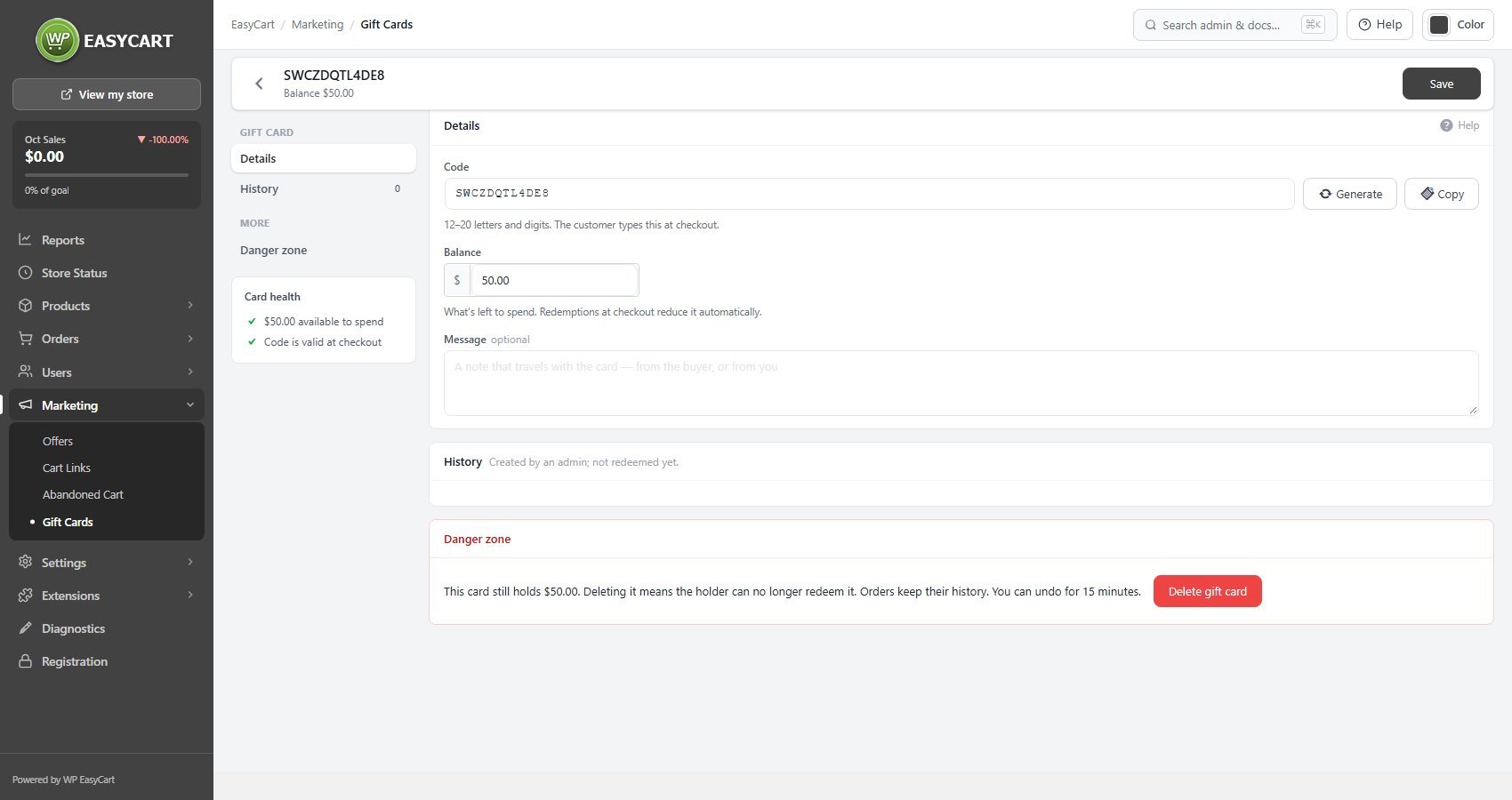
no stored settingsThe Code is what the customer types at checkout, 12 to 20 letters and digits, which Generate can make for you. It can be changed, and if you do, the purchase and redemption history moves with it rather than being orphaned, so correcting a code is safe.
The Balance is what is left to spend; redemptions at checkout reduce it automatically. The Message is the note that travels with the card, either written by the buyer at checkout or added by you. Card health confirms the balance available and that the code is valid at checkout.
The History is the important part. It records the purchase and every redemption, with the order each one was spent against and the amount. When a customer says their balance is wrong, this is the answer, and it is also what tells you whether a card was drained in one go or spent gradually.
Deleting a card sits in a danger zone, because the holder can no longer redeem it. Orders keep their history, and the delete can be undone for 15 minutes.
Ready to run your store on WP EasyCart?
Everything in this guide works with the free plugin. PRO and Premium add subscriptions, memberships, wholesale pricing and more. Try every PRO feature free for 14 days.
