
Admin panels › Product details
Type & Behavior
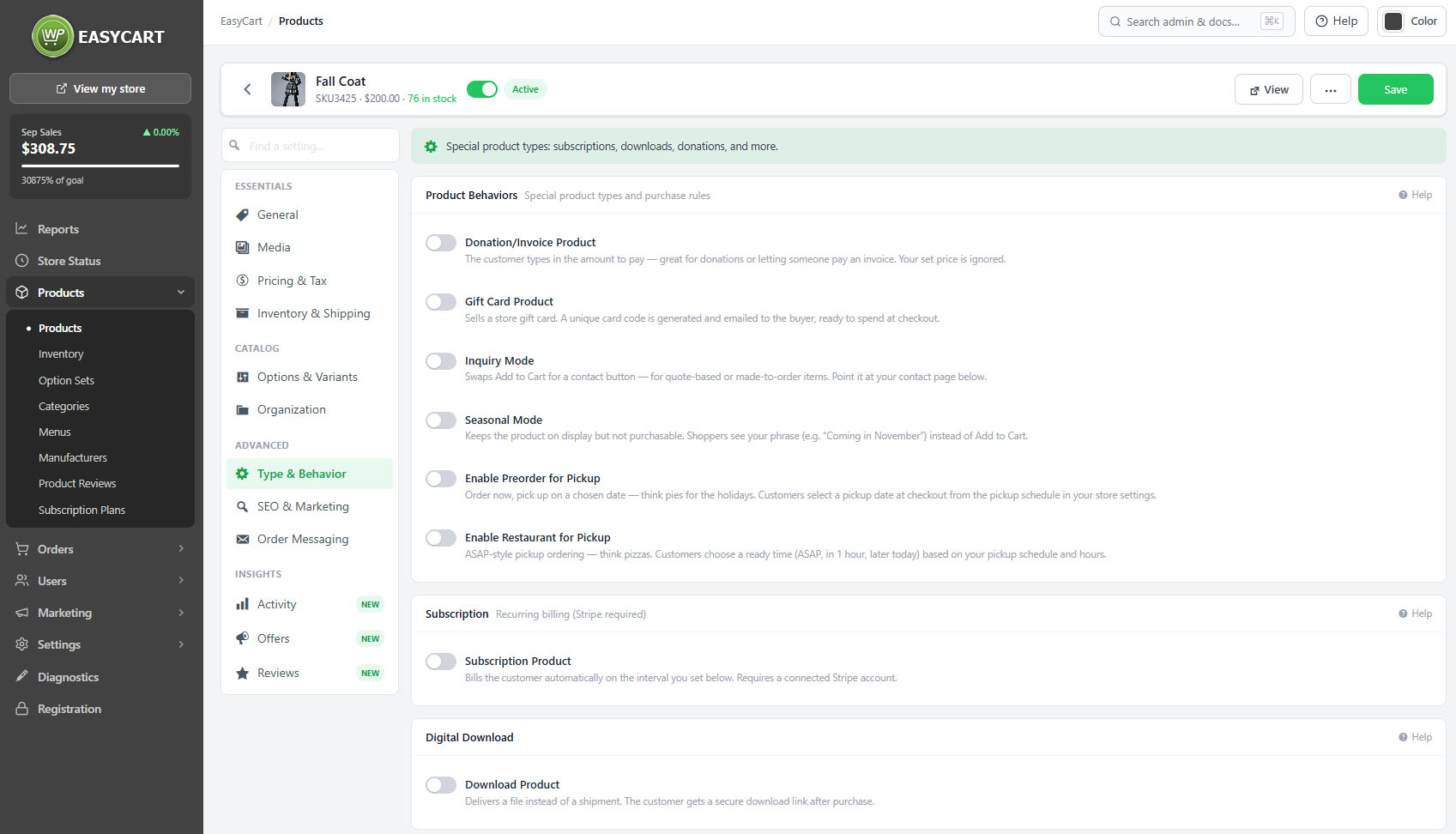
What kind of thing this product is, who is allowed to buy it, and how it is marked out in listings. 3 parts.
Quick links
Where to find it:WP Admin › EasyCart › Products › open a product › Type
What it is
Types and rules
The special product types, and the rules deciding who can buy and how.
Special product types
Downloads, subscriptions and decorated products
no stored settingsMost products are ordinary physical goods. Three types behave differently, and each changes what the product does after it is bought.
Digital download attaches a file, delivered from your protected downloads folder or from Amazon S3. Downloadable products require the customer to have an account, because the file has to be available to come back to, so guest checkout does not apply to them.
Subscription turns the product into recurring billing, with a duration measured in days, weeks, months or years, and an optional sign-up fee. Recurring billing needs Stripe.
DecoNetwork connects the product to a custom decoration workflow for printed and embroidered goods.
💡 Note: Downloadable products, subscriptions and gift cards all require a customer account regardless of whether guest checkout is allowed under Settings › Checkout. The customer needs somewhere to return to.
Purchase rules
Who may buy it, and whether it can be bought at all
no stored settingsSeveral rules change how the product can be bought. It can be restricted to particular customer roles, so only trade or member accounts see it. It can require a sign-in before the price is shown. It can be marked seasonal, which keeps it visible but not purchasable, or switched to inquiry mode, which replaces the Add to cart button with a form.
Inquiry mode is the right shape for made-to-order, quoted and specification-dependent products, where a price cannot honestly be printed. The inquiry form itself is protected by checks that are invisible to shoppers, configured store-wide.
Whether prices are hidden on seasonal and inquiry products is also a store-wide setting, so the decision is made once rather than per product.
💡 Note: Inquiry form protection and whether prices are hidden on seasonal and inquiry products are store-wide settings under Settings › Products.
How it stands out
Badges
Marking a product in listings, sparingly.
Badges and image effects
Marking a product out in listings
no stored settingsA badge can be placed on the product in listings, with its own text and colour, and a preview shows how it will look before you commit.
Badges work by being rare. A store where every product carries one has taught shoppers to ignore them, which wastes the mechanism on the products that genuinely are new or reduced.
Offers can also produce their own badges automatically, so check what an offer is already doing before adding a manual badge that duplicates it.
💡 Note: Offers configured in Offers can place their own badges. Check what is already showing before adding a second one here.
Keep going
Related panels
Managing the files customers have bought.
Subscription plans and upgrade ladders.
Inquiry protection and price hiding rules.
The roles a product can be restricted to.
Offers, which can place their own badges.
Pricing, including login-for-pricing.
Try the PRO features free for 14 days
Anything marked PRO comes with WP EasyCart PRO or Premium. Take the whole thing for a run on your own store before you decide.
