
Admin panels › Product details
Inventory & Shipping
How much of this product exists, how much one shopper may have, what it weighs and how it is packed. 3 parts.
Quick links
Where to find it:WP Admin › EasyCart › Products › open a product › Inventory
Counting it
Stock and history
How stock is tracked, how much a shopper may buy, and where every unit went.
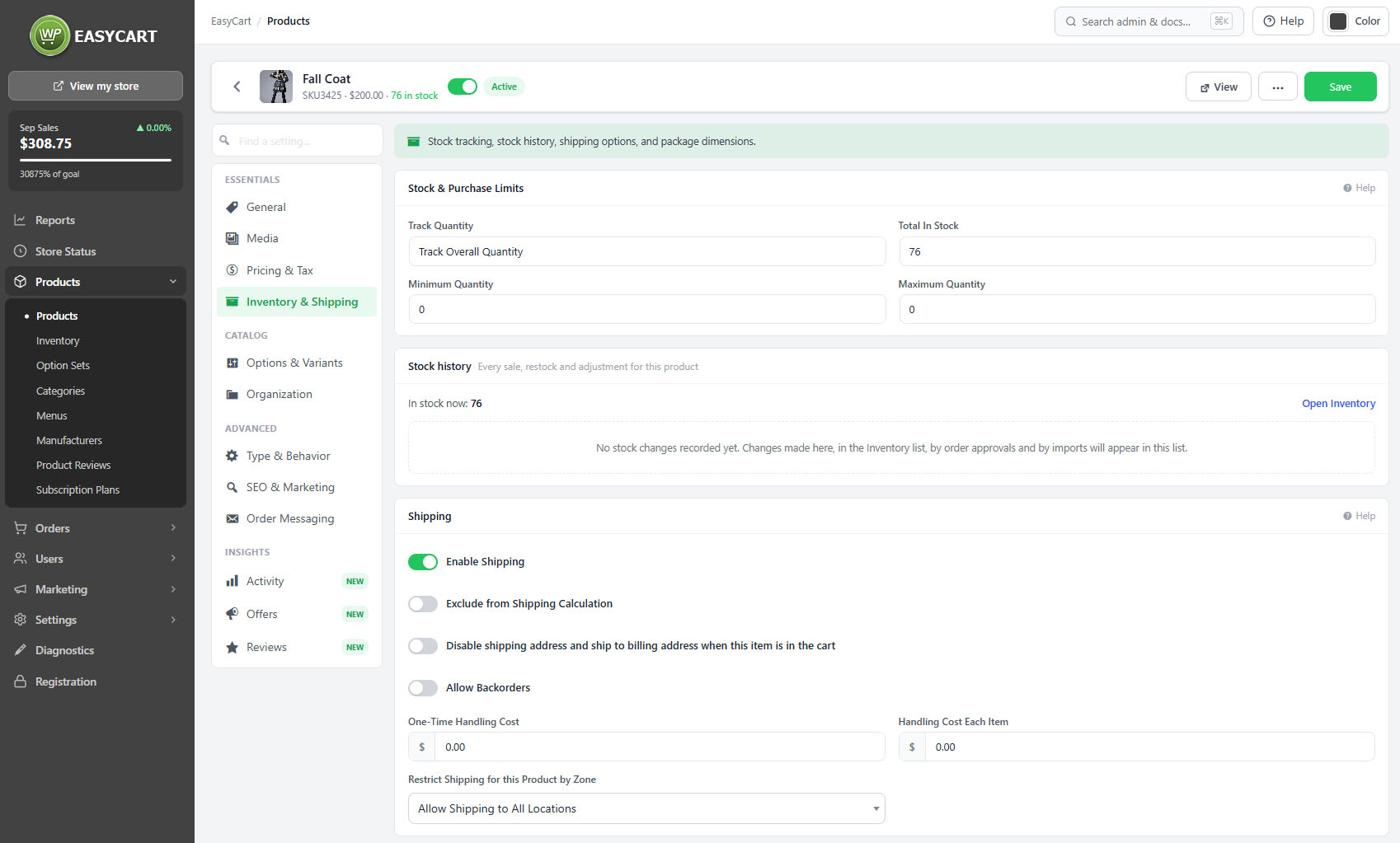
Stock and purchase limits
Whether stock is tracked, how much there is, and how much one shopper may buy
no stored settingsA product either does not track stock, tracks a single overall quantity, or tracks a quantity for each option combination. That choice shapes everything else: a product tracking per combination shows a row per variation, while one tracking overall shows a single number.
Not tracking is the right answer for made-to-order goods, services and digital products, where there is no finite quantity to count. Choosing it deliberately is better than leaving a product untracked by accident, because the two look identical on the storefront and behave identically until you want a stock report.
Purchase limits cap how many of a product one shopper can buy, which is what you reach for on limited releases and anything being bought for resale.
A reorder point can be set here, flagging the product when it falls to that level and feeding the low stock digest. Without one, the product falls back to the store-wide threshold.
💡 Note: The store-wide low stock threshold, stock reservation and the alert emails are set under Settings › Checkout. A reorder point set here overrides the threshold for this product.
Stock history
Every movement on this product, in one place
no stored settingsThe product carries its own stock history: every sale, restock and manual adjustment, with the change, the reason, the resulting quantity and who made it.
Having it on the product rather than only in the inventory report is what makes it useful during a conversation. When somebody asks why a product shows three when the shelf has one, the answer is on the same screen you are already looking at.
For products tracking per combination, the history covers the variations too, so you can see which size went rather than only that something did.
💡 Note: The same movements appear across the catalogue in Inventory Report, where they can be filtered and exported.
Sending it
Weight and packaging
What carriers need in order to quote a rate that is not wrong.
Weight and packaging
What live carrier rates need to quote correctly
no stored settingsThe shipping weight is what live rate calculators use. A product with no weight either returns no rate or returns a wrong one, and either way the shopper finds out at checkout. If you use live rates from any carrier, a missing weight is a broken product.
Packaging dimensions matter for the same reason. Carriers price on dimensional weight as well as actual weight, so a light but bulky item quoted on weight alone will cost you the difference on every order.
A product can also be excluded from shipping calculations altogether, which is what you want for digital goods, services and anything collected rather than sent.
⚠️ Careful: Live carrier rates cannot quote without a weight. If you use live rates, a product missing its weight will either show no shipping option or the wrong price, and the shopper discovers it at checkout.
Keep going
Related panels
Stock across the whole catalogue, with bulk tools.
Low stock thresholds, alerts and stock reservation.
Variations, which stock can be tracked against.
Methods, zones and live rate carriers.
The rate tables carriers are quoted from.
Hiding out-of-stock products and showing stock levels.
Try the PRO features free for 14 days
Anything marked PRO comes with WP EasyCart PRO or Premium. Take the whole thing for a run on your own store before you decide.
