
Admin panels › Product details
General Details
The essentials of a product: what it is called, what it is called internally, the text that sells it, and whether it is live. 2 parts.
Before you start
Where it lives, and how the panel works
From your WordPress dashboard open EasyCart › Products, open a product, then choose General.
WP Admin › EasyCart › Products › open a product › General
Search instead of hunting
The search box at the top of the page filters it as you type, and it matches hidden keywords as well as names. The same box on the Settings home searches every panel at once.
Jump between sections
A section list sits beside the page and follows you down it, so you can move straight to the part you came for without scrolling through everything between.
Advanced settings are folded away
Each section hides its rarely-changed settings behind a Show N advanced settings link, naming the first few so you know whether it is worth opening. 0 of the 0 settings on this page start folded.
Dependent settings appear as needed
Settings shown indented here only exist once the setting above them is switched on. Sections of the editor reveal their fields as you switch a feature on, and hide them again when you switch it off.
Saving
Switches and dropdowns save the moment you change them. Anything you type collects in a save bar at the foot of the page that counts your unsaved changes and warns you before you navigate away.
Locked settings
Rows marked with a padlock need WP EasyCart PRO or Premium. They stay visible so you can see what the upgrade adds. Nothing on this page is locked.
The product itself
Names, text and state
What the product is called, what it says, and whether shoppers can see it.
The essentials
Title, model number and the text that sells the product
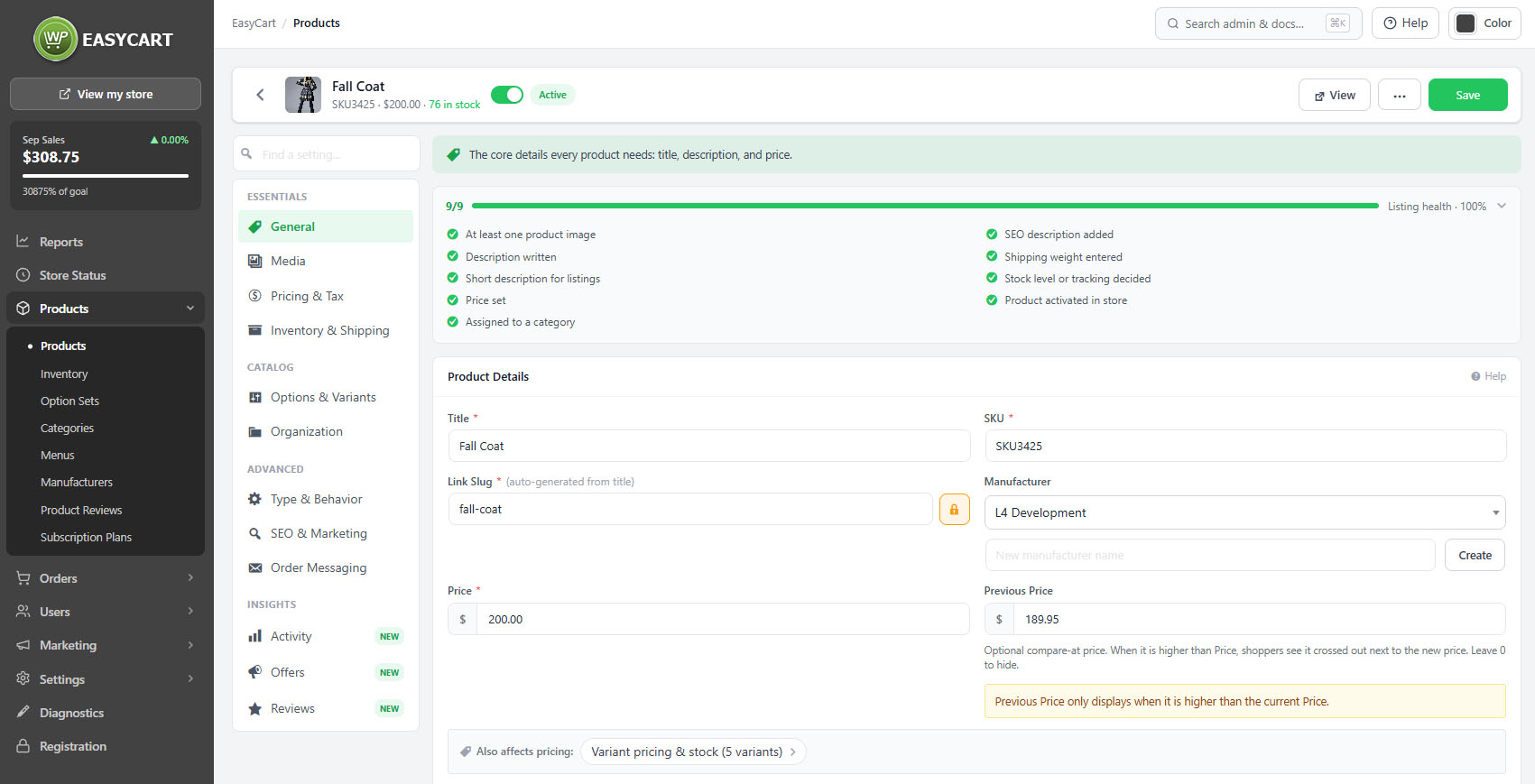
no stored settingsThe title is the product name shoppers see and search for, and it is also what the URL is generated from. The model number, or SKU, is your own reference, used on cart lines, orders and packing slips, and it is what shoppers with a part number will search for.
There are two pieces of text and they do different jobs. The short description appears on listings and grids and, depending on your settings, above or below the Add to cart button. Keep it to the sentence that makes somebody click. The description is the full text on the product page, where you answer the questions that stop people buying.
Specifications add an optional tab on the product page for structured detail: dimensions, materials, compatibility. Anything a customer would otherwise have to email you about belongs there rather than buried in a paragraph.
💡 Note: The short description and the full description are used in different places. Whether the short one appears on grid tiles, and whether it sits above or below the Add to cart button, is set under Settings › Products.
Visibility and sorting
Whether the product is live, and where it appears
no stored settingsA product is active, draft or inactive. Only active products appear in the store; draft and inactive products keep everything they have and simply are not shown. That is the right way to take something off sale temporarily, because deleting loses the history and the URL.
Sorting controls where the product falls in listings when shoppers are using the default order. It is the lever for putting your best sellers in front of people without reorganising categories.
The editor saves as you work rather than waiting for a submit, and tells you when there are unsaved changes. A listing health indicator scores how complete the product is, covering whether it has an image, a description, a price, a weight and a category, and it is worth clearing before a product goes live.
💡 Note: Deactivating keeps the product, its URL and its history. Prefer it to deleting for anything seasonal or temporarily unavailable.
Keep going
Related panels
Images, gallery and video for this product.
Base price, tiers and role pricing.
Search listing, slug and Yoast fields.
Categories, manufacturer and menus.
The catalogue list this product sits in.
Store-wide settings for how products display.
Try the PRO features free for 14 days
Anything marked PRO comes with WP EasyCart PRO or Premium. Take the whole thing for a run on your own store before you decide.
