
Admin panels › Product details
Options & Variants
The choices shoppers make, the combinations they produce, the add-ons layered on top, and the logic that keeps the form simple. 3 parts.
Before you start
Where it lives, and how the panel works
From your WordPress dashboard open EasyCart › Products, open a product, then choose Options.
WP Admin › EasyCart › Products › open a product › Options
Search instead of hunting
The search box at the top of the page filters it as you type, and it matches hidden keywords as well as names. The same box on the Settings home searches every panel at once.
Jump between sections
A section list sits beside the page and follows you down it, so you can move straight to the part you came for without scrolling through everything between.
Advanced settings are folded away
Each section hides its rarely-changed settings behind a Show N advanced settings link, naming the first few so you know whether it is worth opening. 0 of the 0 settings on this page start folded.
Dependent settings appear as needed
Settings shown indented here only exist once the setting above them is switched on. Sections of the editor reveal their fields as you switch a feature on, and hide them again when you switch it off.
Saving
Switches and dropdowns save the moment you change them. Anything you type collects in a save bar at the foot of the page that counts your unsaved changes and warns you before you navigate away.
Locked settings
Rows marked with a padlock need WP EasyCart PRO or Premium. They stay visible so you can see what the upgrade adds. Nothing on this page is locked.
On this page
Jump to a section
Choices and combinations
Sets, variants and add-ons
What shoppers choose, what those choices produce, and what can be added on top.
Attaching option sets
Up to five sets, and what they multiply into
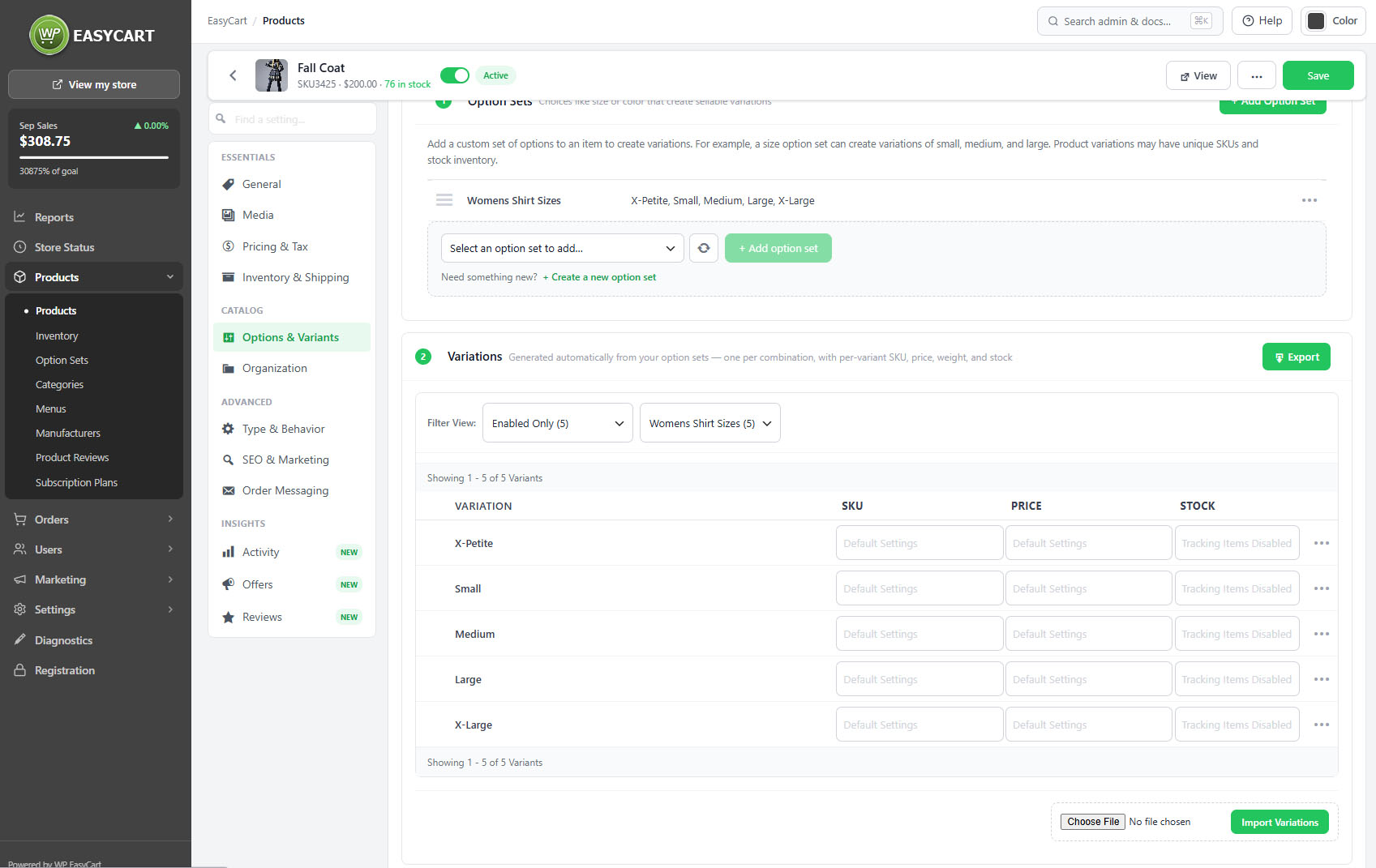
no stored settingsOption sets are attached to the product from here, chosen from the sets you have already built or created on the spot without leaving the editor. Up to five sets can be attached to one product.
Each additional set multiplies the combinations. Two sets of three choices is nine variants; three sets of four is sixty-four. The editor shows the running count, and it is worth watching, because each combination is potentially its own price, its own stock level and its own SKU to maintain.
The first set attached is the one per-option images follow, so if you sell by colour, attach colour first.
⚠️ Careful: Combinations multiply fast, and each one is potentially its own price, stock level and SKU. Watch the count the editor shows before committing to a structure you will have to maintain.
The variant manager
Pricing and stock for each combination
no stored settingsThe variant manager lists every combination the attached sets produce, and each row can carry its own price and its own stock. The editor reports how many of the combinations have been priced and how many are tracking stock, so a partly configured product is visible rather than something you discover when a shopper cannot buy.
Variations can be imported and exported, which is the only sensible way to handle a product with dozens of combinations. Doing sixty rows by hand in a browser is how mistakes happen.
Stock per variation is tracked independently, so a sold-out large does not take the whole product off sale.
💡 Note: Use the variation import and export for anything with more than a handful of combinations. It is also how stock for those combinations reaches Inventory Report.
Modifiers and conditional logic
Add-ons, and showing a field only when it is relevant
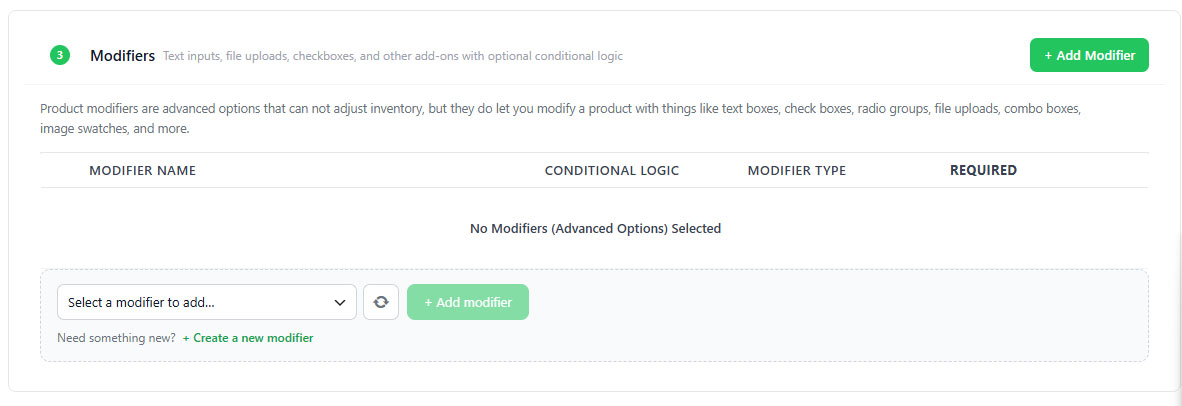
no stored settingsModifiers are add-ons rather than variants: gift wrap, engraving, an extended warranty. They carry their own price and are added on top rather than changing which item is being bought.
Conditional logic decides when a field appears. The typical case is an artwork upload that should only be asked for once the shopper has ticked the personalisation box. Without it, every shopper sees a field most of them should ignore, and a form that asks for things people do not need is a form people abandon.
Used well, conditional logic keeps a complex made-to-order product feeling as simple as a plain one until the moment complexity is genuinely required.
Keep going
Related panels
Building and reusing option sets across products.
Stock, including per-variation tracking.
Per-option image sets, which follow the first set.
Base pricing, which variant prices modify.
Stock levels across the whole catalogue.
Option filters in the store sidebar.
Try the PRO features free for 14 days
Anything marked PRO comes with WP EasyCart PRO or Premium. Take the whole thing for a run on your own store before you decide.

