
Admin panels › Product details
Activity
The sales and customers tied to this product, and where to look for its other histories. 2 parts.
Before you start
Where it lives, and how the panel works
From your WordPress dashboard open EasyCart › Products, open a product, then choose Activity.
WP Admin › EasyCart › Products › open a product › Activity
Search instead of hunting
The search box at the top of the page filters it as you type, and it matches hidden keywords as well as names. The same box on the Settings home searches every panel at once.
Jump between sections
A section list sits beside the page and follows you down it, so you can move straight to the part you came for without scrolling through everything between.
Advanced settings are folded away
Each section hides its rarely-changed settings behind a Show N advanced settings link, naming the first few so you know whether it is worth opening. 0 of the 0 settings on this page start folded.
Dependent settings appear as needed
Settings shown indented here only exist once the setting above them is switched on. Sections of the editor reveal their fields as you switch a feature on, and hide them again when you switch it off.
Saving
Switches and dropdowns save the moment you change them. Anything you type collects in a save bar at the foot of the page that counts your unsaved changes and warns you before you navigate away.
Locked settings
Rows marked with a padlock need WP EasyCart PRO or Premium. They stay visible so you can see what the upgrade adds. Nothing on this page is locked.
This product
Its own record
What it has sold and to whom, and the other histories it keeps.
Sales and customers
What this product has actually done
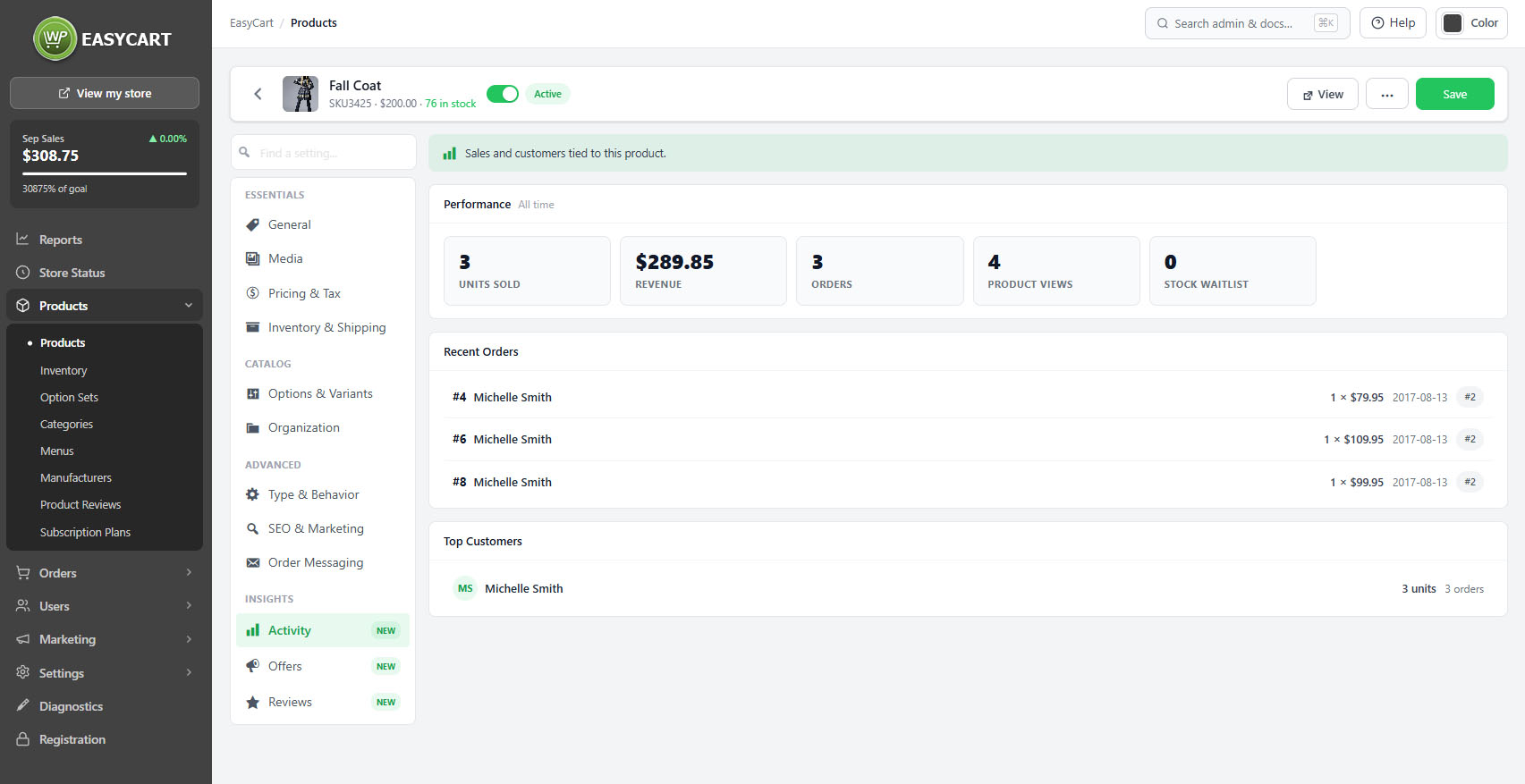
no stored settingsThe Activity tab is the product’s own record: the sales tied to it and the customers who bought it, in one place rather than assembled by filtering the orders screen.
This is the view that answers the questions you have while looking at a product. Whether it is selling at all. Whether it sells to the same people repeatedly, which says something quite different from selling once to many. Whether a price change moved anything. Whether the customers who bought it are the ones you expected.
Because it is attached to the product, it is available at the moment you are deciding whether to reorder, reprice or retire something, rather than requiring a separate trip to reporting.
Where else to look
The three other histories this product carries
no stored settingsActivity is one of several records kept against a product, and knowing which to open saves time.
Stock history, on the Inventory tab, shows every movement with its reason, which is where a counting discrepancy is resolved.
Offers shows every discount that has applied to the product and what it earned, which is where you find out whether discounting it was worthwhile.
Reviews shows what customers said.
For anything spanning the catalogue rather than one product, the reports dashboard covers the same ground with date ranges and comparisons.
💡 Note: For trends across the catalogue rather than one product, Reports has date ranges, comparisons and a single-product filter.
Keep going
Related panels
Store-wide figures with ranges and comparisons.
Discounts applied to this product and what they earned.
Stock history for this product.
What customers said about it.
The orders these sales came from.
The customers behind them.
Try the PRO features free for 14 days
Anything marked PRO comes with WP EasyCart PRO or Premium. Take the whole thing for a run on your own store before you decide.
