
Admin panels › Marketing
Cart Links
Shareable links that arrive with the cart already filled, for emails, social posts, printed codes and customers who asked you to put an order together. 2 parts.
Before you start
Where it lives, and how the panel works
From your WordPress dashboard open EasyCart › Marketing, then Cart Links.
WP Admin › EasyCart › Marketing › Cart Links
Search instead of hunting
The search box at the top of the page filters it as you type, and it matches hidden keywords as well as names. The same box on the Settings home searches every panel at once.
Jump between sections
A section list sits beside the page and follows you down it, so you can move straight to the part you came for without scrolling through everything between.
Advanced settings are folded away
Each section hides its rarely-changed settings behind a Show N advanced settings link, naming the first few so you know whether it is worth opening. 0 of the 0 settings on this page start folded.
Dependent settings appear as needed
Settings shown indented here only exist once the setting above them is switched on. A link set to go straight to checkout skips the cart page entirely.
Saving
Switches and dropdowns save the moment you change them. Anything you type collects in a save bar at the foot of the page that counts your unsaved changes and warns you before you navigate away.
Locked settings
Rows marked with a padlock need WP EasyCart PRO or Premium. They stay visible so you can see what the upgrade adds. Nothing on this page is locked.
Pre-filled carts
What they are and how to make one
Why a cart link shortens the path to a sale, and the two choices that decide how it behaves.
What a cart link does
One click from a message to a filled cart
no stored settingsA cart link is a web address that fills the shopper’s cart for them. They click it and arrive with the products already in place, rather than being dropped on a store page and left to find things.
That makes it the natural companion to anything you send out. An email promoting a seasonal bundle, a social post about a single product, a QR code on a printed flyer, a message to a customer who asked you to put an order together: in each case the link removes every step between interest and checkout.
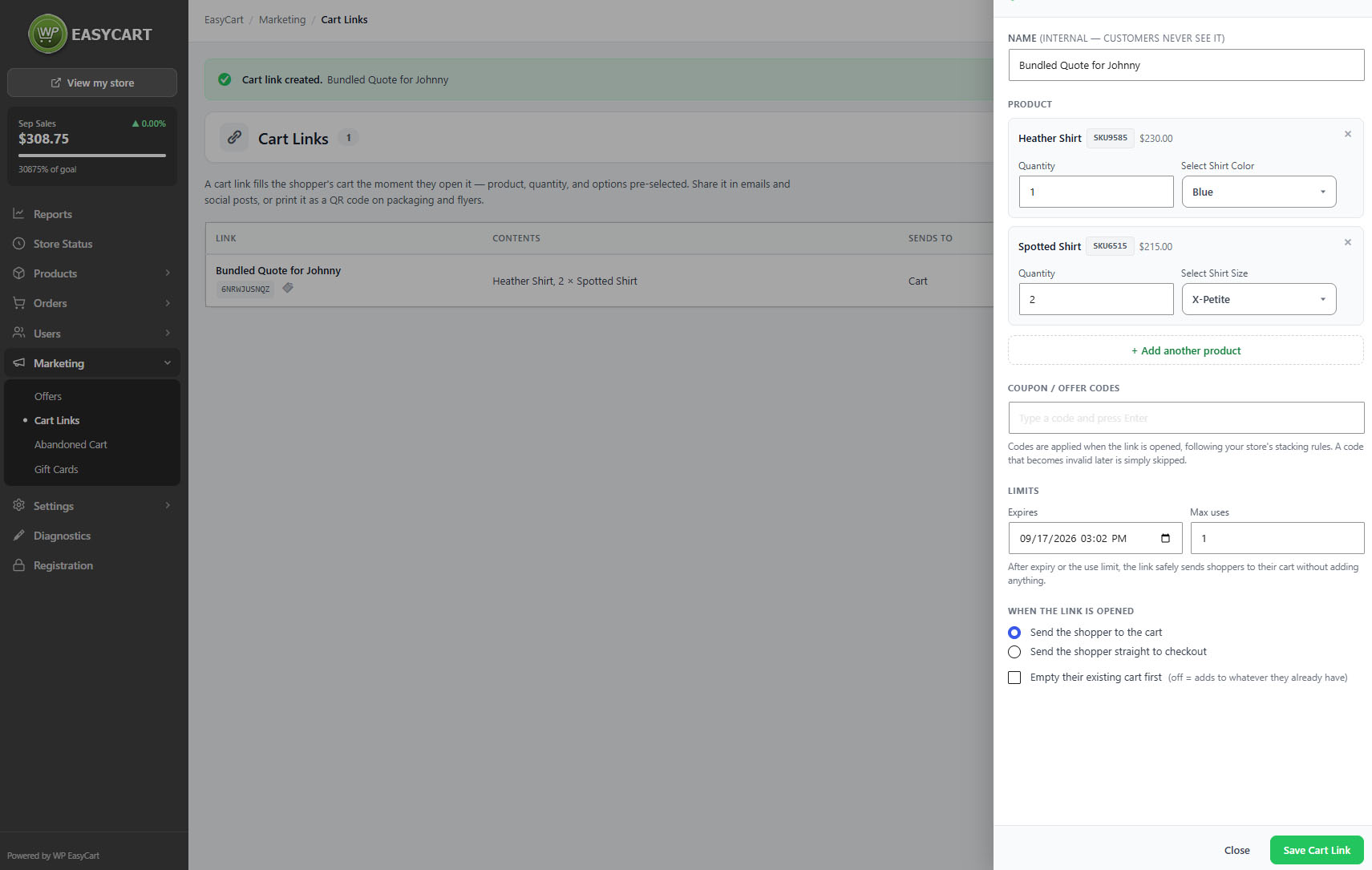
Each link has an internal name, which customers never see, so a list of links stays readable months later when you have forgotten which campaign was which.
💡 Note: Cart links pair well with a coupon offer from Offers: one link that fills the cart, one code that discounts it, and nothing for the customer to type.
Building one
Contents, destination, and what happens to an existing cart
no stored settingsAdd the products the link should place in the cart. Then decide two things about what happens when somebody opens it.
Where they land. The link can send the shopper to the cart, so they can review and keep shopping, or straight to checkout. Straight to checkout suits a single known purchase; the cart suits anything a shopper might want to adjust or add to.
What happens to whatever is already there. The link can empty the existing cart first, or add to it. Adding is the friendlier default, since it will not throw away something a shopper was already buying. Emptying first is right when the link represents a complete, specific order and anything else in the cart would be a mistake.
Once saved, copy the link and use it anywhere. The panel counts how many times each link has been used, which tells you which channel actually works.
⚠️ Careful: Emptying the existing cart first will discard whatever a shopper had already added. Use it only when the link is a complete order in itself; otherwise add to the cart and let them decide.
Keep going
Related panels
Discounts to pair with a link, including coupon codes.
Recovery emails, another way back to a filled cart.
Checkout
The cart and checkout a link lands on.
The products a link can be built from.
Whether the traffic converted.
Gift cards, often promoted the same way.
Try the PRO features free for 14 days
Anything marked PRO comes with WP EasyCart PRO or Premium. Take the whole thing for a run on your own store before you decide.
