
Financial Settings
Stripe Bank Debit Payments
With bank debits, you can pull funds directly from your customer’s bank account — for both one-time and recurring purchases. A low-cost alternative to cards, and with EasyCart + Stripe, BECS Direct Debit is a two-toggle setup.
Who Bank Debits Are For
Bank debits shine for large, repeat payments where card fees sting. They’re often used by:
- Businesses collecting recurring payments from other businesses.
- Retail and services businesses that want a low-cost alternative to cards for large consumer payments, like rent or tuition.
Bank debits might not be a good fit for your business if:
- You deliver goods immediately after checkout — payment confirmation takes 3-7 days.
- Your business is sensitive to disputes — consider other payment methods, because some bank debit methods favor the customer during disputes.
Country, Currency & Customer Rules Apply
These special payment options are heavily dependent on the country your Stripe account is established in, as well as the customer and currencies involved. They only show as options if the shopping cart also meets certain specifications — a good example is Affirm only working on $50 to $30,000 orders.
Helpful Quick Links
Everything Stripe in one place — from first connection to every special gateway EasyCart supports.
- Get Connected: Connecting Stripe in Free Edition or Connecting Stripe in Pro & Premium Edition — including One-Click Connect, Adding Your Webhook, Enabling 3D Secure & SCA, and Testing Payments
- Wallets & Quick Payments: Enabling Stripe Wallet & Quick Payments — Apple Pay/Google Pay/Microsoft Pay, AliPay, GrabPay, WeChat Pay, Link Payments
- Buy Now, Pay Later: Enabling Buy Now, Pay Later Gateways — Affirm, AfterPay, Klarna
- Bank Redirects: Enabling Bank Redirects — Bancontact, BLIK, EPS, GiroPay, iDeal, Przelewy24
- Real-Time Payments: Enabling Real-Time Payments — Pix, PayNow, PromptPay
- Bank Debits (this page): Enabling Bank Debits — BECS Direct Debit in Australia
Enabling BECS Direct Debit
With the latest Stripe API + EasyCart, you can offer BECS easily and effectively. First, the special considerations — be sure you meet these country and currency restrictions and any other special cases for this gateway.
- Available Countries: Australia
- Available Currencies: AUD
- Customer’s Required Location: Australia
Enable BECS in EasyCart
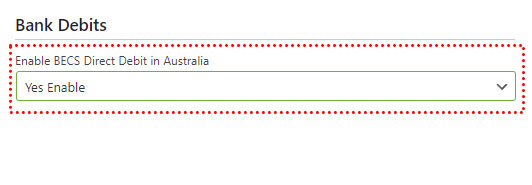
In WordPress, go to WP EasyCart › Settings › Payments and enable BECS in the Stripe setup. That’s all that’s required to enable BECS in the EasyCart checkout process.
WP EasyCart — BECS Setting
Enable BECS in Stripe
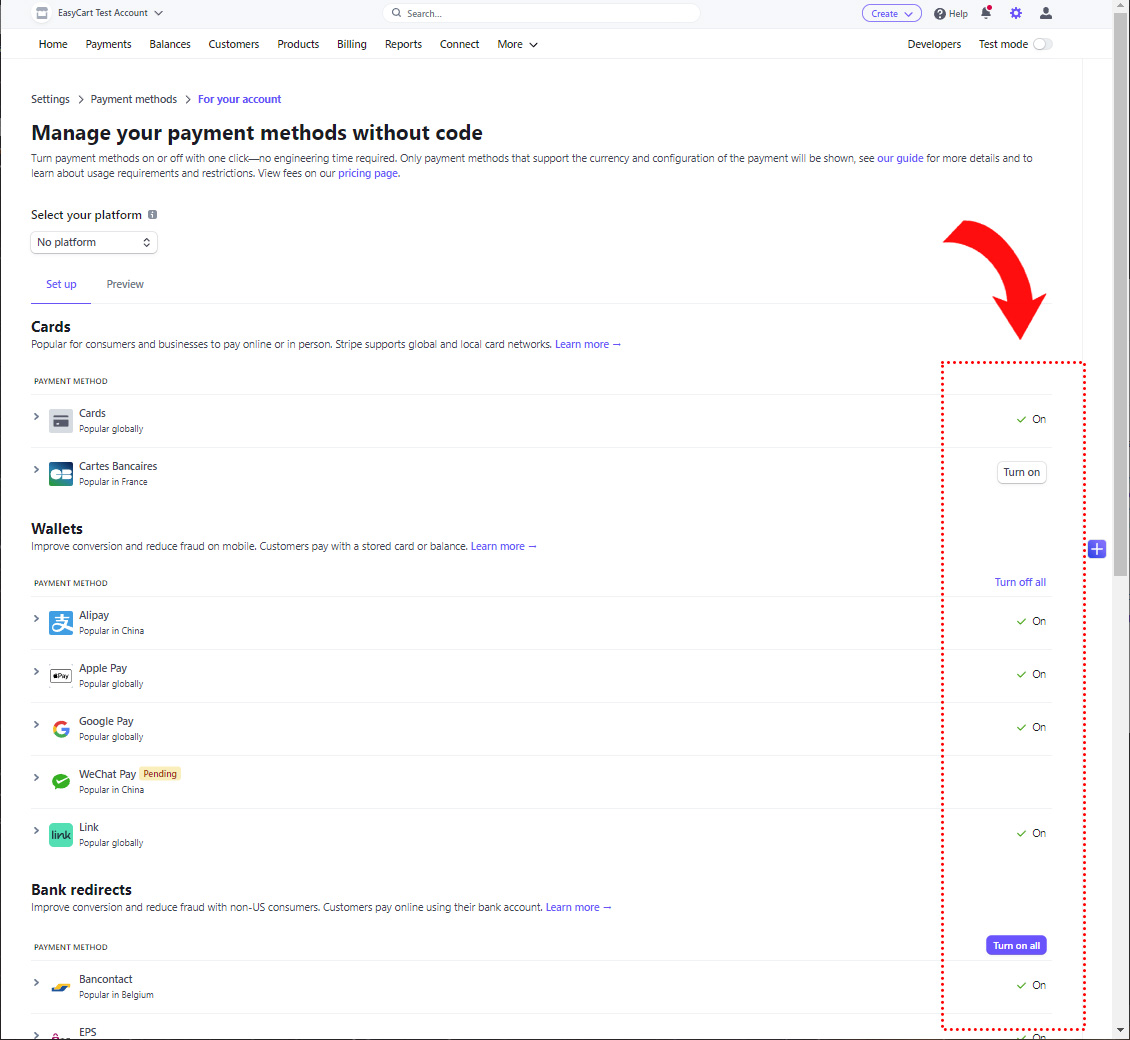
Next, visit Stripe › Settings › Payment Methods › BECS. Here you can enable the payment system within your Stripe account.
Stripe — Payment Methods Panel
Watch It Appear at Checkout
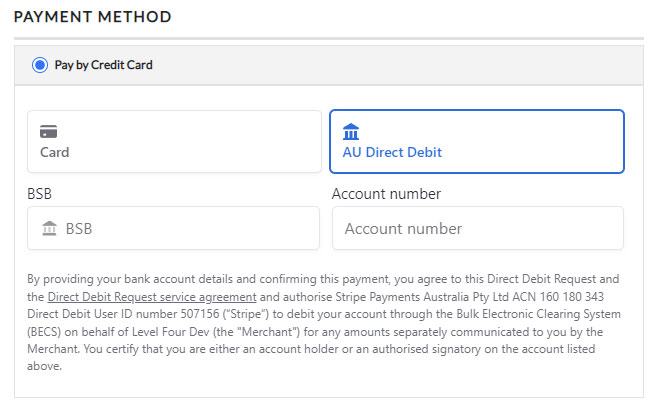
Now when customers go to checkout, they get the choice of Stripe credit card processing — and the BECS option appears whenever the order and parameters meet the requirements.
EasyCart Checkout — BECS Option
Ready for Low-Cost Direct Debits?
Two toggles and BECS is live for your Australian customers. If the option isn’t appearing at checkout, our support team will help you check the requirements.