
Navigation

Admin panels › Product details

Organization

Where this product sits in your catalogue and where it is deliberately placed on the storefront. 2 parts.

Quick links

Where to find it:WP Admin EasyCart Products open a product Organization

Placing the product

Categories, brand and menus

What the product is, and where you have decided it should be seen.

Categories and manufacturer

Where the product sits in your catalogue

no stored settings

A product can belong to several categories, added by typing to search, with the option to create a new one without leaving the editor. Being in more than one category is normal and useful: a product can be both a gift idea and a kitchen item.

Bear in mind that rule-based categories fill themselves. If a category is defined by a rule the product matches, it will join on its own, and adding it by hand as well is harmless but unnecessary.

The manufacturer is the brand, chosen from your existing list or created here. Setting it puts the product on that brand’s page and makes it findable by brand in search, which only matters if your shoppers think in brands.
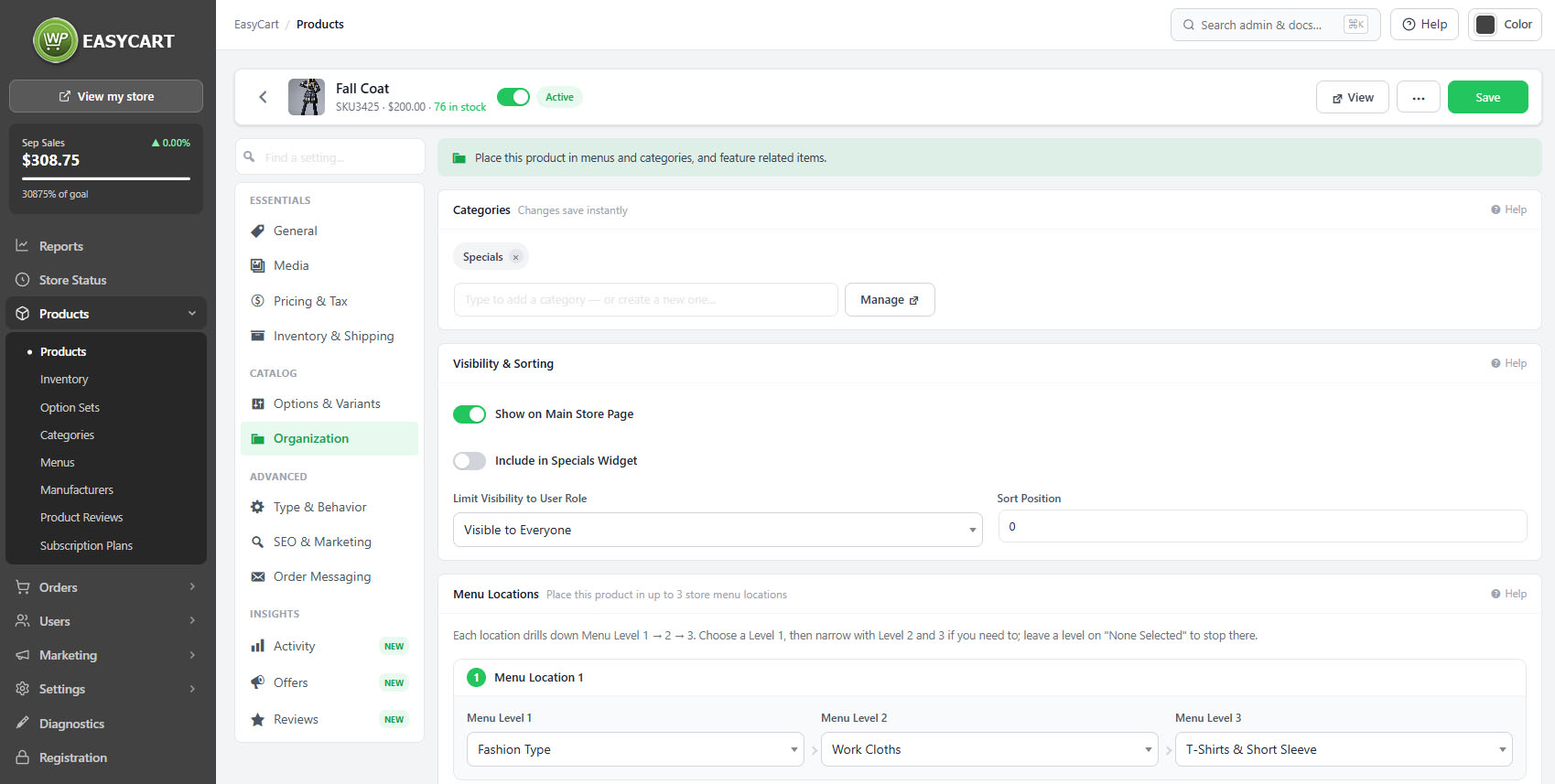
The product editor, Organization tab, showing categories, manufacturer and menu locations.

💡 Note: Rule-based categories add products automatically when they match. Check how a category is filled under Categories before adding a product to it by hand.

Menus and featured products

Hand-placed positions on the storefront

no stored settings

Menu locations place the product into the hand-built navigation menus. Unlike categories, menus do not fill themselves, so this is where you put a product into a seasonal or promotional route through the store.

Featured products are the hand-picked selections shown in featured blocks around the storefront. Both of these are deliberate placements: they say this product should be seen, rather than describing what it is.

Neither will maintain itself. A product placed in a Christmas menu stays there until somebody removes it, which is worth a diary note rather than a discovery in February.

💡 Note: Menu placements and featured selections are permanent until changed. Unlike a rule-based category they will not clear themselves when a season ends.

Keep going

Related panels

Categories

The category tree and how categories are filled.

Manufacturers

Brands and their pages.

Menus

Storefront navigation and its click counts.

SEO & Marketing

How the product is found in search.

Products

Featured categories and sidebar filters.

Products

The catalogue list and its filters.

Try the PRO features free for 14 days

Anything marked PRO comes with WP EasyCart PRO or Premium. Take the whole thing for a run on your own store before you decide.

Updated on September 19, 2026