
Admin panels › Product details
SEO & Marketing
How the product is found, how it appears in search results, and the marketing hooks attached to it. 2 parts.
Quick links
Where to find it:WP Admin › EasyCart › Products › open a product › SEO
Being found
Search listing and marketing
How the product reads in results, and the feeds and hooks attached to it.
The search listing
Title, description, URL, and a preview of the result
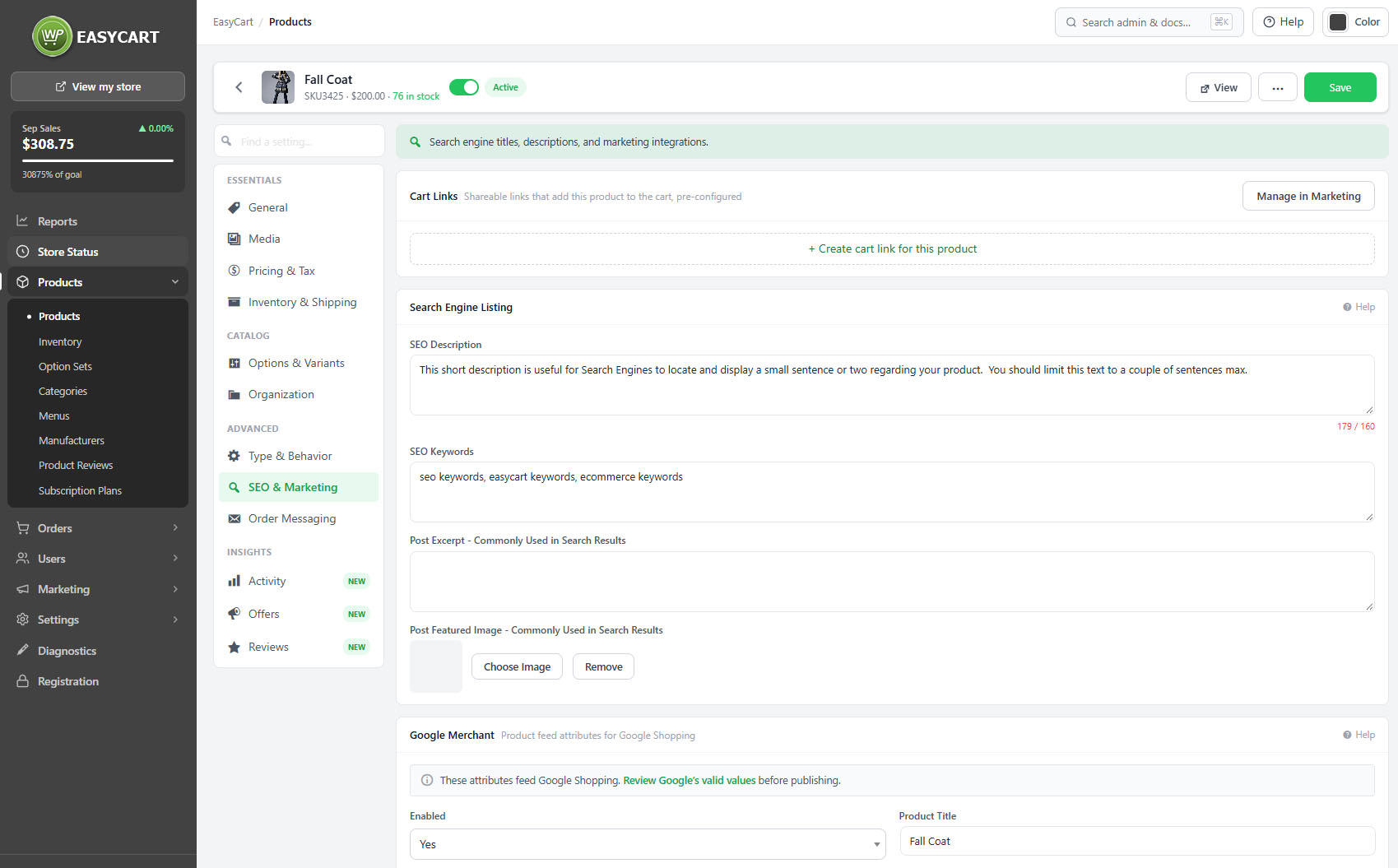
no stored settingsThe search engine listing controls how the product appears in results: the SEO title, the meta description and the URL. A preview shows the result as it will look, which is the only reliable way to judge whether a title is going to be truncated.
The slug is generated from the title by default and can be locked so it stops following title edits. Locking matters on an established product: changing a slug changes the address that search engines have indexed and customers have bookmarked.
A canonical URL can be set where the same product exists at more than one address, which tells search engines which one counts. There is also a switch to keep the product out of search results entirely, for anything you sell but do not want found.
Where Yoast SEO is active, the title, meta description, focus keyphrase, canonical and visibility are edited here and saved to Yoast on the product, so there is one place to work rather than two.
⚠️ Careful: Changing the slug on an established product changes an address search engines have indexed and customers have saved. Lock the slug once a product is live so it stops following title edits.
Google Merchant and marketing
Feed attributes, mailing list groups and a QR code
no stored settingsGoogle Merchant feed attributes are set per product, which is what allows the product into Google Shopping. Feeds are strict about required attributes, and a product missing them is rejected rather than shown, so this is worth completing properly if you are feeding Shopping at all.
Buyers of a product can be added automatically to a mailing list group, which is how you build a segment of people who bought a particular thing without exporting and importing lists by hand.
A product QR code can be generated and downloaded as an image. It is genuinely useful in a physical setting: on a shelf label, a market stall sign, a catalogue or packaging, sending somebody straight to the product page rather than to your home page.
💡 Note: The Google Merchant connection itself is configured under Google Merchant. These fields supply the per-product attributes the feed needs.
Keep going
Related panels
The title the slug and SEO title are built from.
Google Merchant, for sending the catalogue to Google.
Category SEO, which works the same way.
Brand pages and their SEO.
Images, which carry their own alt text.
How product links are built across the store.
Try the PRO features free for 14 days
Anything marked PRO comes with WP EasyCart PRO or Premium. Take the whole thing for a run on your own store before you decide.
