
Shipping Setup
Shipping Settings & Setup
Shipping in EasyCart is flexible, powerful, and built for both domestic and international stores. Global options, country and state lists, packing slips, shipping zones, and live carrier connections — it all starts right here.
Shipping Options
The global switches that shape how shipping behaves across your entire store.
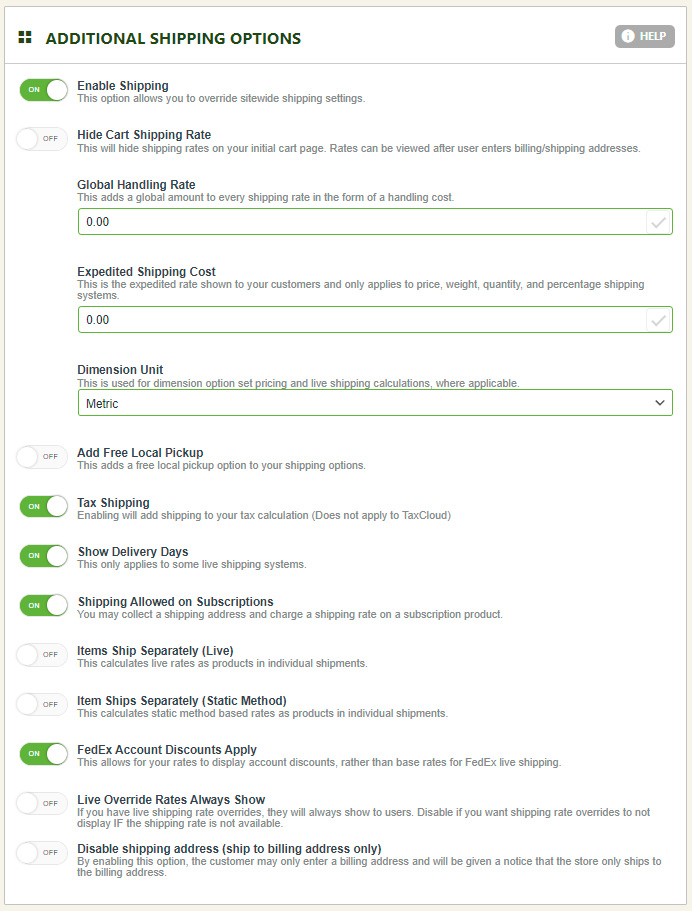
- Enable Shipping on Site: Globally turn shipping on or off for the entire EasyCart site.
- Hide Shipping on Initial Cart Page: Hide shipping on the cart page and only show it after the customer enters their billing/shipping address — a more accurate calculation, since many live rates only appear once an address is entered.
- Global Handling Rate: A handling fee added on top of any shipping rate the customer sees. Relabel it ‘Shipping & Handling’ in the language editor, or use it to adjust every shipping rate at once.
- Expedite Shipping Cost: For table rate or static rate methods (percentage, weight, quantity, price triggers), offer a simple additional ‘expedite’ checkbox at checkout. Doesn’t apply to live shipping rates. Leave it at 0.00 and the expedite option never appears — customers just see their table rate.
- Dimension Unit: Sets the dimension unit sent to live carrier APIs. Not used if you don’t use live shipping.
- Add Free Local Delivery: Adds a free local delivery option above all other shipping choices.
- Tax Shipping: Choose whether to tax shipping, or leave it disabled and exclude shipping from tax calculations entirely.
- Show Delivery Days: Live shipping APIs only — displays the approximate delivery days the carrier returns for each rate.
- Shipping Address on Subscriptions: Subscriptions normally don’t ship, but if a subscription product also ships, enable shipping address collection at the subscription level here. Note: shipping rates can’t be added to a subscription — recurring payments are a fixed price and should already include shipping, since Stripe creates one fixed-price subscription item.
- Each Product Ships Separately (Live Shipping): Enabled, every cart product calculates its own live shipping rate and totals them. Disabled, EasyCart combines weights and dimensions into one package where possible.
- Each Product Ships Separately (Static Method): Enabled, every cart product calculates its own static rate and totals them. Disabled, the customer sees one set of static rates for the whole order.
- Apply FedEx Account Discounts: Apply your FedEx account discounts, or ignore them and use regular rates.
- Live Override Rates Always Show: A live shipping override rate normally only appears if that rate is actually returned. Enable this to have it always show on the customer’s checkout shipping panel.
- Disable Shipping Address (Ship to Billing Only): Customers can normally enter a custom shipping address when shippable items are in the cart. Enable this to skip shipping address collection and ship only to the billing address.
WP EasyCart — Shipping Options Panel
Country Shipping List
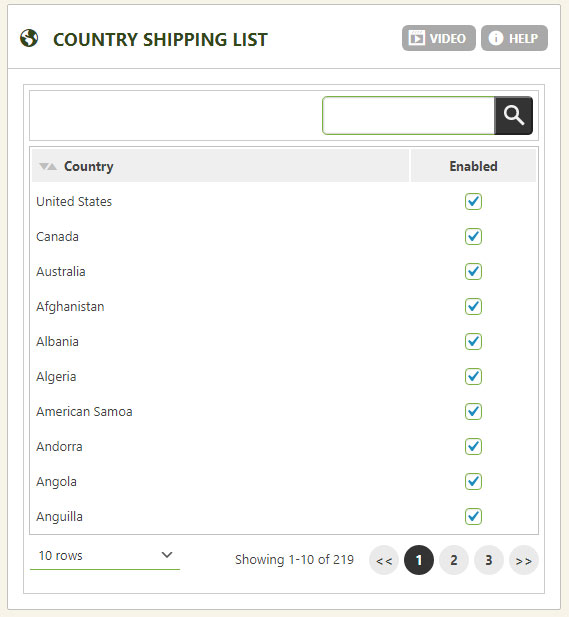
Choose exactly which countries you’re willing to ship to.
This section controls which countries appear in the billing/shipping address selection at checkout. You can also enable or disable countries at the master level in Settings › Countries.
WP EasyCart — Country Shipping List
State/Province Shipping List
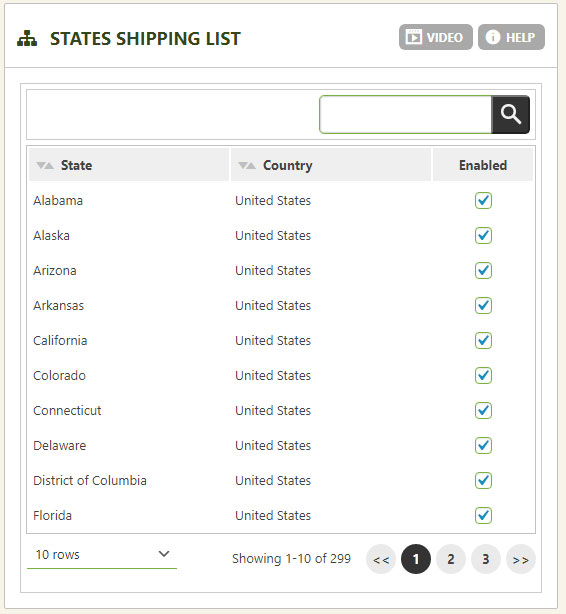
Fine-tune exactly which states and provinces can use your store.
This is the best way to allow or disallow a specific state or province at checkout. States/provinces are grouped under their country, so you can micro-adjust which ones appear. Master-level enable/disable also lives in Settings › States.
WP EasyCart — State/Province Shipping List
Packaging List Customization
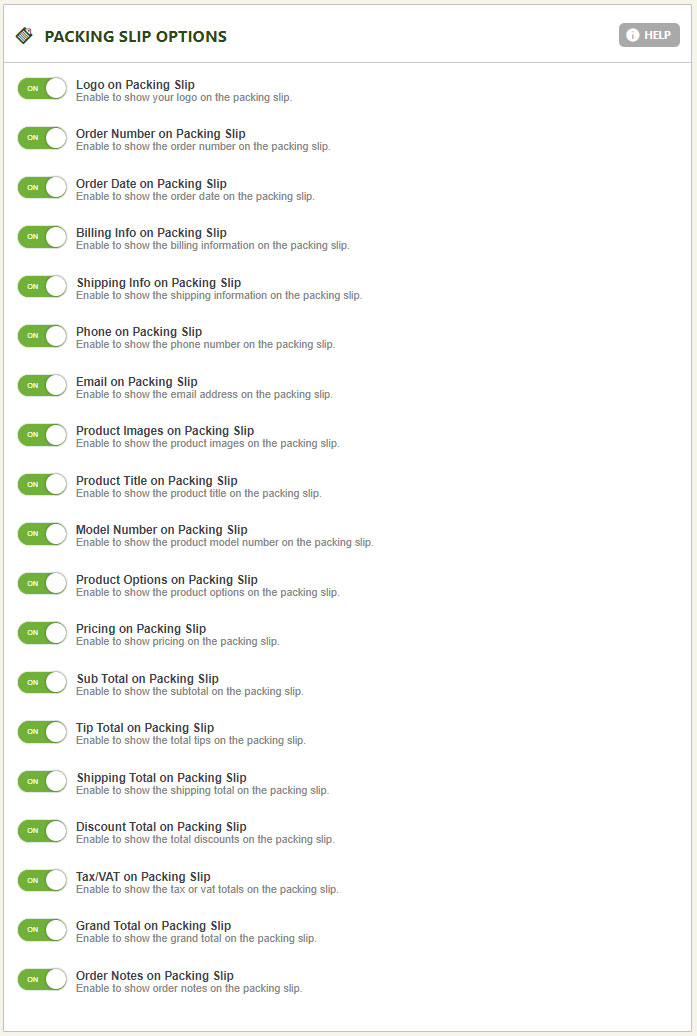
Build a packing slip that shows only what your business actually needs.
Customize the packing slip that appears in Order Management › Editing Order. Clicking the packaging slip option gives you an alternative receipt built from selectable parameters — perfect when you don’t need a full itemized receipt or value totals. Simply slide each section on or off to show or hide it on the packaging receipt.
WP EasyCart — Packaging List Customization
Watch: Shipping Zone Setup
Advanced shipping zones give you fine-grained control over your rates — available in static, table rate, and live rate methods alike.
Shipping Zone Setup
Watch the do’s and don’ts of setting up shipping zones in your eCommerce system.
Shipping Zone Management
Zones give you fine-grain control over rates — but most stores never need them.
Create new zones and add zone items to build your own coverage areas. We include some basic default groupings to start with — edit and fine-tune them to your needs, or build entirely your own. You can apply shipping rates to a specific zone if you want to, but this usually isn’t needed and is best left alone unless you understand exactly how zones work.
💡 Special Note: Shipping zones are a post-address filtering system. After a customer enters their billing/shipping address, EasyCart looks for a matching zone rate. No match? It falls back to the default shipping rate. Setup is critical for zones to work correctly — and most of the time, zones aren’t needed at all.
💡 Special Note: Shipping zones don’t eliminate countries or places you’ll ship to. To only ship to a certain country, use the Country Shipping List above and remove the countries you don’t want to appear in the billing/shipping address section.
WP EasyCart — Manage Shipping Zones
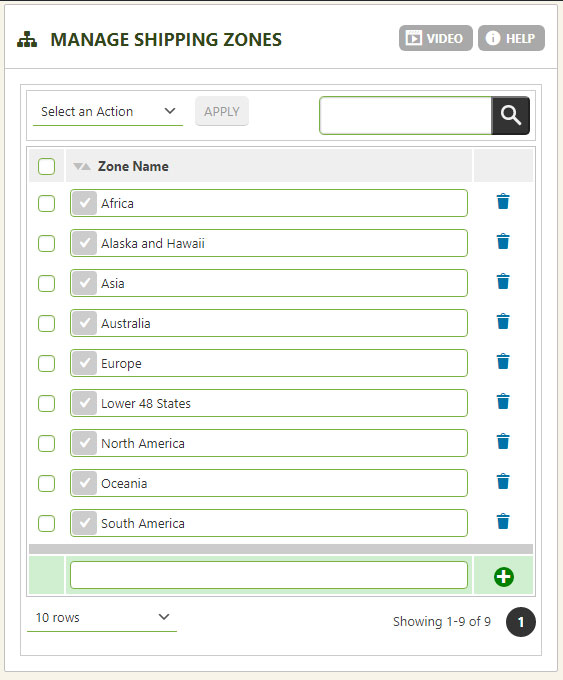
Add or create new shipping zones here to your liking. We provide default zones, but you can certainly build your own — this is merely a name and group for the zone. You must add shipping zone areas below to make them work.
WP EasyCart — Manage Shipping Zone Items
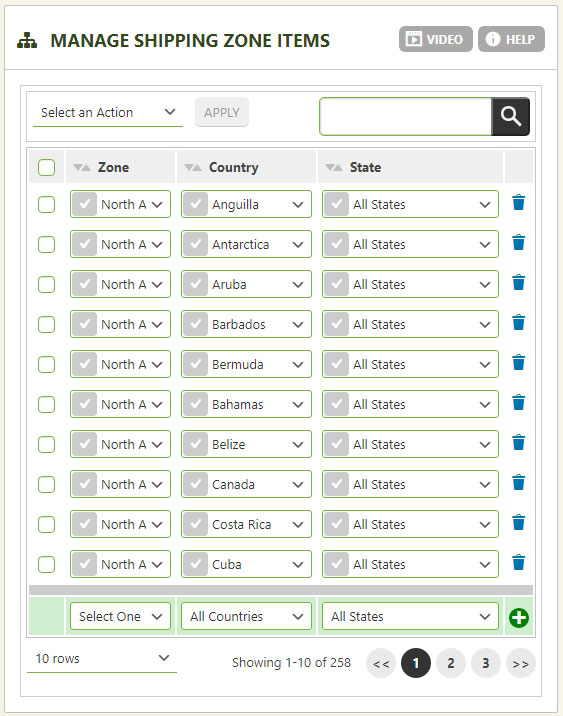
This is where you add actual countries and states to a shipping zone created above. Adjust our default zones, or build your own from scratch.
Live Shipping Setup
Connect to a live shipping API here. Live rates demand more attention than other shipping methods, so be accurate in your setup, rates, and logic.
Live Shipping with USPS, FedEx, UPS & More!
Professional and Premium editions come with live carrier rates from USPS, FedEx, UPS, DHL, Australia Post, and Canada Post — accurate rates based on real weights and dimensions.
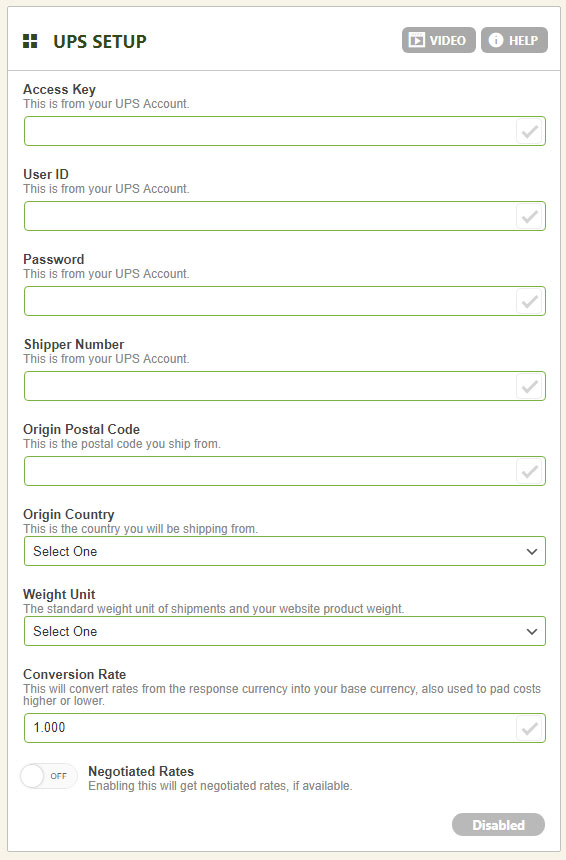
UPS Setup
PRO/Premium users can connect UPS API live shipping rates right here. For the full account and setup guide, click here.
- Access License Number: Enter your access license number from your UPS account.
- User ID: Enter your user ID from your UPS account.
- Password: Enter your password from your UPS account.
- Shipper Number: Enter your shipper number from your UPS account.
- Ship from Postal Code: The zip code you ship products from.
- Country Code: The country you ship products from.
- Weight Unit: Sent to UPS — the unit your product weights are calculated in.
- Conversion Rate: Default is 1:1; adjust it to alter returned rates globally.
- Negotiated Rates: Enable this if your UPS account carries special negotiated rates.
WP EasyCart — UPS Setup Panel
FedEx Setup
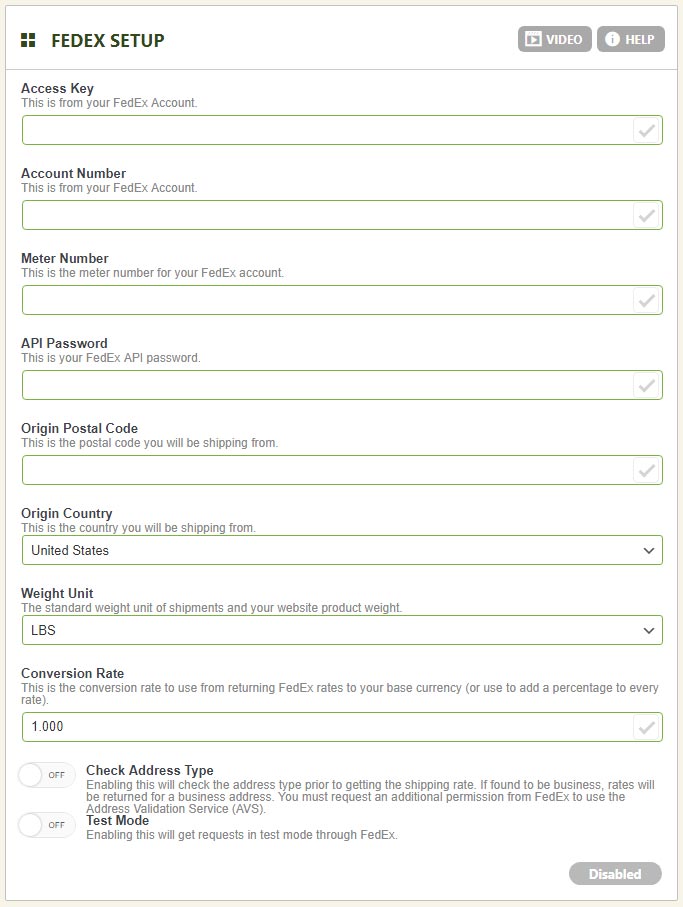
PRO/Premium users can connect FedEx API live shipping rates right here.
- FedEx Access Key: Enter your access key from your FedEx account.
- Account Number: Enter your account number from your FedEx account.
- Meter Number: Enter your meter number from your FedEx account.
- Ship from Postal Code: The zip code you ship products from.
- Password: Enter your password from your FedEx account.
- Country Code: The country you ship products from.
- Weight Unit: Sent to FedEx — the unit your product weights are calculated in.
- Conversion Rate: Default is 1:1; adjust it to alter returned rates globally.
- Check Address Type: Forces FedEx to check the address type (business or residential). Only works with the FedEx Ground rate — FedEx Ground Home Delivery always uses residential. You must also request Address Verification Services be enabled with your FedEx representative for this to work properly.
- Test Mode: Best left off — simply use your live rates.
WP EasyCart — FedEx Setup Panel
USPS Setup
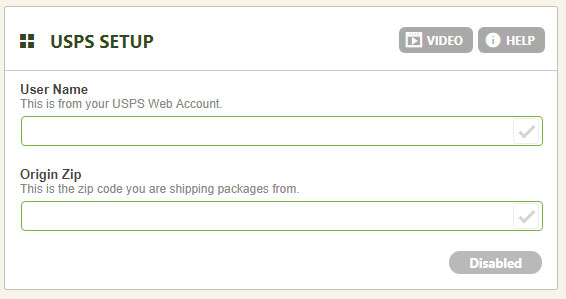
PRO/Premium users can connect USPS API live shipping rates right here. For the full account and setup guide, click here.
- USPS User Name: Not your USPS login — this is the USPS API key user name (example:
123ABCDE1234). No password is required; your API user name is your only key to connect with USPS. - Ship from Postal Code: The zip code you ship products from.
WP EasyCart — USPS Setup Panel
Australia Post Setup
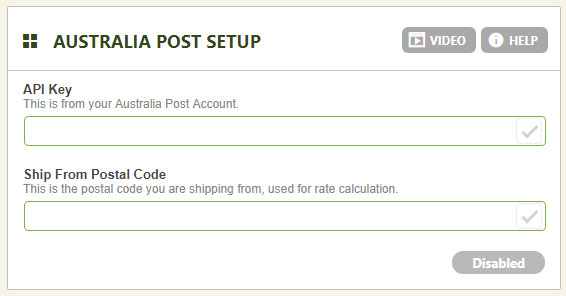
PRO/Premium users can connect Australia Post API live shipping rates right here.
- API Key: Found in your Australia Post account.
- Ship from Postal Code: The zip code you ship products from.
WP EasyCart — Australia Post Setup Panel
Canada Post Setup
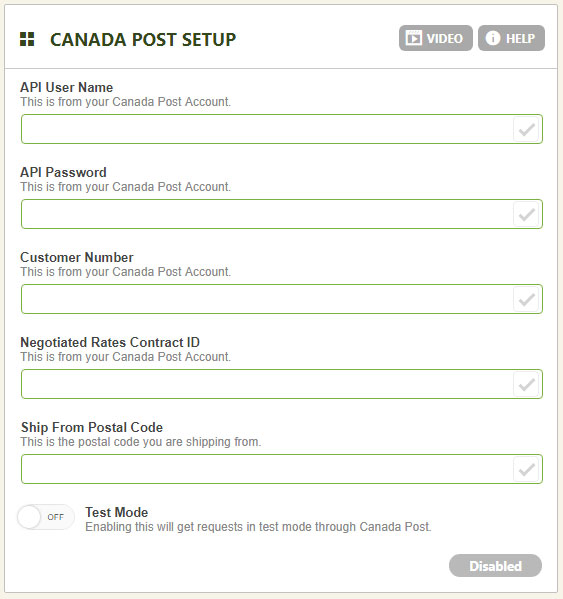
PRO/Premium users can connect Canada Post API live shipping rates right here.
- API User Name: Found in your Canada Post account.
- API Password: Found in your Canada Post account.
- Customer Number: Found in your Canada Post account.
- Negotiated Rates Contract ID: Enter yours here if you have a negotiated rates contract with Canada Post.
- Ship from Postal Code: The zip code you ship products from.
- Test Mode: Enable to run in test mode with your Canada Post account.
WP EasyCart — Canada Post Setup Panel
DHL Setup
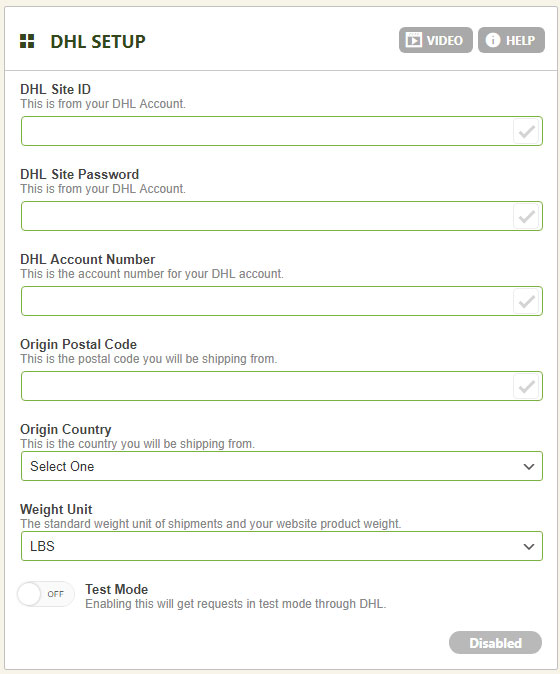
PRO/Premium users can connect DHL API live shipping rates right here.
- DHL Site ID: Established in your DHL account.
- Password: Your DHL API password.
- Ship from Postal Code: The zip code you ship products from.
- Country Code: The country you ship products from.
- Weight Type: Set the unit used for product weight measurements.
- Test Mode: Enable to run in test mode with your DHL account.
WP EasyCart — DHL Setup Panel
Ready to Ship Smarter?
From global options to live carrier connections, WP EasyCart gives you full control over how — and how much — your customers pay to ship.