
Inventory Report

< 1 min read

Reports

Inventory Report

The inventory report lets you view and update your product stock status in one color-coded, easy-to-read list — and export it to CSV. It’s especially handy when you’re managing hundreds of products and need to spot low or out-of-stock items fast.

At a Glance

Reading the color codes

G

Green — in good shape

Stock is above your threshold. Nothing to do here.

Y

Yellow — running low

Under the 10-unit threshold. Worth checking and reordering soon.

R

Red — out of stock

The item is at zero. Restock before shoppers hit an empty listing.

The Report

Working with the report

Scan the list to see stock status across your whole catalog, update quantities right from the report, and export everything to a CSV file when you want to work in a spreadsheet or hand numbers to your team.

WP EasyCart — Inventory Report
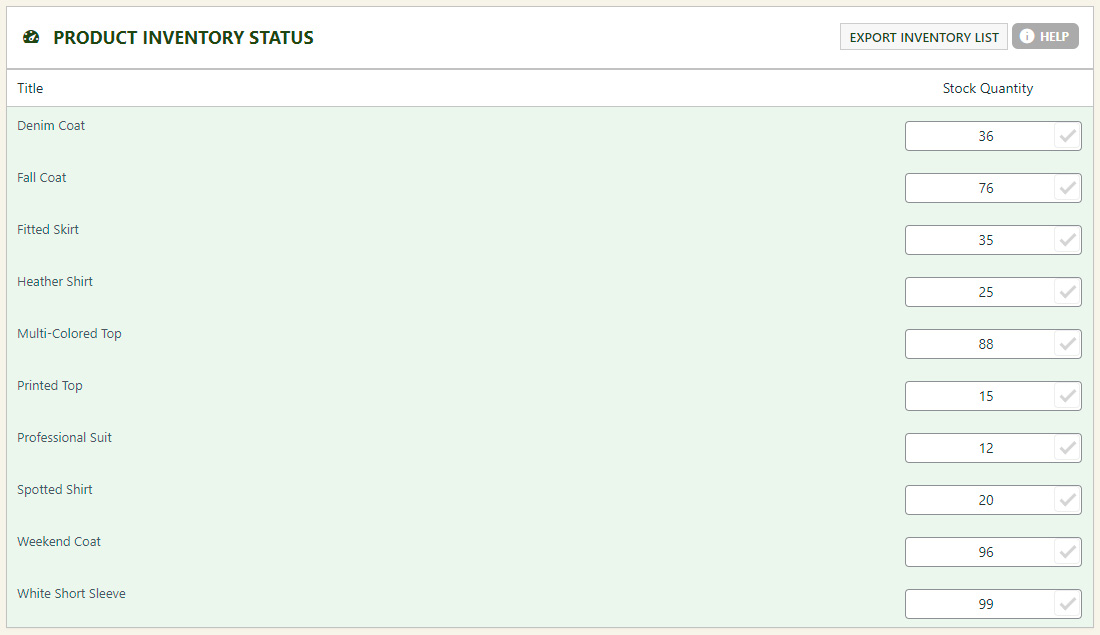
Inventory report screen

Stay on top of your stock

Spot low and out-of-stock products at a glance, update quantities inline, and export your inventory whenever you need it.

Updated on June 17, 2026