
Troubleshooting
Registration
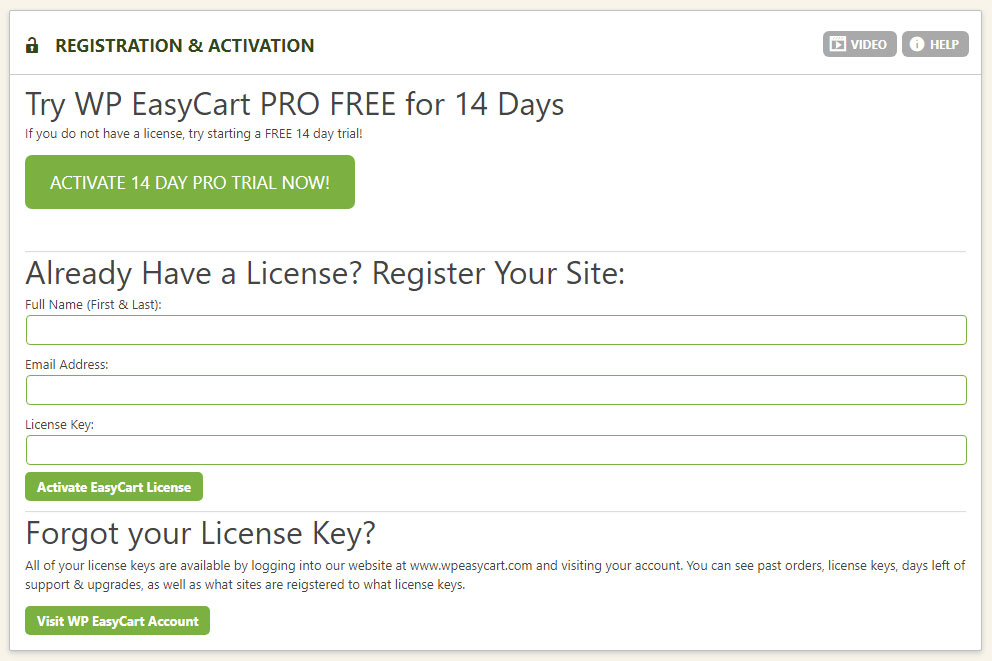
Registering your copy of WP EasyCart unlocks every feature the software offers. Enter your name, email, and transaction key — and your license activates in seconds.
Register & Unlock Your License
Three fields is all it takes — here’s exactly what to enter.
Enter your first & last name, email, and transaction key to register. This unlocks your software instantly and starts calculating your active support & upgrade days based on your account.
💡 Find Your Key: Need your transaction key, support days, or other license info? Log into wpeasycart.com/my-account.
WP EasyCart — Registration (Inactive)
Check Your Active Support Status
See your support & upgrade days at a glance, right from your registration data.
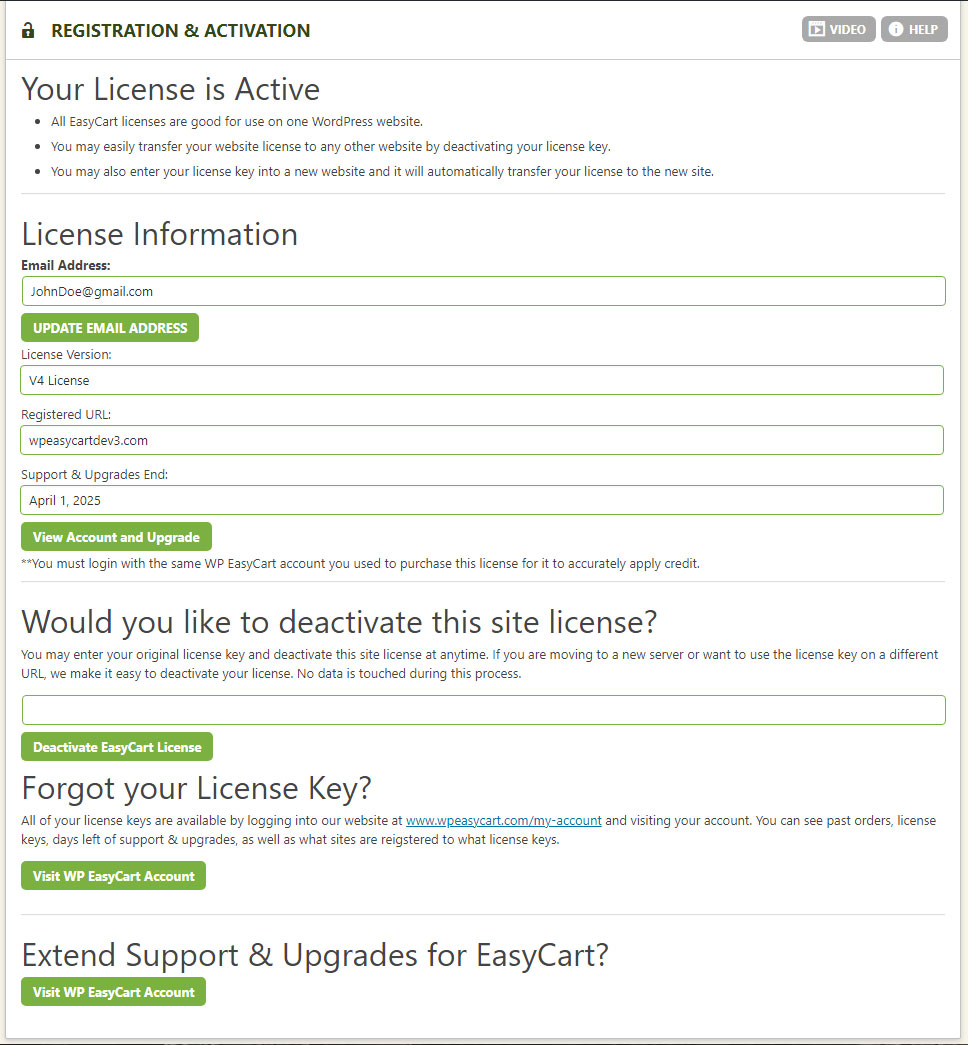
Once registered, you can always check your active support & upgrade status by viewing your registration data inside WordPress. Prefer checking remotely? Log into wpeasycart.com/my-account to view the exact same data.
Deactivate or Transfer Your License
Freeing up a transaction key — or moving it to a new site — takes seconds and never touches your data.
Want to free up your transaction key? Enter it here and deactivate. This process will not touch your data in any way — everything stays stored on your own website; nothing is stored with EasyCart.
Transferring instead? Just enter your transaction key into a different website. It automatically deactivates the old site and activates the new one — transfers really are that simple.
💡 Find Your Key: Need your transaction key, support days, or other license info? Log into wpeasycart.com/my-account.
WP EasyCart — Registration (Active)
Ready to Unlock Full Access?
Register your license and every WP EasyCart feature is yours — instantly.