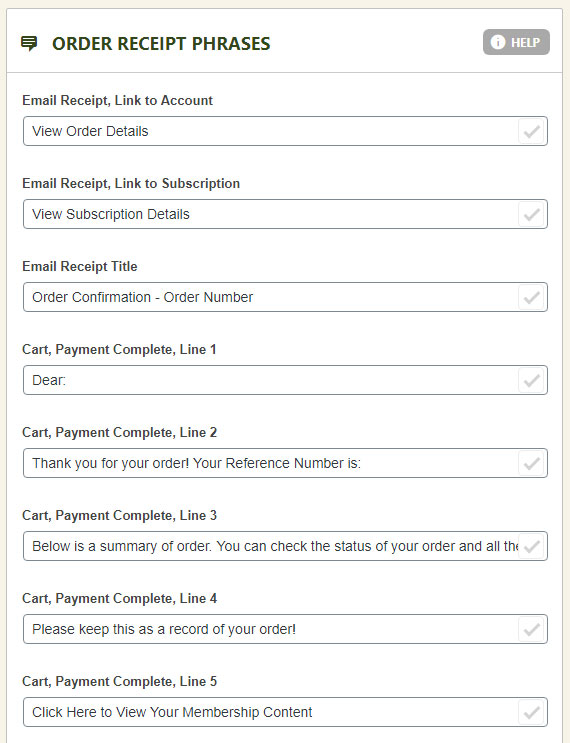
Global Email Settings
- Use WordPress Mail (Default is ON): Choose either EasyCart or WordPress to send emails. WordPress will utilize whichever methods it is setup to use, whether that be native WordPress, an SMTP plugin installed, etc. For best email sending results, especially to an emails that route back to the same domain, we always recommend installing a WordPress SMTP plugin such as ‘Post SMTP’ so you can get authenticated and more reliable email sending from your WordPress.
- New Account Notifications: Choose to send admin users an email on each account creation in EasyCart.
- Email Signature: Text: If you want to add a custom email signature at the bottom of all the emails sent from EasyCart, you can do so here. This would include order confirmations, password recover emails, subscription noticed, and other communications.
- Email Signature: Image: Upload a single image for the footer of each email. this can be a useful place for company logo or other useful imagery to show on all emails including order confirmations, password recover emails, subscription notices, and other communications.
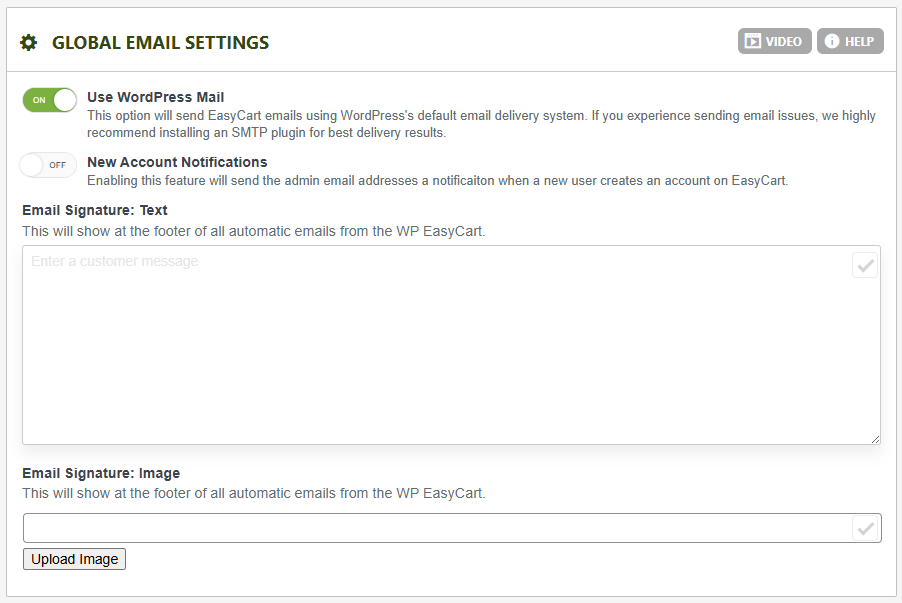
Order Receipt Email Setup
- Order Receipt ‘From’ Email Address: Enter an email address that the order receipts going to customers will appear to be from. It is more reliable to insure you have a real email address in this location. A custom ‘from’ name may be used as well if you format it as such: “John Doe <johndoe@youremail.com>”
- Admin Email Address(es): You may add an email address in this location who will receive the same order receipt that the customer receives. You may separate these email addresses by a comma to add more admin receivers if you like.
- Email on Receipt: If enabled, the users email address will appear on the email within the body of the message.
- Product Images on Receipt: If enabled, the product image will appear along with the product title and pricing for each item.
- Current Order ID: You may adjust this database auto increment value to a larger integer if you need. It must be an integer and it must be larger than what is already entered to insure you do not have bad data.
- Resend Order ID (Email Test): A good way to test order emails is to resend them using this section. Just enter the order # and hit ‘Send Order Email’ and EasyCart will dispatch the emails to the customer and admins again. Great for testing.
- Email Logo: This section lets you upload a unique logo for your customers emails.
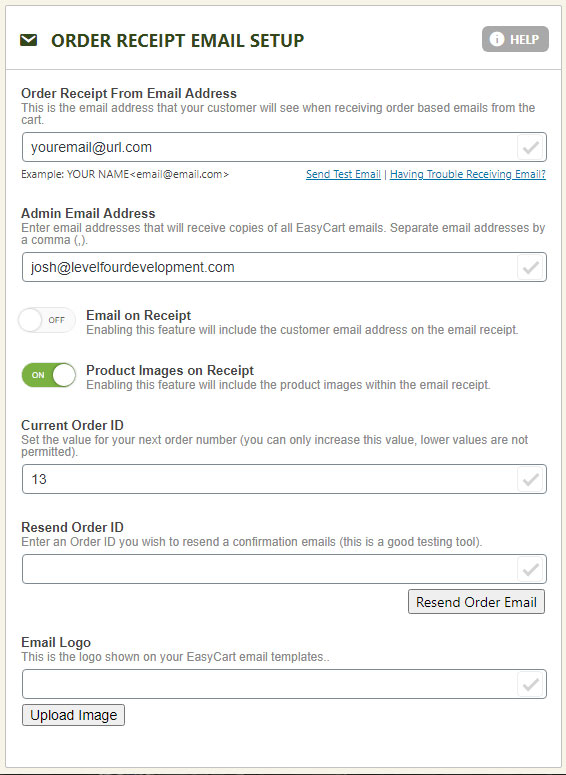
Customer Account Email Setup
- Customer Account ‘From’ Email Address: Enter an email address that password resets going to customers will appear to be from. It is more reliable to insure you have a real email address in this location. A custom ‘from’ name may be used as well if you format it as such: “John Doe<johndoe@youremail.com>”
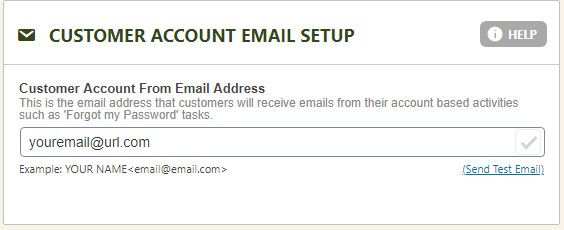
Order Receipt Phrases
This section lets you adjust the order receipt phrases and paragraphs without having to manipulate a coded page. You can easily manipulate the entire language of the email in this location or in the language editor, but should you need further customization, you will want to visit our design template section to make child theme/layout of the email.