
Financial Settings
Tax Setup & Features
Taxes in EasyCart are highly configurable and built for international eCommerce. Setting up rates by country or state/province is easy — and when you need more, there’s VAT, Canadian GST/PST/HST, and automated taxes through TaxCloud or TaxJar. One panel, every taxing situation.
Watch the Walkthrough
Prefer to watch? See the core tax setups configured start to finish in one short video.
How to Setup Taxes
In this video we walk through setting up state and country tax rates as well as global and duty taxes. WP EasyCart makes it easy to setup basic rates, with the flexibility and power to control individual product taxability.
Before Anything Else — Enable Tax on Your Products
Every rate on this page depends on one product-level setting. Flip it first.
All products have a tax setting — and it must be on
Every product has a tax setting that you should enable in order for tax calculations to work. Edit each product in the Product › Taxes panel and set either ‘Enable Tax’ or ‘Enable VAT’ so it can be calculated. Skip this and the product will not be taxed — regardless of any settings on this page.
Tax by State
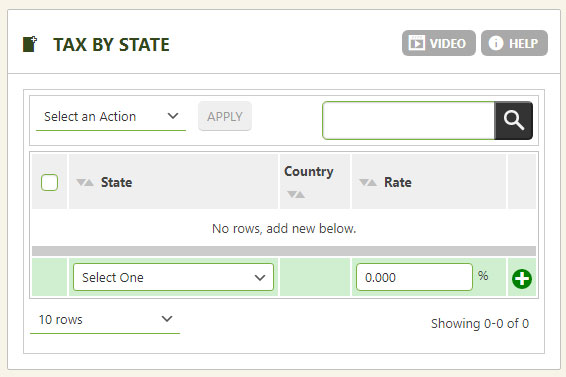
Calculate taxes from the state or province your shopper enters in their billing/shipping address. To use it, simply select a state and enter a tax percentage — that’s it.
💡 Validation tip: Keep the country and state fields on your billing/shipping screens set as pulldowns so shoppers always submit valid state codes. You’ll find the country/state pulldown settings in the checkout options section.
WP EasyCart — Tax by State
Tax by Country
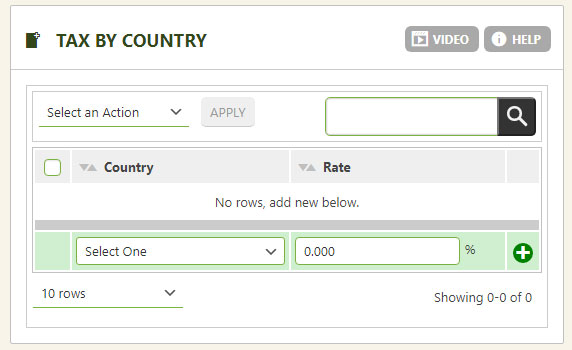
Calculate taxes from the country your shopper enters in their billing/shipping address. Select a country, enter a tax percentage, done. The same validation rule applies here: keep country and state fields as pulldowns — set in the checkout options section — so valid country codes are always selected.
WP EasyCart — Tax by Country
Global Tax Rate
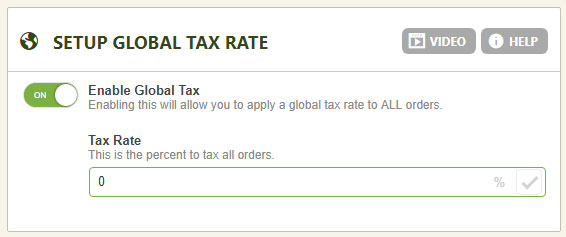
The simplest option of all: one rate, every order. Set a single global tax rate here and it applies to every country, state, and order coming through EasyCart.
WP EasyCart — Global Tax Rate
Duty Options
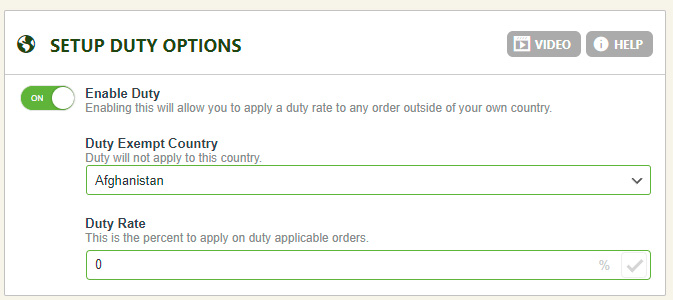
Add customs or duty charges as a special line item in your checkout. Duty is a separate line item from Taxes or VAT, giving you another customization point based on country setup. Need maximum flexibility? Our Flex-Fee system creates extra line items based on country plus other aspects like city, postal code, and various rate setups — see the Flex-Fee setup guide.
WP EasyCart — Duty Options
VAT Setup Options
Value Added Tax is a complex system — we integrated it with EasyCart for many European and Australian customers.
How to Setup VAT Tax Rates
Many countries require a VAT tax system and EasyCart makes it easy with this video tutorial. Walk through setting up individual country VAT rates, global VAT, as well as VAT registration collection and custom product inclusive/exclusive displays.
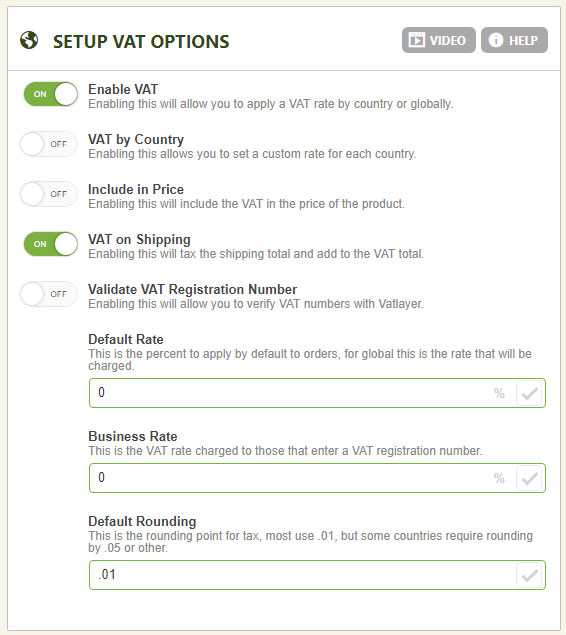
- VAT Type: Setup VAT either globally, by entering a single VAT rate, or by country, to collect different VAT rates for different countries.
- VAT Pricing Method: Choose to have VAT added at the product price level, or added at the shopping cart.
- Default Rate: The VAT rate users see when viewing their shopping cart. If you set up by country, the rate calculates after they enter their billing/shipping address information. Global VAT rate users see this default rate if that method is chosen.
- Round to Nearest (.01 is most common): Establish whether VAT rounds to the nearest 100th, 10th, full integer — or even every 5 cents.
- Apply VAT to Shipping: Include shipping in VAT, or apply it to the shopping cart total only.
- Custom VAT Rate for Businesses: Need to collect a different rate — or no VAT — for businesses? You have that option here.
- Validate VAT Registration Number on Checkout: Using custom VAT rates for businesses? Turn this on to validate registration numbers as well.
WP EasyCart — VAT Setup Options
Canada Tax Options
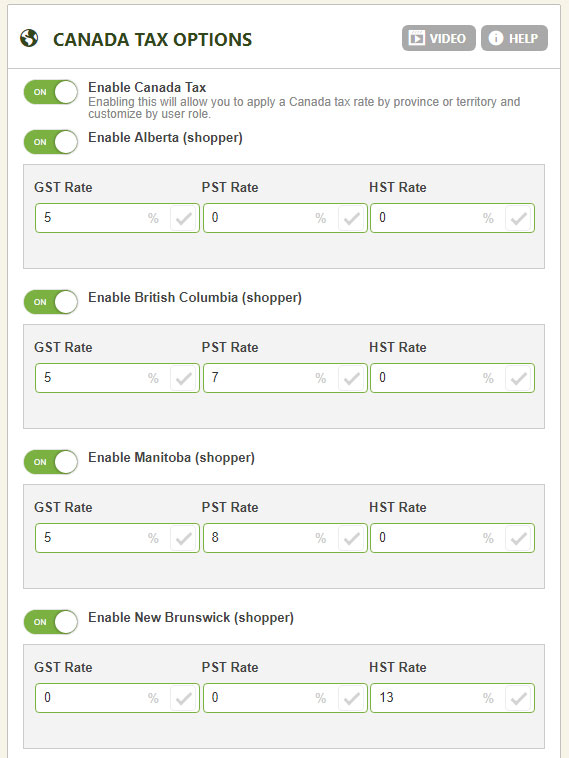
Built for Canadian flexibility: every province can carry its own GST, PST, or HST setup — and you can even apply different tax rates based on a user role you create within the accounts area.
How to Setup Canadian HST, GST, PST Taxes
Canada and several countries offer an HST, GST, PST tax based system and EasyCart makes it easy to set them up. Watch as we create a robust Canadian tax based system for an eCommerce store.
💡 To use: Simply enable the Canada Tax option, then enable each province you wish to have active. Enter a GST, PST, or HST rate for each area — EasyCart handles the rest at checkout.
WP EasyCart — Canada Tax Options
TaxCloud for USA
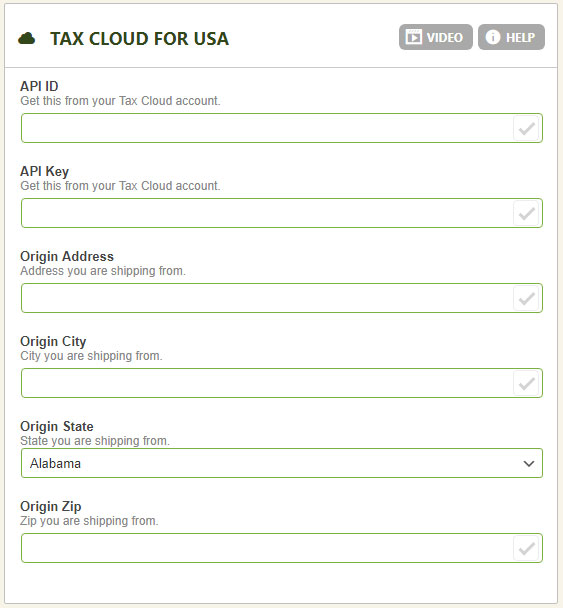
TaxCloud is an automated service integrated with EasyCart that generates precise taxes through their API — returning rates based on a product’s tax code and location. It’s a great option when states require taxes at the county or even city level. To use it, go to taxcloud.com, get an account, and enter all of your TaxCloud information here to connect the system.
How to Setup TaxCloud API Services
Many US customers need a robust state tax system and TaxCloud is integrated to provide just that. This video shows how to setup the API, apply custom product TIC identifiers, and allow TaxCloud to automate your tax needs.
💡 Special Note: At the product level, you may also enter a tax code (TIC) for each product, which is sent to TaxCloud as well for accurate tax generation. TaxCloud calculates which type of product you are selling based on this TIC and gives accurate readings for the types of products you sell based on those locations.
WP EasyCart — TaxCloud Settings
TaxJar API Integration
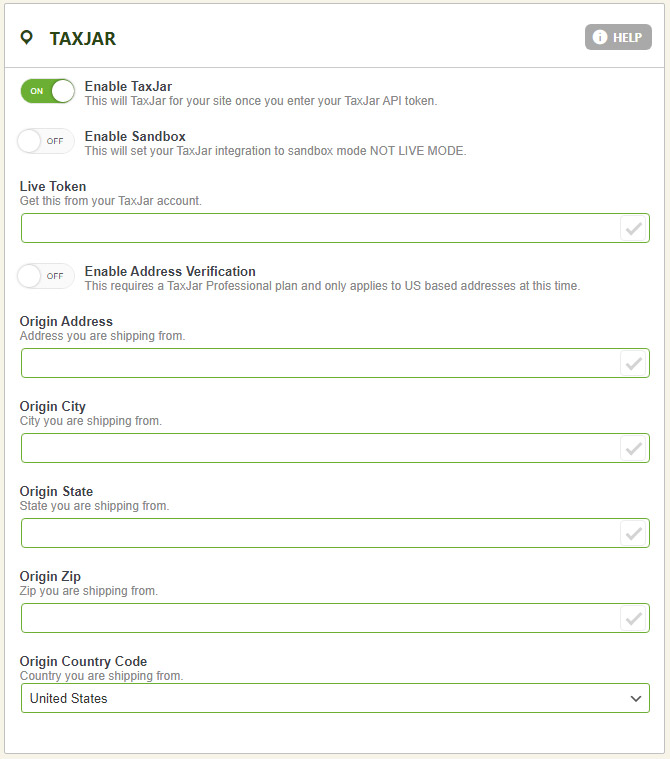
TaxJar is a popular API system offering sales tax compliance for modern commerce. EasyCart connects to their API with a live token and retrieves tax rates based on your origin and the location of users purchasing your goods. To get started, sign up for a TaxJar account and retrieve your live API token from their interface. Then simply paste your token into this section, optionally enable address verification, and enter your origin address.
WP EasyCart — TaxJar API Integration
Set Up Taxes Once. Sell Everywhere.
From a single global rate to automated VAT, GST, and API-driven US sales tax — EasyCart covers it. And if your tax situation gets tricky, our support team is right here.