
Product Details
Product Basics
Sell virtually anything you can conceive — retail goods, downloads, gift cards, donations, service-based products, subscriptions, and memberships. EasyCart packs in a vast array of options at the product level, but you can keep it simple: enter the basics and start selling.
Watch the Walkthrough
Creating your first product is as easy as entering a title, description, and price. This short video covers the basics.
Creating Your First Product
Learn the basics of setting up your first product — a title, a description, and a price is all it takes to get started.
Product Overview
One screen to sort, search, and filter your entire catalog.
The main product display lets you sort products by various headings and search for exactly what you need. Use the filters to narrow the list down to a single manufacturer or category. Ready to add something new? Hit the ‘Add New’ button in the top right.
WP EasyCart — Product Overview
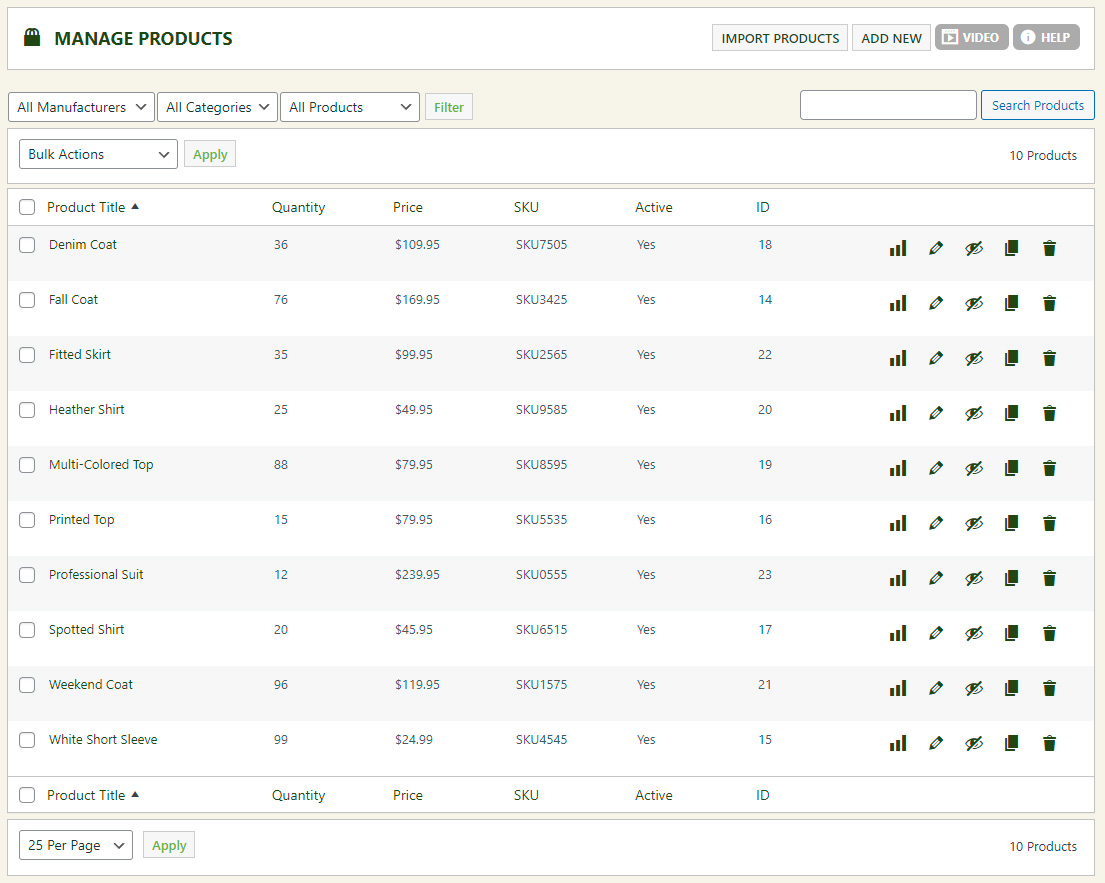
Select the pencil icon on the right to edit any product. Activate and Deactivate turn a product off at the store level so customers stop seeing it — no deleting required. Want a head start on a similar product? Select the duplicate icon, then edit the copy to customize it.
WP EasyCart — Product Row Action Buttons

Bulk Actions
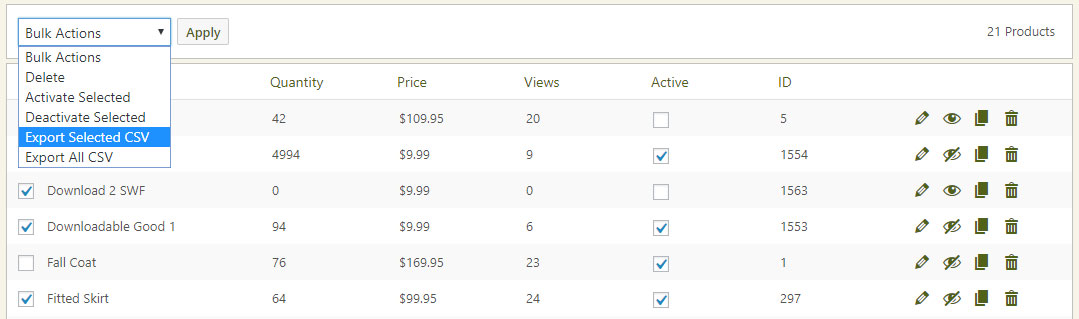
Select multiple products at once and delete, activate, deactivate, or export them together.
Bulk actions let you handle many products in one pass. Need to work with more than the default view? Scroll to the bottom of the display and bump the count up to 500 products at a time.
Exporting All Products Can Be Server-Intensive
Some servers may run out of time or memory during a full export. If you have more than 500 products, EasyCart automatically breaks your export into 500-product chunks and zips them together for you — keeping the process compatible across the WordPress community.
WP EasyCart — Bulk Action Options
Ready to Build Your Catalog?
From a single simple item to hundreds of variations, EasyCart scales with your product line — start with the basics and grow from there.