
Product Details
Menu Locations
EasyCart gives you a couple of ways to group products for easier browsing. Menu locations are one of them — here’s exactly how they work, and why we usually point people to categories instead.
Menus vs. Categories
Both group products. One does it with a lot more flexibility.
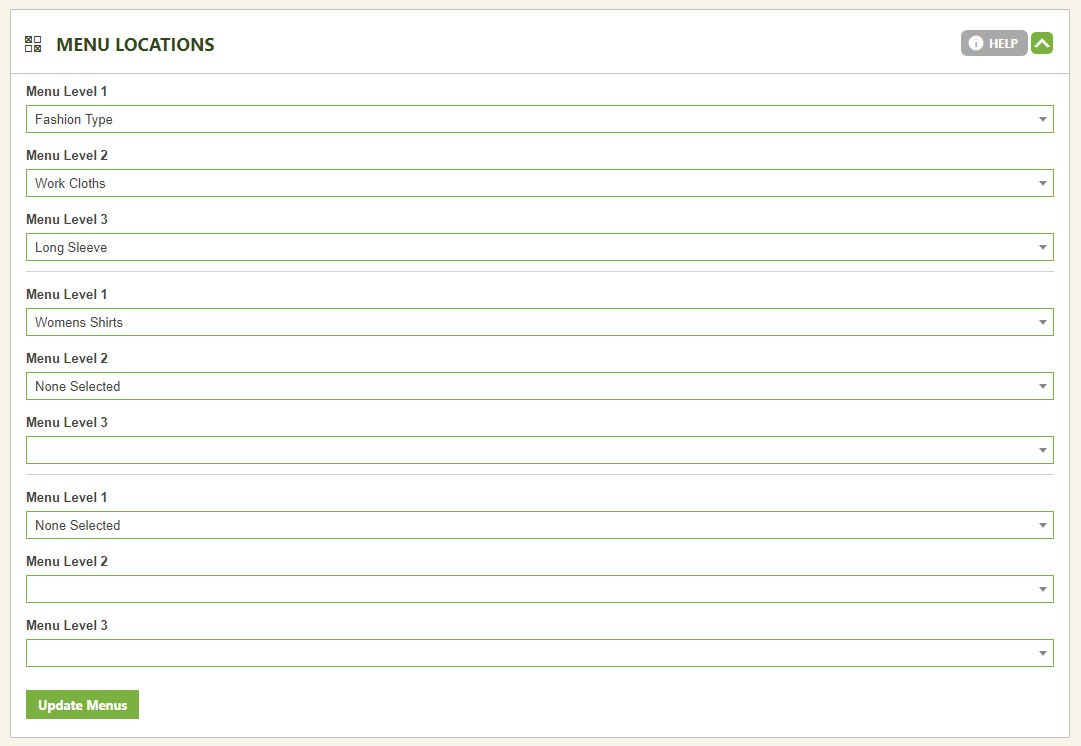
Menus and categories both group your products, but they aren’t identical. With menus, a product can only sit in three locations at a time. Categories allow unlimited locations, plus more flexibility for display and other front-end design details.
💡 Our Recommendation: Not sure which to use? Choose categories. See how categories work.
Editing Menu Locations
Two steps: build the structure, then assign the product.
Set Up Your Menu Structure First
Before you can assign anything, build your menu structure in the Menu Setup area. See how menu structure works.
Assign the Product to Its Menu Groups
Once your menu structure exists, edit any product and use the pulldowns to place it into the various menu groups you want.
WP EasyCart — Menu Locations Panel
Ready to Organize Your Catalog?
Build a menu structure, assign your products, and shoppers find exactly what they’re looking for. Need a hand deciding between menus and categories? We’re here.