
Product Details
SEO Options
Customize the keywords and description meta information for every product — and with Yoast installed, take it even further.
Watch the Walkthrough
Prefer to watch? See better SEO practices for EasyCart and WordPress in one quick video.
Better SEO Customization
See how to sharpen SEO for every product page — and how Yoast adds another layer of control once it’s installed.
Editing SEO Options
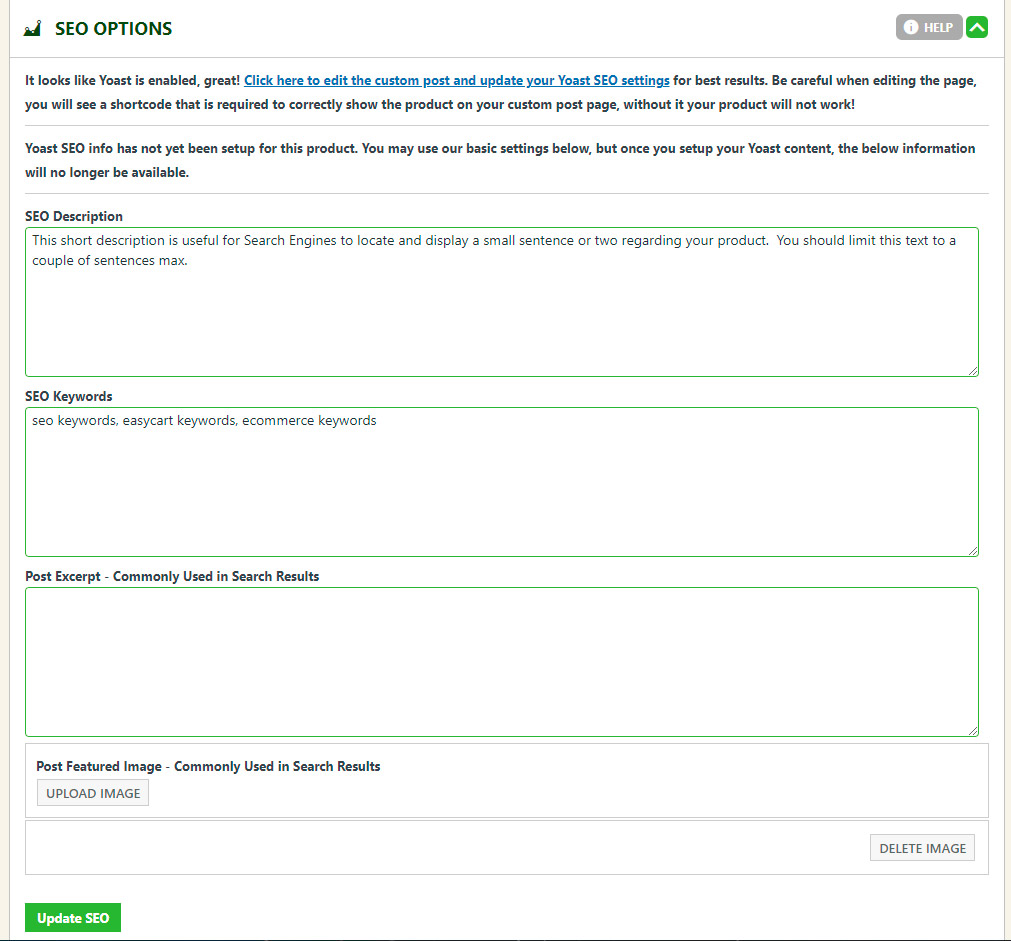
Four fields live on every product. Here’s what each one feeds into search engines.
- SEO Description: A two-sentence write-up focused on your product. Search engines often show it as the small descriptive text under a search listing.
- SEO Keywords: Specify keywords for this product and your business. Keep them precise and consistent with the context in your short descriptions, descriptions, specifications, and other page text. Separate keywords with a comma.
- Post Excerpt: Feeds third-party SEO tools that use a custom post excerpt for their optimization practices. It may not be visible on the page — that depends on your theme — but it’s still useful for proper SEO.
- Post Featured Image: Gives scraping and indexing tools a featured image to show for the product. Some themes display this image above the product in different ways, so check your site to see if it’s a good fit.
WP EasyCart — SEO Options Panel
Give Every Product Its Best Shot at Search
A sharp description, the right keywords, and a strong featured image add up to product pages that search engines — and Yoast — both love.