
Product Details
Facebook Options
Turn your product catalog into scrolling ads on Facebook & Instagram. Once the Feed extension is installed, every product gets a Facebook Options panel that feeds their Catalog system and sends shoppers straight back to your site to buy.
Watch the Walkthrough
First up in a four-part series: setting up your Facebook pixel before you ever touch the Feed extension.
Facebook & Instagram — Video 1 of 4
See how to set up a Facebook pixel to track page visits and ecommerce data — a great first step before using the Facebook & Instagram Feed Extension.
Before You Begin
Facebook Options ship with our Facebook & Instagram Feed extension — available to Premium EasyCart license holders.
Install the Facebook & Instagram Feed extension into WordPress and every product gains this panel. The extension pulls your full catalog into Facebook’s Catalog system, producing scrolling ads that send shoppers back to your website to buy. Need setup help? See the full Facebook & Instagram extension guide.
Editing Facebook Options
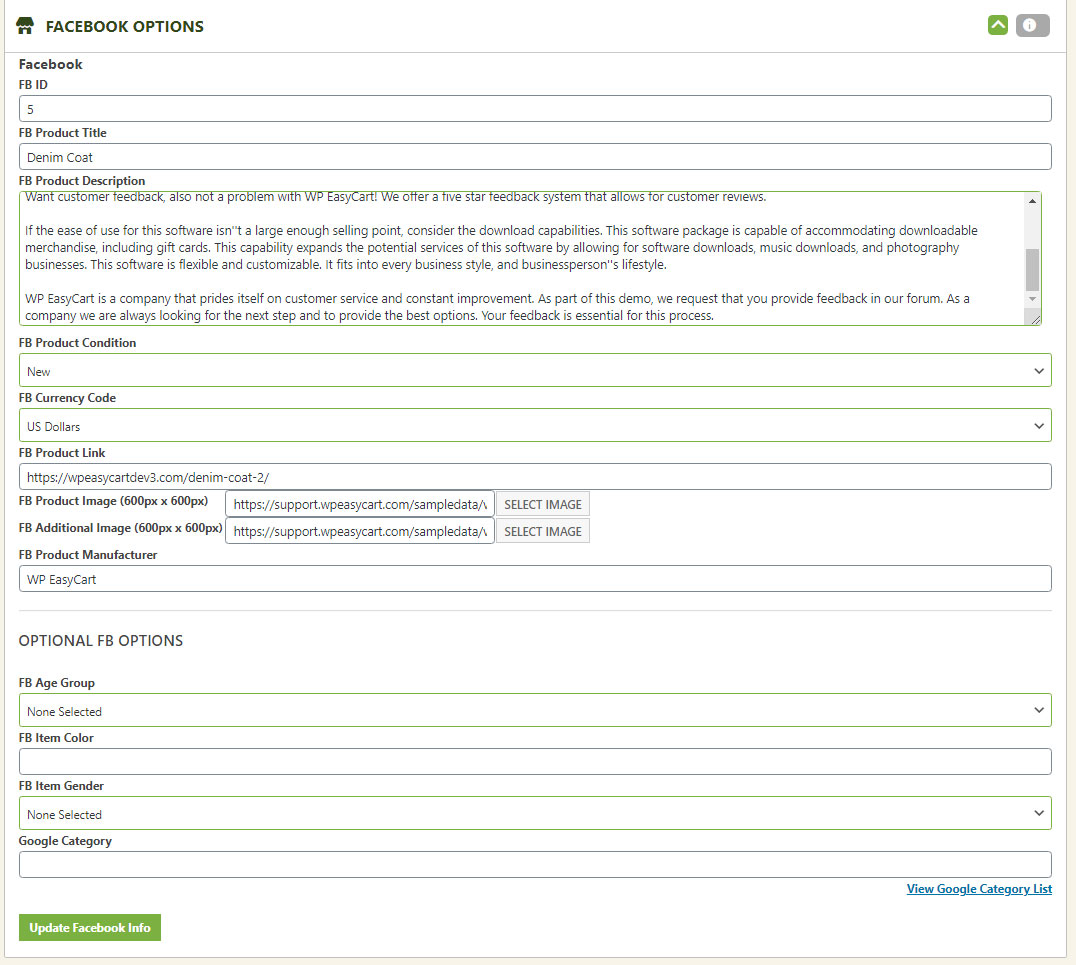
Every field below feeds directly into your Facebook & Instagram Catalog.
- Facebook ID: Auto-populated from your product SKU, just to identify your product.
- Facebook Product Title: Your product title.
- Facebook Product Description: Defaults to your short or main product description — edit here to customize it just for Facebook.
- Facebook Product Condition: Defaults to “New” unless you specify otherwise.
- Facebook Currency: The default currency you want displayed on your Facebook ads.
- Facebook Product Link: The link behind the “Shop Now” icon, sending shoppers to this product on your site.
- Facebook Product Image: Defaults to your product’s image 1. Facebook & Instagram recommend a square 600px × 600px image to avoid unwanted cropping — already square? Skip this. Otherwise, upload a custom cropped graphic here.
- Facebook Product Manager: Defaults to the same manufacturer assigned to your product.
Optional Facebook Options
Adding these gets you more targeted marketing based on users and events — we highly recommend filling in age group, gender, and Google Product Category.
- Facebook Age Group: The target age group your product is intended for.
- Facebook Item Color: The color of your product and its intended use.
- Facebook Gender: The target gender your product is intended for.
- Facebook Google Product Category: A numeric value from the Google product feed specifications. Grab the latest category list and enter your code as a number here.
WP EasyCart — Facebook Options Panel
Ready to Advertise on Facebook & Instagram?
Install the Feed extension, fill in your catalog details, and start turning browsers into buyers with scrolling product ads.