
Product Details
Tax Options
Taxes in EasyCart are built for real-world eCommerce — including the international scenarios most carts can’t handle. Mark a product taxable, layer in VAT, or hook into TaxCloud, all from the same product panel.
Editing Tax Options
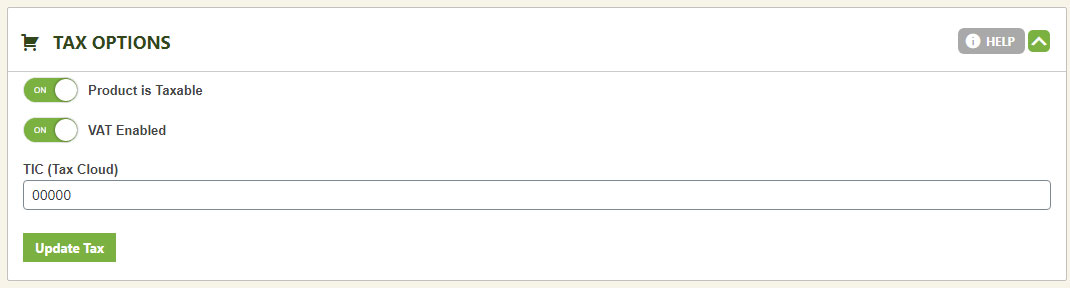
Three settings control exactly how this product is taxed at checkout.
- Product is Taxable: Choose whether this product counts toward tax calculations at the cart.
- VAT Enabled: Include this product in the VAT system’s tax calculations.
- TIC (Tax Cloud): The TaxCloud identification number lets the TaxCloud API pull specific tax information for this product. Requires the TaxCloud API system enabled within EasyCart.
💡 Don’t skip the tax section: These product-level settings only work alongside a configured tax system. Visit the Taxes settings to choose and set up which tax system your store will use.
WP EasyCart — Tax Options Panel
Selling Across Borders?
VAT, TaxCloud, and per-product taxability give you the control international eCommerce demands. Our support team can help you get the tax system set up right.