
Detailed Settings
Email Settings & Setup
Flexible email configuration that makes sure your customers’ account and order emails actually arrive. EasyCart ships with a native emailing system, switches to WordPress sending in one click, and pairs beautifully with SMTP plugins for authenticated, reliable delivery.
Watch the Walkthrough
Prefer to watch? Troubleshooting and customization, covered in one short video.
Customizing Emailers
Learn how to troubleshoot email sending as well as customize your email addresses, textual content, and business logo that go out to your customers.
Eliminate Email Delivery Problems
“WordPress never delivers my EasyCart emails” is the #1 thing we hear — and these two steps solve nearly every delivery issue.
Switch to the WordPress Email System
Change the global email system here to WordPress Email and test. EasyCart will then send using whatever methods your WordPress is already set up to use.
Install an SMTP Plugin
Still nothing? Install one of the many free SMTP plugins, such as Post SMTP. You get authenticated sending from WordPress and a log file, so you can confirm emails are actually leaving the site. Test again.
Hosting matters — and so does testing
Your emails are most likely being sent from EasyCart — delivery is the hard part. Low-cost shared hosting can put thousands of sites on one server, and a blacklisted server means Yahoo, Gmail, and Microsoft may block everything from it — check that your domain isn’t on any blacklists. Also, many servers struggle to route email to themselves, so test with external Gmail or Outlook accounts for a true customer experience. Your combination of theme and plugins is unique — so test, test, test!
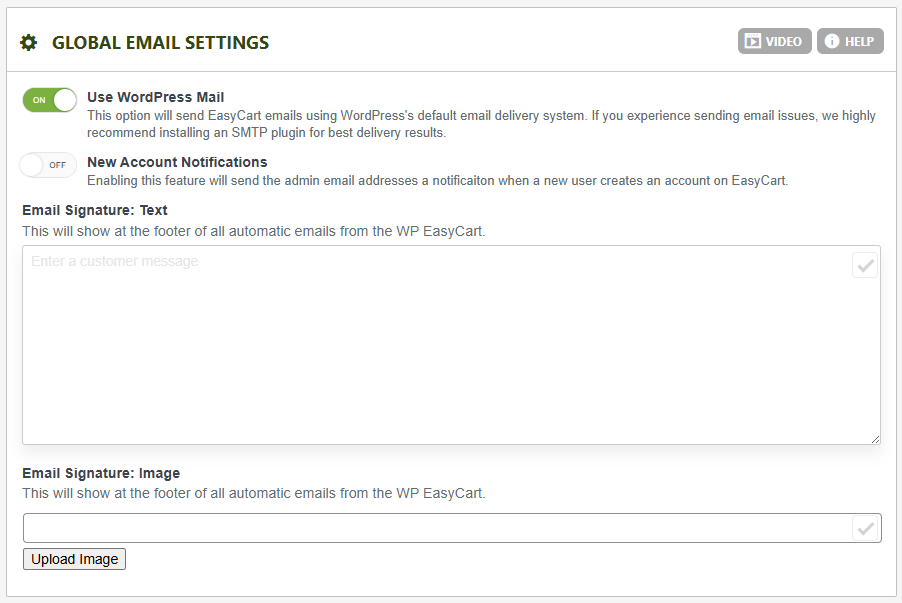
Global Email Settings
The store-wide options that apply to every email EasyCart sends.
- Use WordPress Mail (default ON): Choose EasyCart or WordPress as the sender. WordPress uses whatever methods it’s configured with — native sending, an installed SMTP plugin, and so on. For the most reliable results (especially for emails routing back to the same domain), pair this with an SMTP plugin like Post SMTP.
- New Account Notifications: Send admin users an email each time an account is created in EasyCart.
- Email Signature — Text: Add a custom signature to the bottom of every email EasyCart sends: order confirmations, password recovery, subscription notices, and other communications.
- Email Signature — Image: Upload a single footer image for every email — a great spot for your company logo.
WP EasyCart — Global Email Settings
Order Receipt Email Setup
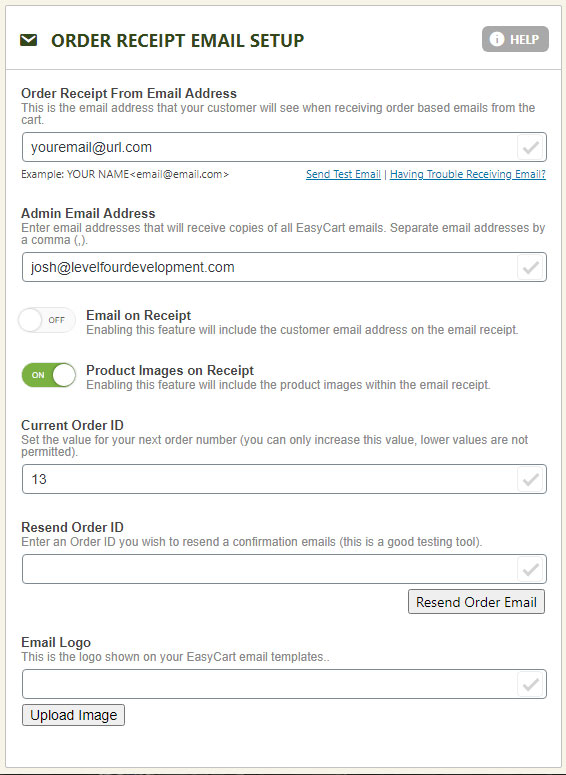
Everything about the receipt your customers receive after ordering.
- Order Receipt ‘From’ Email Address: The address customer receipts appear to come from — use a real address for best reliability. Want a display name? Format it as:
John Doe <johndoe@youremail.com> - Admin Email Address(es): Addresses here receive the same receipt as the customer. Separate multiple admins with commas.
- Email on Receipt: Shows the user’s email address within the body of the message.
- Product Images on Receipt: Displays each product’s image alongside its title and pricing.
- Current Order ID: Bump the database auto-increment to a larger integer if needed — it must be an integer and larger than the current value.
- Resend Order ID (Email Test): Enter an order # and hit Send Order Email to re-dispatch the receipt to customer and admins. Perfect for testing.
- Email Logo: Upload a unique logo for your customer emails.
WP EasyCart — Order Receipt Email Setup
Customer Account Email Setup
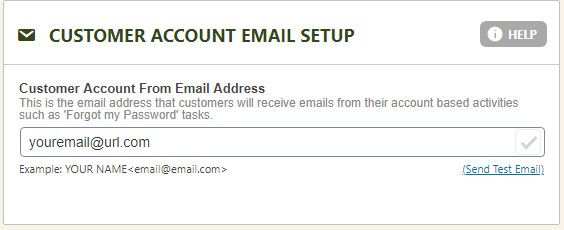
Set the ‘From’ address for password resets sent to customers. As with receipts, a real address is the most reliable — and the John Doe <johndoe@youremail.com> format works here too.
WP EasyCart — Customer Account Email Setup
Order Receipt Phrases
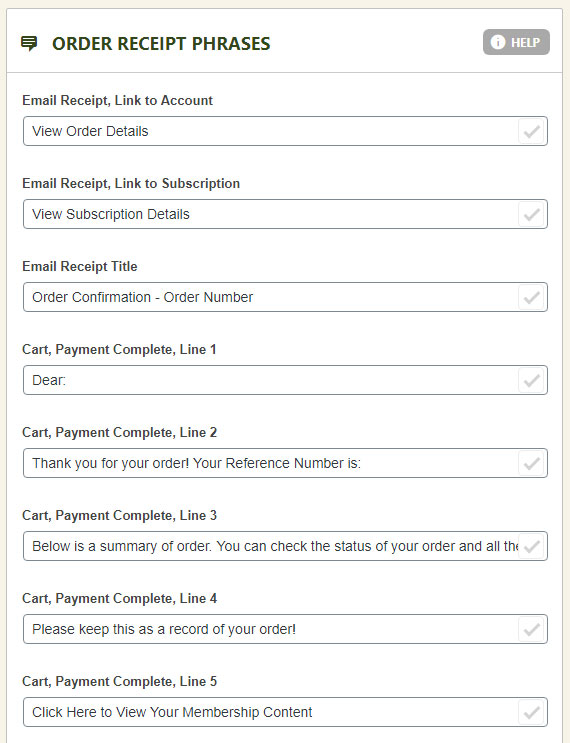
Adjust the receipt’s phrases and paragraphs without touching a coded page. Edit the entire email’s language here or in the language editor — and for deeper customization, build a child theme/layout of the email via our design template system.
WP EasyCart — Order Receipt Phrases
Still Chasing an Email Issue?
Delivery problems can hide in hosting, DNS, or plugin conflicts. If the two-step fix didn’t solve it, our support team will help you track it down.