Language Settings

1 min read

Detailed Settings

Language Settings

The language editor lets you adjust every phrase and element in the shopping cart system. Rename headings, reword buttons, translate the whole store — every word is yours to customize.

Watch the Walkthrough

Prefer to watch? See the entire phrase-editing workflow in one short video.

Customizing EasyCart Language & Phrases

EasyCart supports a multi-lingual frontend and administrative console. This video shows you how to adjust all phrases within EasyCart.

Installed Languages

Start by setting up the language packs your store will run. Most stores run a single language. Want shoppers to switch languages themselves? Install the language selector widget from the WordPress Widgets area in a menu of your choice.

💡 Speed tip: No need for extra languages? Delete them. Running only the minimum language packs required keeps your site faster.

WP EasyCart — Installed Languages
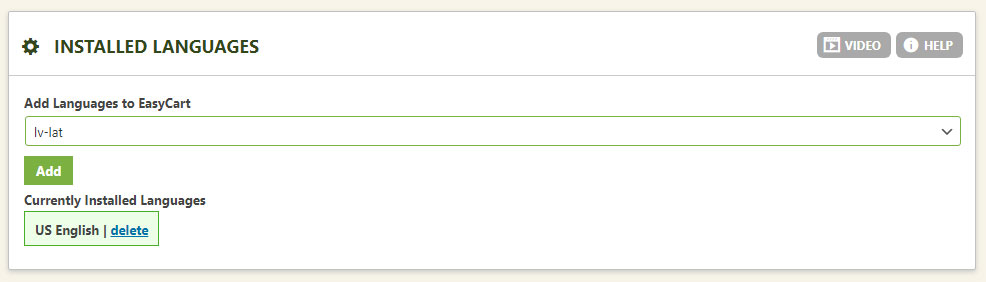
WP EasyCart installed languages panel for managing language packs

Current Language to Edit

This selection determines which language loads into the editor below. Install the language pack first (step above), then select it here.

💡 Note: Languages can be exported, but creating and setting up a brand-new language system takes several steps. The best approach is to edit your chosen language in the editor below so changes save directly to the database. Need a custom scenario handled? Contact your EasyCart specialist.

WP EasyCart — Current Language Selection
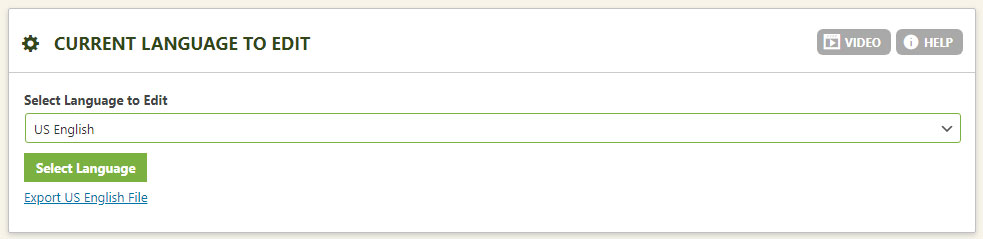
WP EasyCart current language to edit selection panel

Editing the Current Language

Phrases are organized into easily recognizable sections you can expand and collapse — find any phrase fast, edit it in place, and double-check you’ve selected the correct language in the panel above before editing.

WP EasyCart — Language Section Editor
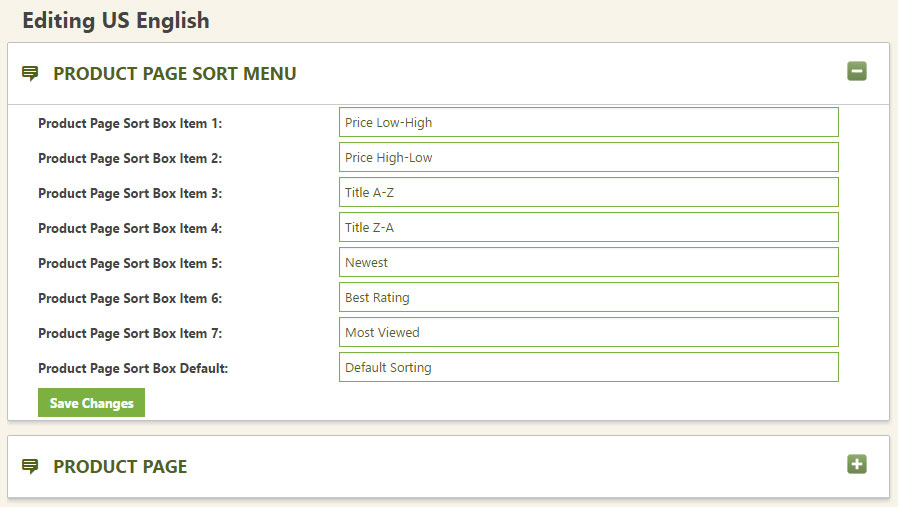
WP EasyCart language editor with expandable phrase sections

Say It Your Way

From a single button label to a full translation, the language editor puts every word of your store under your control. Questions? We’re here to help.

Updated on July 20, 2026
