
User Management
Subscribers
EasyCart makes collecting subscriber information effortless. Every new account gets the option to join your newsletter, and every opt-in lands in one tidy list — ready to power your next email campaign.
How Subscribers Are Collected
When an account is created, users are given the option to subscribe to your newsletter. Want more sign-ups? Offer a popup newsletter window via our settings — or turn the entire system off if it’s not for you. Collecting subscribers captures the user’s name and, in some cases, their email address, and the list imports cleanly into email campaign systems like MailChimp, Mailster, and others.
Editing a Subscriber
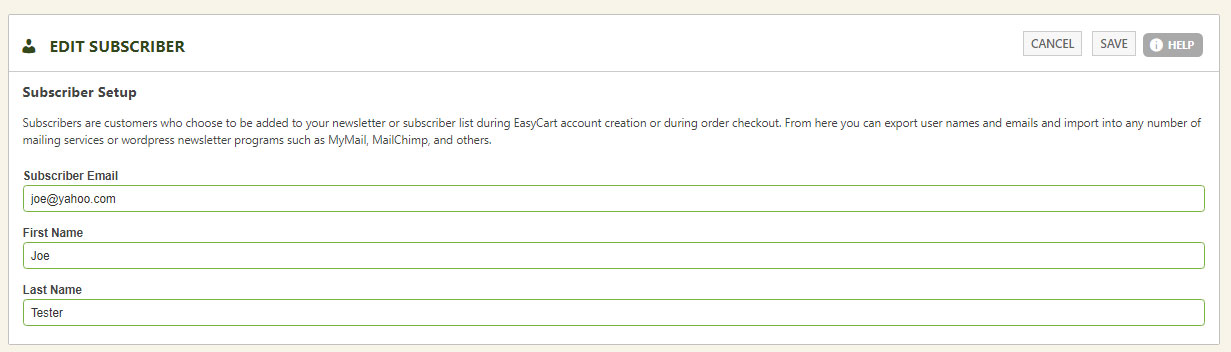
Each subscriber record keeps it simple: email address plus first and last name. Open any subscriber to review or update their details.
WP EasyCart — Edit Subscriber
Exporting Subscribers
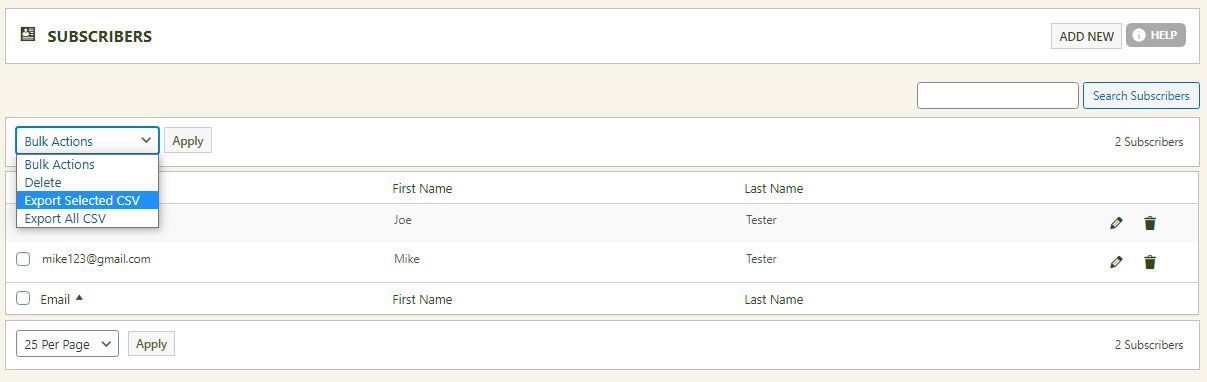
Your subscriber list is most valuable inside a professional email campaign platform like Constant Contact or MailChimp. Exporting is easy: select all and export to CSV, or hand-pick individual users and export just the ones you want.
💡 Mailster users, skip the export: If the Mailster plugin is installed in your WordPress, subscribers flow into the Mailster system automatically — no further action needed. Interested in Mailster newsletter sending? Learn more here.
WP EasyCart — Export Subscribers to CSV
Take Your List Further
Connect EasyCart directly to MailerLite, ActiveCampaign, ConvertKit, and more with our built-in integrations — subscribers sync automatically, no exports required.