
User Management
User Accounts
EasyCart user accounts track everything that matters about your customers during their shopping experience — names, emails, addresses, roles, and more. They’re 100% separate from WordPress user accounts because we track far more data and put it to work in far more ways.
Watch the Walkthrough
Prefer to watch? This short video covers the full user account management toolset in just a few minutes.
Managing User Accounts
Support your online eCommerce users with a full suite of management tools found only in EasyCart. Update customer accounts, tax & shipping exempt status, even build user groups to organize your customers.
Editing User Accounts
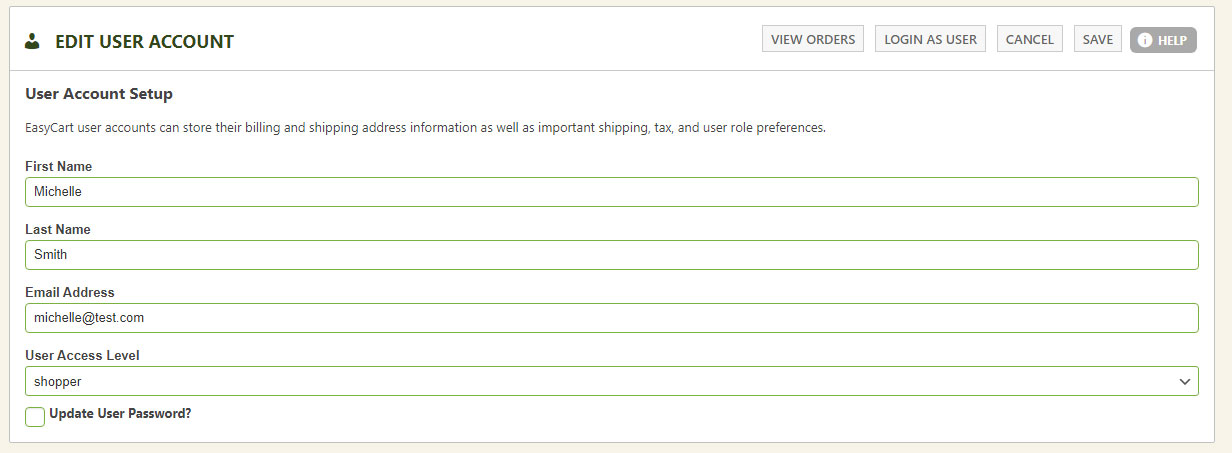
Users can create accounts on your website via the account page or during checkout — or you can create one yourself. Head to the User Accounts page, add a new user, and enter the essentials: first and last name, email address, and password. Assign the default ‘Shopper’ access level, or any custom user role you’ve set up.
Reserve ‘Administrator’ for your team
Any account designated as ‘Administrator’ can log into your EasyCart system using our external phone and tablet apps. Normal users of your site — customers and wholesalers — should never be designated as administrator accounts.
WP EasyCart — Edit User Account
Bulk Actions. Big Time-Savers.
Manage users at scale straight from the User Accounts list with two powerful bulk tools.
Export Users to CSV
Bulk export user accounts to a CSV file for use in mail programs or any software of your choice. Export everyone at once, or filter and select specific users to export just the accounts you need.
Force Password Resets
Select specific users and choose Force Reset User Passwords to require a new password on their next login — perfect after an import or any time security calls for it.
Optional Account Settings
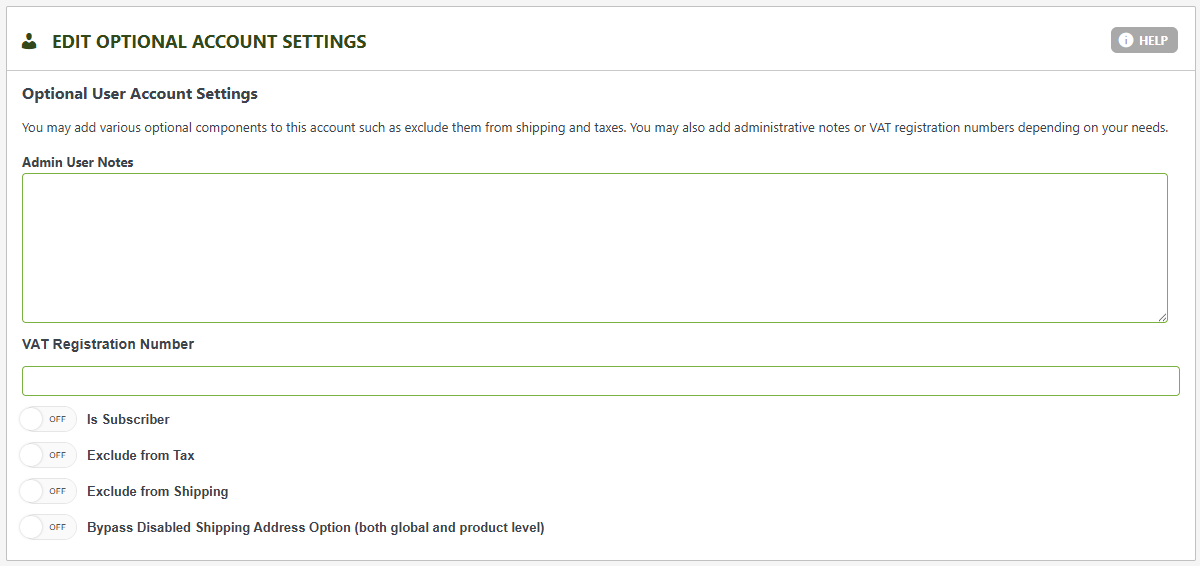
Optional settings let you add personal notes to an account, store a VAT registration number where applicable, and designate the user as a newsletter subscriber — their info flows straight into the Subscribers section upon creation.
Some accounts deserve special treatment. Exclude a specific user from tax or shipping right here. You can even bypass account-disabled shipping settings — so a specific customer can still update their shipping address even when shipping is disabled site-wide.
WP EasyCart — Optional Account Settings
Billing & Shipping Addresses
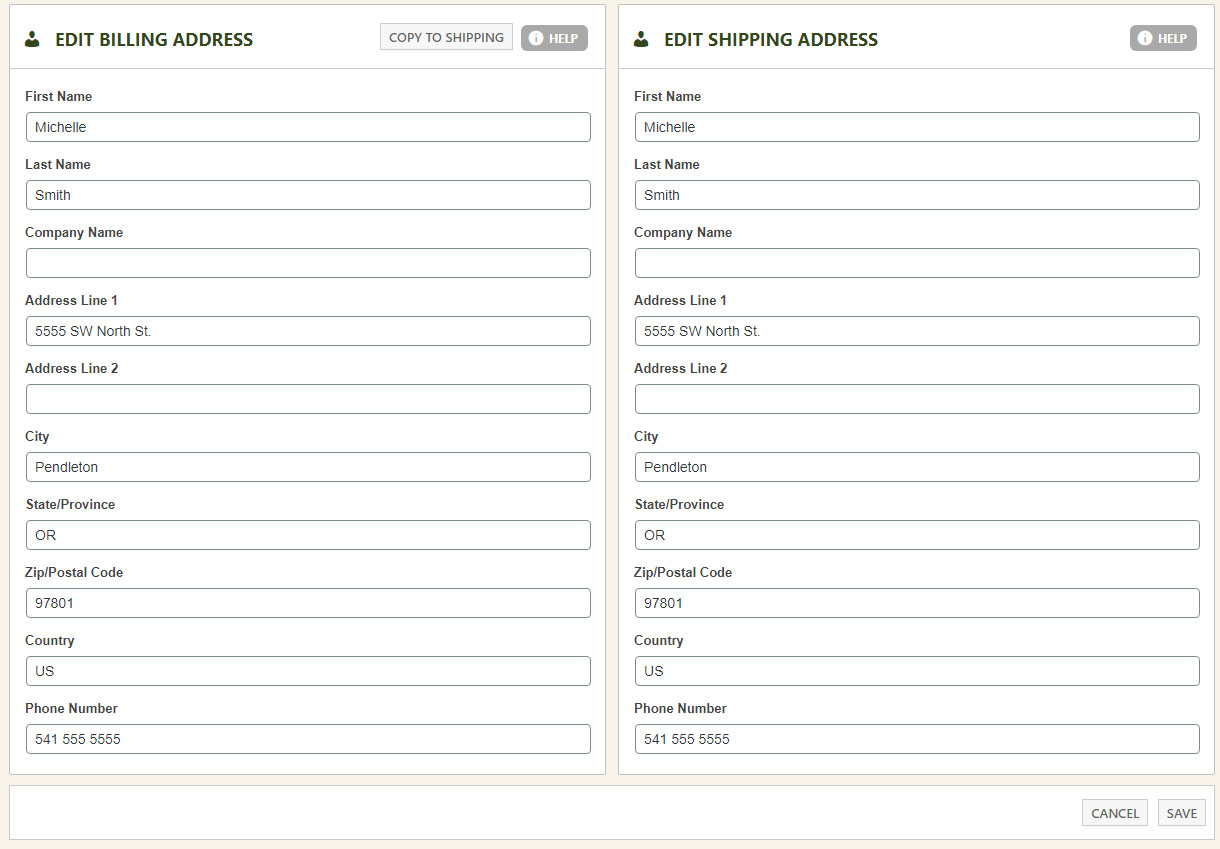
Most stores sell retail products and ship them, so every customer’s billing and shipping address is editable right on the account. Selling downloadable goods, services, or donations? Shipping addresses aren’t always required at checkout — but when you need them, this is where you manage them.
💡 Tip: If you enter countries and states manually, use the valid 2-digit ISO codes. We leave these fields open-ended, but if your store uses shipping API systems, consistent ISO data keeps every carrier happy.
WP EasyCart — Billing & Shipping Addresses
Developer Feature
Syncing with WordPress User Accounts
WP EasyCart user accounts are completely separate from WordPress accounts for good reason — but some situations call for syncing accounts over to WordPress, bringing the user’s name and email along. Passwords won’t align, but it gets accounts into the system for special scenarios. Just add this filter to your theme’s functions.php file:
add_filter( ‘wp_easycart_sync_wordpress_users’, ‘your_function’ );
function your_function( $val ) {
return true;
}
Replace your_function with a unique name for your function.
Questions About User Accounts?
Our support team is happy to help you manage customers, roles, and account settings. Log into your account to open a support ticket, or keep exploring the video library.