
Step 1. Create the template
Settings › Elementor › Product pages
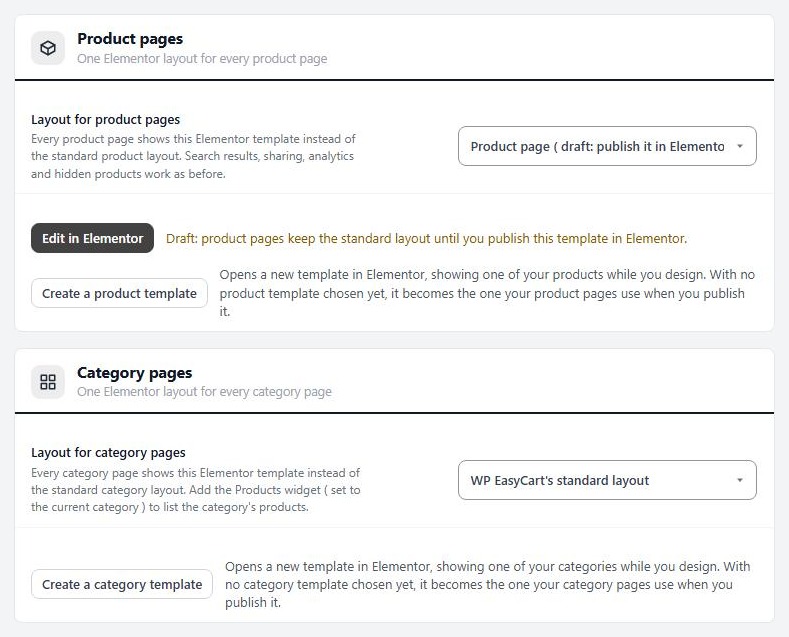
Go to EasyCart › Settings › Elementor and find Product pages, which says One Elementor layout for every product page. Press Create a product template.
Elementor opens with a new draft called Product page, already filled with a starter layout showing one of your products. From top to bottom it holds Product Gallery, Breadcrumbs, Product Title, Product Rating, Product Price, Product Badges, Product Short Description, Add to Cart, Product Meta, Share Buttons, Product Tabs and Related Products. It is a working product page before you change anything.
If you have not chosen a product layout yet, the new template is chosen for you, but product pages ignore it while it is a draft. You publish it in step 4.
Step 2. Choose a product to preview
So you design against real data
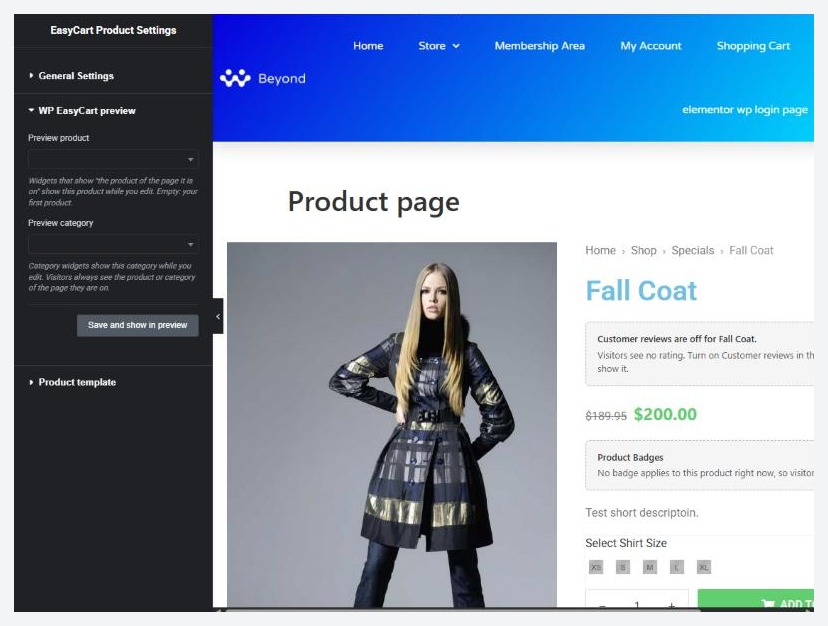
While you design, Elementor shows one product so the widgets have something to display. By default it is your first product. To pick another, press the gear at the bottom of the Elementor panel to open the page settings, open WP EasyCart preview, choose a Preview product and press Save and show in preview. Pick a product with a long description, several photos and options, because that is the layout most likely to break.
Visitors always see the product they opened. The preview product is only for you.
Step 3. Add and arrange widgets
The WP EasyCart panel groups in Elementor
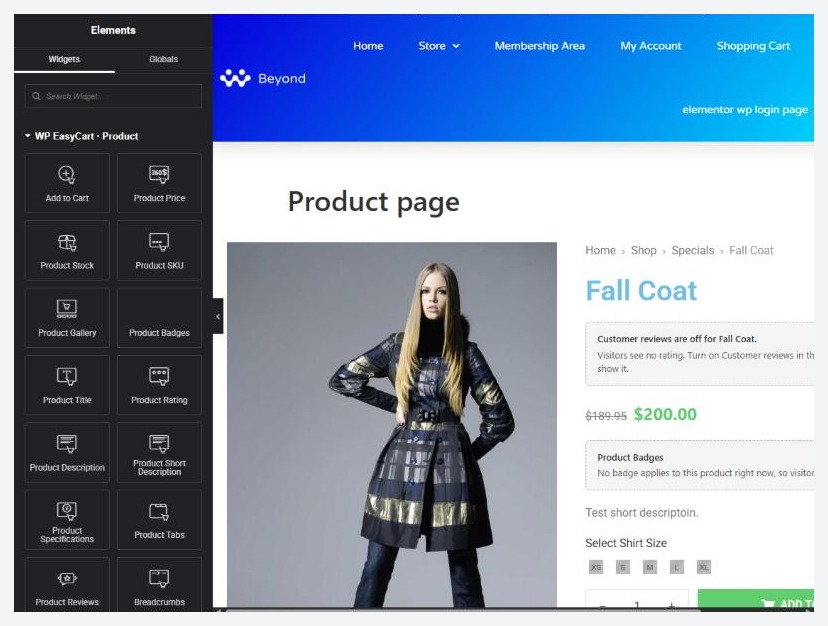
The Elementor panel lists WP EasyCart widgets in groups. Search for a widget by name, or scroll to the group. On a product template you use WP EasyCart · Product:
Buying: Add to Cart, Product Price, Product Stock, Product SKU, Product Gallery and Product Badges.
Information: Product Title, Product Rating, Product Description, Product Short Description, Product Specifications, Product Tabs, Product Reviews, Breadcrumbs, Product Meta, Share Buttons and Related Products.
Drag a widget onto the page, then use its controls on the left to style it. Change the layout with normal Elementor containers, so the gallery can sit beside the details, or above them. The other groups are Shop (category and manufacturer pieces and product lists), Cart & Checkout, Account and WP EasyCart (older widgets that still work).
Store data anywhere. Any Elementor control that takes dynamic content can pull a product’s title, price, sale price, image, gallery, category, manufacturer, stock, rating and more, under the WP EasyCart group of dynamic tags. Use them to put a price in a heading or a product photo in a background.
Ready to run your store on WP EasyCart?
Everything in this guide works with the free plugin. PRO and Premium add subscriptions, memberships, wholesale pricing and more. Try every PRO feature free for 14 days.
