
Elementor Page Builder
Elementor Page Builder & EasyCart
WP EasyCart works great with Elementor — and brings extra page-building tools to help you get exactly the look you’re going for. Add product grids, product sliders, and search bars, then design them all with the Elementor elements from WP EasyCart. Simply create a new page and look for the WP EasyCart section to get started.
Watch the Walkthrough
Prefer to watch? This short video shows Elementor and WP EasyCart working together to build product layouts.
Using Elementor and WP EasyCart
This short guide discusses how to utilize Elementor and WP EasyCart to create product layouts within your WordPress system — a full eCommerce solution with nice Elementor product designer elements to enhance and integrate with.
Step 1 — Check the Main Page Shortcodes
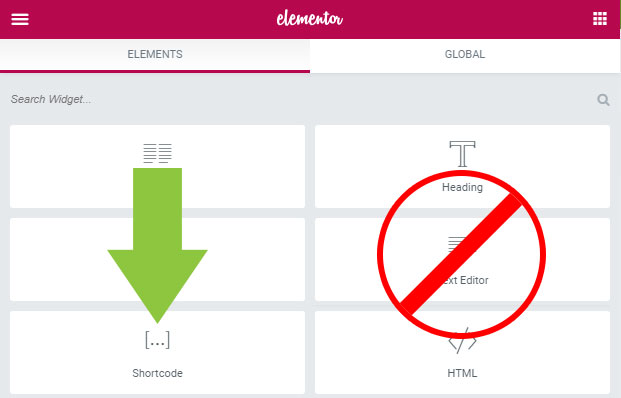
With Elementor, you’re wrapping EasyCart into Elementor modules — and the three core pages must use the ‘shortcode’ module, not a text editor system.
- Store page: should have
[ec_store]in the shortcode module. - Cart page: should have
[ec_cart]in the shortcode module. - Account page: should have
[ec_account]in the shortcode module.
💡 Why the shortcode module? Text editor modules interpret code differently. To eliminate possible errors, check the store page, cart page, and account page that EasyCart constructed and confirm each one uses the proper ‘shortcode’ module.
Elementor — Shortcode Module on a Core Page
Step 2 — Use Our NEW EasyCart Elementor Modules
We offer many Elementor page-building modules that let you customize and build out a store exactly how you need. From product grids customized to your needs to precise product detail panels and modules for constructing that unique look — we have you covered.
Elementor — WP EasyCart Module Group
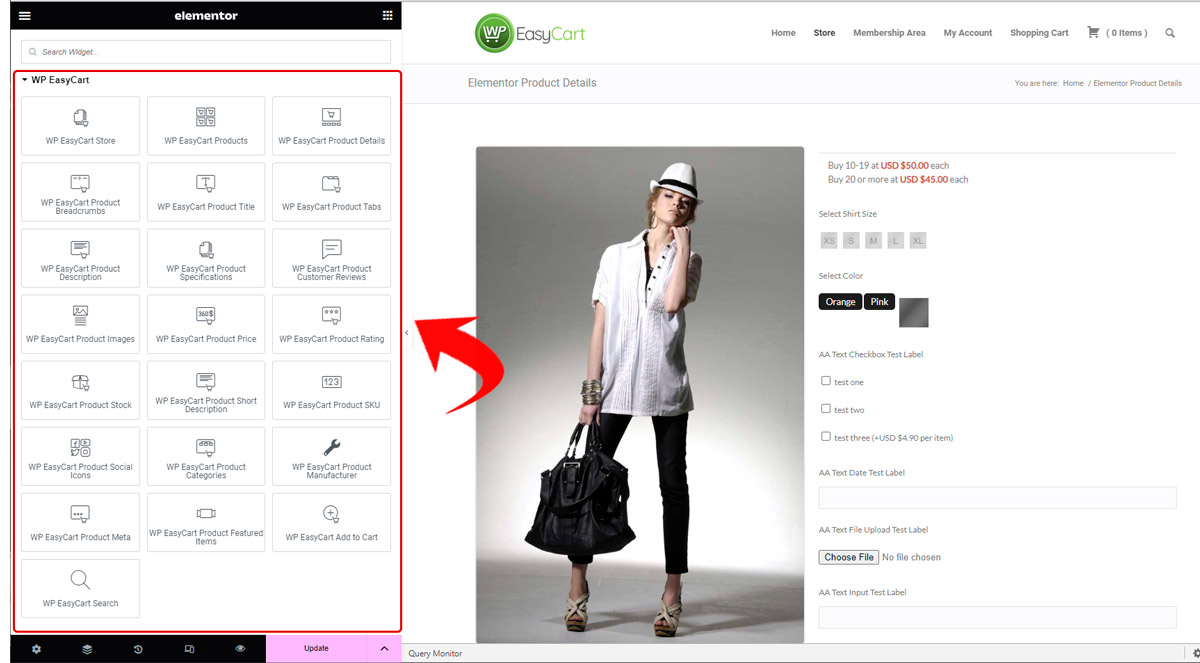
Design Everything From the Sidebar
Once you add the element, you have access to the sidebar tools and design features. Create sliders or product grids, change columns, and adjust image designs — all from inside Elementor. You can even build out full product templates using our Elementor template building processes; be sure to read our full documentation on doing so.
- Titles & Descriptions: Add titles and descriptions to your display.
- Product Selection: Select specific products, categories, or brands to add to the display.
- Count & Sorting: Adjust product count and sort orders of your products.
- Layout Modes: Use Grid or Slider layout modes to enhance visually.
- Fine-Tuned Styling: Customize column counts, product image corners, borders, and more.
- Display Types: Choose from 6 different product display types created by EasyCart.
- Alignment & Visibility: Align text and elements in your display, and control visible items such as titles, prices, descriptions, and more.
Elementor — WP EasyCart Element Options

Build Your Store, Your Way
Product grids, sliders, and search bars — all drag-and-drop with Elementor. If you hit a snag along the way, our support team is happy to help.