WP EasyCart Apps

3 min read

Third Party

WP EasyCart Apps

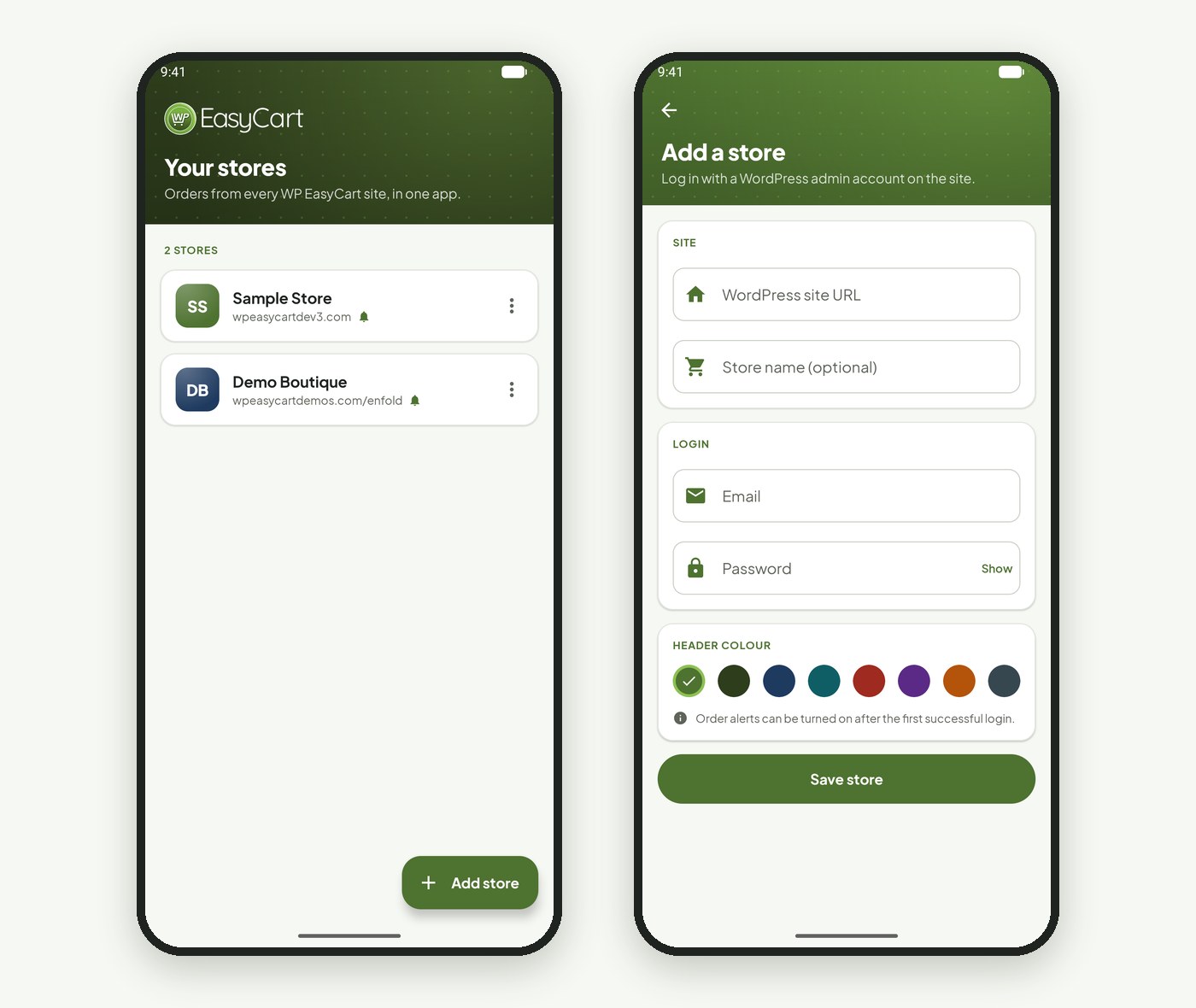
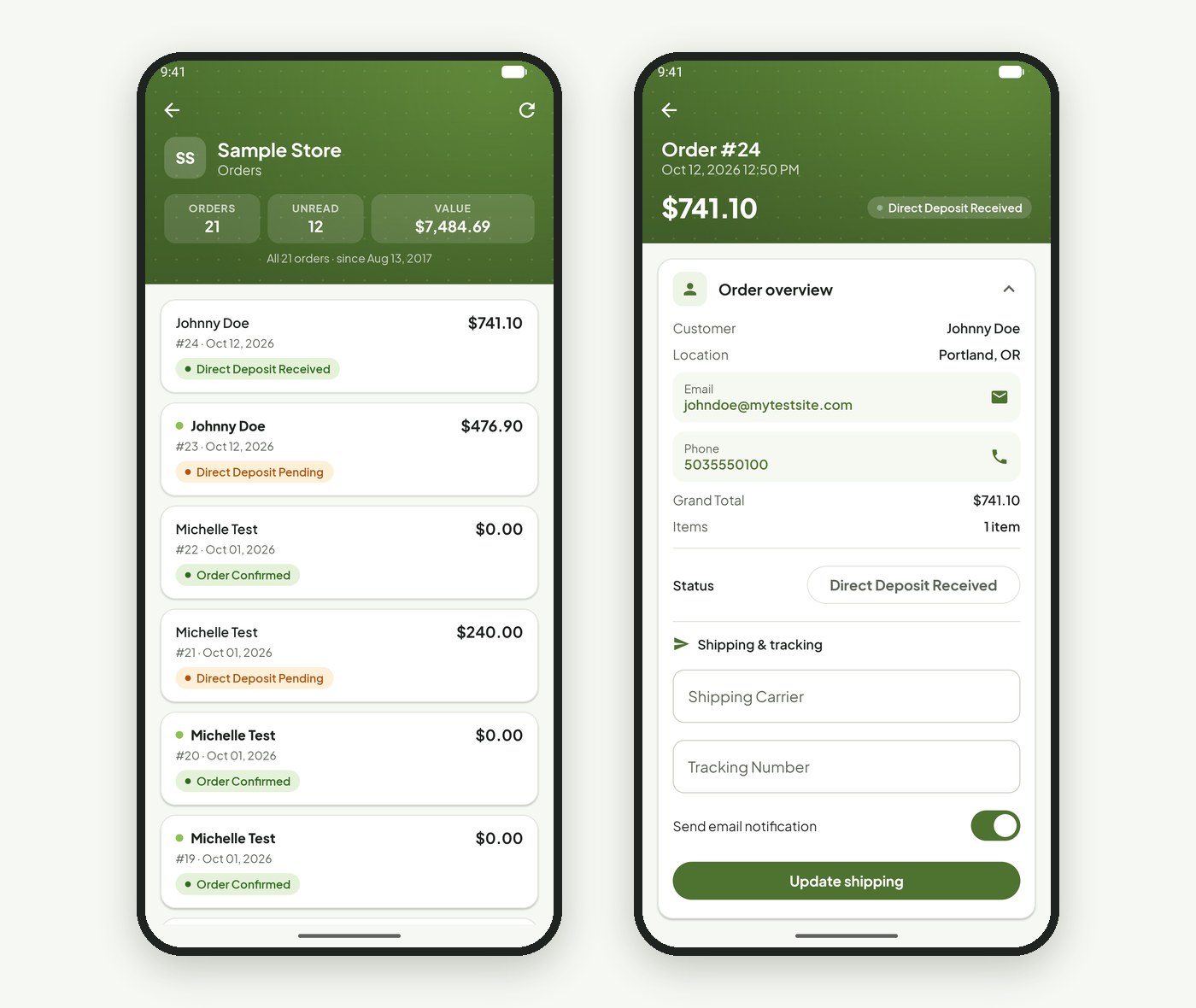
Premium edition unlocks external apps for desktop, tablet, and phone — manage your store without ever logging into WordPress. Tablet and desktop apps carry the full feature set; phone apps keep it simple with quick order lookups. The WordPress admin console is already mobile friendly, but if you’d rather work from an app than a browser, this is for you.

Where to Download the Apps

Every app links back to the same members area — find them from your WP EasyCart members area page.

  • Android: Tablet and phone apps are available on the Google Play network.
  • iPad & iPhone: Available on iTunes.
  • Desktop (PC & Mac): Available via direct links on our members area page.

Download — Desktop App (PC & Mac)

WP EasyCart desktop app download link

Download — Android on Google Play

WP EasyCart Android app on Google Play

Download — iPad & iPhone on iTunes

WP EasyCart iOS app on the App Store

Installing the Apps

Two different install paths, depending on your device.

1

Phone & Tablet

Whether Apple or Android, just search “EasyCart” and install like any other app on your device.

2

Desktop (PC & Mac)

Requires Adobe AIR — a free platform that lets our application run. Click here to download Adobe AIR for free, then double-click to install our app.

Troubleshooting Login

The apps talk to your WordPress through a single URL. Block that URL and login stops working — here’s how to unblock it.

Network Status Error

This means the app is having trouble talking to your website. Here are the most common causes and fixes:

  1. Server Mod Security rules: A common culprit — your host may be blocking AMF traffic. Ask them about Mod Security rules blocking AMF PHP traffic, and whether they can allow it via an htaccess command.
  2. Firewall or security plugins: These often block URLs that aren’t directly tied to WordPress. Deactivate security or firewall plugins and test — if that fixes it, add an exception rule for these apps.
  3. Caching plugins: Can cause non-WordPress pages to error out too. Deactivate and test to narrow down the culprit.
  4. Themes: A few poorly built themes interfere with any incoming URL. Switch themes and test to rule this out.

WP EasyCart App — Network Status Error

WP EasyCart app network status error message

Login Failed Message

This is actually a good sign — the app is talking to your WordPress site fine, but your email or password is incorrect.

1

Set Up the Correct Account

Remember, these aren’t WordPress accounts. They’re EasyCart accounts — you must set up an ‘Administrator’ account with remote access from your user area. Learn more here.

WP EasyCart App — Login Failed Message

WP EasyCart app login failed message due to incorrect email or password

Premium Feature

See Your Whole Store From One Dashboard

Once you’re logged in and connected, you get a full set of administrative tasks without ever opening WordPress. Most customers use it to view orders quickly, print receipts, and update order status on the go. Phone apps stick to orders; tablet and desktop apps add product, user, and review management on top.

💡 Note: More functionality lives in the WordPress admin area — not every feature has made it into the apps yet.

WP EasyCart App — Dashboard Overview

WP EasyCart app dashboard overview showing orders, products, and store data

Want Your Store in Your Pocket?

Premium unlocks the full app lineup — desktop, tablet, and phone. If login or setup is giving you trouble, our support team is ready to help.

Updated on July 20, 2026