
Shortcode
Shortcode Dictionary
Designing a shortcode by hand, or dropping one into a page builder’s shortcode module? This is the full reference — every parameter, for every EasyCart shortcode, so you can pick, choose, and build it exactly how you want.
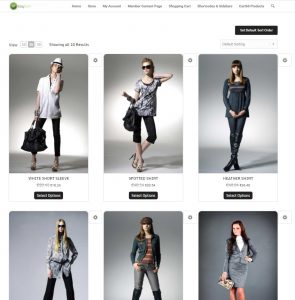
Main Store Shortcode — ec_store
The most-used shortcode in EasyCart — a full product grid, one category, or a single product, all from the same tag.
[ec_store menuid="1" submenuid="2" subsubmenuid="3" manufacturerid="4" groupid="5" modelnumber="XYZ" language="EN"]
This is the main store system. Show a grid of products or scope it down to one category — you can even place a single specific product on the page using the model number parameter.
Location & Filtering
menuidsubmenuidsubsubmenuidmanufactureridgroupidmodelnumberlanguageproductidcategorymanufacturerstatusLayout & Columns
spacingcols_desktopcolumnscols_tabletcols_mobilecols_mobile_smallpagingper_pagesortingsorting_defaultProduct Card Design
product_styleproduct_alignproduct_visible_optionsproduct_rounded_cornersproduct_rounded_corners_tlproduct_rounded_corners_trproduct_rounded_corners_blproduct_rounded_corners_brproduct_borderSidebar Options (sidebar="true" only)
sidebarsidebar_positionsidebar_filter_clearsidebar_include_categoriessidebar_include_categories_firstsidebar_include_option_filterssidebar_categoriessidebar_option_filters- sorting_default valid values (0–7): 0 Default Sorting, 1 Price Low to High, 2 Price High to Low, 3 Title A-Z, 4 Title Z-A, 5 Newest First, 6 Best Rating First, 7 Most Viewed.
- status valid values:
all,featured,on_sale,in_stock. - product_style valid values: 1, 2, 3, 4, 5, or 6 — the six EasyCart product design options.
- product_visible_options: comma-separated list of title, category, price, rating, cart, quickview, desc. For example,
title,price,cartshows only the title, price, and add-to-cart button.
EasyCart — ec_store Shortcode
Category Grid Shortcodes — ec_categories & ec_category_view
Show categories as a flat list, or build a parent/child grid that drills down into subcategories.
Categories Grid Shortcode
[ec_categories menuid="1" submenuid="2" subsubmenuid="3" manufacturerid="4" groupid="5" modelnumber="XYZ" language="en"]
Shows a list of categories for the products or category IDs you include. Categories link into a list of products.
ec_categories Parameters
menuidsubmenuidsubsubmenuidmanufactureridgroupidmodelnumberlanguageEasyCart — ec_categories Shortcode
Categories Grid Parent/Child Shortcode
[ec_category_view parentid="0" columns="3"]
Best for showing a full category grid with a parent/child relationship — categories lead down into subcategories, and back up again.
ec_category_view Parameters
parentidcolumnsEasyCart — ec_category_view Shortcode
Store Table List — ec_store_table
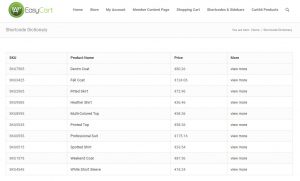
Display products in a tabular layout, with fully custom columns and button text.
[ec_store_table productid="" menuid="" submenuid="" subsubmenuid="" categoryid="" labels="SKU,Product Name,Price,More" columns="model_number,title,price,details_link" view_details="view more"]
Choose no specific items and every product is listed — very flexible for building a custom, tabular product view.
ec_store_table Parameters
productidmenuidsubmenuidsubsubmenuidcategoryidlabelscolumnsview_details💡 Column reference: columns pulls straight from the ec_products database — and adding details_link to the list drops in a product details link column with no header label needed.
EasyCart — ec_store_table Shortcode
Cart & Account Shortcodes — ec_cart & ec_account
Turn any page into your store’s checkout or customer account screen.
Shopping Cart/Checkout Shortcode
[ec_cart language="EN"]
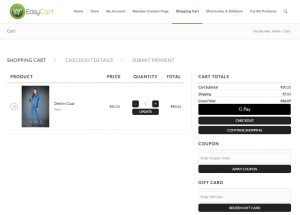
This is the core shopping cart page. It should usually just contain [ec_cart] and it displays the entire shopping cart and checkout system.
ec_cart Parameters
languageEasyCart — ec_cart Shortcode
Customer Account Shortcode
[ec_account language="EN" redirect="https://yoursite.com/membership-page"]
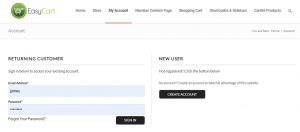
This is the core customer account page. It should usually just contain [ec_account] and it displays login and customer account functions — previous order history, billing/shipping address updates, and password or email changes.
ec_account Parameters
languageredirectEasyCart — ec_account Shortcode
Single & Multiple Product Display — ec_product
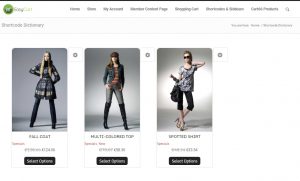
The same product card as your store grid, without paging or the sort box — perfect for sliders and custom intros.
[ec_product productids="1,2,3,4..." cols_desktop="4" columns="3" cols_tablet="3" cols_mobile="2" cols_mobile_small="1" margin="45px" width="175px" minheight="375px" imagew="150px" imageh="140px" style="1"]
Individually select a product or products to display — the same overview card used in the store grid, useful for sliders or any design that needs a quick intro to the product.
Product Selection & Sort
model_numberproductidcategorymanufacturerorderbyorderper_pageColumns & Layout
columnscols_desktopcols_tabletcols_mobilecols_mobile_smallmarginwidthminheightimagewimagehstylelayout_modeproduct_borderSlider Options (layout_mode="slider" only)
product_slider_nav_posproduct_slider_nav_typeslider_navslider_nav_showslider_nav_tabletslider_nav_mobileslider_dotslider_dot_tabletslider_dot_mobileslider_loopslider_auto_playslider_auto_play_timeslider_centerspacingDesign Options
product_styleproduct_alignproduct_visible_optionsproduct_rounded_cornersproduct_rounded_corners_tlproduct_rounded_corners_trproduct_rounded_corners_blproduct_rounded_corners_br- layout_mode: Only two modes are available —
sliderorgrid. - orderby: Valid values are title, price, product_id, added_to_db_date, rand_views, or rating. Any other value falls back to the default sort order.
- style: We offer styles 1, 2, and 3 — try each to see what fits.
EasyCart — ec_product Shortcode
Add to Cart & Cart Display Shortcodes — ec_addtocart & ec_cartdisplay
Build your own product page, then hook in just the buy button or the cart contents.
Add to Cart Product Button Shortcode
[ec_addtocart productid="1"]
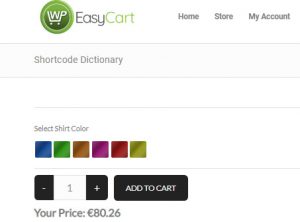
Design your own product displays and product pages, then connect the system with just an add-to-cart button. It includes any option sets attached to the product, so complex product options still work.
ec_addtocart Parameters
productid💡 Alternative URL method: Use your own buttons to add to cart with a URL variable instead: https://www.yourwebsite.com/cart/?ec_add_to_cart=SKU (replace with your cart’s URL and the product’s actual SKU). Great if you’re designing your own product page — but this method only works if the product has no option sets.
EasyCart — ec_addtocart Shortcode
Cart Contents Shortcode
[ec_cartdisplay]
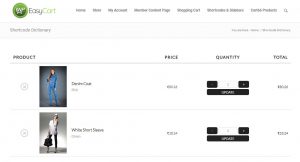
Displays only the cart contents, either on a page or a page builder section you want customers to see. Style it with CSS however you like.
EasyCart — ec_cartdisplay Shortcode
Membership Shortcodes — ec_membership & ec_membership_alt
Wrap content so only paying members, or specific user roles, can see it — with an alternate pitch for everyone else.
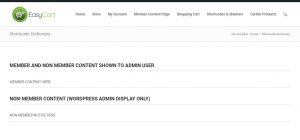
[ec_membership productid="1,2,3" userroles="shopper,admin"]member content here[/ec_membership]
[ec_membership_alt productid="1,2,3" userroles="shopper,admin"]non-member content here[/ec_membership_alt]
ec_membership & ec_membership_alt Parameters
productiduserroles- productid: The product(s) that must be purchased to see the membership content, IDs separated by a comma.
- userroles: Custom user roles set up in EasyCart accounts (edit an account to add roles as needed).
💡 Prefer the newer method: We now recommend our secure membership system built for a WordPress page instead of this shortcode. Learn more on this newer method.
EasyCart — ec_membership Shortcode
Need a Shortcode Fast?
Bookmark this dictionary — every parameter for every EasyCart shortcode lives right here on one page.