Customers and WordPress users
Every customer who signs in has a WordPress account, linked by ID.
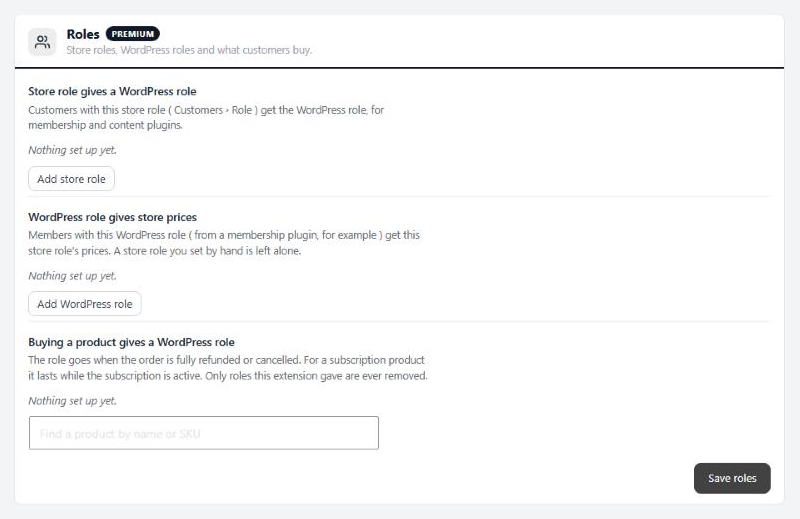
no stored settingsFour counts at the top of the page: Customers linked, Not linked yet, customers who Share an email with a WordPress account ( highlighted when there are any ), and WordPress users with no store account.
A customer who is not linked yet gets a WordPress account the next time they sign in. Tools › Link existing customers does it for everyone at once.
Tools
Link the customers and WordPress users you already have.
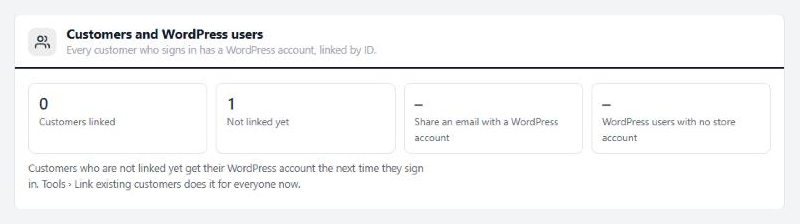
no stored settingsLink existing customers. Press Start dry run first. Nothing changes: it lists each customer with their orders, the WordPress account it found and what will happen. A customer gets a new WordPress account that takes the password they already use, or is joined to the WordPress account the store made for them. A WordPress account the store did not make waits for the customer to confirm it. Staff accounts are skipped, and so are customers with no usable email or whose WordPress account is already joined to another customer.
Press Link customers to run it. It works in batches and picks up where it left off if you leave the page. Tick Email a confirmation link to send the customers who need to confirm a link to do it. Download the list (CSV) gives you the accounts that still need a person.
Make WordPress users store customers. Pick roles, such as Subscriber, and press Create store accounts. WordPress users in those roles with no store account get one now instead of on their first store visit. Staff are never included.
Large stores can run the same link from the command line: wp easycart users link –dry-run, then wp easycart users link. wp easycart users status prints the counts.
Accounts
The WordPress user each customer gets.
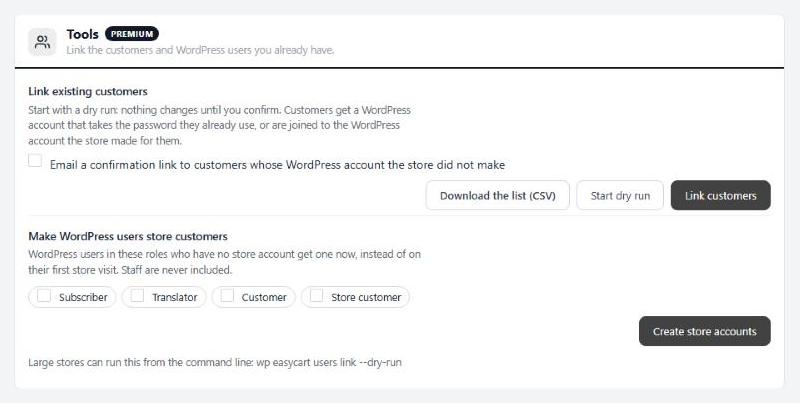
3 settingsRole for new customers
The WordPress role every new customer gets. Store customer, which the extension adds, can only read. The list only offers roles that cannot write content, upload files, manage users or run the site or store, and it never follows WordPress’s own default role.
Username
What new WordPress users are called: From the email or From the name. Either way, customers can always sign in with their email.
When you add a customer yourself
For customers you add on the Customers screen. Create the WordPress account and send WordPress’s set-password email, create it without an email, or wait and create it the first time the customer signs in.
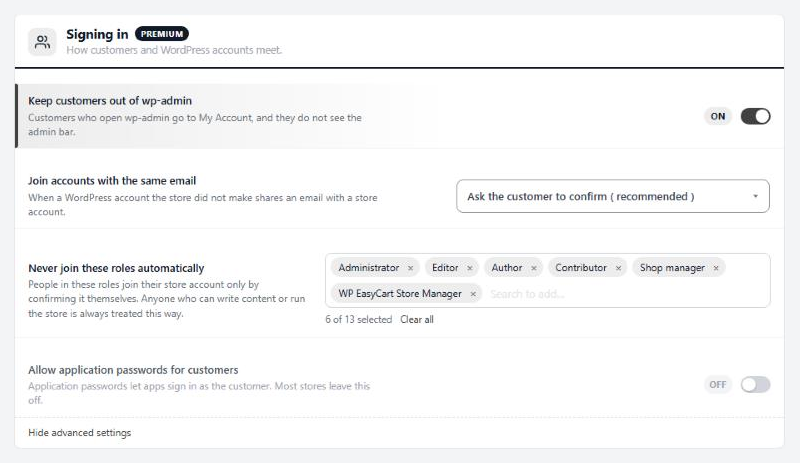
Signing in
How customers and WordPress accounts meet.
4 settingsKeep customers out of wp-admin
Customers who open wp-admin land on My Account instead, and the admin bar is hidden for them. On for new installs. A store updating from version 1 starts with it off and gets a notice with Turn it on.
Join accounts with the same email
For a WordPress account the store did not make that shares an email with a store account. Ask the customer to confirm is the safe choice. Join automatically is only safe when every WordPress account on the site had its email confirmed, because anyone who registers with a customer’s email would get their orders.
Never join these roles automatically
People in these roles are never joined to a store account on their own. They join only by confirming it themselves. The default list is administrator, editor, author, contributor, store manager and shop manager, and anyone who can write content or run the store is treated the same way whatever you pick.
Allow application passwords for customers
Application passwords let an app sign in as the customer. Leave it off unless an app your customers use needs it.
Roles
Store roles, WordPress roles and what customers buy.
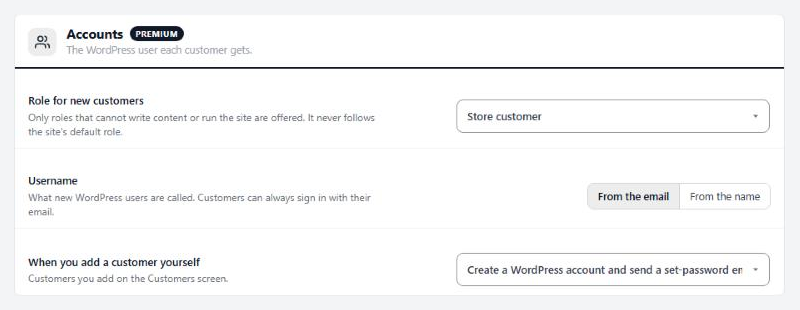
no stored settingsThree lists, saved with Save roles.
Store role gives a WordPress role. Customers with a store role, set under Customers › Role, get the WordPress role you pair it with, for membership and content plugins.
WordPress role gives store prices. Members with a WordPress role, from a membership plugin for example, get a store role’s prices. A store role you set by hand is left alone.
Buying a product gives a WordPress role. Find a product by name or SKU and pick the role. The role goes when the order is fully refunded or cancelled. For a subscription product it lasts while the subscription is active, and a daily check catches changes.
Only roles that cannot write content or run the site are given, and a role is only ever removed when this extension gave it.