Connection
The account OptimalShip prices your DHL shipments with.
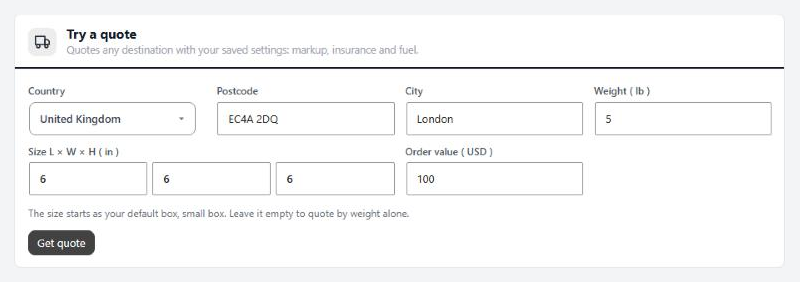
4 settingsAccount number
Your export/import number from Optimal Logistics. Letters, digits and dashes only; spaces are removed. Saving asks OptimalShip for a sample quote and warns you if the number is turned down. It still saves, so fix it before you rely on DHL.
Ships from
The country your DHL shipments leave from, and the one DHL prices from. OptimalShip reads weights in pounds from the US and Puerto Rico and in kilograms from everywhere else. WP EasyCart converts your product weights and sizes for you.
Ship-from ZIP
Shown when you ship from the US. Only needed if you ship from Florida; leave it empty otherwise.
Check the connection
Check connection asks OptimalShip for a sample quote with your saved settings: a 12×10×6 inch parcel to London, or to New York when you ship from the UK. It answers with the price, the zone and the days in transit, or with OptimalShip’s reason for turning it down. Save the account number first.
Rates at checkout
Where DHL is offered and what shoppers see. Delivery days show when Settings › Shipping shows them for live rates.
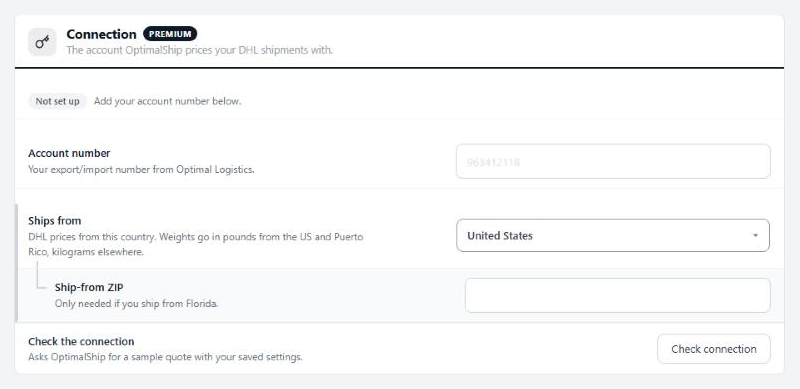
5 settingsOffer DHL at checkout
Adds a DHL choice next to your other live rates. Turn it off to hide DHL without losing your settings.
Name at checkout
What shoppers see next to the price. Leave it empty for DHL Express Worldwide.
Countries
Where DHL is offered: All international, Only these countries, or All except some. DHL is never offered inside your ship-from country.
Which countries
The countries for Only these or All except. Shown when one of those is picked.
Free DHL over
A cart subtotal at or above this ships free by DHL. OptimalShip is still asked, so a country it does not serve still gets no DHL choice. Leave it empty to always charge.
Pricing
OptimalShip adds these to the rate it returns.
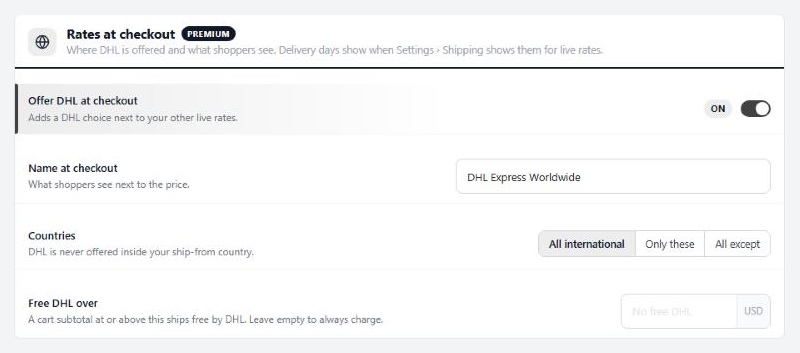
6 settingsFuel surcharge
The fuel surcharge OptimalShip adds, as a percentage: 12.5 means 12.5%. Leave it empty to use OptimalShip’s current rate.
Your markup
Your own margin on top of DHL’s price. OptimalShip adds it before the rate reaches checkout, so shoppers only ever see the total. Flat adds an amount, Percent a share.
Markup amount
The amount for a flat markup, or the percentage: 10 means 10%. With this empty, no markup is added even when Flat or Percent is picked.
Added to
What the markup is added to. Total includes fuel and fees; Base rate is DHL’s rate before them, so a percentage on it comes out smaller.
Pay duties and taxes for customers
DHL’s duties-paid service. DHL bills you the destination’s duties and taxes instead of the customer at the door, and the quote includes DHL’s fee for the service.
Neutral delivery
Leaves prices and your details off the paperwork the recipient sees. Use it when you drop-ship for another seller.
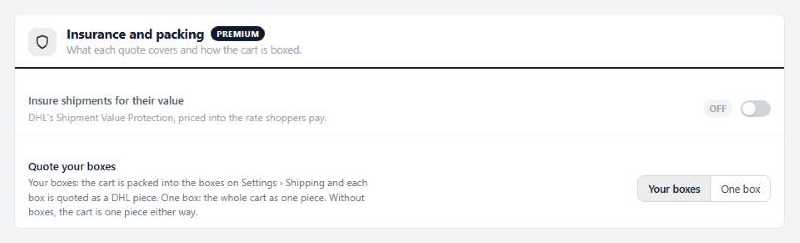
Insurance and packing
What each quote covers and how the cart is boxed.
4 settingsInsure shipments for their value
Adds DHL’s Shipment Value Protection to every quote, priced into the rate shoppers pay.
Minimum insured amount
Every shipment is insured for at least this, in whole US dollars like OptimalShip’s quotes. Leave it empty for no minimum. Stores moved over from version 1.0 start with a $300 minimum, which is what 1.0 always insured.
Share of the order value to insure
How much of the order value to insure. 100% insures the value of the items shipped; the minimum above still applies when this comes out lower.
Quote your boxes
Your boxes packs the cart into the boxes on Settings › Shipping and quotes each box as its own DHL piece. One box quotes the whole cart as one piece. Without boxes set up, the cart is one piece either way.
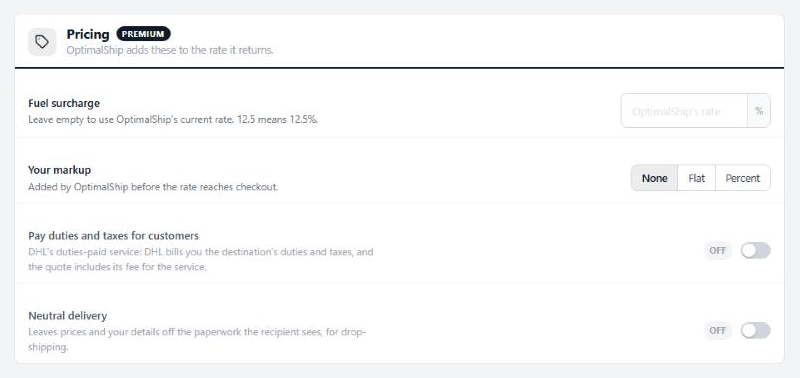
Try a quote
Quotes any destination with your saved settings: markup, insurance and fuel.
no stored settingsPick a country, enter a postcode, city, weight and size, and the order value, then press Get quote. Weight and size are in your store’s units. The size starts as your default box; leave it empty to quote by weight alone.
The answer shows the total under your checkout name, then OptimalShip’s breakdown: base rate, each fee, the chargeable weight, the country zone, days in transit and the amount insured. When the order value is over Free DHL over, it says checkout would show DHL free. The request sent is shown too, with the account number masked, which helps when you ask Optimal Logistics about a price.
It uses your saved settings, so save changes first. A country OptimalShip does not serve answers with its reason.