
Connection
How this store talks to BlueCheck
4 settingsYour BlueCheck account
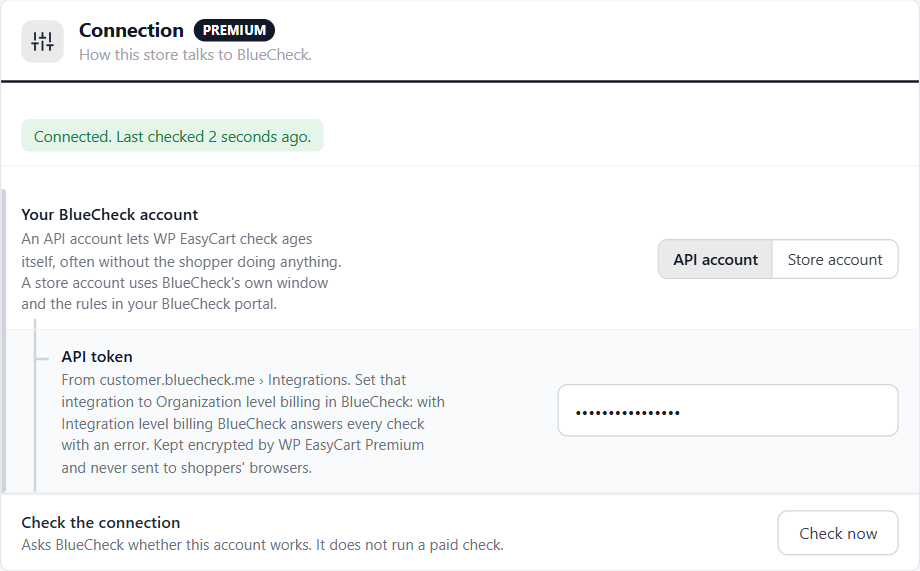
API account: WP EasyCart checks ages itself, often without the shopper doing anything. Store account: BlueCheck’s own window asks the questions, under the rules in your BlueCheck portal. Stores carried over from version 1 start on Store account.
API token
Shown for an API account. In BlueCheck, open customer.bluecheck.me › Integrations, set the integration to Organization level billing, and copy its Access Token. Paste it whole: tokens can be long, and spaces picked up while copying are dropped. WP EasyCart Premium keeps it encrypted and it never reaches shoppers’ browsers; after saving the box shows dots.
Domain token
Shown for a store account. From merchant.bluecheck.me › Installation. It is public by design: BlueCheck’s window reads it on your checkout.
Check the connection
Check now asks BlueCheck whether the account works, and tries BlueCheck’s age check with an empty request, so it finds an account that logs in but cannot check. It does not run a paid check. The status line at the top of the section then reads Connected. Last checked …, or says what is wrong: the token was turned down, the integration is paused or inactive, BlueCheck could not be reached, or BlueCheck answered with a server error.
When to check
Which orders need an age check, and the age they need
7 settingsCheck age for
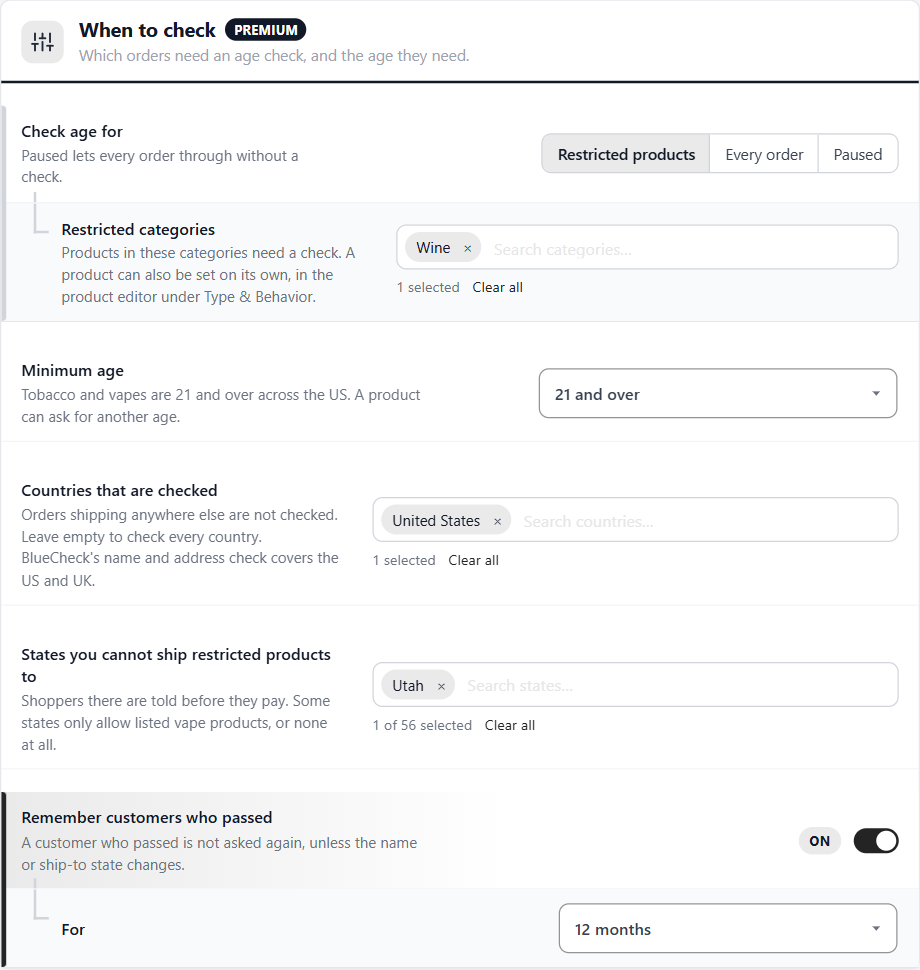
Restricted products: carts with a product from a restricted category, or one marked restricted in the product editor. Every order: every order is checked. Paused: every order goes through without a check, and the orders list’s Age check column is hidden.
Restricted categories
Shown for Restricted products. Products in these categories need a check. A product can also be set on its own in the product editor.
Minimum age
21 and over, 19 and over, or 18 and over. Tobacco and vapes are 21 and over across the US. A product can ask for another age, and a cart needs the highest age of anything in it.
Countries that are checked
Only orders shipping to these countries are checked. Leave it empty to check every country. BlueCheck’s name and address check covers the US and the UK.
States you cannot ship restricted products to
Shoppers shipping there are told before they pay, and cannot place the order until they remove the item or ship somewhere else. Some states only allow listed vape products, or none at all.
Remember customers who passed
A customer who passed is not asked again, unless their name or ship-to state changes. Only checks that ended on an order or a subscription count.
For
How long a pass lasts: 3, 6, 12 or 24 months.
Age-restricted products
The Age check card in the product editor
no stored settingsWhere it is
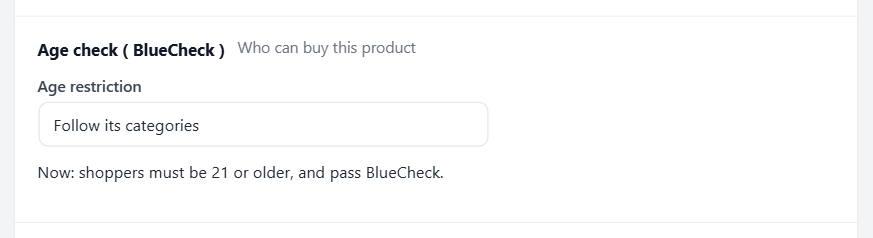
Open the product and go to its type’s own section: Purchase rules for a physical product, or the section named for its type, such as Subscription settings. The Age check ( BlueCheck ) card is at the end of it, and saves with the product’s Save button.
Age restriction
Follow its categories: restricted only when it is in a restricted category. Age-restricted ( the store’s minimum age ): always checked, at the Minimum age setting. Age-restricted: 21, 19 or 18 and over: always checked, at that age. Never age-restricted: never checked, even in a restricted category. The line under the card says what applies now: the age shoppers must be, or that anyone can buy it.
How shoppers verify
For an API account. BlueCheck bills a check when it finds the person, and a photo ID once the photos are sent.
6 settingsAsk for the date of birth
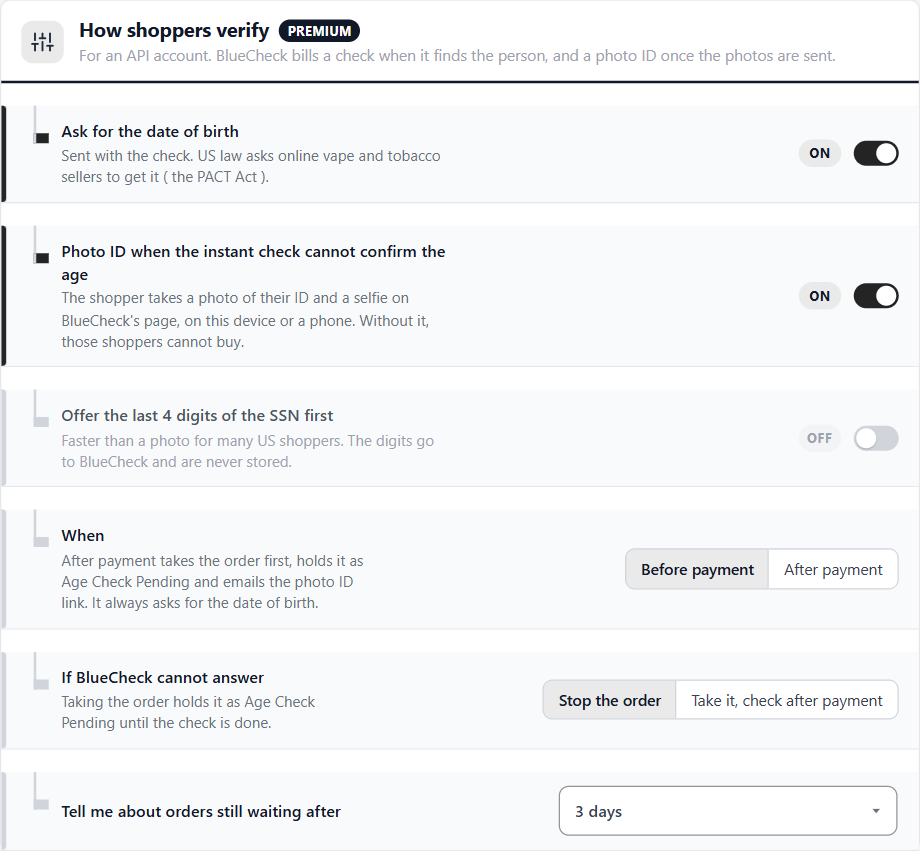
Adds the date of birth to the Your age step and sends it with the check. US law asks online vape and tobacco sellers to get it ( the PACT Act ). A shopper under the age is stopped straight away, before BlueCheck is asked.
Photo ID when the instant check cannot confirm the age
The shopper takes a photo of their ID and a selfie on BlueCheck’s page, on the same device or on a phone by scanning a code. Turned off, shoppers the instant check cannot confirm cannot buy.
Offer the last 4 digits of the SSN first
Offered before the photo, and faster for many US shoppers. The digits go to BlueCheck and are never stored.
When
Before payment: the check runs at checkout, and the order is placed only once the age is confirmed. After payment: the order is taken first, held as Age Check Pending, and checked afterwards ( see Checking after payment ). After payment always asks for the date of birth.
If BlueCheck cannot answer
Stop the order: the shopper is asked to try again in a few minutes. Take it, check after payment: the order is placed and held as Age Check Pending until it is checked.
Tell me about orders still waiting after
An email reminds you of an order still waiting for its check after 1, 3 or 7 days, so you can contact the customer, send the link again or cancel it.
The Your age step
Where shoppers meet the age check, and the date of birth
no stored settingsWhere it shows
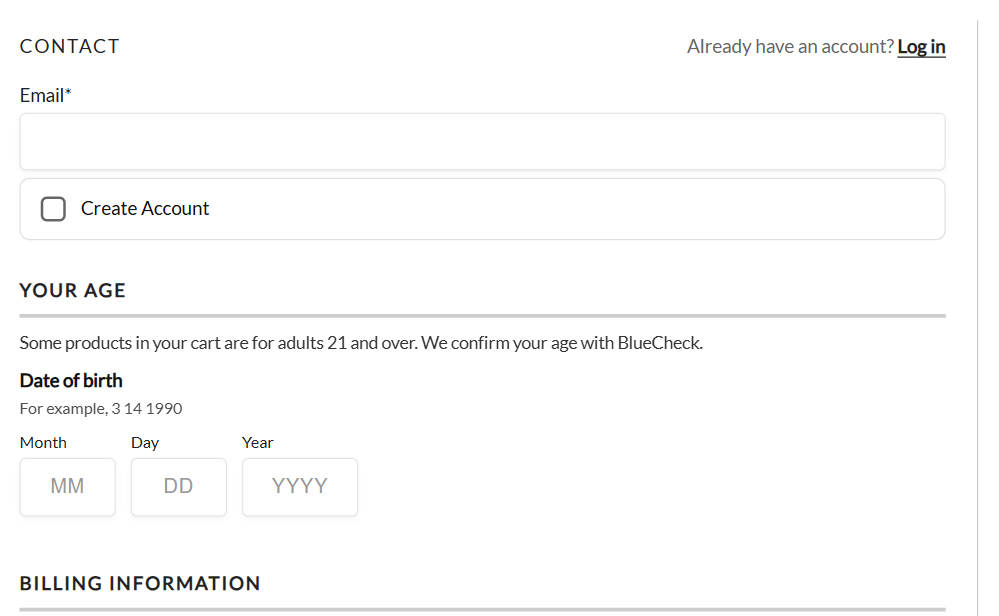
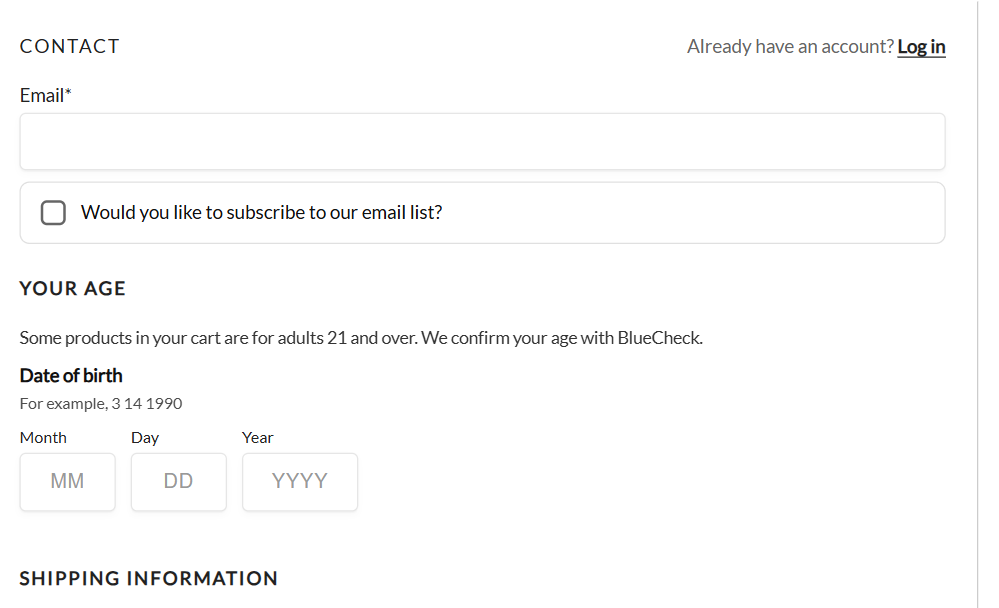
When the cart needs a check, a Your age step names the age and asks for the date of birth. On the classic checkout it sits above Billing Information, where shoppers see it first. On the one-page checkout it sits at the top, after the email. The subscription page has its own. Carts without a restricted product never show it.
The date of birth
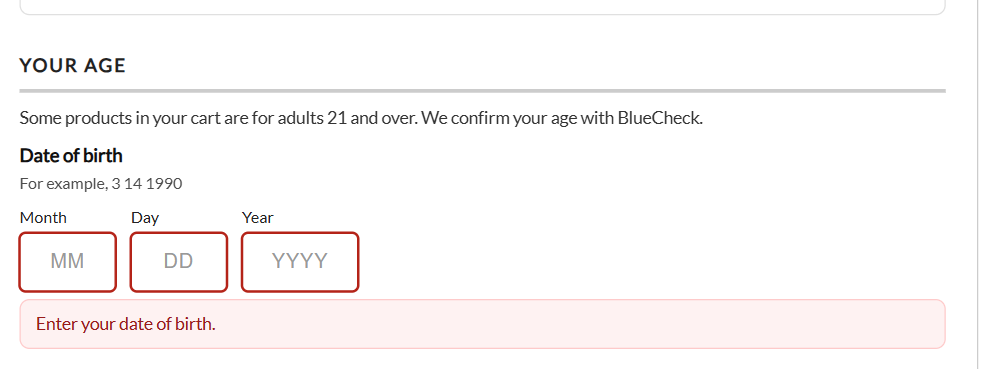
Three boxes, month, day and year, in the order your customers write dates: month first for US English, the day first for most other languages, the year first in Japanese, Chinese and Korean. Each box takes numbers only, opens the number keypad on a phone, and moves on to the next box by itself; a pasted date is split across the boxes. On the classic checkout, Continue says straight away when the date of birth is missing or is not a real date.
The instant check
With an API account, the name, address and date of birth are checked with BlueCheck when the shopper moves on: at Continue on the classic checkout, at Place order on the one-page checkout. Most shoppers are confirmed there and see Age confirmed; the order goes ahead. A shopper confirmed once is not asked again in the same visit, and with Remember customers who passed, not on later orders either.
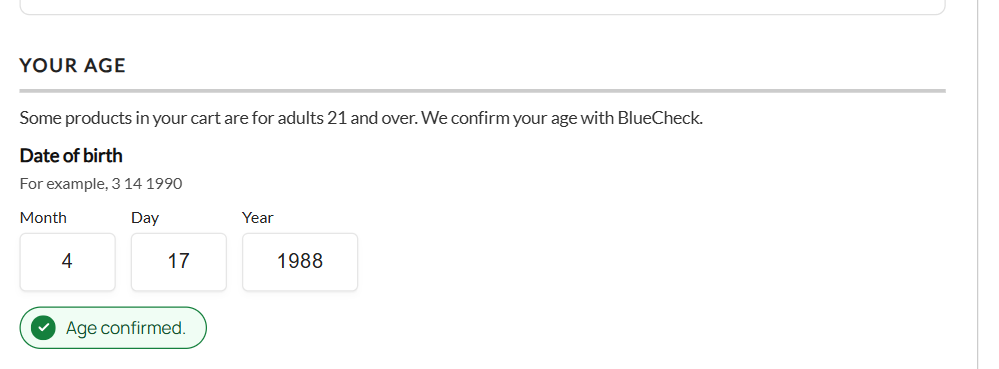
Photo ID and the last 4 of the SSN
For shoppers the instant check cannot confirm
no stored settingsWhen the instant check cannot confirm the age
The step says so and offers Verify with a photo of your ID, and, when Offer the last 4 digits of the SSN first is on, Use the last 4 digits of my Social Security number instead. The shopper stays on your checkout throughout.
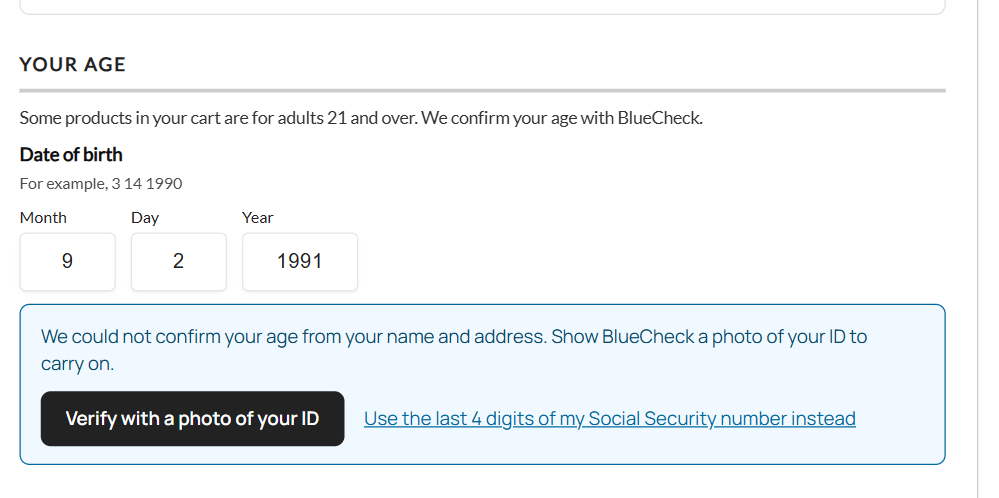
Photo ID
BlueCheck’s photo ID page opens in a new window, where the shopper takes a photo of their ID and a selfie. A code on the checkout lets them take the photos on their phone instead. The checkout waits, and carries on by itself once BlueCheck has checked the ID. If the browser blocks the window, the step says so: press the button again, or scan the code.
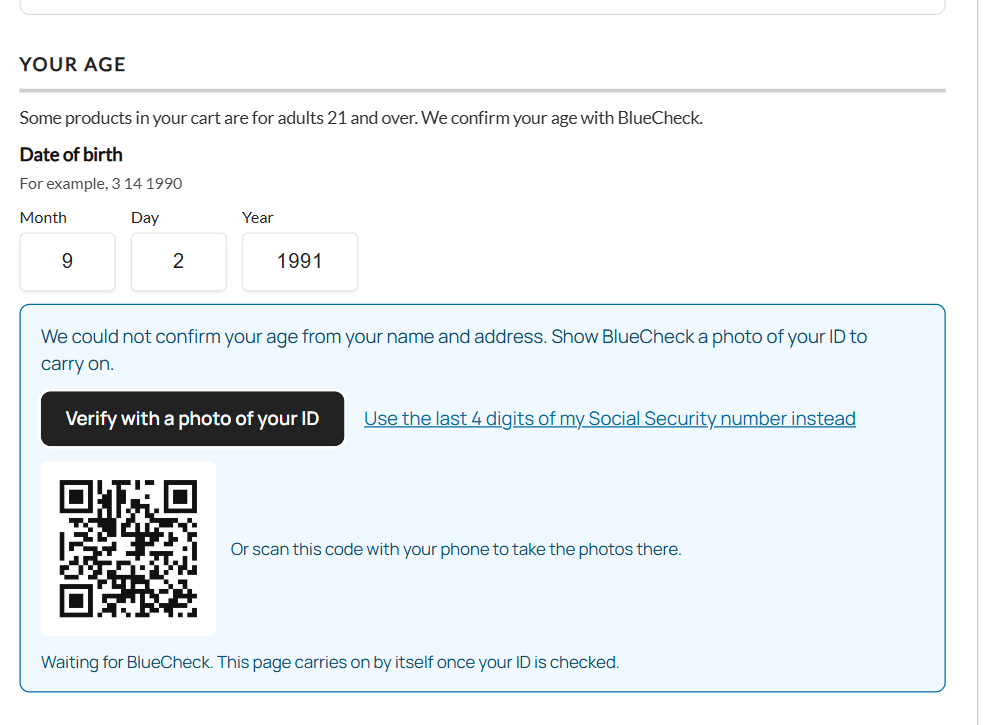
The last 4 of the SSN
The shopper types the last 4 digits and presses Check. If that does not confirm the age, the step offers the photo ID instead. The digits go to BlueCheck and are never stored by the store.
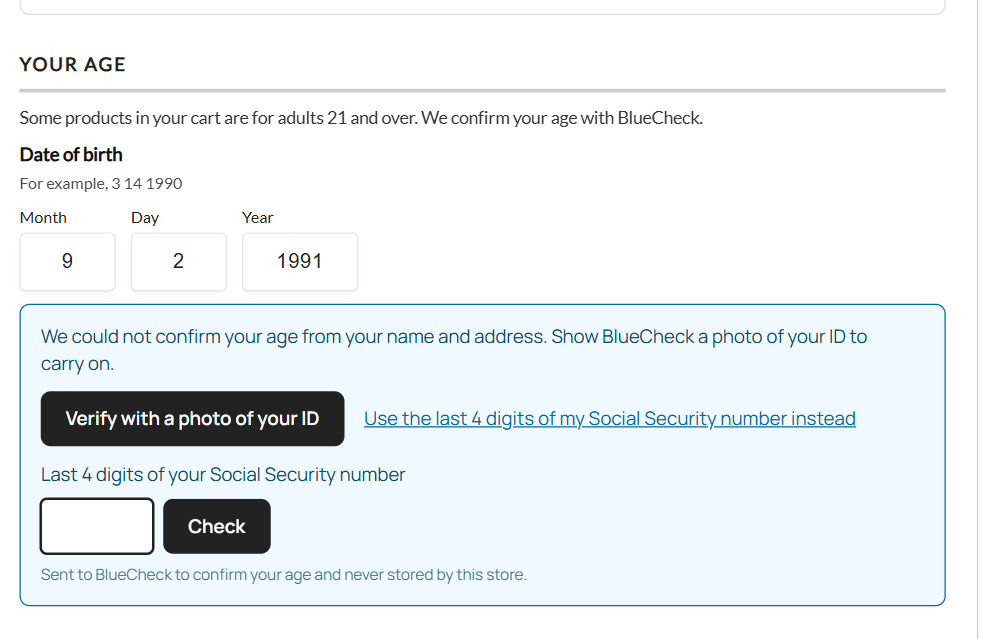
With a store account
The step shows Verify my age, which opens BlueCheck’s own window with the questions your BlueCheck portal sets. WP EasyCart confirms the answer with BlueCheck before the order is placed.
When an order cannot go ahead
What shoppers are told, and why no checkout skips the check
no stored settingsUnder age
A date of birth under the age stops the order straight away, before BlueCheck is asked: “You must be 21 or older to buy some of the products in your cart.”
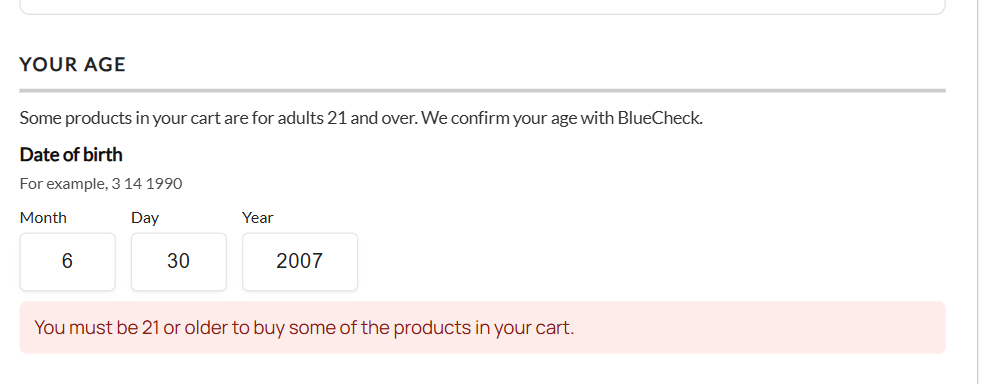
A state restricted products cannot ship to
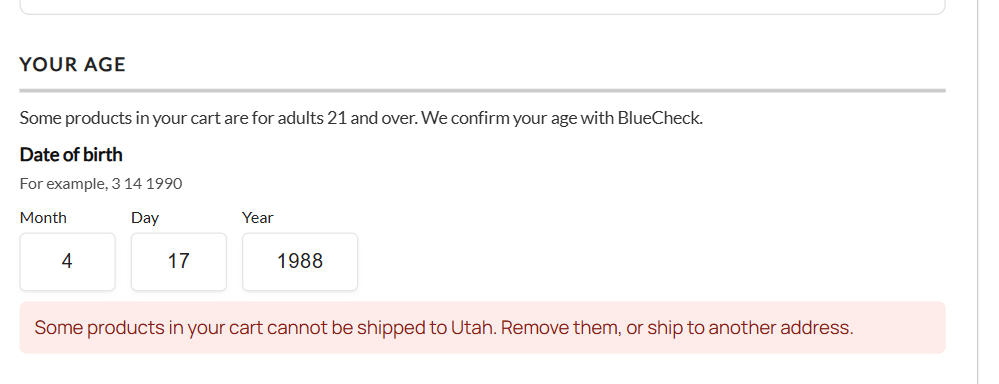
“Some products in your cart cannot be shipped to Utah. Remove them, or ship to another address.” The shopper can remove the item or change the address.
BlueCheck could not confirm the age
When the photo ID or the SSN does not confirm the age either: “BlueCheck could not confirm your age, so this order cannot be placed. Please contact us if you think this is a mistake.”
BlueCheck cannot answer
With If BlueCheck cannot answer set to Stop the order: “We cannot confirm your age right now. Please try again in a few minutes.” Set to Take it, check after payment, the order is placed and held instead.
Every checkout is covered
The check is made on the server when the order is placed, on the classic and one-page checkouts, the subscription page and PayPal Express, so no way of paying skips it. Express buttons such as Apple Pay and Google Pay stay hidden while a check is owed, and show once it passes.
Checking after payment
Take the order first, check the age before it ships
no stored settingsHow it works
With When set to After payment, or when BlueCheck could not answer and the store takes those orders:
- The order is placed and paid. The instant check runs on the order’s name, address and date of birth; a pass ends it there.
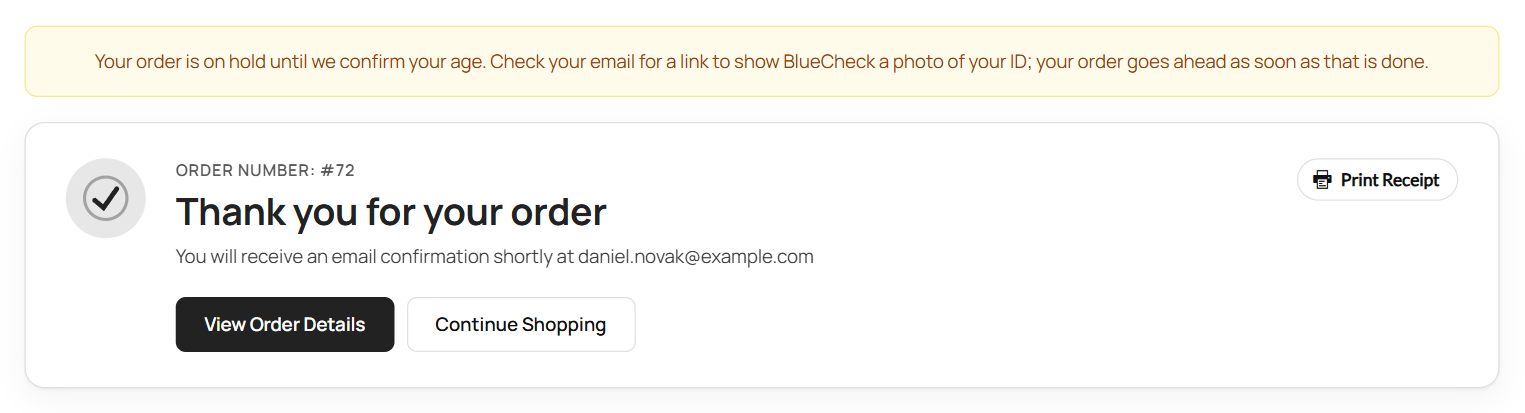
- Otherwise the order moves to Age Check Pending, a status that does not count as paid, so the order is not shipped. The confirmation page tells the customer, and BlueCheck makes a photo ID page for the order.
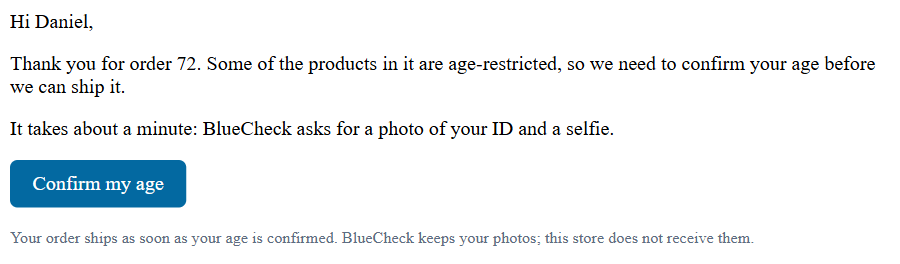
- The customer is emailed a Confirm my age link, with reminders after 1 and 3 days.
- When the check passes, the order goes back to the status it had, and everything that follows a paid order ( emails, stock, fulfillment ) carries on.
- If BlueCheck cannot confirm the age, you get an email to refund or cancel the order, or approve it by hand. If the customer has not finished after the days you chose, you get a reminder.
Age checks on the order screen
What each order shows, and how to settle one that is waiting
no stored settingsAn order waiting for its check
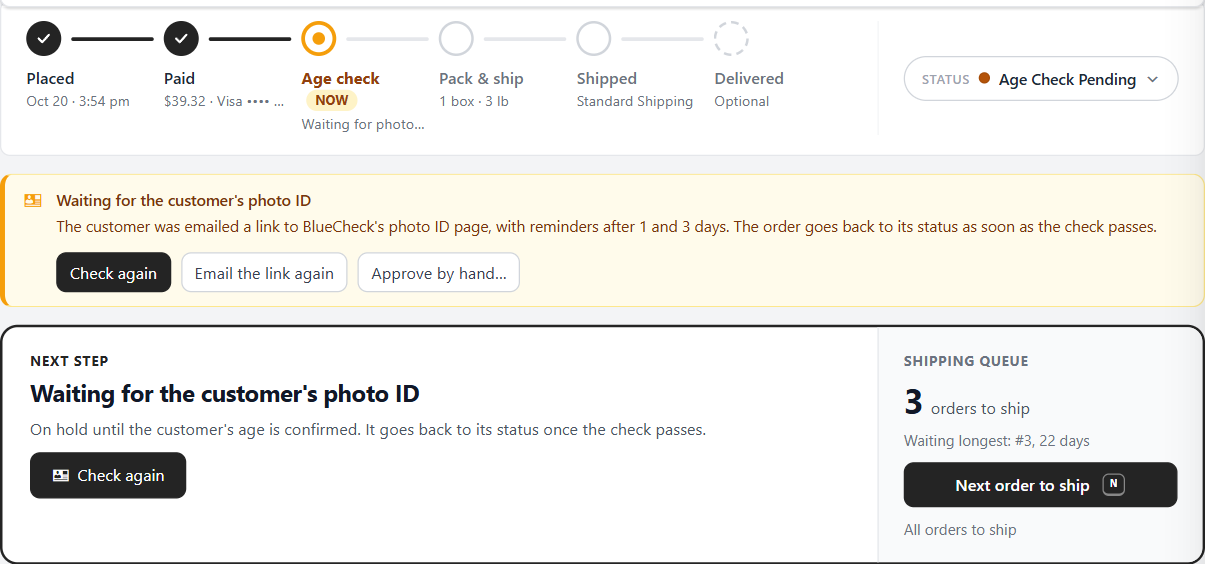
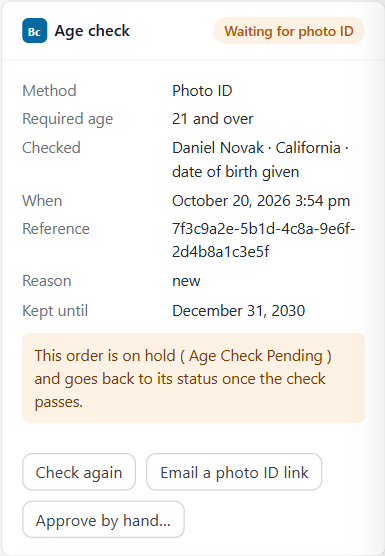
An order held as Age Check Pending leads the order screen. Its steps show Age check as the step now, a flag above them says what the order is waiting for, and the next step is to settle the check, not to ship. Every way to settle it is right there:
- Check again: runs the instant check again, or fetches the result of a photo ID ( API account ).
- Email the link again ( Email a photo ID link when none was sent ): emails the customer BlueCheck’s photo ID page. It needs the date of birth they gave.
- Approve by hand…: for when you confirmed the age another way, such as seeing an ID when the order was collected. You are asked why; the reason is kept on the order and in its history.
When BlueCheck could not confirm the age
The flag turns red: Age not confirmed. Refund or cancel the order, or approve it by hand if you confirmed the age another way.

The Age check card
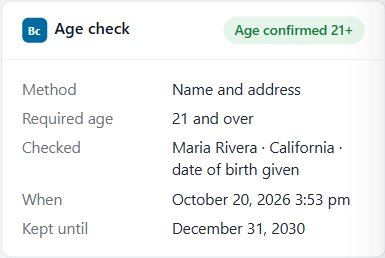
Every order with a check, or with an age-restricted product, has an Age check card: the result, how the age was checked, the age required, who was checked ( name, state and whether a date of birth was given ), when, BlueCheck’s reference, and how long the record is kept. The order’s header shows the result as a chip, such as Age confirmed 21+, and each check is in the order’s history.
The orders list
Every order’s age check at a glance
no stored settingsThe Age check column
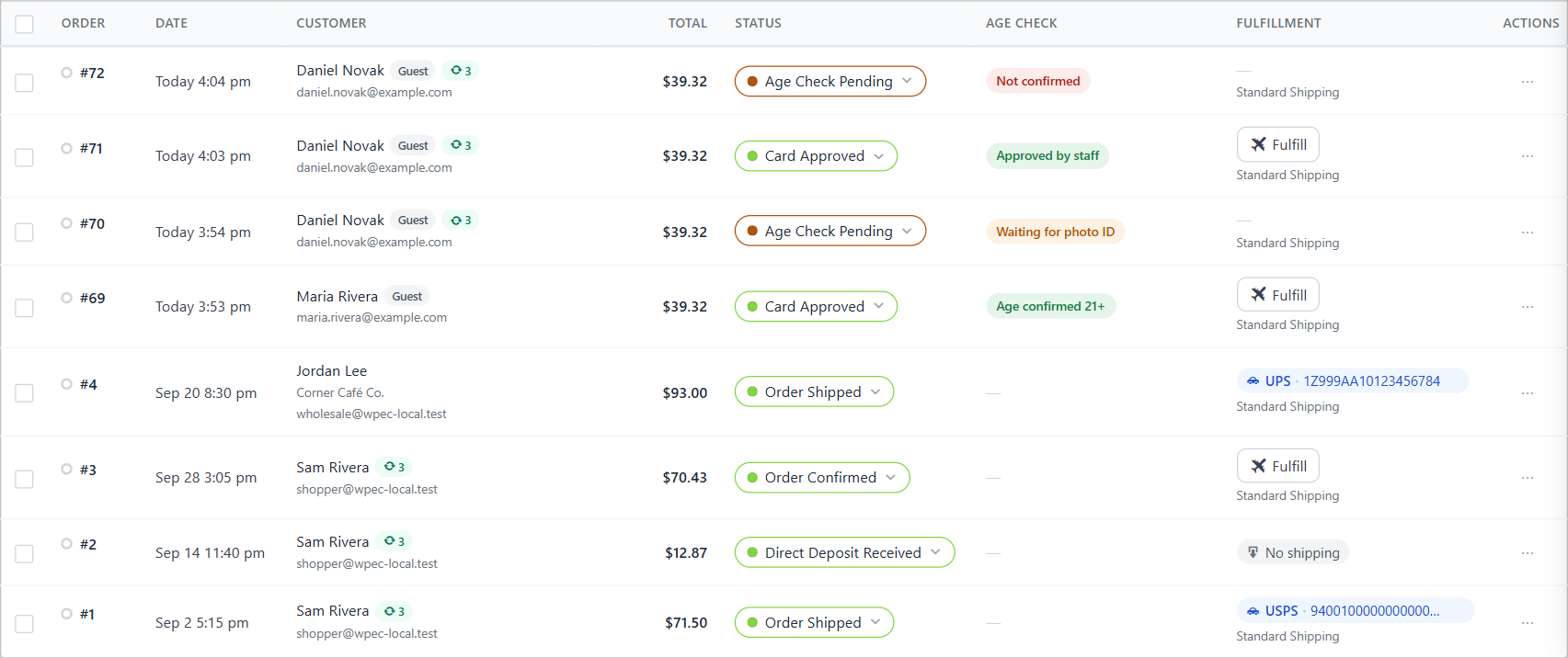
Each order shows Age confirmed 21+, Approved by staff, Waiting for photo ID, Not confirmed, or a dash for orders without a check. The column shows when the screen is wider than 1280 pixels; on a smaller screen it makes room for the others, and the order itself shows the check.
The Age check filter
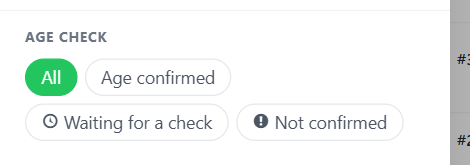
In the orders list’s Filters, Age check shows only orders that are Age confirmed, Waiting for a check or Not confirmed. The orders export includes each order’s age check too.
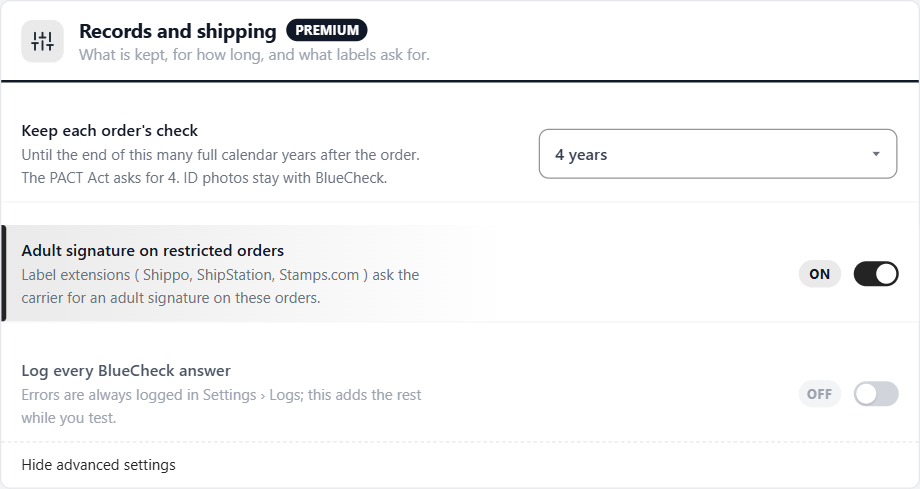
Records and shipping
What is kept, for how long, and what labels ask for
3 settingsKeep each order’s check
Until the end of this many full calendar years after the order: 1, 2, 3, 4, 5 or 7. The PACT Act asks for 4. ID photos stay with BlueCheck; the store never receives them.
Adult signature on restricted orders
Label extensions ( Shippo, ShipStation, Stamps.com ) ask the carrier for an adult signature on orders with an age check or an age-restricted product.
Log every BlueCheck answer
Errors are always logged in Settings › Logs, with BlueCheck’s own details. This adds every other answer while you test. Turn it off afterwards.
Personal data
Age checks are included in WordPress’s Tools › Export Personal Data. Tools › Erase Personal Data removes the date of birth at once and keeps the rest of an order’s record until its retention ends. Removing the extension keeps the records, since they are legal records.
BlueCheck comes with WP EasyCart Premium
Premium includes every WP EasyCart extension: BlueCheck, ShipStation, Stamps.com, Shippo, QuickBooks, AvaTax and more, with updates and priority support.
