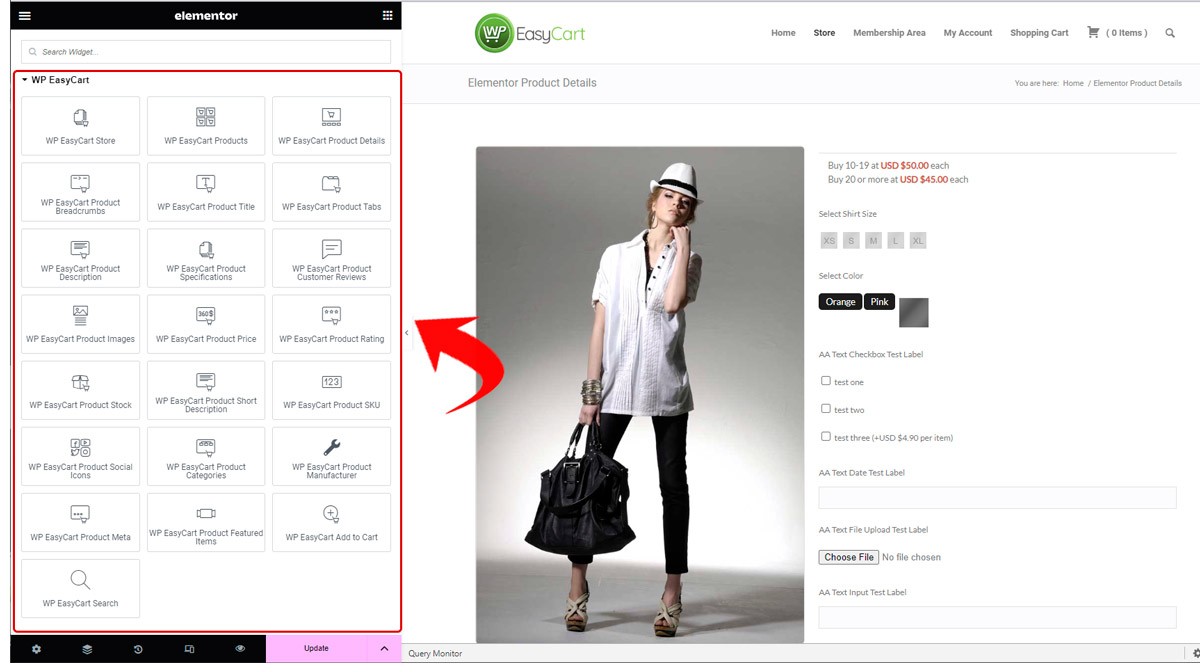
Adding new elements with EasyCart is easy. Our Elementor EasyCart elements drop onto any page and unlock a host of awesome features found in the Elementor designer — drag, configure, done.
Find the WP EasyCart Group
Just look in the left Elementor toolbar for the WP EasyCart group. We’re continually adding new additions to this area as it expands and becomes a useful tool for EasyCart users.
Elementor — WP EasyCart Module Group
Configure Elementor Options
Once you add the element, you have access to the sidebar tools and design features. Create sliders or product grids, change columns, and adjust image designs — all from inside Elementor. In the example below, we use the WP EasyCart Products element, which contains many options to help you style how you need.
Elementor — WP EasyCart Products Element Options
Drag. Drop. Design Your Store.
The WP EasyCart element group keeps growing — and every module styles right from the Elementor sidebar. Questions about an element? We’re here to help.