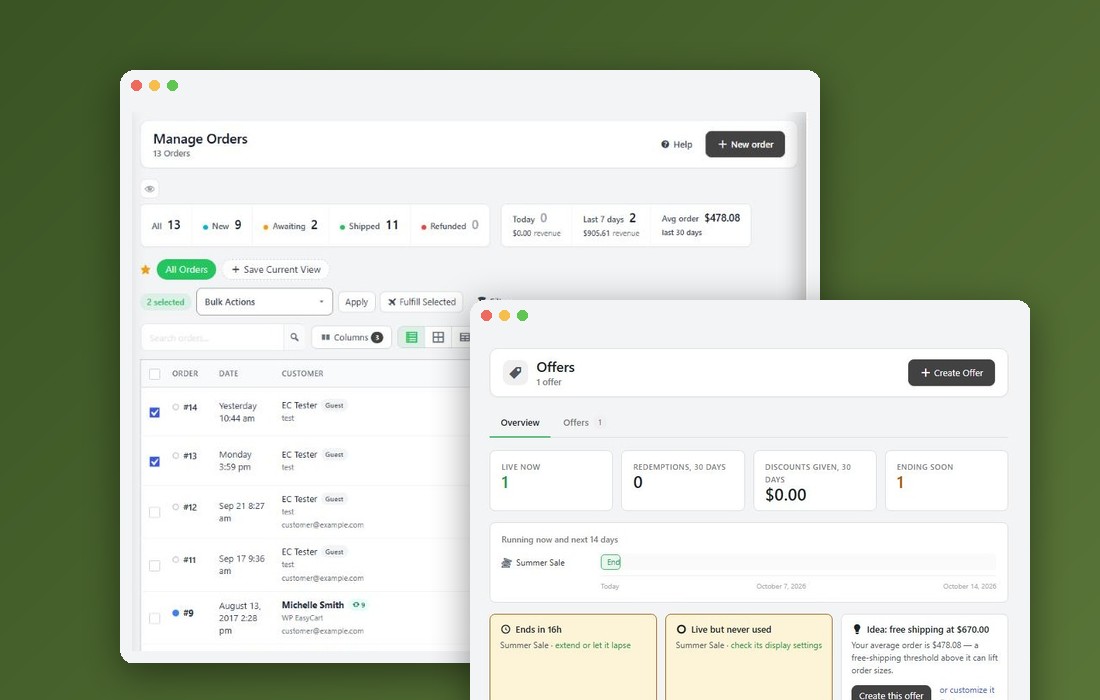
Extensions › API
WP EasyCart API Extension
A REST API and signed webhooks, so your warehouse, ERP, marketplace or own scripts can read and update your store and hear about changes as they happen. 9 parts.
Quick links
Where to find it:WP Admin › EasyCart › Extensions › API
Getting started
Connect a system
What you need, where the API is, and what it covers.
Before you start
What the API is for, and what it needs
no stored settingsWP EasyCart API lets other systems work with your store: a warehouse, an ERP, a marketplace, an accounting app, a dashboard or your own scripts. They read and update the store through a REST API, and your store tells them about changes as they happen through webhooks.
What you need. A Premium license, with WP EasyCart API installed from EasyCart › Extensions, which also installs WP EasyCart Premium. It needs WP EasyCart 6.0.7, WP EasyCart PRO 6.0.7 and WP EasyCart Premium 1.2.4 or newer, and your site on HTTPS.
Where to find it. EasyCart › Extensions › API. Only an administrator can see and manage its keys, webhooks and activity.
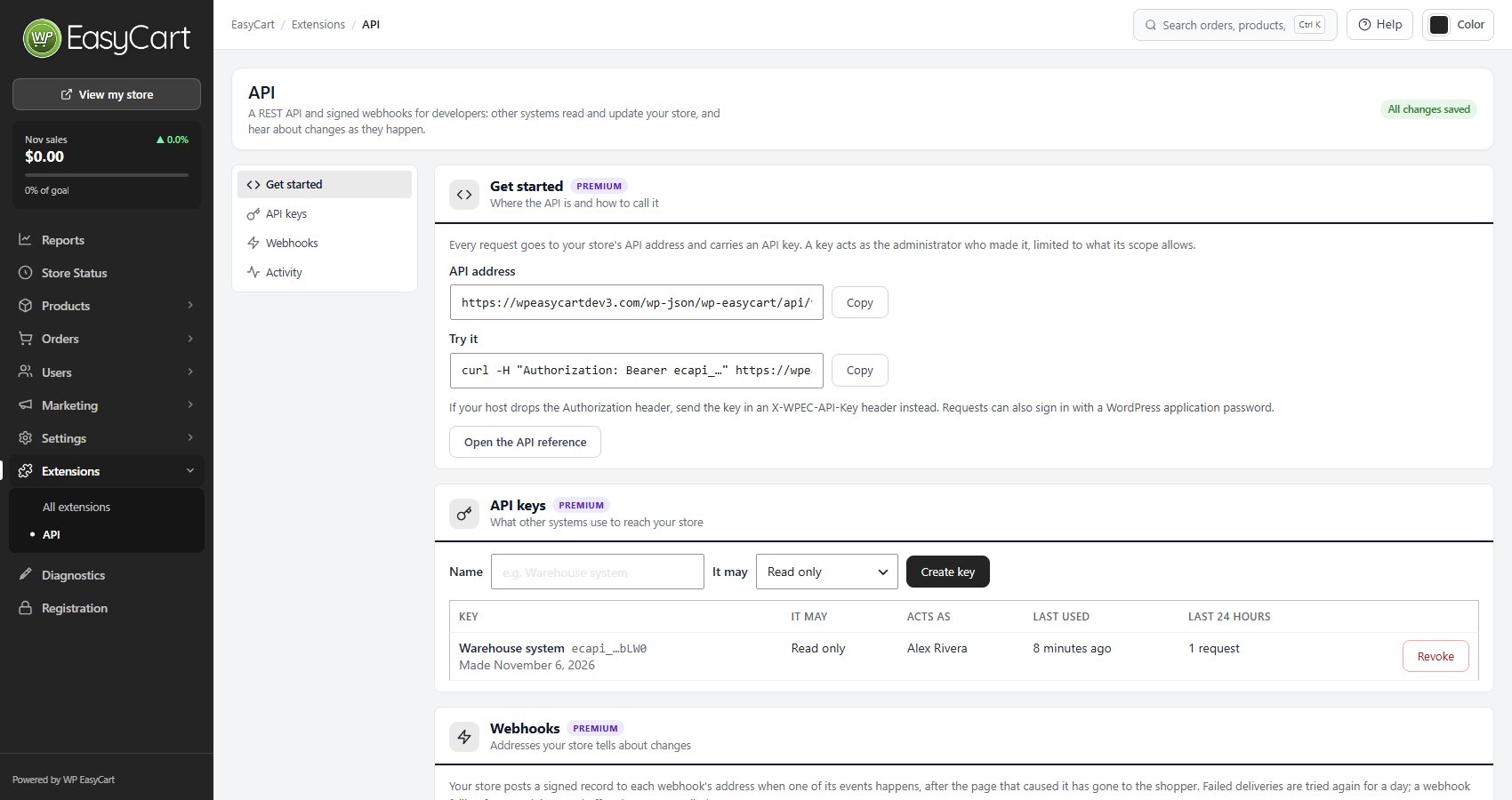
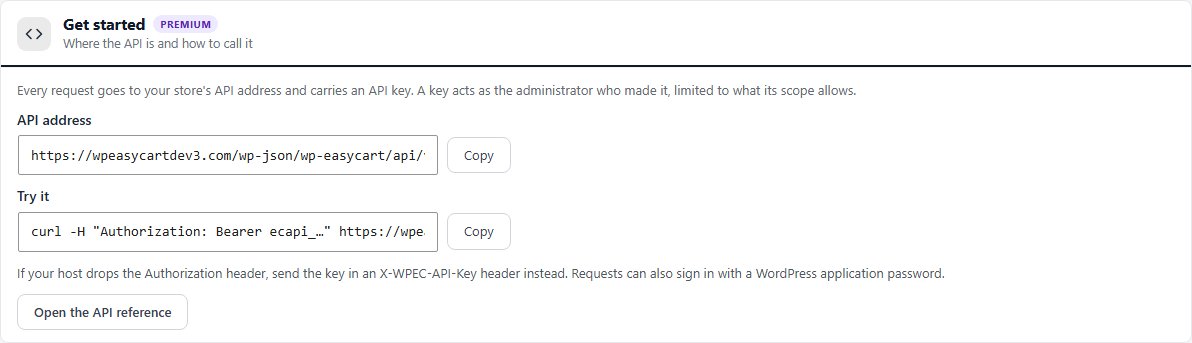
Get started
Where the API is and how to call it
no stored settingsThe API address box shows your store’s address, ending in /wp-json/wp-easycart/api/v1/. Every request goes there and carries an API key. Try it gives a ready-made test call that reads your store:curl -H "Authorization: Bearer ecapi_…" https://your-store.com/wp-json/wp-easycart/api/v1/store
If your host drops the Authorization header, send the key in an X-WPEC-API-Key header instead. A request can also sign in with a WordPress application password; it then runs as that user, with that user’s permissions. A store that is not on HTTPS gets a warning here, because keys would travel unencrypted.
Your site needs pretty permalinks ( WordPress Settings › Permalinks ). Without them, call https://your-store.com/?rest_route=/wp-easycart/api/v1/store instead.
The API reference
Every route, field and event, at developer.wpeasycart.com
no stored settingsThe full reference lives at developer.wpeasycart.com: every route with its fields and examples, grouped as Store, Orders, Catalog, Customers, Subscriptions, Marketing, Shipping, Reports and Webhooks.
Try it on your store. Enter your store address and an API key once at the top of the reference, and every Try It panel on the page calls your own store. Requests go from your browser straight to your store, and the key is never stored: leaving or refreshing the page forgets it. Use a read only key unless you mean to change the store.
Start with these guides:
Authentication: keys, scopes, application passwords, 401 and 403.
Requests and answers: bodies, lists and paging, errors, and keeping two systems in step.
Rate limits: the limit per key and how to back off.
Webhooks: what is delivered, signatures, retries and testing.
Changelog: what changed in each version of the API.
What the API covers
The parts of your store other systems can reach
no stored settingsA read only key can read everything below. A read and write key can also make the changes listed.
| Area | What other systems can do |
|---|---|
| Orders | List and read orders; price and make orders ( Draft, Awaiting Payment, or paid with the payment recorded ); correct addresses and notes; replace an unpaid order’s lines; move statuses; add shipments and tracking; record payments; send the order’s emails and its pay link. |
| Catalog | Products of every kind with their pictures, variations, option sets and modifiers, categories and manufacturers. Stock changed one product at a time or 100 at once, and its history. |
| Customers | Customers, customer roles and the newsletter list. |
| Subscriptions | Read subscriptions and their plans, cancel or resume, preview and make plan changes. |
| Marketing | Offers and their codes, gift cards, reviews ( add and delete ). Classic coupons and promotions are read only. |
| Shipping, tax and places | Shipping zones, rates and boxes, a shipping quote, tax rates and VAT by country, countries and regions, fees. |
| Reports | The figures of the Reports tabs, for any date range. |
Orders are never deleted, refunded or charged through the API. Refunds and charges stay with you in the order screen and your payment gateway.
Access
Keys and webhooks
Keys other systems call with, and the addresses your store tells about changes.
API keys
What other systems use to reach your store
no stored settingsGive the key a Name ( for example Warehouse system ), choose what It may do, Read only or Read and write, and press Create key. Your new key starts with ecapi_. Copy it now: it is not shown again. Anyone with the key can do what its scope allows in your store, so keep it private.
A key acts as the administrator who made it, limited to its scope. The list shows each key, what it may do, who it acts as, when it was made, when it was last used and its requests in the last 24 hours. If that admin can no longer manage the store, the key stops and says so.
Make one key for each system that uses your store, so you can Revoke one without stopping the others. Revoking is immediate: the system using the key stops at once, and webhooks it made through the API are deleted with it. A store can have up to 50 keys, and each key can make up to 120 requests a minute.

⚠️ Careful: Treat a read and write key like an admin password. Store it in the other system’s secret settings, never in a web page or a public repository, and revoke it the moment you stop using it.
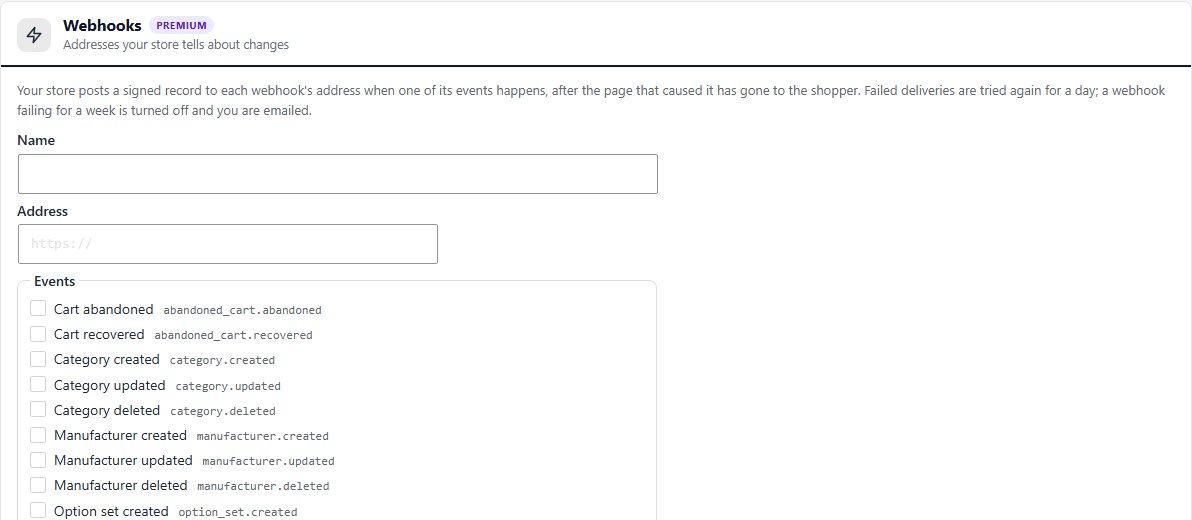
Webhooks
Addresses your store tells about changes
no stored settingsA webhook is an address your store posts a signed record to when one of its events happens. Add a Name, the Address ( https ), tick the Events it should hear about, and press Add webhook. Copy the webhook’s signing secret now: it is not shown again.
The events. 52 of them, such as order.created, order.paid, order.shipped, order.refunded, product.stock_changed, customer.created, subscription.canceled, abandoned_cart.abandoned and withdrawal.received. The API reference lists every event and its record.
Delivery. Each record is sent after the shopper’s page has gone, so webhooks never slow your checkout. A failed delivery is tried again after 1 minute, 10 minutes, 1 hour, 6 hours and 24 hours. A webhook is Turned off when its address answers that it is gone, or when every delivery failed for a week, and you are emailed.
Each webhook in the list shows its status ( Active, Paused or Turned off ) and its last delivery, with buttons to Send a test, Pause or Turn on, make a new secret, and delete it. A store can have up to 50 webhooks.
💡 Note: Check every delivery’s signature before you act on it. The next section shows how.
Check a webhook’s signature
Prove a delivery came from your store
no stored settingsEvery delivery carries an X-WPEC-Signature: t=<time>,v1=<signature> header, made with the webhook’s own secret. On the receiving end:
1. Work out the HMAC-SHA256 of <time>.<body> with the secret.
2. Compare it with the signature in the header.
3. Refuse deliveries whose time is more than five minutes old.
Making a new secret stops the old one at once, so update the receiving end straight after. Verifying the signature in the API reference has the details.
Keeping watch
Activity and license
What was called, and what happens if Premium lapses.
Activity
The newest requests to the API
no stored settingsThe list shows when each request came in, what was called, by which key ( or signed-in user ), how the store answered and how long it took. Requests with a key the store did not accept show too. The store keeps what each request was, never what it carried, for 30 days.

If your Premium license lapses
What keeps working
no stored settingsMaking new keys and webhooks needs a current Premium license. Keys and webhooks you already made keep working while it lapses, and the page says so: renew Premium to make new ones.
Privacy. WP EasyCart API sends store records ( orders, customers and the like, as the events you choose say ) only to the webhook addresses you add. It calls no other service.
Keep going
Related panels
How to install WP EasyCart API from EasyCart › Extensions.
Gateway and webhook responses for troubleshooting.
Ready to run your store on WP EasyCart?
Everything in this guide works with the free plugin. PRO and Premium add subscriptions, memberships, wholesale pricing and more. Try every PRO feature free for 14 days.