Installation Guide › Steps to Install

Installing EasyCart PRO

Start the free PRO trial, install PRO for a license you bought, and add WP EasyCart Premium for the extensions. 8 parts.

Quick links

Where to find it:WP Admin › WP EasyCart › Registration

Before you start

How PRO fits in

Two plugins and a key, and who can install them.

How PRO is installed

One extra plugin, unlocked by a license key

The 14-day trial, Pro and Premium all run on the same two plugins: WP EasyCart, the free plugin you already have, and WP EasyCart PRO. Your license key decides what PRO unlocks. There is never a need to uninstall or reinstall when you move from a trial to Pro, or from Pro to Premium.

Keep both plugins installed and active. PRO extends the free plugin; it does not replace it. Your products, orders and settings carry over at every step.

Premium adds one more plugin, WP EasyCart Premium, which installs and updates the extensions. That comes last, in Step 4.

You need an administrator login, because installing and activating plugins is an administrator’s job in WordPress.
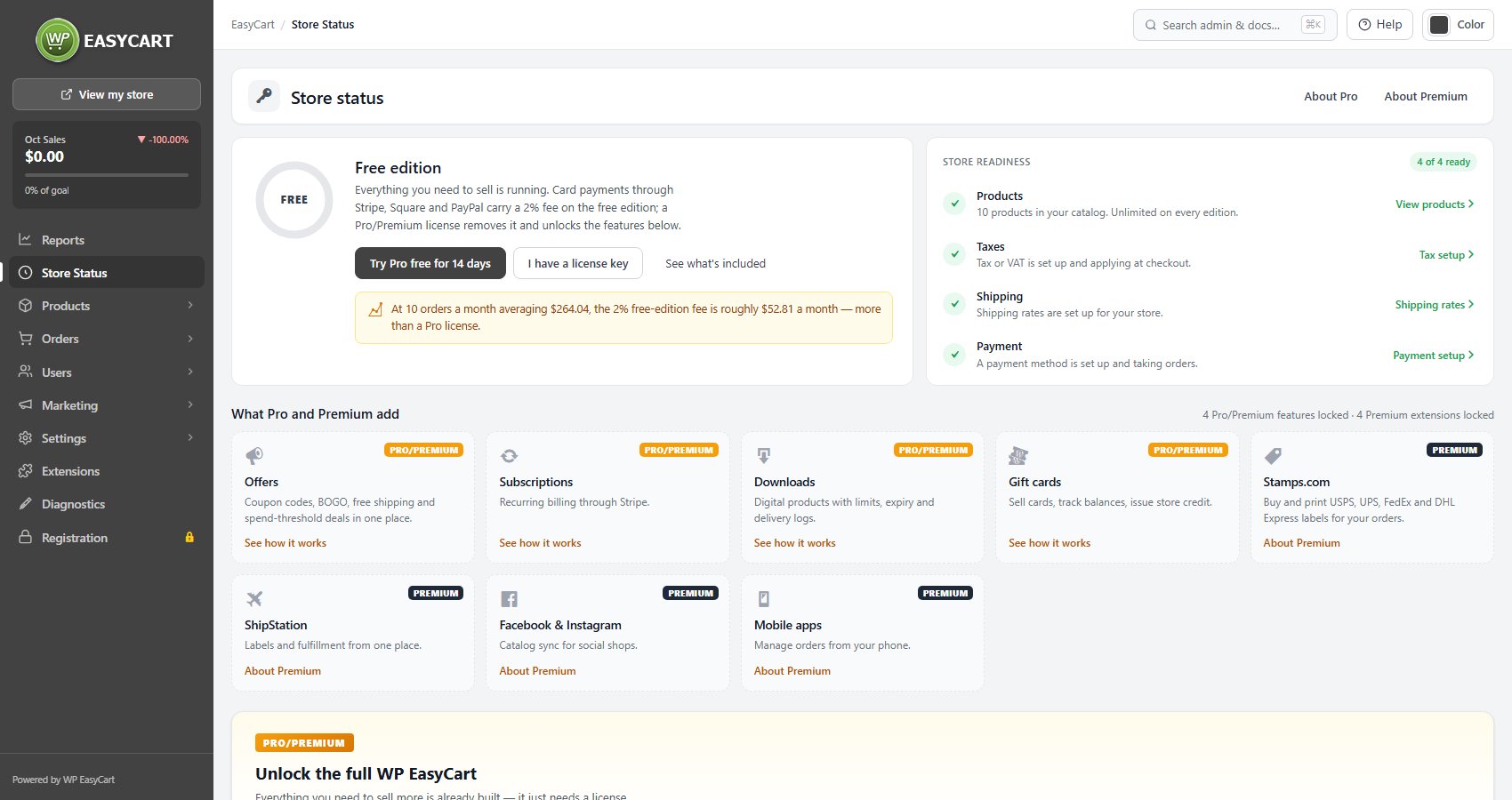
Store Status on the free edition: the Free badge, Try Pro free for 14 days and I have a license key.

⚠️ Careful: Do not uninstall the free WP EasyCart plugin. WP EasyCart PRO needs it, and both must stay installed and active.

Install it

Trial, license or manual

Start the trial, install PRO for a license you bought, or upload it yourself, then check it worked.

Step 1. Start the free trial

One click installs PRO and starts 14 days of every Pro feature

Open WP EasyCart › Registration and press Start free trial under Try Pro free for 14 days. The same trial starts from Try Pro free for 14 days on Store Status and from the trial cards in the setup wizard.

WP EasyCart then does the work in two quick steps: it downloads, installs and activates WP EasyCart PRO, then creates your trial key and activates it. You land back on Registration with every Pro feature unlocked.

No credit card. The trial uses the name and email on your WordPress account. It is one trial per site. When it ends, the Pro panels lock again and nothing is lost.

Some hosts ask for FTP or SSH details before WordPress can install a plugin. If yours does, a page called Install WP EasyCart PRO asks for them first. WordPress uses them on this site only.
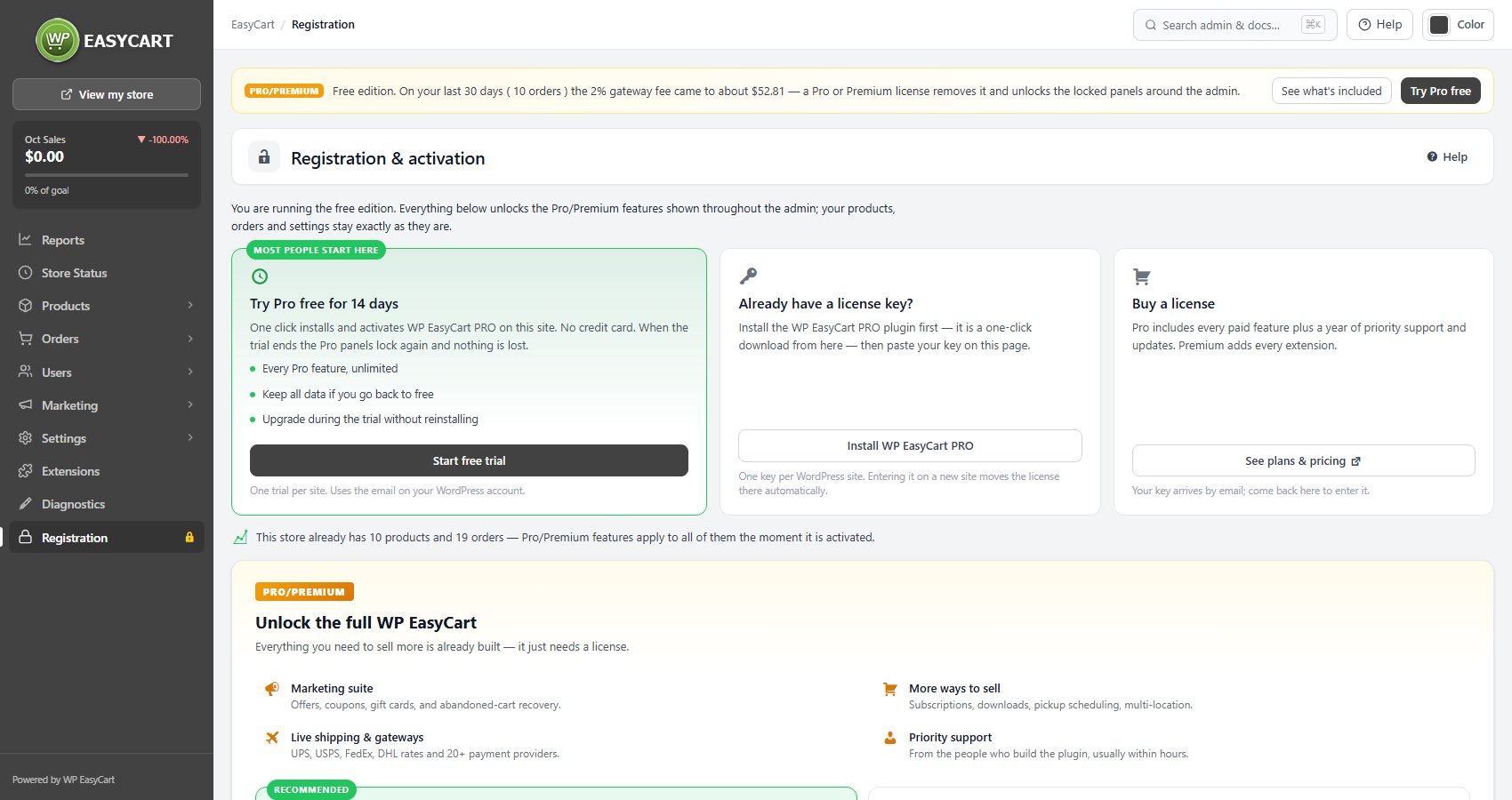
WP EasyCart › Registration before PRO is installed: Try Pro free for 14 days, Already have a license key? and Buy a license.

Step 2. Or install PRO for a license you bought

Install WP EasyCart PRO, then enter your key

Bought Pro or Premium? Your key arrives by email. Open WP EasyCart › Registration and find Already have a license key?.

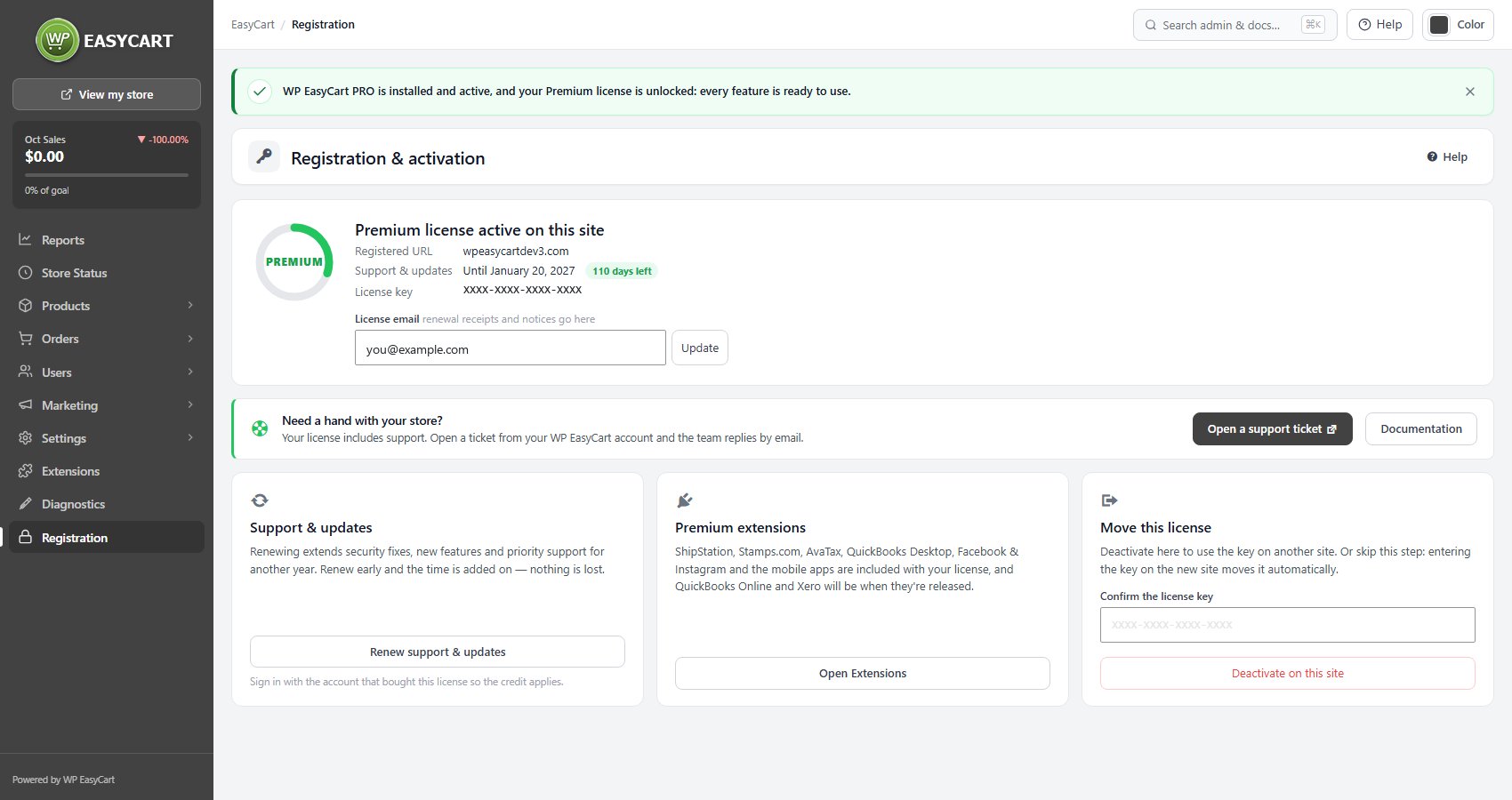
PRO not installed yet: press Install WP EasyCart PRO. It is a one-click download from there. When it finishes, Registration says WP EasyCart PRO is installed and active, and asks for your key.
PRO installed but switched off: press Activate WP EasyCart PRO.
PRO already active: paste your key in the license form on the same page.

Entering the key is covered in the license registration guide. One key covers one WordPress site, and entering it on a new site moves the license there.
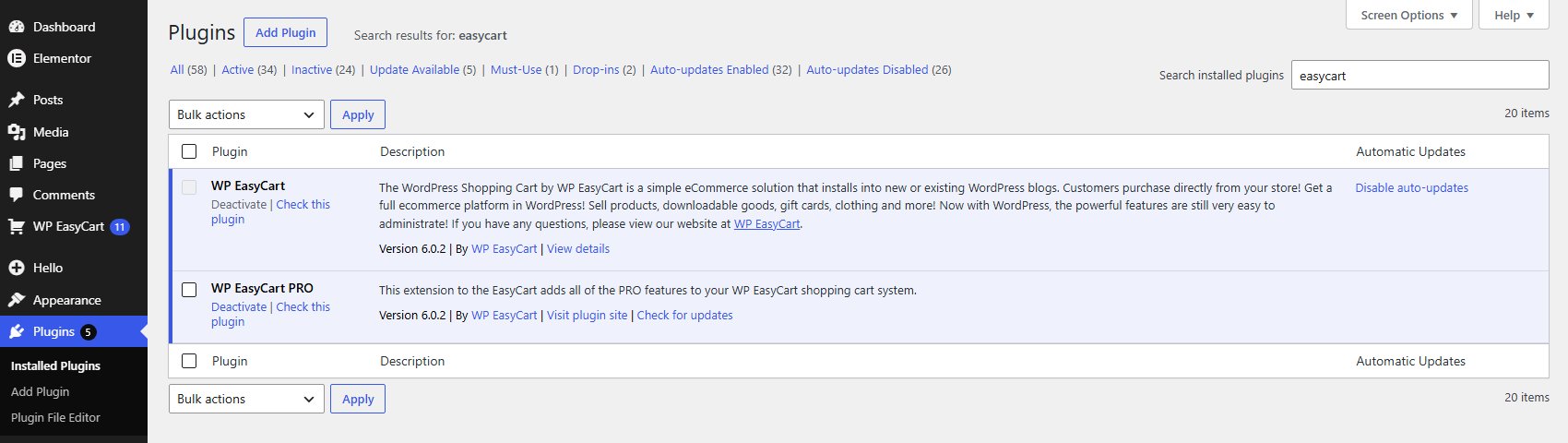
Plugins with WP EasyCart and WP EasyCart PRO, both active.
Right after Install WP EasyCart PRO on a site with a license: PRO is installed and active and the license is unlocked.

💡 Note: Every license state, from trial to expired, is explained in Registration.

Step 3. If the one-click install does not finish

Download WP EasyCart PRO and upload it yourself

If the download or install fails, Registration shows a notice with a way forward: Try again, Download WP EasyCart PRO, Upload a plugin and Manual install steps. To install it by hand:

1. Press Download WP EasyCart PRO. You get a .zip file. Do not unzip it.
2. Open Plugins › Add Plugin, press Upload Plugin, choose the file and press Install Now.
3. Press Activate Plugin.
4. Go back to WP EasyCart › Registration and start the trial or enter your key.

If your site does not allow plugins to be installed from the dashboard at all, add the unzipped wp-easycart-pro folder to wp-content/plugins/ the way your site is deployed, for example over SFTP, then activate it on the Plugins screen. The upload steps, with pictures, are in Installing the EasyCart Plugin.

Check it worked

Store Status shows what your store now has

Open WP EasyCart › Store Status. The panel at the top names your license:

Trial: the days left on your Pro trial, with Upgrade now.
Pro or Premium: license active, with the days of support and updates remaining.
Free edition: nothing is unlocked yet. Try Pro free for 14 days and I have a license key take you back to the steps above.

Below it, Your features turns the Pro tiles, such as Offers, Subscriptions, Downloads and Gift cards, into links to the working screens.
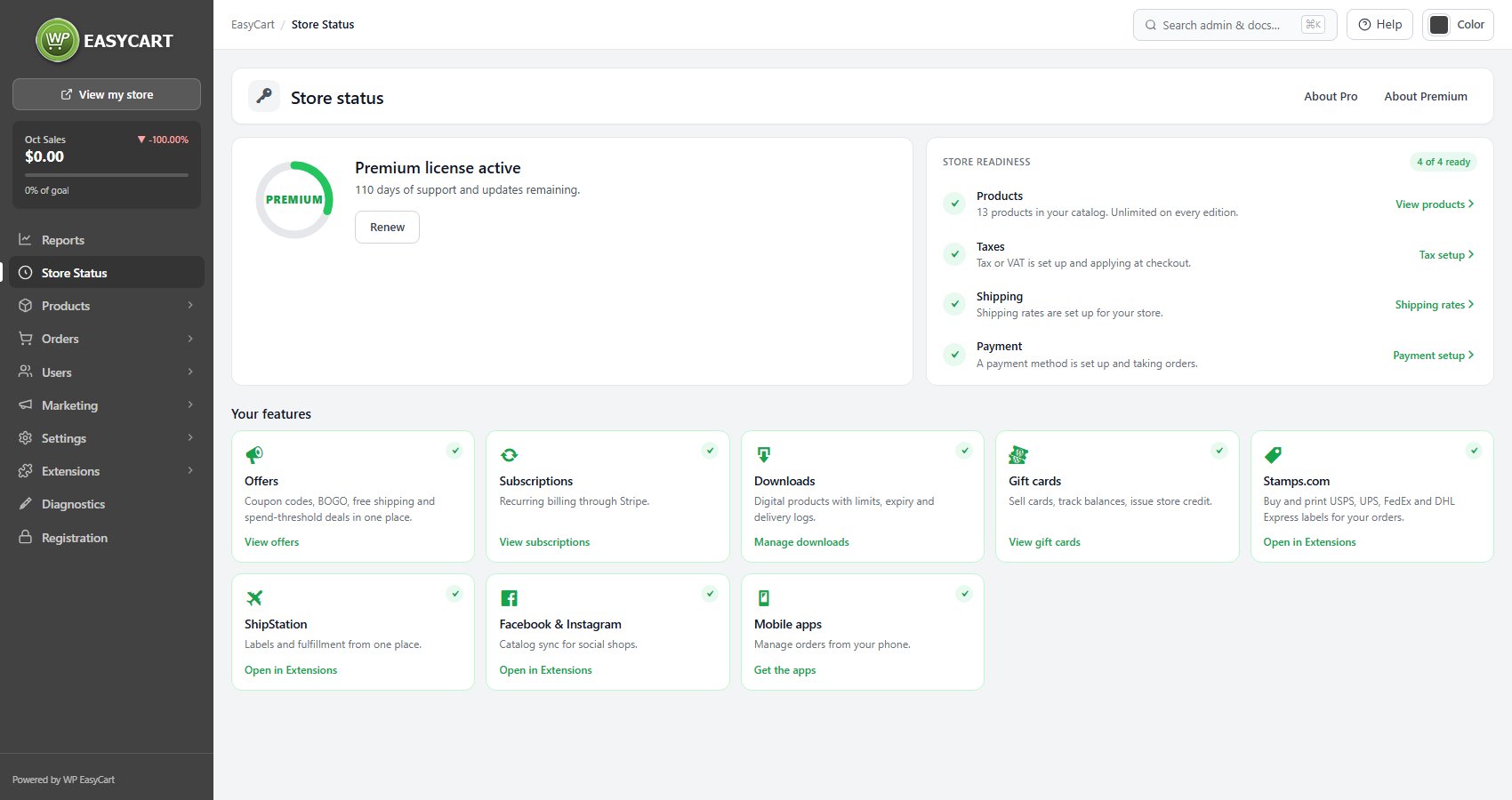
Store Status on a Premium license: the license panel, store readiness and your features.

💡 Note: The licence panel, readiness checks and feature tiles are covered in Store Status.

Premium and beyond

Extensions, upgrades and fixes

WP EasyCart Premium for the extensions, upgrading a trial, and what each notice means.

Step 4. Premium: install WP EasyCart Premium

The plugin that adds and updates every extension

A Premium license includes every extension. They are installed from WP EasyCart itself, not downloaded one by one.

Open WP EasyCart › Extensions. With an active Premium license the banner reads Your Premium license includes every extension. Press Install WP EasyCart Premium: it is downloaded, checked, installed and activated, and you come back to the catalog. Remind me later hides the offer for seven days. The Premium extensions card on Registration takes you to the same place.

From then on, Install on any extension card adds it in one click. The details, and the download route for sites that cannot install from the dashboard, are in Installing Extensions.
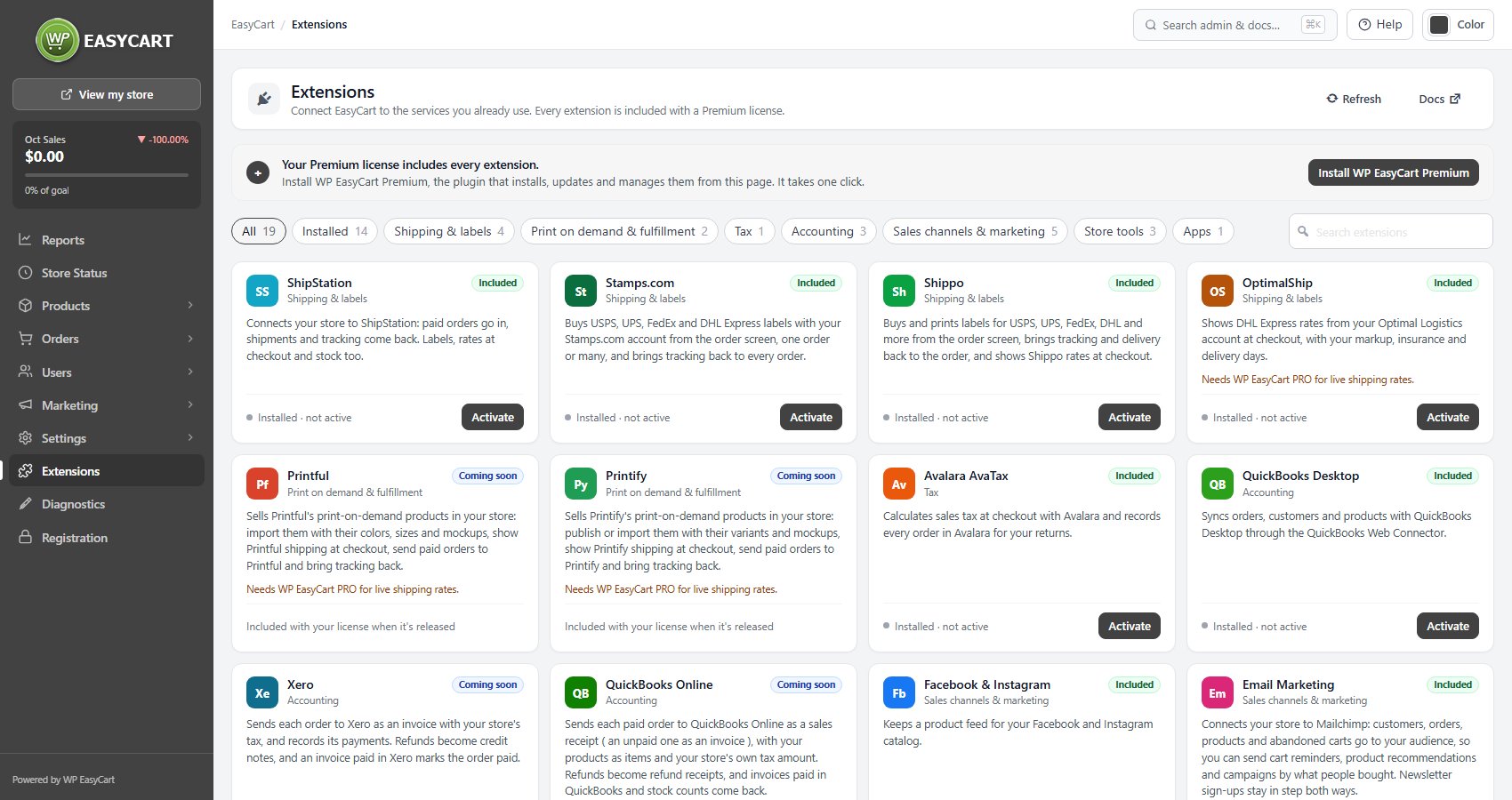
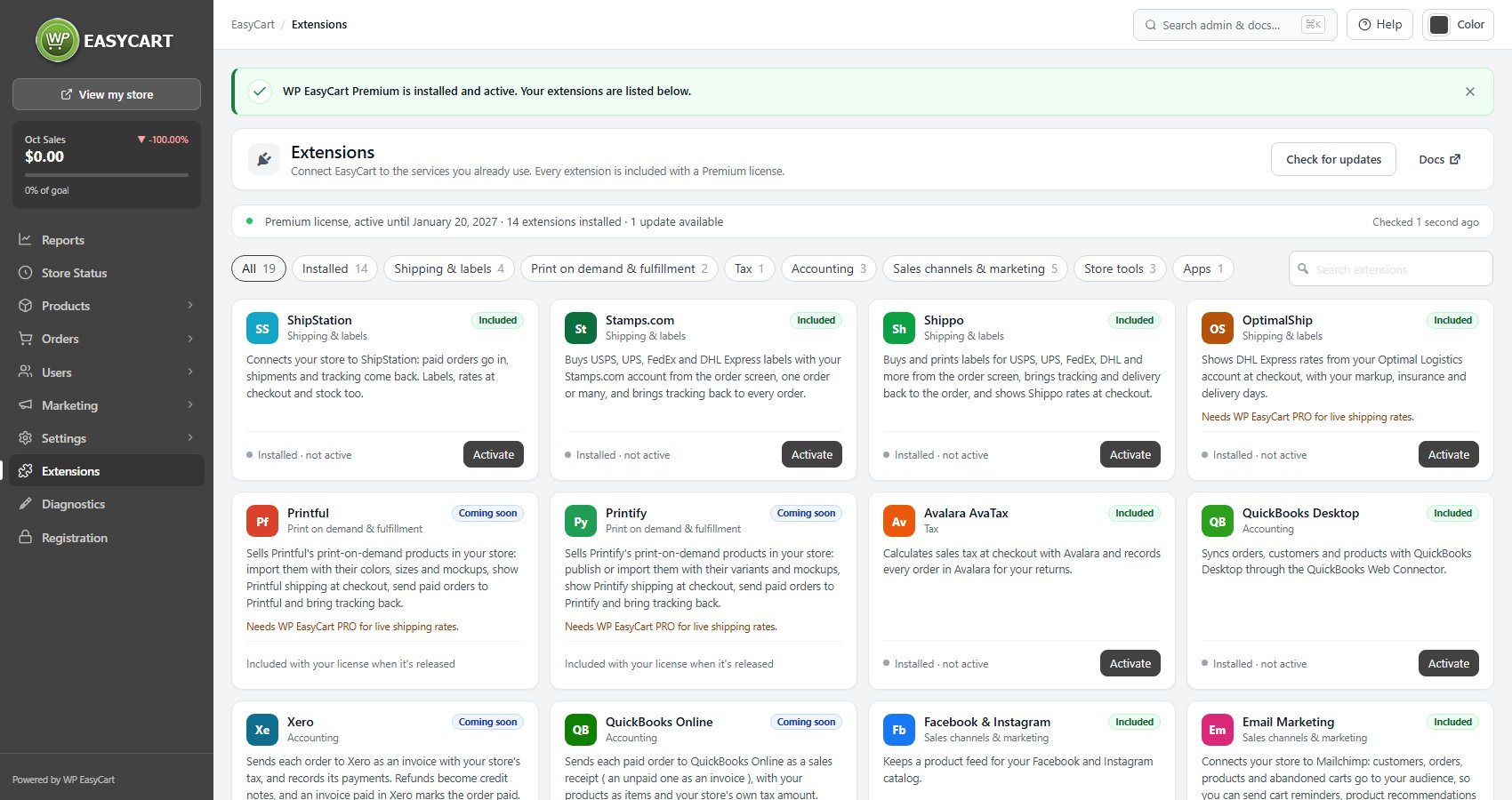
WP EasyCart › Extensions on a Premium license before Premium is installed: Install WP EasyCart Premium.
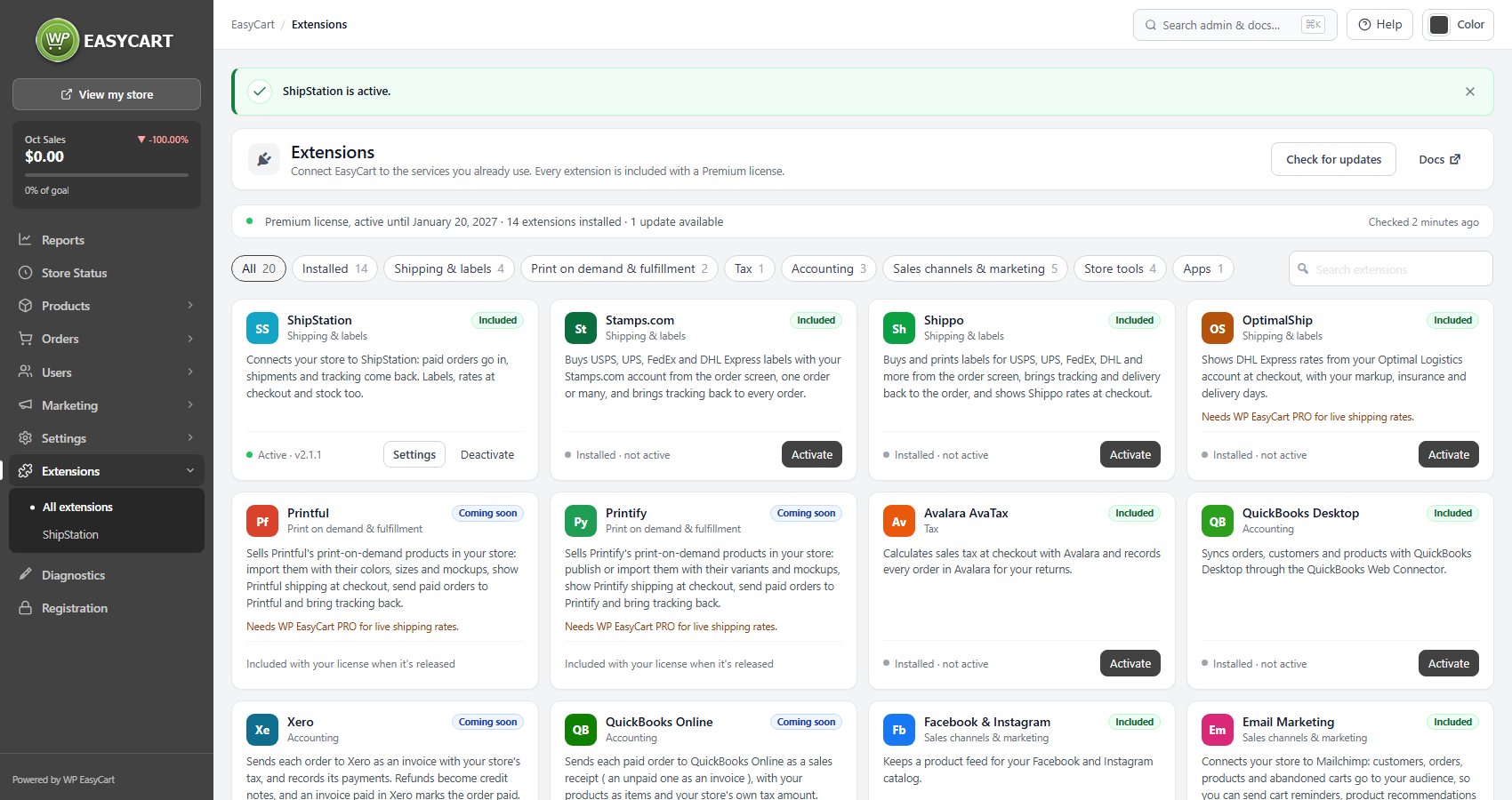
One click later: Premium is installed and active, and every extension is listed.
Activate on an extension card switches it on. Settings opens its setup.

Upgrading your trial

Buy a license and keep everything you set up

During the trial, Store Status counts the days and offers Upgrade now. Upgrade before the trial ends and nothing changes: the trial key becomes a license, with nothing to reinstall and nothing to re-enter.

Let it lapse and the Pro panels lock again, with your products, orders and settings exactly as you left them. Upgrade later and you pick up where you stopped.

Plans are on the pricing page.

If it does not work

What each Registration notice means

Installing and activating plugins needs a site administrator. Your WordPress user cannot install plugins. Ask an administrator to start the trial or install PRO.

This site does not allow plugins to be installed from the dashboard. Download WP EasyCart PRO and add it the way the site is deployed (Step 3).

WP EasyCart PRO could not be installed. The reason is shown under the notice. Press Try again, or download and upload it yourself.

WP EasyCart PRO is installed but could not be activated. Try again, or activate it on the Plugins screen.

Your free trial could not be started. Usually the site could not reach licensing.wpeasycart.com. Wait a few minutes and try again.

This site has already had a free trial. Enter your license key, or choose a plan.

Your trial key was created but could not be activated yet. Press Activate on the Registration page to finish.

Still stuck? Open a ticket at wpeasycart.com/my-account.

Keep going

Related panels

Registration

Start a trial, enter, move or renew a licence key.

Store Status

Your licence state and the features it unlocks.

Installing Extensions

Installing and updating Premium extensions.

Payment

The gateways PRO adds, with no EasyCart fee.

Diagnostics

Server checks, when an install will not finish.

Ready to run your store on WP EasyCart?

Everything in this guide works with the free plugin. PRO and Premium add subscriptions, memberships, wholesale pricing and more. Try every PRO feature free for 14 days.

The WP EasyCart admin: orders and offers
Updated on October 2, 2026