
Extension Guides
Shippo Extension
Shippo is a great and economical way to get shipping connected to your WP EasyCart system. It’s a post-order process — order data flows directly to your Shippo account, where you purchase labels and tap into all of Shippo’s shipping processes, automations, and features.
Download & Install the Extension
Every EasyCart extension installs as its own WordPress plugin — a very easy task with WordPress. Read our short guide to learn how to install a WordPress plugin and EasyCart Premium extensions.
Create Your Shippo Account
You’ll need to sign up for an account at GoShippo.com, which offers a variety of plans.
💡 Plan pricing: At the time of this writing, there’s a free plan offering up to 30 labels, with paid plans after that starting at very reasonable rates. Check with GoShippo.com for the current offerings.
Connecting EasyCart to Shippo
One API key is all it takes to link the two systems.
Generate a Live API Token
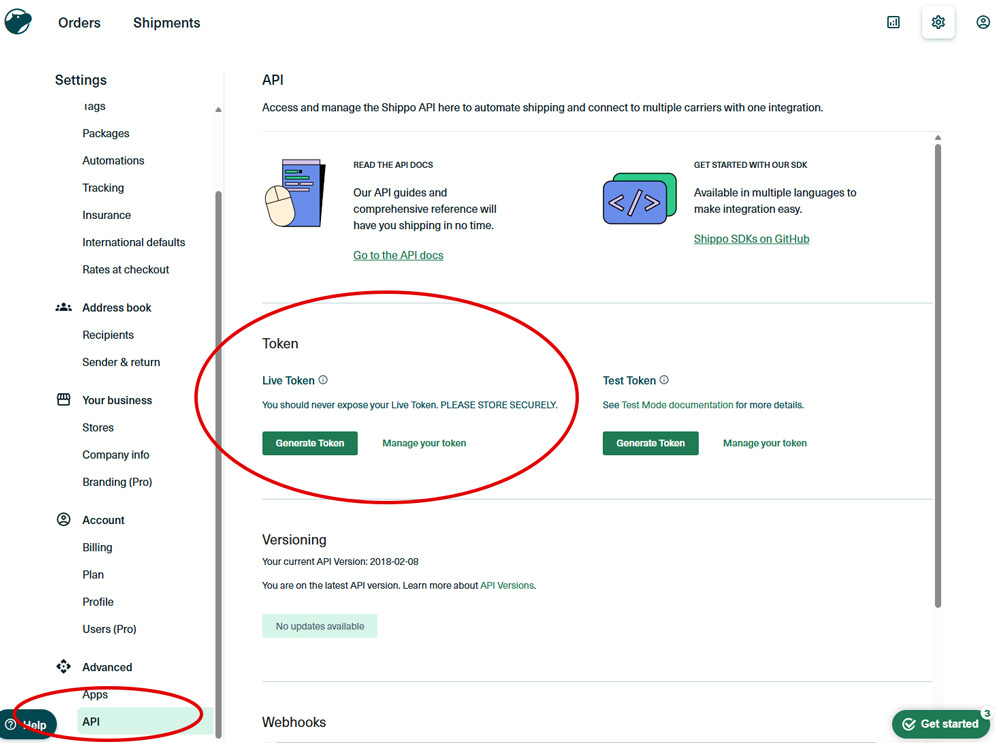
Generate a new API key on your GoShippo.com account — a very easy task. Go to your GoShippo Account › API section. Notice you can generate a test token or a live token. You’ll want to contact Shippo and have a live token generated. Once ready, click generate and copy the live token for use in WP EasyCart in the next step.
GoShippo — API Token Generation
WP EasyCart Shippo Setup
Paste in your API key, add your ship-from address, and you’re connected.
Paste Your API Key & Add Your Ship-From Address
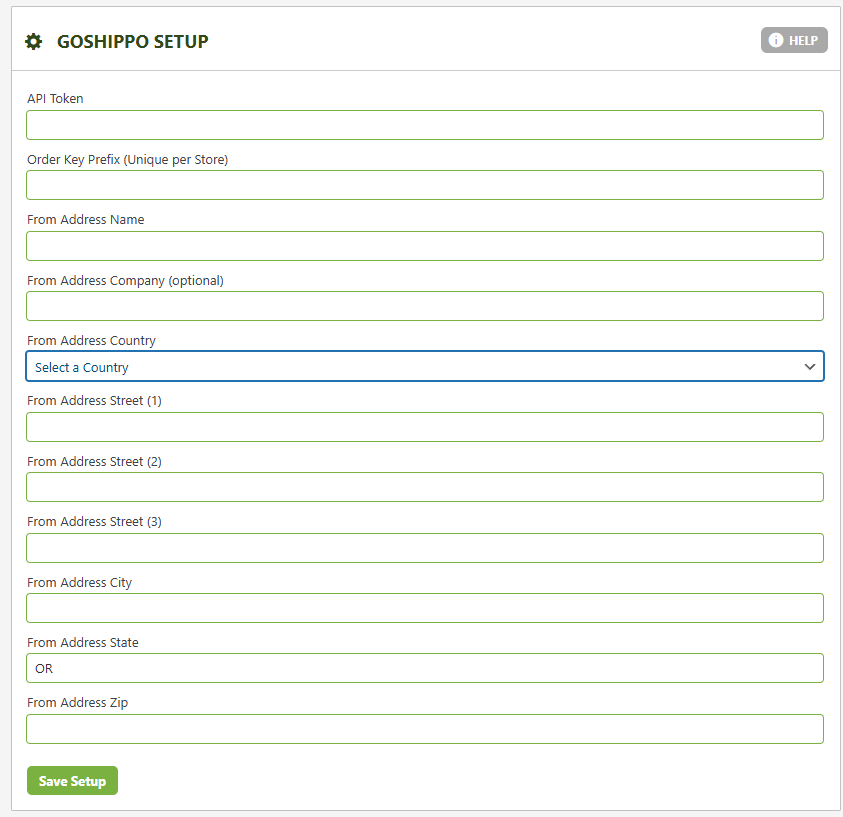
Now that you have an API key, go to the WP EasyCart › Settings › Third Party panel. You’ll see a specific GoShippo Setup panel where you can paste your API key. Then add your Ship-From address information into the designated sections.
💡 Running multiple stores? Add a special Order Key Prefix unique to your store. If you service several websites that all share the same GoShippo account, the prefix is a great way to differentiate the orders in the GoShippo console.
WP EasyCart — GoShippo Setup Panel
That’s It — You’re Connected
The process is fairly simple: an order is placed and approved, that order information is pushed over to your GoShippo account, and you’ll see it appear within the Orders panel.
GoShippo — Order Received from WP EasyCart

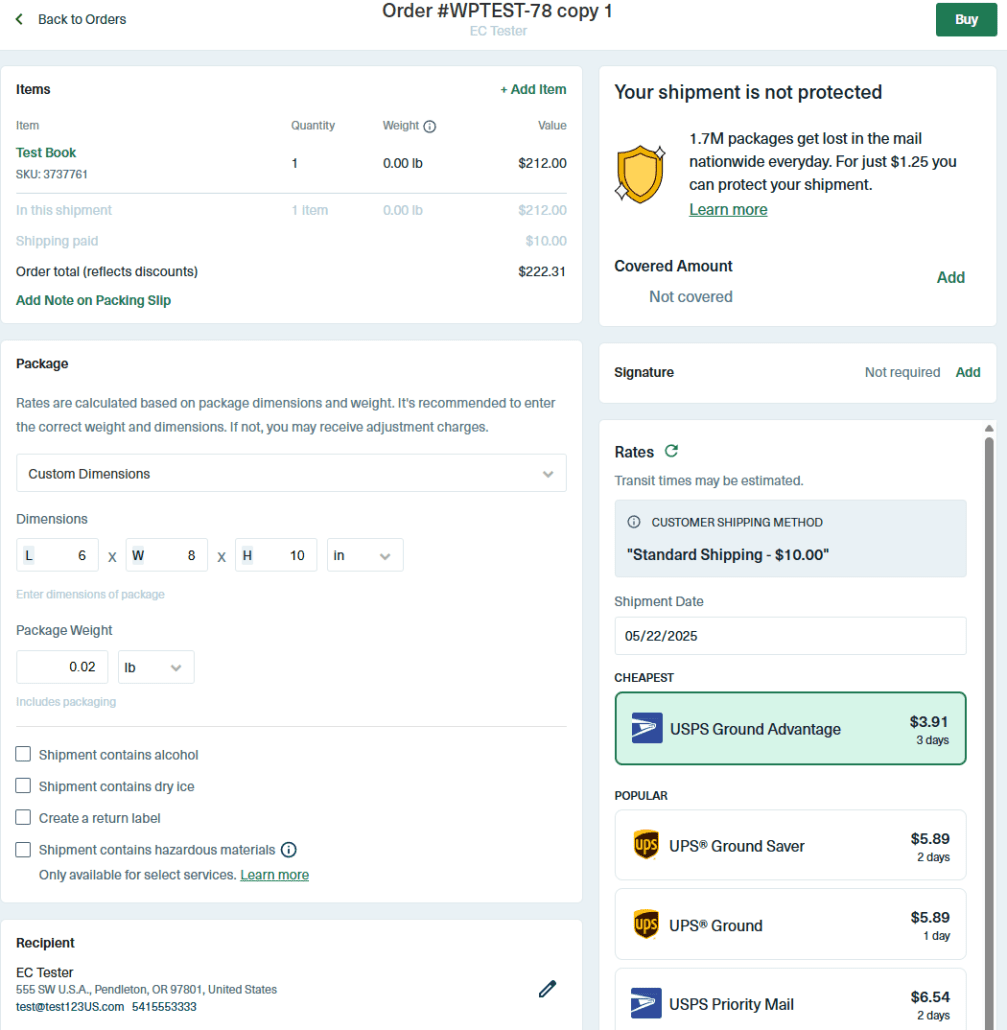
Shippo offers a variety of automations and brandings if you wish to engage email confirmations and status messages. Buying labels is very simple with an intuitive but clean interface — Shippo lets you add customs information, change package dimensions and weights accordingly, and easily pull in actual shipping values for your destination.
GoShippo — Label Purchase Interface
Ship Smarter with Shippo
Orders in, labels out. If you need a hand connecting your GoShippo account, our support team is ready to help.