
Extension Guides
Installing All Extensions
Every WP EasyCart extension is a regular WordPress plugin — you install it exactly like any plugin from WordPress.org or another external site. As a Premium member, you can download every extension and app from your Premium Content area — just look for the menu at the top of www.wpeasycart.com. Professional license holders must upgrade to access the extensions.
Step 1 — Log Into WP EasyCart
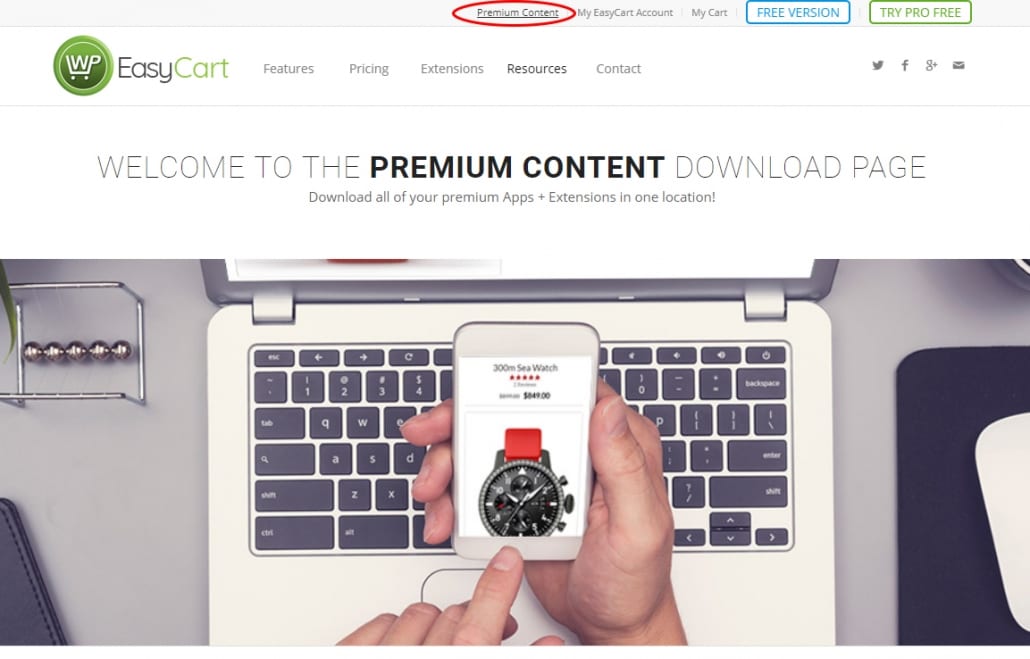
Your extensions live in the Premium Content area of your account.
Open Your Premium Content Area
All premium members log into www.wpeasycart.com/my-account. Once you’re in, access the premium content using the menu at the top of the site.
WP EasyCart — Premium Content Area
Step 2 — Download the Plugins
Every extension downloads as a .zip file — and it needs to stay that way.
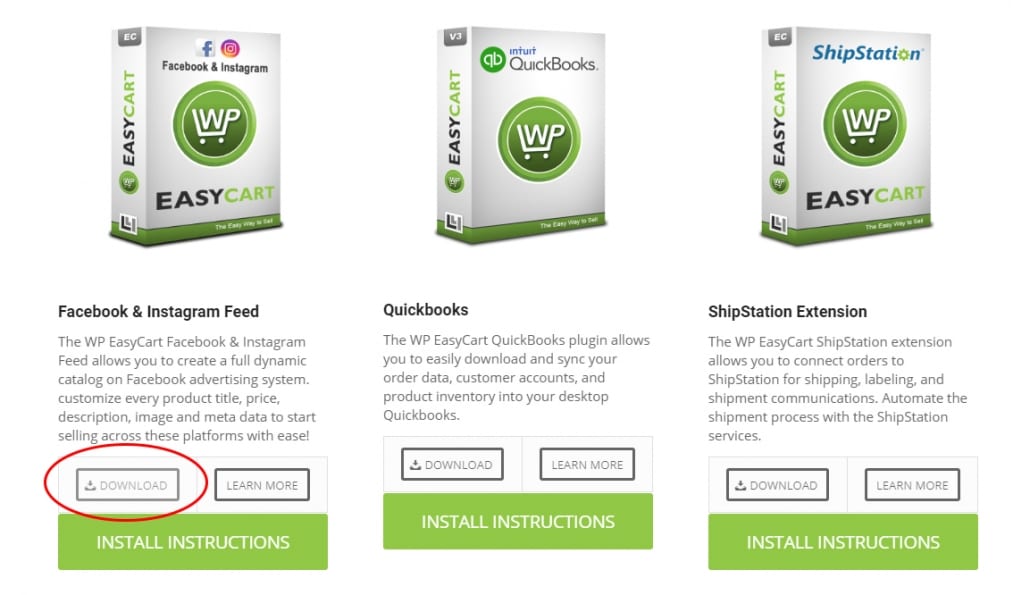
Download — Don’t Unzip
Once logged in, you can download all the extensions as .zip files. These .zip files do not need to be opened! Keep them in .zip format — you’ll upload them to WordPress as a plugin exactly as they are.
💡 Mac users: Some Mac computers will try to open .zip files automatically. Download just the file — no opening is necessary.
WP EasyCart — Extension Download Button
Step 3 — Upload the ZIP to WordPress
Upload the file the same way you’d manually upload any other plugin.
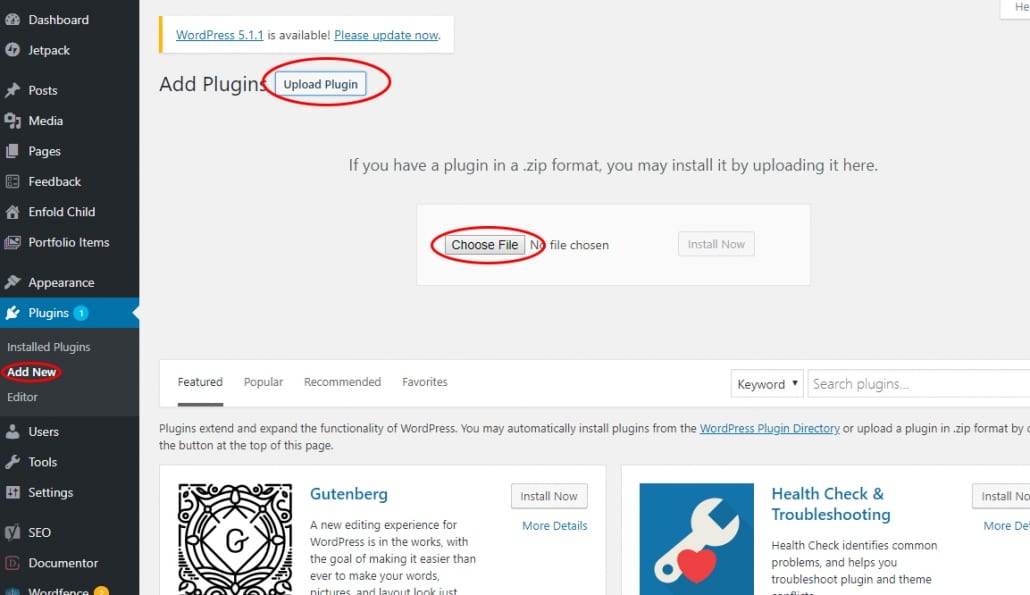
Browse & Upload
Now that you have a .zip plugin file, upload it to WordPress just like any other manually uploaded plugin. Go to WordPress › Plugins › Add New › Upload and browse to your .zip file.
WordPress — Upload Plugin Screen
Step 4 — Follow Each Plugin’s Instructions
That’s it — all done! Each extension finishes its setup a little differently.
Every Extension Has Its Own Setup
Now that you have the plugin installed, each one has a unique setup. Some require you to connect to an API with the parent company; others add new panels to your EasyCart system. Refer to the documentation section specific to your plugin for further instructions.
Extension Won’t Install?
A stubborn upload is usually a quick fix. If your plugin file won’t go in, our support team will get your extension up and running.