
Integration Guide
Cart Importers
Migrate from WooCommerce, Shopify, osCommerce, or Square to WP EasyCart with one click. Our cart importers bring across most of your product data so you can launch fast — perfect for bulk-moving products, categories, and customers off your old platform.
How the Importers Work
EasyCart’s importers move a bulk of your product data from popular platforms — not every single field, but enough to launch quickly. Each importer has its own requirements (the source platform installed, API keys, or active payment connections). Read each section below for the details specific to your platform.
Watch the Walkthroughs
Two quick videos covering the most common workflows — bulk CSV import and WooCommerce migration.
Product CSV Importer
Bulk-update thousands of products in minutes using the EasyCart CSV exporter/importer.
WooCommerce → EasyCart
Migrate from WooCommerce to WP EasyCart with one click — products, categories, and all.
Step 1 — WooCommerce Importer
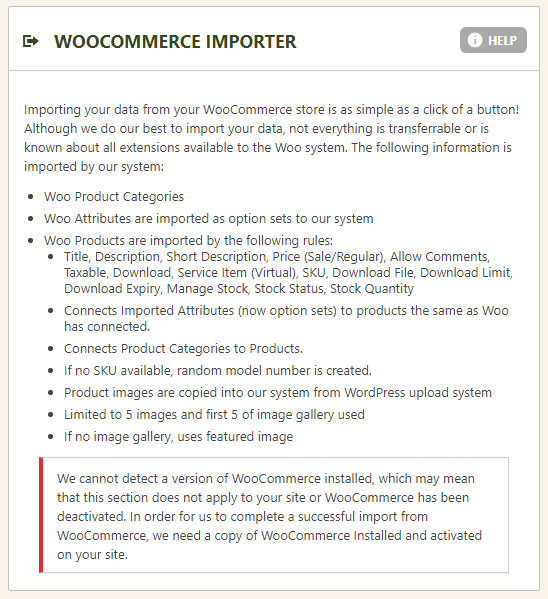
Migrate products, categories, and product data from WooCommerce with one click.
Import from WooCommerce
Both WooCommerce and EasyCart must be installed on the same WordPress site. EasyCart will automatically detect WooCommerce and offer the import option. Run the importer and EasyCart will pull across products, categories, images, and most product data. Some advanced WooCommerce extensions may not map perfectly — check imported products before going live.
EasyCart — WooCommerce Importer
Step 2 — Square Importer
Sync products from Square’s point-of-sale and online store directly into EasyCart.
Connect Square & Import
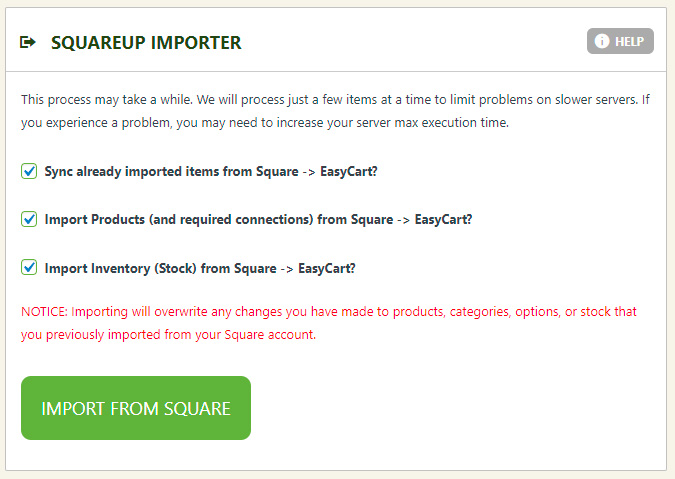
Before importing, set up Square in EasyCart › Settings › Payments to authorize the connection. Once payments are connected, return to this panel and run the import. The importer builds new products, variants, and modifiers in EasyCart, doing a best-fit match on quantity options. Already imported? Use “Sync already imported items from Square → EasyCart” to update without duplicating — perfect for a weekly sync routine.
EasyCart — Square Importer
Step 3 — osCommerce Importer
Move products and product data from an osCommerce installation into EasyCart.
Import from osCommerce
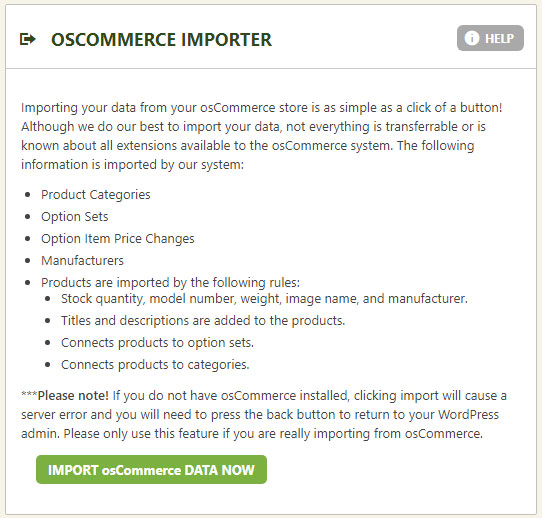
Both osCommerce and EasyCart must be installed on the same site for the importer to detect and run. EasyCart will pull across most product data — product names, descriptions, prices, categories, and images. Read the importer panel for the specific list of fields imported.
EasyCart — osCommerce Importer
Deprecated
Shopify Importer
The Shopify importer used the legacy Shopify API to pull products, categories, and users into EasyCart. This importer is no longer supported. If you’re migrating from Shopify, the recommended path is to export your products from Shopify as CSV and use the EasyCart Product CSV Importer (video above).
Ready to Move to WP EasyCart?
Get off your old platform fast. Our importers bring across the bulk of your product data so you can launch a new EasyCart store in days, not weeks.